
Wstęp
This manual provides essential information for the proper use and maintenance of your DUDAO X3C Type-C Wired Earphones. Please read it carefully before using the product to ensure optimal performance and longevity.

Image: DUDAO X3C Type-C Wired Earphones, black color.
Co jest w pudełku
Your DUDAO X3C Type-C Wired Earphones package includes the following item:
- Type-C Earphone

Image: Packaging for DUDAO X3C Type-C Wired Earphones.
Główne cechy
- Dźwięk stereo Hi-Fi: Experience clear and powerful audio with 15mm composite material drivers.
- Redukcja hałasu: Designed to minimize external distractions for an immersive listening experience.
- In-Line Microphone & Volume Controller: Easily manage calls and audio playback without accessing your device.
- Ergonomiczna konstrukcja słuchawek dousznych: Maximizes comfort for extended wear and ensures a secure fit.
- Kabel nieplączący się: The 1.2-meter TPE cable is designed to resist tangling.
- Lekki i przenośny: Łatwy do przenoszenia i używania w dowolnym miejscu.
- Łączność USB typu C: Compatible with a wide range of modern Type-C devices.

Obraz: Wybuchowy view illustrating the 15mm composite material vibration film driver for enhanced audio quality.

Image: Earphone shown in an ear model, highlighting the ultra-light half-in-ear design for comfort and sound insulation.
Wideo: Ponadview of the DUDAO Type-C Wired Earphones, showcasing key features like noise reduction, Hi-Fi audio, in-line volume control, and high sensitivity microphone.
Organizować coś
To set up your DUDAO X3C Type-C Wired Earphones:
- Locate the Type-C port on your compatible device (e.g., smartphone, tablet, laptop).
- Insert the Type-C connector of the earphones firmly into the device's Type-C port.
- Ensure the connection is secure. Your device should automatically recognize the earphones.
- If your device does not immediately recognize the headset, enable the OTG (On-The-Go) connection feature in your device's settings. Refer to your device's manual for specific instructions on enabling OTG.

Image: DUDAO X3C Type-C Earphones with a Type-C interface, shown connected to an iPhone 15.
Instrukcja obsługi
The DUDAO X3C earphones feature an in-line remote control for convenient operation:
- Zwiększenie głośności: Press the 'Volume plus' button to increase audio volume.
- Ściszanie: Press the 'Volume reduction' button to decrease audio volume.
- Function Key (Middle Button):
- Naciśnij raz, aby odtworzyć/wstrzymać muzykę.
- Naciśnij raz, aby odebrać/zakończyć połączenie.
- Naciśnij dwukrotnie, aby przejść do następnego utworu.
- Naciśnij trzy razy, aby przejść do poprzedniego utworu.

Image: Close-up of the in-line remote control, indicating the volume up, volume down, and function keys.
Zgodność urządzenia
These earphones are designed for wide compatibility with devices featuring a USB Type-C audio port. Compatible devices include, but are not limited to:
- Seria iPhone 15
- iPad Pro
- MacBook Pro
- Samsung Galaxy S24/S23/S22/S21/S20/Note 20/Note 10 series
- Google Pixel 6/6 Pro/5/4a/3a XL/4 XL/3/2 XL series
- OnePlus 10 Pro/9 Pro/9/8Pro/Nord 8T/8 series
- Other devices with USB Type-C audio port.
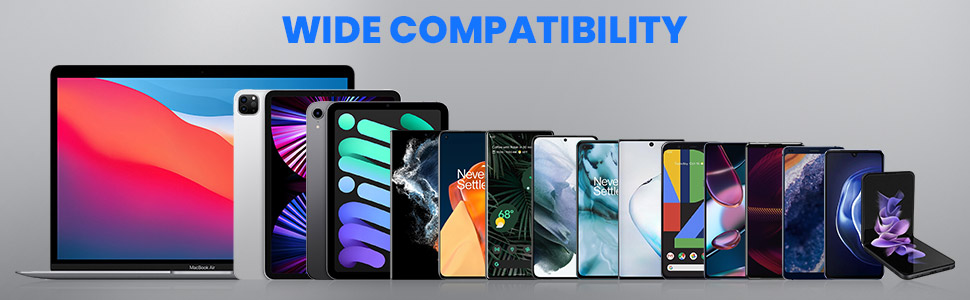
Image: A range of devices including laptops, tablets, and smartphones, illustrating the wide compatibility of the Type-C earphones.
Konserwacja
Aby zapewnić długą żywotność i optymalną wydajność słuchawek:
- Keep the earphones clean and dry. Avoid exposure to excessive moisture or liquids.
- Store them in a clean, dry place when not in use.
- Avoid pulling the cable forcefully to prevent damage to the wiring or connectors.
- Clean the ear tips regularly with a soft, dry cloth to remove earwax or debris.
- Nie należy podejmować prób rozmontowania lub modyfikacji słuchawek, gdyż spowoduje to utratę gwarancji.
Rozwiązywanie problemów
- Brak dźwięku:
- Sprawdź, czy złącze typu C jest całkowicie włożone do urządzenia.
- Sprawdź ustawienia głośności swojego urządzenia.
- If using an Android device, verify that OTG (On-The-Go) connection is enabled in your device settings if the earphones are not recognized automatically.
- Przetestuj słuchawki z innym kompatybilnym urządzeniem, aby wykluczyć problem związany z konkretnym urządzeniem.
- Mikrofon nie działa:
- Upewnij się, że mikrofon nie jest zasłonięty.
- Check your device's privacy settings to ensure microphone access is granted to the relevant applications.
- Przetestuj mikrofon za pomocą innej aplikacji lub urządzenia.
- Volume Control Not Responding:
- Sprawdź, czy słuchawki są solidnie podłączone.
- Some applications may override the in-line volume control; try adjusting volume directly on your device.
Specyfikacje
| Funkcja | Szczegół |
|---|---|
| Nazwa modelu | X3C |
| Technologia łączności | Przewodowy |
| Gniazdo słuchawkowe | Port typu C |
| Kontrola hałasu | Izolacja akustyczna |
| Typ sterownika audio | Dynamiczny sterownik |
| Rozmiar kierowcy | 15mm |
| Funkcja kabla | Bez plątania |
| Długość kabla | 1.2 metrów |
| Typ sterowania | Volume Control, In-line Remote |
| Format mikrofonu | Wbudowany |
| Waga przedmiotu | 12 gram |
| Tworzywo | Plastikowy |
| Poziom wodoodporności | Wodoodporny |
| Kompatybilne urządzenia | iPhone, iPad, MacBook Pro, Galaxy, Google Pixel, Oneplus |
| Kraj pochodzenia | Chiny |
Gwarancja i wsparcie
For any compatibility issues, product inquiries, or support, please contact DUDAO India Customer Care:
- Numer Obsługi Klienta: +91-9310681651
- Producent: HongKong Company, Guangdong Huitou Industrial Co.,Ltd.
Proszę zachować paragon zakupu na wypadek reklamacji.