
1. Wprowadzenie
This manual provides essential information for the safe and efficient use of your Philips 32E1N3100LA monitor. Please read these instructions carefully before operating the device and retain them for future reference.
The Philips 32E1N3100LA is a 32-inch Full HD (1920x1080) monitor featuring a VA panel, 75Hz refresh rate, and 1ms MPRT response time, designed for a clear and smooth visual experience. It includes built-in speakers and supports Adaptive Sync technology.

Przód view of the Philips 32E1N3100LA monitor.
2. Informacje dotyczące bezpieczeństwa
Always follow these basic safety precautions when using your monitor:
- Nie wystawiaj monitora na działanie deszczu i wilgoci.
- Nie otwierać monitora casing. Wewnątrz nie ma żadnych części nadających się do samodzielnej naprawy przez użytkownika.
- Zapewnij odpowiednią wentylację wokół monitora.
- Należy używać wyłącznie zasilacza dołączonego do monitora.
- Trzymaj monitor z dala od bezpośredniego światła słonecznego i źródeł ciepła.
- Refer to the official "Safety Information (PDF)" document for comprehensive safety guidelines.
For detailed safety instructions, please consult the official safety document: Informacje dotyczące bezpieczeństwa (PDF)
3. Konfiguracja
3.1 Rozpakowanie
Ostrożnie wyjmij wszystkie elementy z opakowania. Upewnij się, że wszystkie elementy wymienione w liście przewozowym są obecne i nieuszkodzone.
3.2 Montaż stojaka
- Aby zapobiec porysowaniu, połóż monitor ekranem do dołu na miękkiej i czystej powierzchni.
- Przymocuj podstawę do monitora za pomocą dołączonych śrub.
- Secure the base to the stand neck.

Tył view monitora z podstawą.
3.3 Kable połączeniowe
Podłącz niezbędne kable do tylnych portów monitora:
- Przewód zasilający: Podłącz kabel zasilający do wejścia zasilania monitora, a następnie do uziemionego gniazdka elektrycznego.
- Kabel wideo: Connect an HDMI cable from your computer's video output to the monitor's HDMI input. Alternatively, use a D-Sub (VGA) cable if your system supports it.

Rear ports of the monitor for power and video connections.
3.4 Zarządzanie kablami
Utilize the integrated cable management feature on the stand to keep your workspace tidy.
Cable management feature on the monitor stand.
4. Obsługa monitora
4.1 Włączanie/wyłączanie zasilania
Press the power button, usually located on the back or bottom edge of the monitor, to turn it on or off. The power LED will indicate the monitor's status.
4.2 Menu ekranowe (OSD)
The monitor features a micro joystick control, typically located on the rear right side, for navigating the OSD menu. This allows you to adjust various settings.
4.2.1 Ustawienia obrazu
- Jasność/Kontrast: Adjust these settings to optimize image visibility.
- Temperatura barwowa: Select predefined color modes or customize RGB levels.
- Tryb LowBlue: Reduces harmful blue light emissions for eye comfort during prolonged use.
- Technologia bez migotania: Minimizes screen flickering to reduce eye strain.

LowBlue Mode and Flicker-free technology for eye comfort.
4.2.2 Ustawienia audio
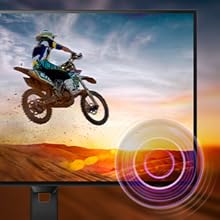
Adjust the volume of the built-in speakers through the OSD menu. An audio output jack is also available for connecting external headphones or speakers.

Monitor with built-in speakers.
4.3 Adaptacyjna synchronizacja (FreeSync)
This monitor supports Adaptive Sync technology, which synchronizes the display's refresh rate with your graphics card's frame rate. This helps eliminate screen tearing and stuttering for smoother gameplay and video playback. Ensure your graphics card supports FreeSync and that the feature is enabled in your graphics card settings and the monitor's OSD.

Adaptive Sync technology for smooth visuals.
5. Konserwacja
5.1 Czyszczenie ekranu
Delikatnie przetrzyj ekran miękką, niepozostawiającą włókien ściereczką. W przypadku uporczywych zabrudzeń delikatnie przetrzyj.ampen the cloth with a screen cleaner specifically designed for monitors. Do not spray cleaner directly onto the screen.
5.2 Czyszczenie Casing
Do czyszczenia monitora należy używać miękkiej, suchej ściereczki.asing. Unikaj stosowania środków czyszczących o właściwościach ściernych i rozpuszczalników.
5.3 Ogólna opieka
- Unikaj umieszczania ciężkich przedmiotów na monitorze i jego kablach.
- Nie blokuj otworów wentylacyjnych.
- Odłączaj monitor od gniazdka elektrycznego podczas burzy z piorunami lub jeśli nie używasz go przez dłuższy czas.
6. Rozwiązywanie Problemów
Jeśli masz problemy z monitorem, zapoznaj się z poniższymi typowymi problemami i ich rozwiązaniami:
| Problem | Możliwe rozwiązanie |
|---|---|
| Brak zasilania | Ensure the power cable is securely connected to the monitor and a working electrical outlet. Check the power adapter. |
| Brak obrazu na ekranie | Verify the video cable (HDMI/D-Sub) is correctly connected to both the monitor and your computer. Ensure the correct input source is selected in the OSD menu. |
| Obraz jest niewyraźny lub zniekształcony | Adjust the resolution settings on your computer to match the monitor's native resolution (1920x1080). Check video cable quality and connection. |
| Brak dźwięku z głośników | Check the volume settings in the OSD menu and on your computer. Ensure the audio source is correctly configured. |
| Adaptive Sync not working | Confirm your graphics card supports FreeSync and that it is enabled in both your graphics card control panel and the monitor's OSD settings. |
7. Specyfikacje
| Funkcja | Szczegół |
|---|---|
| Numer modelu | 32E1N3100LA/00 |
| Rozmiar ekranu | 32 cali |
| Typ panelu | Panel VA |
| Rezolucja | FHD 1080p (1920x1080) |
| Proporcje obrazu | 16:9 |
| Częstotliwość odświeżania | 75 Hz |
| Czas reakcji | 1 milisekunda (MPRT) |
| Współczynnik kontrastu | 3000:1 |
| Jasność | 300 cd/m² |
| Łączność | 1x HDMI 1.4, 1x D-Sub (VGA) |
| Audio | Built-in Speakers, Audio Out |
| Adaptacyjna synchronizacja | FreeSync |
| Pobór mocy | 30.5 watów |
| Wymiary (DxSxW) | 25P x 72l x 52H cm |
| Waga | 7 kilograma |
| Mocowanie VESA | Yes (Wall Mount Type) |
8. Gwarancja i wsparcie
8.1 Informacje o gwarancji
This Philips monitor comes with a limited warranty. For specific terms, conditions, and duration of your warranty, please refer to the documentation included with your product or visit the official Philips support webstrona.
8.2 Obsługa klienta
For technical assistance, troubleshooting beyond this manual, or warranty claims, please contact Philips customer support. You can find contact information and additional resources on the official Philips webstrona.
Additional detailed instructions are available in the official user manual: Instrukcja użytkowania (PDF)