
Wstęp
This manual provides detailed instructions for the installation, operation, and maintenance of your AUSEK D8 Dash Camera. This device is a 10-inch IPS touch screen mirror dash cam designed for vehicles, offering 4K front and 1080P rear camera recording, Wi-Fi connectivity, GPS tracking, enhanced night vision, G-sensor for emergency locking, loop recording, and parking assistance features. Please read this manual thoroughly before using the product to ensure proper function and safety.
Co jest w pudełku
Ostrożnie rozpakuj pudełko i sprawdź, czy wszystkie wymienione poniżej elementy są obecne i w dobrym stanie:
- Dashboard Camera (Main Mirror Unit)
- Kamera tylna
- Mounting Rubbers (for mirror attachment)
- Car Charger Adaptor
- Instrukcja obsługi
- Moduł GPS
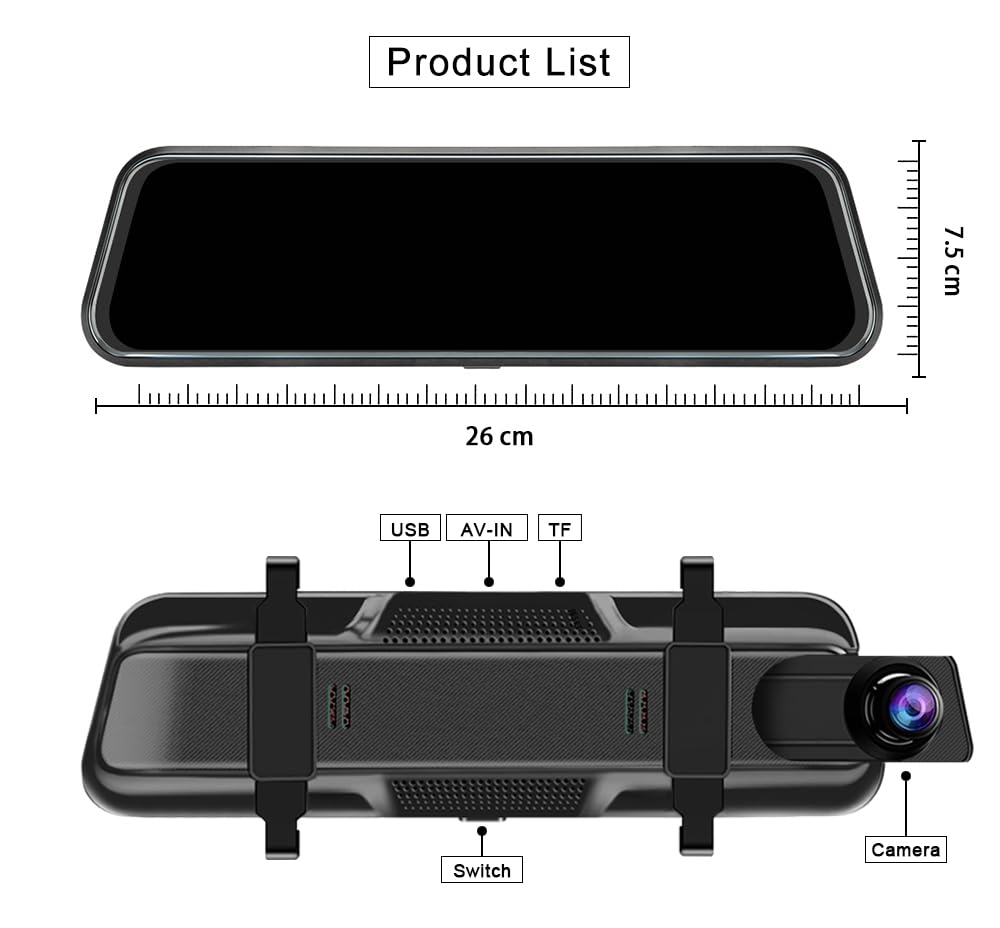
Image: Components included in the AUSEK D8 Dash Camera package, showing the main mirror dash cam, rear camera, GPS module, and accessories.
Produkt ponadview i kluczowe cechy
The AUSEK D8 Dash Camera is equipped with advanced features to enhance your driving safety and recording capabilities.
10" IPS Touch Screen & 4K WDR Recording
The device features a 10-inch IPS anti-glare touch screen with 2.5D glass, providing excellent color reproduction and real-time traffic display without lag. The user-friendly interface ensures fast responsiveness and ease of operation. It records in 4K resolution for the front camera and 1080P for the rear camera simultaneously.

Image: The 10-inch touch screen mirror dash cam highlighting its key features.
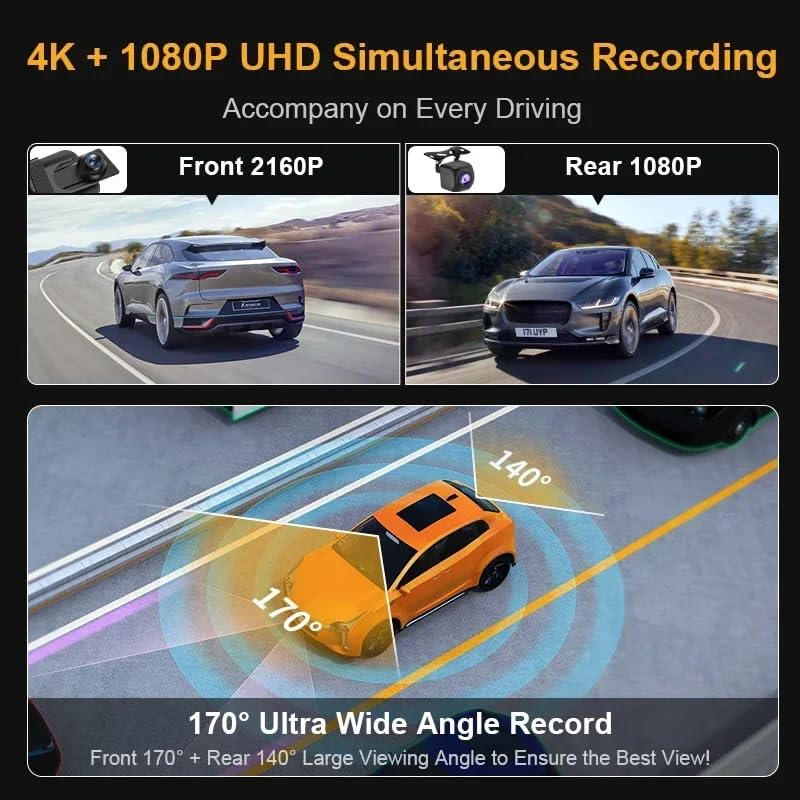
Image: Illustration of the dual camera recording capabilities and wide viewkąty.
Czujnik G i nagrywanie w pętli
The built-in G-sensor automatically detects collisions and locks the current video segment to prevent it from being overwritten, serving as crucial evidence. Loop recording ensures continuous recording by overwriting the oldest unlocked files when the memory card is full, so you never miss a moment.
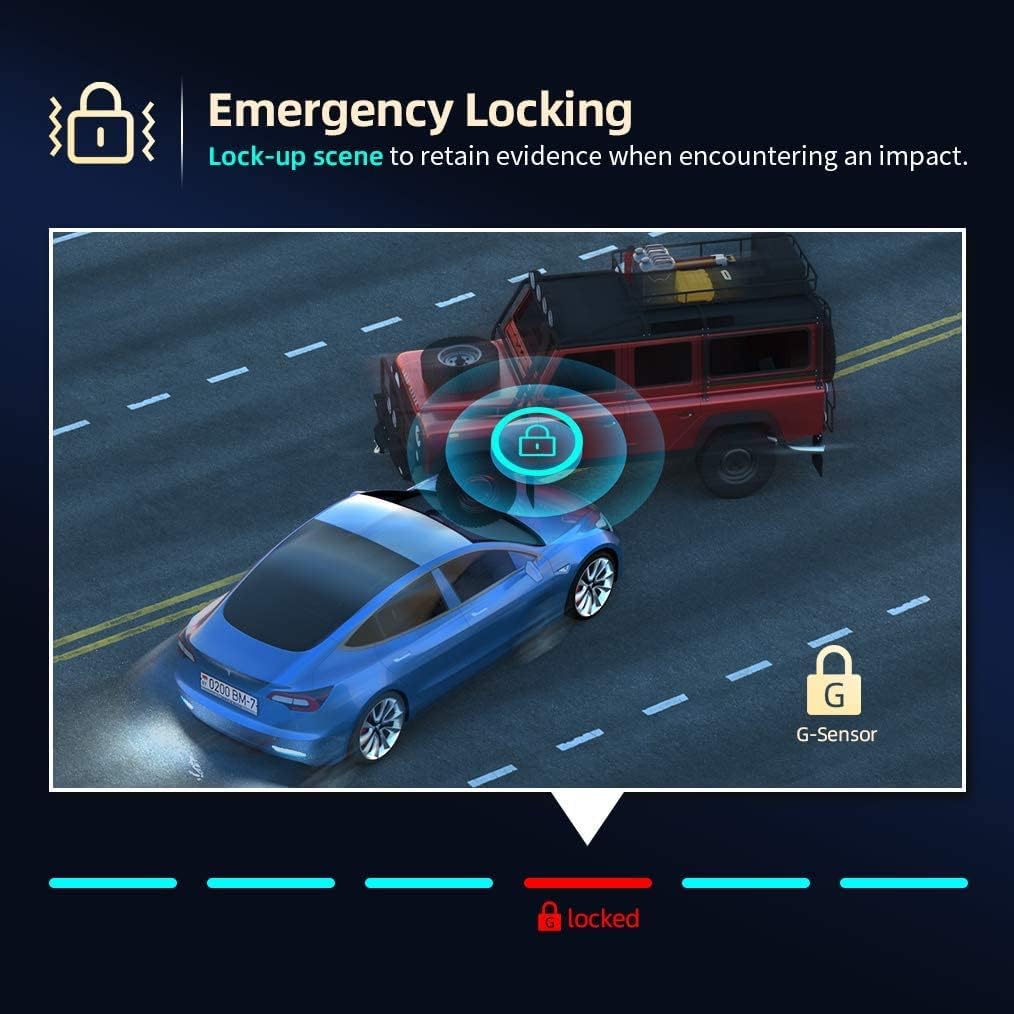
Image: Emergency locking feature triggered by the G-Sensor during an impact.

Image: Loop recording functionality, supporting up to 128GB SD card for extended storage.
GPS & Wi-Fi Connectivity
The integrated GPS module records your driving route, speed (in KMH or MPH), and location, which can be reviewed later using the SD card on a computer. Wi-Fi connectivity allows you to view, save, and share recordings wirelessly on your mobile device via a dedicated app.

Image: GPS module providing automatic tracing and saving of driving details for review on a PC/laptop.
Ulepszona Nocna Wizja
Equipped with an advanced Sony "Starvis" sensor, the dash cam captures sharp videos with enhanced details even in extremely low light conditions, ensuring reliable recording day and night.
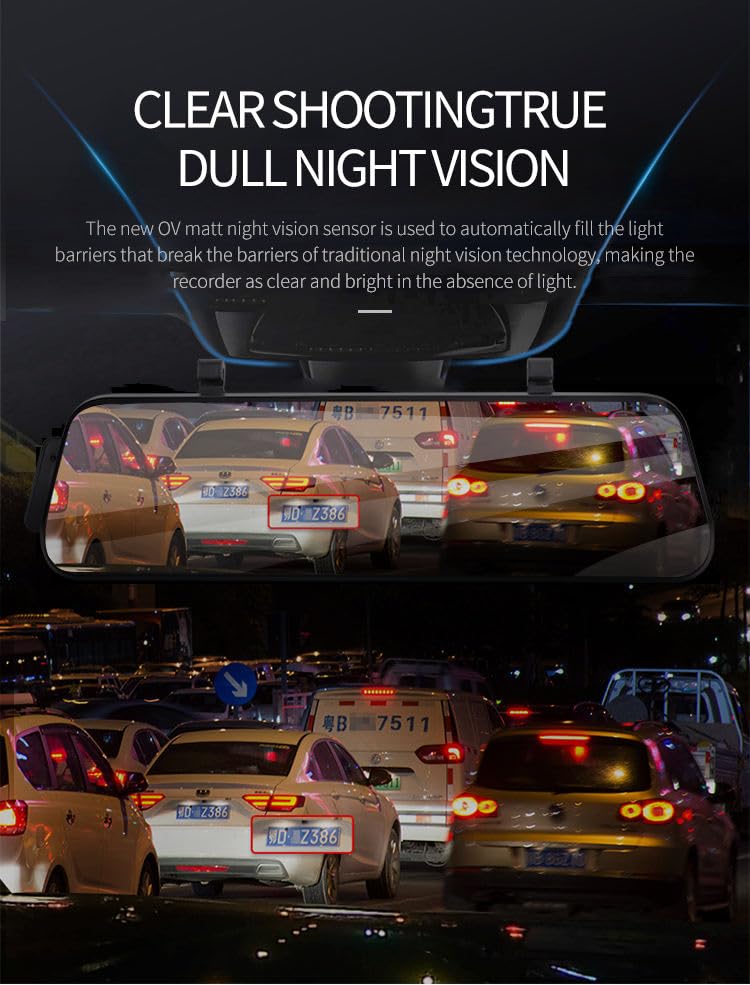
Image: Demonstration of the dash cam's clear shooting and true night vision capabilities.
Parking Assistance & Motion Detection
The rear backup camera displays a high-resolution video stream on the mirror screen. When reversing, parking assist lines appear to guide you for safe and easy parking. Motion detection ensures the dash camera records when any moving object is detected in front of the vehicle, providing surveillance when parked.

Image: Super clear reversing image with parking assist lines for easy parking.
Konfiguracja i instalacja
Follow these steps to properly install your AUSEK D8 Dash Camera:
- Włóż kartę Micro SD: Before mounting, insert a Class 10, U3 Speed Micro-SD Card (recommended: SAMSUNG or SANDISK ULTRA) into the dash cam's TF card slot. Ensure it is inserted correctly until it clicks.
- Montaż jednostki głównej: Attach the main mirror unit to your original rearview mirror using the provided rubber straps. Secure it firmly so it does not vibrate during driving.
- Zainstaluj tylną kamerę: Mount the rear camera at the back of your vehicle, typically above the license plate or inside the rear window. Ensure it has a clear view. Connect the rear camera cable to the AV-IN port on the main mirror unit.
- Connect GPS Module: Plug the GPS module into the dedicated GPS port on the main unit. Position the module on your dashboard or windshield with a clear view nieba w celu optymalnego odbioru sygnału.
- Podłączenie zasilania: Connect the car charger adaptor to the main unit's power input (Type-C interface) and plug the other end into your vehicle's cigarette lighter socket. Route the cable neatly to avoid obstruction.
- Pierwsze włączenie: Start your vehicle. The dash cam should power on automatically. Follow the on-screen prompts for initial setup, such as setting date and time.
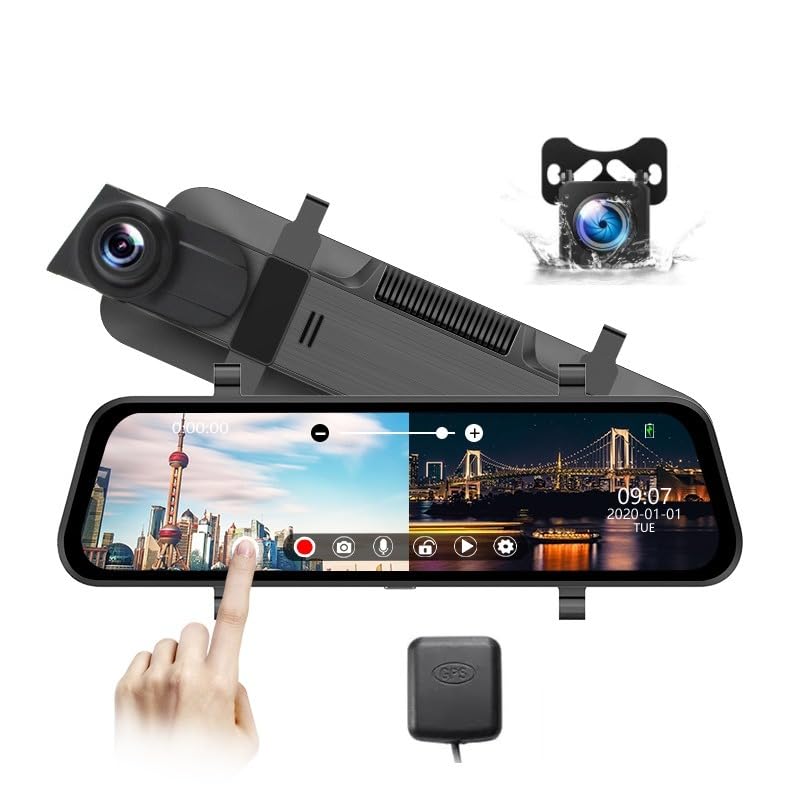
Obraz: Ponadview of the AUSEK D8 Dash Camera components for installation.
Instrukcja obsługi
Learn how to use the various functions of your AUSEK D8 Dash Camera:
Obsługa ekranu dotykowego
The 10-inch IPS touch screen allows intuitive control. Swipe left/right to switch between front and rear camera views, swipe up/down to adjust brightness, and tap icons for menu navigation and function activation.
Tryby nagrywania
- Nagrywanie w pętli: The camera automatically records in continuous loops. When the SD card is full, the oldest unlocked files są nadpisywane.
- Czujnik G (nagrywanie awaryjne): In case of a sudden impact or collision, the G-sensor triggers emergency recording, locking the current video file aby zapobiec jego nadpisaniu.
- Monitor parkowania: When enabled, the dash cam will automatically start recording if it detects a collision or motion while your vehicle is parked. This feature requires a continuous power supply (e.g., hardwire kit, sold separately).
Łączność Wi-Fi
Download the dedicated mobile application (refer to the user manual for app name and QR code). Enable Wi-Fi on the dash cam and connect your smartphone to the dash cam's Wi-Fi network. You can then view żyćtage, download recorded videos, and adjust settings directly from your phone.
Funkcjonalność GPS
The GPS module automatically records your vehicle's speed and location data during recording. This data is embedded in the video filei może być viewed using a compatible GPS player software on your computer (software typically provided on the SD card or available for download).
Konserwacja
Właściwa konserwacja gwarantuje długowieczność i optymalną wydajność kamery samochodowej:
- Zarządzanie kartami SD: Regularly format your Micro SD card (at least once a month) to prevent data corruption and ensure smooth recording. Replace the SD card if you experience frequent errors or slow performance.
- Czyszczenie: Use a soft, dry cloth to clean the camera lenses and the touch screen. Avoid using abrasive cleaners or solvents that could damage the surfaces.
- Temperatura: Avoid exposing the dash cam to extreme temperatures for prolonged periods. While designed for vehicle environments, excessive heat or cold can affect performance and lifespan.
- Aktualizacje oprogramowania układowego: Sprawdź producenta website periodically for firmware updates. Keeping your device updated can improve performance and add new features.
Rozwiązywanie problemów
Oto rozwiązania typowych problemów, z którymi możesz się spotkać:
Kamera się nie włącza
Wydanie: The camera stops turning on or does not power up.
Rozwiązanie: Ensure you are using the original car charger and cable provided with the dash cam. Generic chargers may not provide sufficient power, leading to operational issues. If you intend to hardwire the camera, purchase a dedicated hardwire kit designed for dash cams separately.
"SD Card Error" Message
Wydanie: The screen displays "SD card error".
Rozwiązanie: This typically indicates an issue with the Micro SD card. Ensure you are using a Class 10, U3 Speed Micro-SD Card specifically designed for 4K video recording. Recommended brands include SAMSUNG or SANDISK ULTRA. Avoid using generic Class 10 cards from third-party sellers, as they may not meet the performance requirements for high-end 4K dash cams. Try formatting the card in the dash cam's settings. If the issue persists, replace the SD card.
Screen Reflection
Wydanie: Reflection is visible when using the device as a combination mirror and screen view.
Rozwiązanie: To minimize reflection, increase the screen brightness to its maximum setting. Alternatively, you can turn off the screen completely when using it solely as a rearview lustro.
Specyfikacje
| Funkcja | Specyfikacja |
|---|---|
| Marka | AUSEK |
| Nazwa modelu | car dashcam (D8 Dash Camera) |
| Wymiary produktu | Wymiary 2 x 26 x 7.5 cm |
| Typ pamięci flash | SD, TF (Micro SD) |
| Kompatybilne urządzenia | Samochód, smartfon |
| Rozmiar ekranu stojącego | 10 cale (26 cm przekątna) |
| Typ wyświetlacza | LCD (IPS Touch Screen) |
| Rozdzielczość przechwytywania wideo | 4K (przód), 1080P (tył) |
| Baterie w zestawie | Tak |
| Typ złącza | GPS, Wi-Fi, Type-C (Power) |
| Typ urządzenia | Car Camera with Recording |
| Typ montażu | Adhesive Mount (for rear cam), Rubber Straps (for mirror unit) |
| Rzeczywisty Viewing kąt | 170 stopni (przód) |
| Kolor | Czarny |
| Metoda kontroli | Aplikacja, ekran dotykowy |
Gwarancja i wsparcie
Your AUSEK D8 Dash Camera comes with standard manufacturer support. An optional 1-year extended warranty is available for purchase to provide additional coverage.
Aby uzyskać pomoc techniczną, rozwiązać problemy lub złożyć zapytanie dotyczące gwarancji, skontaktuj się z producentem:
Producent: AUSHA EXPORTS P LTD
Adres: 140, Sector 27, Gurugram-122009
Obsługa klienta: 08048977694
Proszę zachować paragon zakupu na wypadek reklamacji.