
Wstęp
The BAOFENG UV-5RM is a versatile multi-band two-way radio designed for reliable communication across various environments. It features a 1.77-inch LCD screen, 999 memory channels, and supports USB-C charging. This device is suitable for outdoor activities, professional use, and emergency communication, offering features like NOAA weather alerts, frequency hopping, and scramble functions for enhanced privacy.
This manual provides essential information for the proper setup, operation, and maintenance of your UV-5RM radio to ensure optimal performance and longevity.
Zawartość opakowania
Przed przystąpieniem do instalacji sprawdź, czy w przesyłce znajdują się wszystkie elementy:
- BAOFENG UV-5RM Radio Unit
- Antena
- Akumulator litowo-jonowy
- Kabel ładujący USB-C
- Desktop Charger Dock
- Klips do paska
- Pasek na rękę
- Instrukcja obsługi (ten dokument)
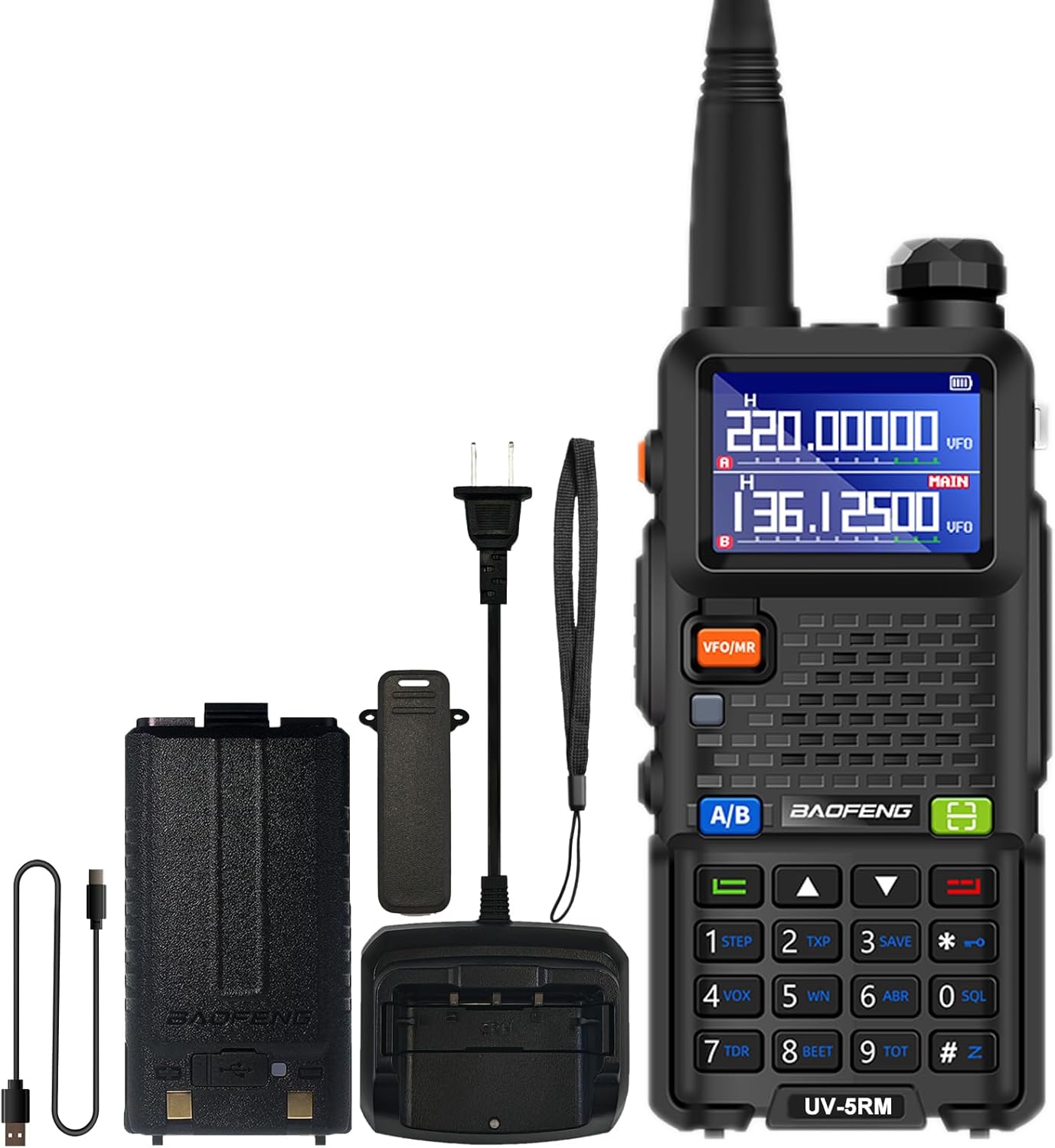
Image: The BAOFENG UV-5RM radio unit with its standard accessories, including the antenna, battery, and charging components.
Organizować coś
1. Podłączanie anteny
Carefully screw the antenna clockwise into the connector on the top of the radio until it is finger-tight. Do not overtighten.
2. Instalowanie baterii
Align the battery pack with the grooves on the back of the radio. Slide the battery upwards until it clicks into place. To remove, press the release latch (if present) and slide the battery downwards.
3. Ładowanie akumulatora
The UV-5RM offers two charging methods:
- Korzystanie z ładowarki stacjonarnej: Place the radio (with battery installed) into the charging dock. Ensure the charging contacts align. The indicator light on the charger will show the charging status.
- Korzystanie z portu USB-C: Connect the provided USB-C cable to the port on the back of the battery pack and to a compatible USB power source (e.g., car charger, power bank, laptop, USB wall adapter).
A full charge typically takes several hours. The radio can be charged in your car, with a power bank, or any USB interface device, providing flexibility for charging on the go.

Image: The BAOFENG UV-5RM radio demonstrating both USB-C direct charging and charging via its desktop dock.
4. Mocowanie klipsa do paska i paska na rękę
Secure the belt clip to the back of the radio using the provided screws. Attach the hand strap to the designated loop for added security during use.
Instrukcja obsługi
Radio ponadview i sterowanie

Image: Labeled diagram of the BAOFENG UV-5RM radio highlighting key components and controls.
- Antena: Do przesyłania i odbierania sygnałów.
- Flesz: Wbudowane światło LED do oświetlenia.
- Pokrętło zasilania/głośności: Obróć, aby włączyć/wyłączyć radio i dostosować głośność.
- Ekran LCD 1.77": Wyświetla częstotliwość, kanał, stan baterii i inne informacje.
- Przycisk FM: Aktywuje funkcję radia FM.
- Przycisk PTT (Naciśnij i mów): Naciśnij i przytrzymaj, aby nadać, zwolnij, aby odebrać.
- Przycisk VFO/MR: Przełącza pomiędzy trybem częstotliwości (VFO) i trybem kanału (MR).
- 2-pin Jack: For connecting external audio accessories like headsets or programming cables.
- Mic: Mikrofon do wprowadzania głosu.
- Przycisk skanowania: Rozpoczyna skanowanie częstotliwości lub kanału.
- Przycisk menu: Dostęp do ustawień menu radia.
- Klawiatura: Do bezpośredniego wprowadzania częstotliwości, wyboru kanału i nawigacji po menu.
- Port USB-C: Do bezpośredniego ładowania akumulatora.
1. Włączanie/wyłączanie zasilania i regulacja głośności
Rotate the Power/Volume knob clockwise to turn the radio on. Continue rotating clockwise to increase volume, and counter-clockwise to decrease volume. Rotate fully counter-clockwise until a click is heard to turn the radio off.
2. Częstotliwość i tryb kanału (VFO/MR)
Naciśnij VFO/MR przycisk umożliwiający przełączanie pomiędzy:
- Tryb częstotliwości (VFO): Umożliwia bezpośrednie wprowadzanie częstotliwości za pomocą klawiatury.
- Tryb kanału (MR): Allows selection of pre-programmed memory channels (up to 999).
3. One Key Match Frequency Function
This feature allows for quick frequency matching with another radio.
- Krok 1: Turn on your UV-5RM radio. Press and hold the SZUKAJ button (often labeled with a magnifying glass icon or similar) until the screen displays "SEARCH".
- Krok 2: Press and hold the transmit button on the other radio you wish to match. Your UV-5RM will search for and decode its frequency and CTCSS/DCS tones. Once finished, press a confirmation button (e.g., MENU or EXIT) on your UV-5RM to save.
- Krok 3: Switch to channel mode to select the newly matched channel. The screen will display the frequency of the other radio, enabling communication.

Image: Visual guide for the 'One Key Match Frequency' feature, illustrating the steps to quickly synchronize frequencies with another radio.
4. Nadawanie i odbieranie
Aby przesłać, naciśnij i przytrzymaj PTT button and speak clearly into the microphone. Release the PTT button to switch to receive mode.
5. VOX Function (Hands-Free Communication)
The Voice Operated eXchange (VOX) function allows you to transmit without pressing the PTT button. When VOX is enabled, the radio will automatically transmit when it detects your voice. Adjust VOX sensitivity in the menu settings.
6. Funkcja radia FM
Naciśnij FM button to activate the built-in FM radio. You can scan for local radio stations and enjoy entertainment when not actively communicating.
7. Radio pogodowe NOAA
The UV-5RM supports NOAA weather channels, providing access to real-time weather alerts and forecasts. Refer to the menu for specific NOAA channel settings and activation.
8. Programowanie
The radio can be programmed using CHIRP software and a compatible programming cable (sold separately). This allows for advanced customization of frequencies, channels, and other settings.
Konserwacja
- Czyszczenie: Użyj miękkiego, damp ściereczką do czyszczenia zewnętrznej części radia. Nie używaj silnych środków chemicznych ani ściernych środków czyszczących.
- Pielęgnacja baterii: Aby przedłużyć żywotność baterii, należy unikać jej przeładowywania lub całkowitego rozładowywania. Przechowuj radio i baterię w chłodnym, suchym miejscu, gdy nie są używane przez dłuższy czas.
- Składowanie: Przechowuj radio w suchym i wolnym od kurzu miejscu, z dala od bezpośredniego światła słonecznego i ekstremalnych temperatur.
- Wodoodporność: The BAOFENG UV-5RM is nie jest wodoodporny. Avoid exposing the radio to rain, splashes, or immersion in water.
Rozwiązywanie problemów
| Problem | Możliwa przyczyna | Rozwiązanie |
|---|---|---|
| Radio się nie włącza. | Akumulator nie jest naładowany lub jest nieprawidłowo zainstalowany. | Sprawdź, czy akumulator jest całkowicie naładowany i prawidłowo zainstalowany. |
| Nie można nadawać ani odbierać. | Nieprawidłowa częstotliwość/kanał, antena nie jest podłączona lub bateria jest słaba. | Sprawdź częstotliwość/kanał, sprawdź połączenie antenowe, naładuj akumulator. |
| Niska jakość dźwięku. | Zbyt niski poziom głośności, zbyt wysoki poziom wyciszenia lub zakłócenia. | Dostosuj głośność, zmniejsz poziom wyciszenia szumów i odsuń się od źródeł zakłóceń. |
| Klawiatura nie reaguje. | Blokada klawiatury została aktywowana. | Refer to the manual for keypad unlock procedure (usually a long press of a specific key). |
Specyfikacje
| Numer modelu | UV-5RM |
| Marka | BAOFENG |
| Liczba kanałów | 999 |
| Zakres częstotliwości | VHF: 144-148 MHz / UHF: 420-450 MHz (Multi-Band) |
| Wyświetlacz | 1.77-calowy ekran LCD |
| Ładowanie | USB-C Charging, Desktop Charger |
| Typ baterii | Litowo-jonowy (w zestawie) |
| Średnia żywotność baterii | Do 48 godzin |
| Maksymalny zasięg rozmów | Do 6 mil (w zależności od środowiska) |
| Cechy specjalne | NOAA, VOX, FM Radio, LED Flashlight, Squelch, Battery Save, Repeater, CTCSS/DCS, Scan, TOT, BCL, DTMF, Power-on Password, Frequency Hopping, Scramble Functions |
| Poziom wodoodporności | Nie jest wodoodporny |

Image: A comparison chart detailing the enhanced features of the BAOFENG UV-5RM model compared to the UV-5R, including channel capacity, screen size, battery, and charging options.
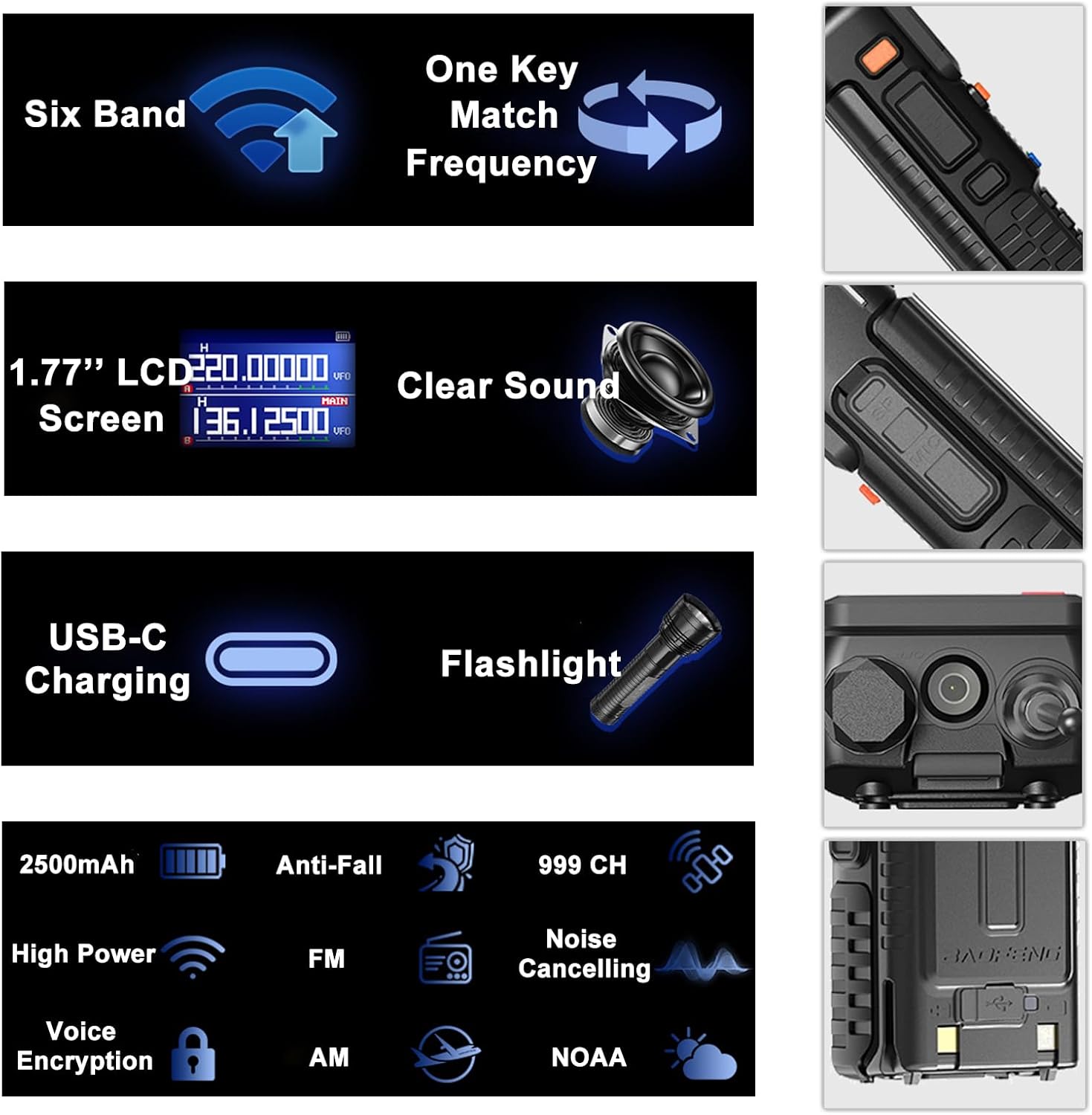
Image: An infographic summarizing the main features of the BAOFENG UV-5RM, such as multi-band capability, one-key frequency matching, USB-C charging, and a 1.77-inch LCD screen.

Obraz: Szczegółowy view of the 1.77-inch LCD screen on the BAOFENG UV-5RM, illustrating its dual display capability and clear readability.
Gwarancja i wsparcie
Gwarancja: The BAOFENG UV-5RM Two Way Radio comes with a 1-year warranty. This warranty is provided exclusively through "Shiqun Electronics Co., Ltd." Please retain your proof of purchase for warranty claims.
W celu uzyskania pomocy technicznej, pomocy w rozwiązywaniu problemów lub zapytania gwarancyjnego prosimy o kontakt ze sprzedawcą lub autoryzowanym serwisem. Szczegółowe dane kontaktowe znajdują się w dokumentacji zakupu.