
Baseus Eli Sport 1
Instrukcja obsługi słuchawek Baseus Eli Sport 1 Open Ear
Model: Eli Sport 1
Marka: Baseus
1. Wprowadzenie
The Baseus Eli Sport 1 Open Ear Headphones are designed to provide a comfortable and high-quality audio experience while maintaining awareness of your surroundings. Featuring a non-in-ear design, these headphones mitigate discomfort and protect hearing, making them ideal for exercise, driving, and work. Advanced directional acoustics ensure privacy by minimizing sound leakage, while 16.2mm large drivers and Baseus Bass Enhancement Algorithm deliver rich, powerful audio. The ultra-lightweight design and optional detachable neckband provide a stable and comfortable fit for prolonged use.

Image: Baseus Eli Sport 1 Open Ear Headphones with their charging case and detachable neckband.
2. Co znajduje się w pudełku
Po rozpakowaniu sprawdź, czy w opakowaniu znajdują się wszystkie elementy:
- Słuchawki douszne Baseus Eli Sport 1 Open Ear
- Etui ładujące
- Odpinany pałąk na szyję
- Kabel ładujący USB-C
- Instrukcja obsługi

Image: The Baseus Eli Sport 1 headphones neatly placed within their transparent-lid charging case.
3. Przewodnik konfiguracji
3.1 Initial Use & Charging
Before first use, ensure you remove all insulation stickers from the earbuds. Failure to do so may prevent proper pairing with your devices. Place the earbuds into the charging case to begin charging. The charging case itself can be recharged using the provided USB-C cable.
3.2 Parowanie z urządzeniem
- Otwórz etui ładujące i wyjmij obie słuchawki. Włączą się automatycznie i przejdą w tryb parowania.
- Na swoim urządzeniu (smartfonie, tablecie, laptopie) przejdź do ustawień Bluetooth.
- Select "Baseus Eli Sport 1" from the list of available devices to connect.
- Po nawiązaniu połączenia usłyszysz komunikat głosowy potwierdzający pomyślne sparowanie.
3.3 Instrukcja noszenia
For optimal sound and comfort, follow these steps to properly wear your Baseus Eli Sport 1 headphones:
- Step 1: Prepare your earbuds. Hold the earbud with the speaker facing towards your ear.
- Step 2: Align the end of the earhook with the top of your ear. Gently place the earhook over the top of your ear.
- Step 3: Rotate the earbuds clockwise until the earhook is firmly sited behind your ear. Adjust until it feels secure and comfortable.
- Step 4: Adjust its angle and ensure the earbud is tilted upward to achieve the optimal wearing experience. The 20° angled outlet is designed to fit snugly outside your ear canal for perfect audio transmission.

Image: Step-by-step visual guide for correctly positioning the open-ear headphones on the ear.

Image: A man cycling outdoors, illustrating the non-in-ear design that allows for awareness of surroundings.
4. Instrukcja obsługi
4.1 Włączanie/wyłączanie zasilania
To power on the headphones, simply remove them from the charging case. To power them off, place them back into the charging case.
4.2 Sterowanie dotykowe
The Baseus Eli Sport 1 headphones feature intuitive touch controls on the outer surface of each earbud. The touch-sensitive area is located on the main body of the earbud, as indicated in the diagram below.

Image: Visual representation of the touch control area on the earbud.
| Działanie | Gest | Funkcjonować |
|---|---|---|
| Odtwórz / Pauza | Kliknij dwukrotnie L lub R | Włącza/wyłącza odtwarzanie. |
| Poprzedni utwór | Potrójny kran L | Przechodzi do początku bieżącego utworu lub poprzedniego utworu. |
| Następny utwór | Potrójne dotknięcie R | Przeskakuje do następnego utworu. |
| Volume + | Long-press R (gradually increase) | Zwiększa głośność dźwięku. |
| Tom - | Long-press L (gradually decrease) | Zmniejsza głośność dźwięku. |
| Odbierz/Zakończ połączenie | Kliknij dwukrotnie L lub R | Odbiera połączenie przychodzące lub kończy aktywne połączenie. |
| Odrzuć połączenie | Naciśnij i przytrzymaj przycisk L lub R przez 1.5 s | Odrzuca połączenie przychodzące. |
4.3 Dostosowywanie aplikacji
Unlock the full potential of your Baseus Eli Sport 1 headphones by downloading the official Baseus app. The app allows for:
- Custom Button Controls: Personalize touch gestures to your preference.
- Custom EQ: Adjust audio equalization settings for a tailored listening experience.
- Locate Your Earbuds: Use the app to help find misplaced earbuds within Bluetooth range.

Image: Screenshots demonstrating the Baseus app's interface for custom button controls, custom EQ, and earbud location features.
5. Konserwacja
5.1 Czyszczenie
Regularly clean your headphones with a soft, dry cloth. Avoid using harsh chemicals or abrasive materials. Ensure no moisture enters the speaker grilles or charging ports.
5.2 Wodoodporność
The Baseus Eli Sport 1 headphones are IPX4 waterproof, meaning they are resistant to splashing water from any direction. This makes them suitable for workouts and light rain. However, they are not designed for submersion in water. Avoid exposing them to strong jets of water or prolonged immersion.
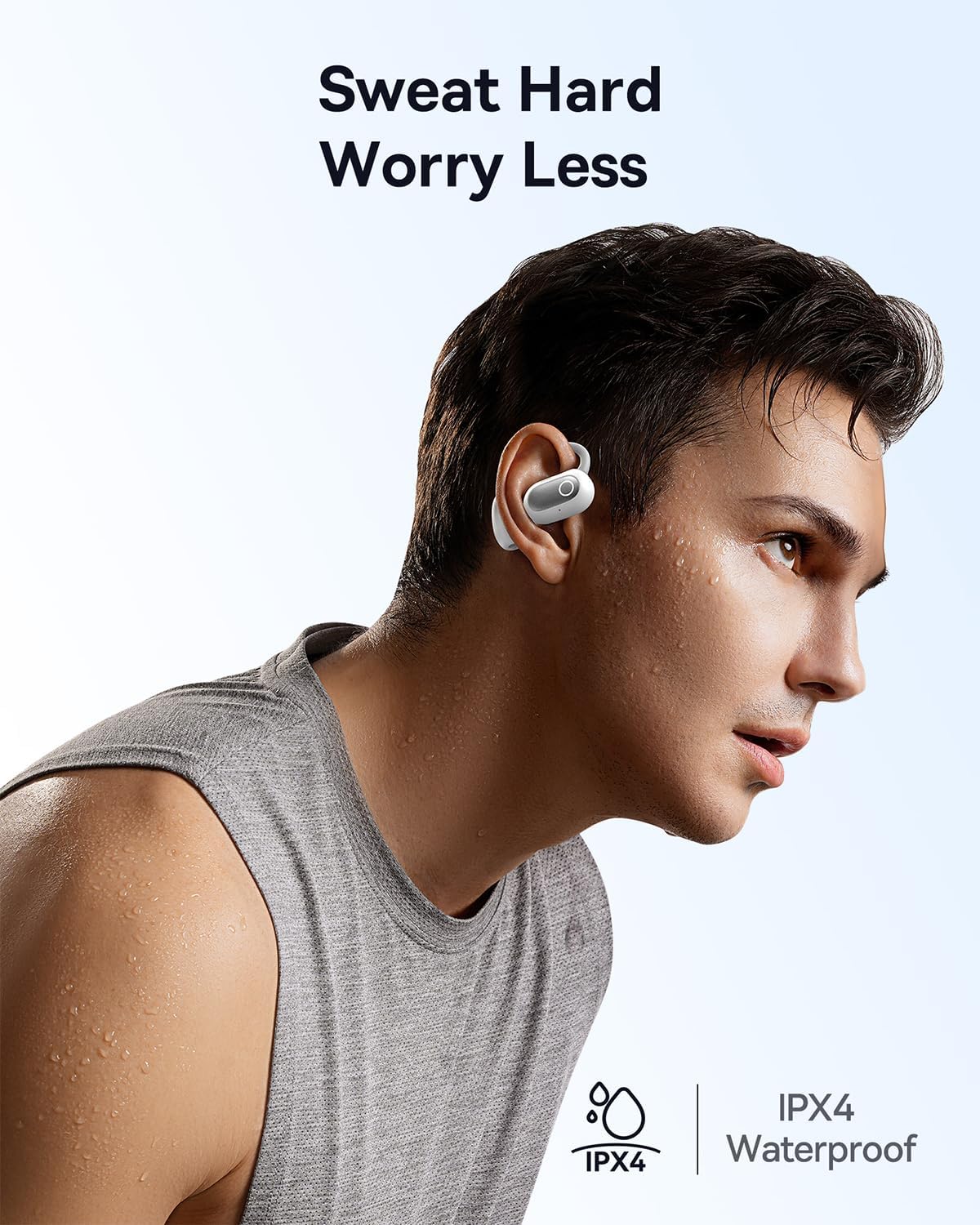
Image: A man engaged in physical activity, demonstrating the IPX4 waterproof feature of the headphones.
6. Rozwiązywanie Problemów
If you encounter issues with your Baseus Eli Sport 1 headphones, please refer to the following common solutions:
- Słuchawki nie łączą się/nie parują:
- Ensure all insulation stickers have been removed from the earbuds before first use.
- Sprawdź, czy słuchawki są naładowane.
- Verify Bluetooth is enabled on your device and the headphones are within range.
- Try resetting the headphones by placing them back in the case, closing it, and then reopening it.
- Brak dźwięku lub niski poziom głośności:
- Sprawdź poziom głośności zarówno na słuchawkach, jak i na podłączonym urządzeniu.
- Ensure the headphones are properly seated on your ears, with the speakers aligned with your ear canal.
- Podłącz ponownie słuchawki do urządzenia.
- Słaba jakość połączeń:
- Upewnij się, że mikrofony nie są zasłonięte.
- Zbliż się do podłączonego urządzenia, aby poprawić siłę sygnału.
- Check for excessive background noise; the ENC mics work best in moderate noise environments.
7. Specyfikacje
| Funkcja | Szczegół |
|---|---|
| Nazwa modelu | Baseus Eli Sport 1 |
| Technologia łączności | Bezprzewodowa (Bluetooth 5.3) |
| Umieszczenie ucha | Otwarte ucho |
| Poziom wodoodporności | Wodoodporność IPX4 |
| Rozmiar sterownika audio | 16.2 milimetrów |
| Impedancja | 16 omy |
| Typ sterowania | Volume Control, App, Touch |
| Mikrofony | 4 ENC Mics with AI Noise Cancellation |
| Czas pracy baterii (po jednym ładowaniu) | Do 7.5 godzin |
| Całkowity czas pracy baterii (z etui ładującym) | Do 30 godzin |
| Materiał etui ładującego | Twardy |
| Waga przedmiotu | 9.6 uncji |
| Wymiary produktu | 1.34 x 1.1 x 3.82 cala |
| UPC | 850060076251 |
8. Gwarancja i wsparcie
Baseus products come with a standard manufacturer's warranty. For detailed warranty information, product support, or to inquire about repairs, please visit the official Baseus webOdwiedź witrynę lub skontaktuj się z działem obsługi klienta. Zachowaj paragon jako dowód zakupu na wypadek reklamacji.
For further assistance, please refer to the contact information provided on the Baseus official webmiejscu lub w opakowaniu produktu.