
HITOSINO HS-CUB68G2-LIA/SL
HITOSINO 4K Outdoor Bullet PoE Camera User Manual
Model: HS-CUB68G2-LIA/SL
1. Wprowadzenie
This manual provides detailed instructions for the installation, operation, and maintenance of your HITOSINO 4K Outdoor Bullet PoE Camera. This camera is designed for both home and business security, offering advanced features for reliable surveillance.
Key features include 8MP UltraHD resolution, smart color night vision, two-way audio, advanced human and vehicle detection, and a robust IP67-rated metal housing for outdoor use.
2. Co znajduje się w pudełku
Przed przystąpieniem do instalacji sprawdź, czy wszystkie komponenty są obecne.
- Korpus aparatu (1)
- Skrócona instrukcja obsługi (1)
- Waterproof Accessories (1 set)
- Drill Template (1)
- Zestaw śrub (1)

Image: Components included in the HITOSINO 4K Outdoor Bullet PoE Camera package.
3. Specyfikacje
Detailed technical specifications for the HITOSINO 4K Outdoor Bullet PoE Camera.
| Funkcja | Opis |
|---|---|
| Numer modelu | HS-CUB68G2-LIA/SL |
| Rezolucja | 8MP UltraHD (3840 × 2160) @ 15fps |
| Transduktor | 1/2.4" CMOS |
| Obiektyw | 2.8mm Fixed Lens, F1.6 aperture |
| Viewing kąt | 127 stopnie (szeroki kąt) |
| Wizja nocna | Smart Color Night (up to 98ft/30m), IR Night Vision |
| Audio | Dwukierunkowa transmisja dźwięku (wbudowany mikrofon i głośnik) |
| Wykrywanie | Human/Vehicle Detection (Motion Detection 2.0) |
| Odstraszający | Strobe Lights & Audio Warnings |
| Łączność | PoE (Power over Ethernet), Ethernet, ONVIF |
| Składowanie | MicroSD/MicroSDHC/MicroSDXC card (up to 512GB), HITOSINO NVRs, FTP |
| Kompresja wideo | H.265 + / H.265 / H.264 + / H.264 |
| Odporność na warunki atmosferyczne | IP67 Rated, Full Metal Housing |
| Temperatura pracy | -30°C do 60°C (-22°F do 140°F) |
| Wymiary (dł. x szer. x wys.) | 7.1 x 2.7 x 2.7 cala (179 x 69.1 x 67.4 mm) |
| Waga | 1.35 funta |

Obraz: Szczegółowyview of the camera's physical features and dimensions.
4. Konfiguracja
4.1 Montaż kamery
The camera supports both ceiling and wall mounting. Use the provided drill template to mark the screw holes accurately.
- Choose a suitable mounting location that provides the desired viewpod odpowiednim kątem i w zasięgu kabla sieciowego.
- Place the drill template on the wall or ceiling and mark the screw holes.
- Wywierć otwory zgodnie ze znacznikami i w razie potrzeby włóż kołki rozporowe.
- Przymocuj podstawę kamery do powierzchni montażowej za pomocą dołączonych śrub.
- W razie potrzeby dostosuj kąt kamery.

Image: Wall Mount and Ceiling Mount installation examples.
4.2 Podłączanie aparatu
The camera supports various connection methods:
Standalone Use with 12V 2A Power Adapter (Not Included)
Connect the camera to a router using an Ethernet cable and power it with a 12V 2A power adapter. This setup allows monitoring via laptop or smartphone.

Image: Standalone camera setup using a 12V 2A power adapter.
Standalone Use with PoE Switch
For simplified wiring, connect the camera to a PoE switch using a single Ethernet cable. The PoE switch provides both power and data. Connect the PoE switch to your router.

Image: Standalone camera setup using a PoE switch.
Connect to HITOSINO/Hikvision Non-PoE NVR
Connect the camera to a PoE switch, then connect the PoE switch to your Non-PoE NVR. Ensure the NVR is connected to a monitor and mouse for local access.

Image: Connecting the camera to a Non-PoE NVR.
Connect to HITOSINO/Hikvision PoE NVR
Directly connect the camera to a PoE NVR using an Ethernet cable. The NVR provides power and data. Connect the NVR to your router, monitor, and mouse.

Image: Connecting the camera to a PoE NVR.
4.3 Wskazówki dotyczące konfiguracji początkowej
- Ensure all devices are properly powered up and correctly connected.
- Domyślny adres IP kamery to 192.168.1.64, and DHCP is enabled by default. When connected to your router, the camera should automatically be assigned a valid IP address.
- For this value series, unlike Hikvision branded or HITOSINO white label products, ONVIF is enabled by default. When using with a third-party PoE NVR, ensure you know the NVR's built-in IP address and adjust the camera's IP address to the same network segment accordingly. For full functionality, it is recommended to use a HITOSINO or Hikvision NVR.

Image: Important tips for camera network configuration.
5. Obsługa aparatu
5.1 Tryby widzenia nocnego
The camera offers three distinct night vision modes to suit various lighting conditions:
- Białe światło: Provides 24/7 full-color imaging up to 100ft (30m). Ideal for clear, detailed color footage w całkowitej ciemności.
- Światło podczerwone: Offers crystal clear white and black imaging up to 100ft (30m) using infrared illumination. Suitable for discreet monitoring.
- Inteligentne podwójne światło: Intelligently switches between IR and white light. The camera uses IR for general monitoring and activates white light for full-color imaging when human or vehicle motion is detected, capturing crucial details.

Image: Visual representation of the three night vision modes.

Obraz: Byłyample of IR night vision footage.

Obraz: Byłyample of color night vision footage.
5.2 Motion Detection 2.0 (Human & Vehicle Detection)
The camera features advanced Motion Detection 2.0 technology, which intelligently distinguishes between humans and vehicles, significantly reducing false alarms caused by animals, rain, or falling leaves. This ensures you receive accurate and relevant notifications.
- When connected to a HITOSINO/Hikvision NVR, footage is automatically sorted into 'Human' and 'Vehicle' files for quick and efficient searching.

Image: Motion Detection 2.0 focusing on human and vehicle detection.

Image: How Motion Detection 2.0 reduces false alarms.

Image: Quick target search feature when connected to a HITOSINO/Hikvision NVR.
5.3 Active Deterrence (Strobe Light & Audible Alarms)
The camera is equipped with active deterrent features to warn off potential intruders before an incident occurs. When motion is detected, the camera can activate a strobe light and play pre-recorded audio warnings.
- Światło stroboskopowe: A bright flashing light designed to startle and deter intruders.
- Alarmy dźwiękowe: Choose from 11 default warnings or customize your own audio messages to play through the built-in speaker.

Image: Active deterrence features in action, showing strobe light and audible alarms.

Image: Active deterrence in action, showing instant alerts and two-way audio.
5.4 Real-Time Communication (Two-Way Audio)
The built-in microphone and speaker enable two-way audio communication. You can talk to visitors or deter intruders directly through the camera using the Hik-Connect app.

Image: Real-time two-way audio communication feature.

Image: Another illustration of real-time two-way audio communication.
5.5 Remote Access and Management
Access your camera feed and manage settings from anywhere using compatible applications and software:
- Hik-Connect / Guarding Vision APP: Available for iOS and Android smartphones for remote access, real-time notifications, and two-way audio.
- IVMS-4200: Desktop client for PC (Windows/Mac) for comprehensive camera management.
- SADP Tool: For PC, used for camera activation and IP address modification.
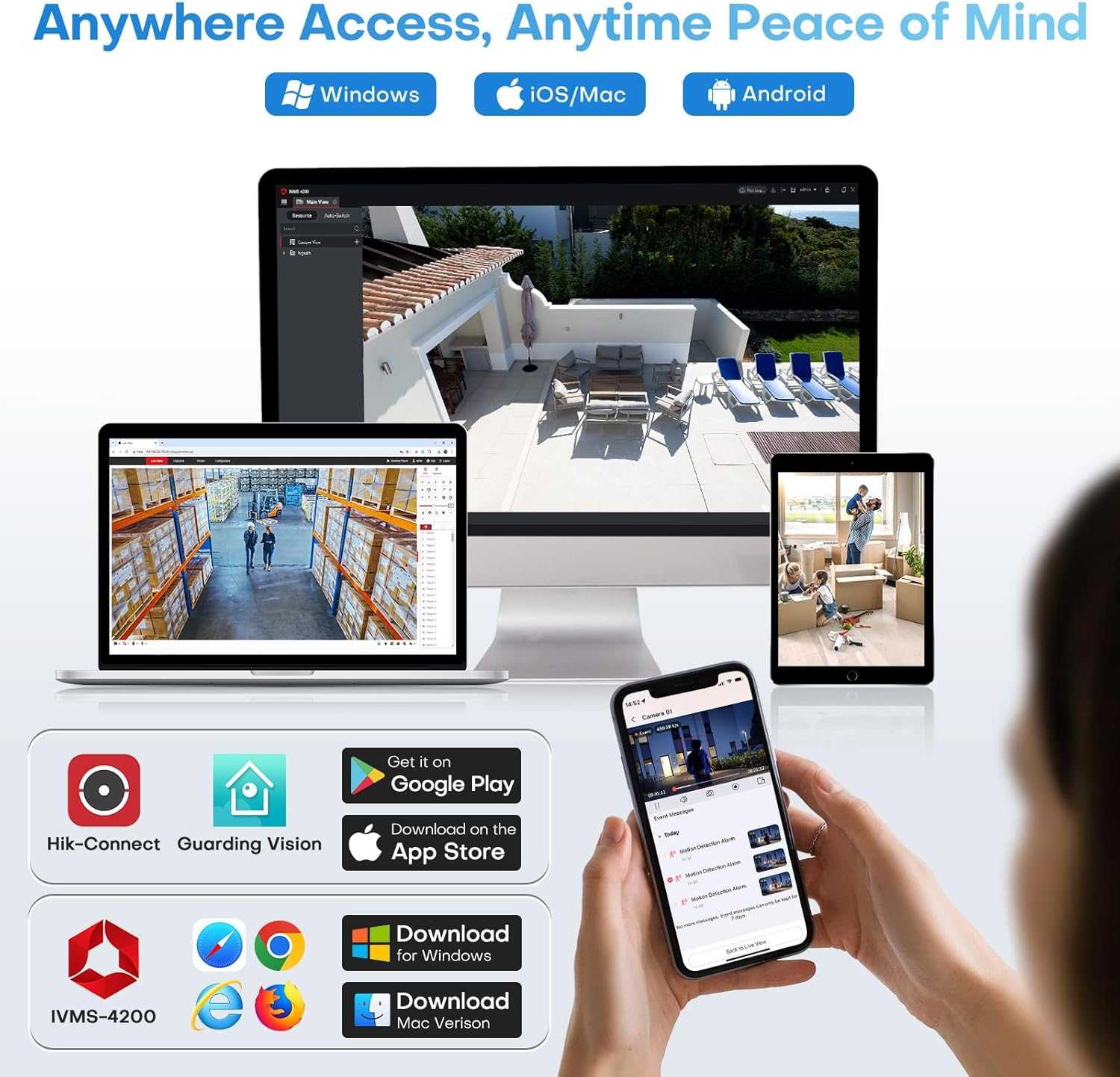
Image: Remote access options via mobile apps and desktop software.

Image: Accessing camera feeds from various devices.
5.6 Local Storage (Micro SD Card Slot)
The camera features a built-in microSD card slot, supporting cards up to 512GB (card not included). This allows for standalone recording without the need for a separate NVR or cloud subscription, providing a cost-effective storage solution.

Image: Built-in Micro SD card slot for local storage.
6. Konserwacja
Regularna konserwacja zapewnia optymalną wydajność i długowieczność aparatu.
- Czyszczenie: Delikatnie przetrzyj obiektyw i obudowę aparatu miękką ściereczką.amp szmatką. Unikaj środków czyszczących o działaniu ściernym i rozpuszczalników.
- Aktualizacje oprogramowania układowego: Periodically check the HITOSINO official website or your Hik-Connect/IVMS-4200 application for available firmware updates. Keeping the firmware updated ensures access to the latest features and security enhancements.
- Kontrola kabla: Regularly inspect all cables and connections for any signs of wear, damage, or corrosion, especially for outdoor installations.
- Ochrona środowiska: While the camera is IP67 rated, ensure it is not submerged in water or exposed to extreme conditions beyond its specified operating temperature range.
7. Rozwiązywanie Problemów
W tej sekcji omówiono typowe problemy, na które możesz natrafić.
| Problem | Możliwa przyczyna | Rozwiązanie |
|---|---|---|
| Brak obrazu/wideo | No power; Network cable disconnected; Incorrect IP address; NVR/software issue. | Check power supply/PoE connection. Ensure Ethernet cable is securely connected. Verify camera's IP address is in the same network segment as your NVR/router. Restart camera, NVR, or viewoprogramowanie. |
| Niska jakość obrazu | Dirty lens; Insufficient lighting; Network bandwidth issues; Incorrect settings. | Clean the lens. Ensure adequate lighting for the chosen night vision mode. Check network connection speed. Adjust image settings (e.g., WDR, 3D DNR) in the camera's web interfejs lub NVR. |
| Detekcja ruchu nie działa lub występuje zbyt wiele fałszywych alarmów | Incorrect detection zone setup; Sensitivity too high/low; Environmental factors. | Adjust motion detection zones to exclude irrelevant areas. Modify sensitivity settings. Ensure Motion Detection 2.0 (Human/Vehicle Detection) is enabled for reduced false alarms. |
| Nie można uzyskać zdalnego dostępu do kamery | Network configuration issues (port forwarding, UPnP); App not configured correctly. | Ensure your router's port forwarding is correctly set up for the camera/NVR, or UPnP is enabled. Verify app settings and account login. Check internet connectivity. |
| Dwukierunkowe audio nie działa | Microphone/speaker disabled; Volume too low; App permissions. | Check audio settings in the camera's web interface or app to ensure microphone and speaker are enabled and volume is adequate. Grant necessary microphone permissions to the app on your smartphone. |
If you encounter issues not listed here or require further assistance, please contact HITOSINO customer support.
8. Gwarancja i wsparcie
HITOSINO is committed to providing reliable security solutions and excellent customer service.
- 1-letnia ograniczona gwarancja: Your HITOSINO 4K Outdoor Bullet PoE Camera is covered by a 1-year limited warranty from the date of purchase, covering manufacturing defects.
- 30-dniowa gwarancja zwrotu pieniędzy: Jeśli nie jesteś zadowolony z zakupu, możesz ubiegać się o zwrot pieniędzy w ciągu 30 dni.
- Dożywotnie wsparcie techniczne: HITOSINO provides lifetime technical support for this product.
For warranty claims, technical assistance, or any inquiries, please visit the official HITOSINO webodwiedź witrynę lub skontaktuj się z zespołem obsługi klienta, korzystając z danych kontaktowych podanych na ich stronie webwitrynę lub platformę zakupową.

Image: HITOSINO's commitment to customer satisfaction and support.
Powiązane dokumenty - HS-CUB68G2-LIA/SL
 |
HITOSINO HS-ET08G2-LI2A 8MP Acusense Smart Hybrid Light Network Camera Datasheet Detailed datasheet for the HITOSINO HS-ET08G2-LI2A, an 8MP Acusense Smart Hybrid Light Fixed Turret Network Camera. Discover its advanced features including deep learning analytics, superior low-light imaging, robust H.265+ compression, and IP67 environmental protection. |
 |
Hitosino HS-VUT04G2H-LIA: 4MP Smart Hybrid Light ColorVu Fixed Turret Network Camera Explore the Hitosino HS-VUT04G2H-LIA, a 4MP Smart Hybrid Light ColorVu Fixed Turret Network Camera. This datasheet details its advanced imaging, WDR technology, H.265+ compression, deep learning capabilities, and comprehensive specifications for professional surveillance applications. |
 |
HITOSINO 4MP IP Camera User Manual Comprehensive setup and configuration guide for HITOSINO 4MP Optical Zoom IP Camera, including activation, network setup, and smart function configuration via Web Browser and NVR. |
 |
How to Enable Smart Functions on IP Cameras and NVRs Step-by-step guide on enabling smart functions such as audio detection, human/vehicle detection, and smart color night vision on HITOSINO IP cameras and NVRs via web browser and NVR interface. |
 |
HITOSINO HS-VUT08G2H-LIA 8MP Smart Hybrid Light ColorVu Turret Camera Datasheet Detailed datasheet for the HITOSINO HS-VUT08G2H-LIA, an 8MP Smart Hybrid Light ColorVu Fixed Turret Network Camera featuring 130dB WDR, H.265+ compression, deep learning capabilities, and IP67 rating. Includes specifications, dimensions, and available accessories. |
 |
HITOSINO HS-EB04G2-LI2A: 4 MP Acusense Smart Hybrid Light Network Camera Datasheet Detailed specifications and features of the HITOSINO HS-EB04G2-LI2A, a 4 MP Acusense Smart Hybrid Light Fixed Bullet Network Camera, including imaging capabilities, smart features, video compression, and general specifications. |
Ask a question about this manual
Ask about setup, troubleshooting, compatibility, parts, safety, or missing instructions. Manuals+ will review the question and use this page’s manual context to help answer it.