
1. Wprowadzenie
The PNI PMR R70 PRO is a portable PMR446 radio designed for reliable communication. This device operates on the 446 MHz frequency band, offering 16 channels and 99 PC programmable channels. It features 50 CTCSS tones and 166 DCS tones for enhanced privacy and interference reduction. With an IP67 rating, the radio is protected against dust and water immersion, making it suitable for various environments. No license is required for operation in most European Union countries.
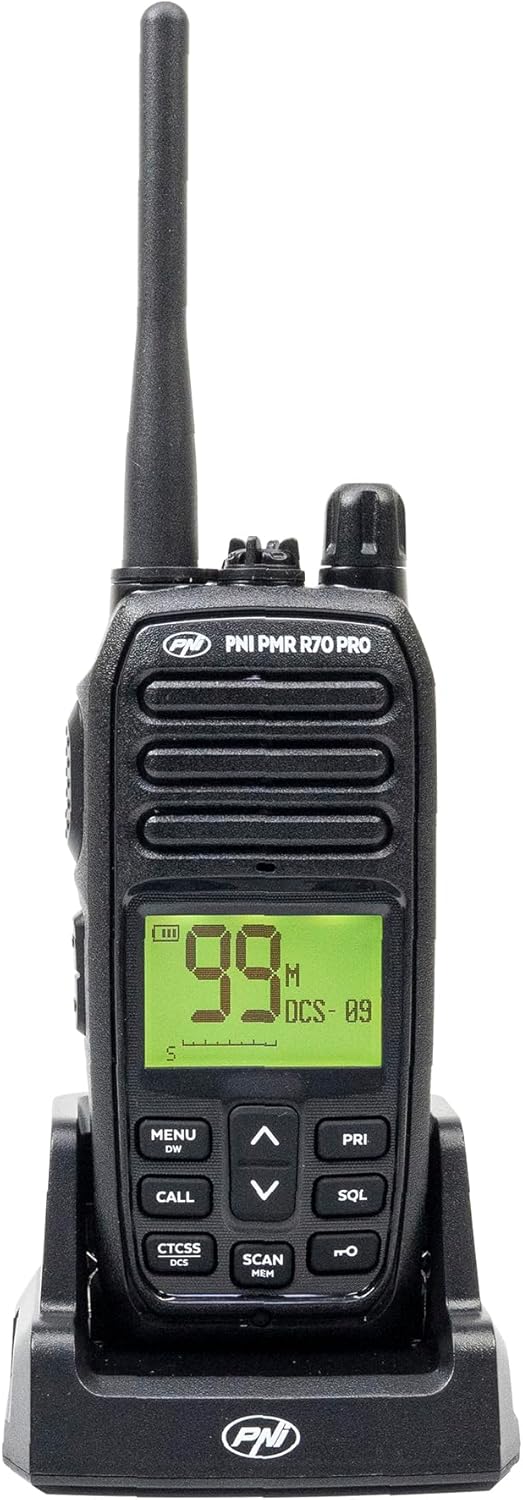
Obraz 1.1: Przód view of the PNI PMR R70 PRO portable radio, showing the display and control buttons.
2. Zawartość opakowania
Sprawdź, czy w przesyłce znajdują się wszystkie elementy wymienione poniżej:
- PNI PMR R70 PRO Radio Unit
- Antena
- Bateria 1800 mAh
- Ładowarka biurkowa
- Klips do paska
- Instrukcja użytkownika
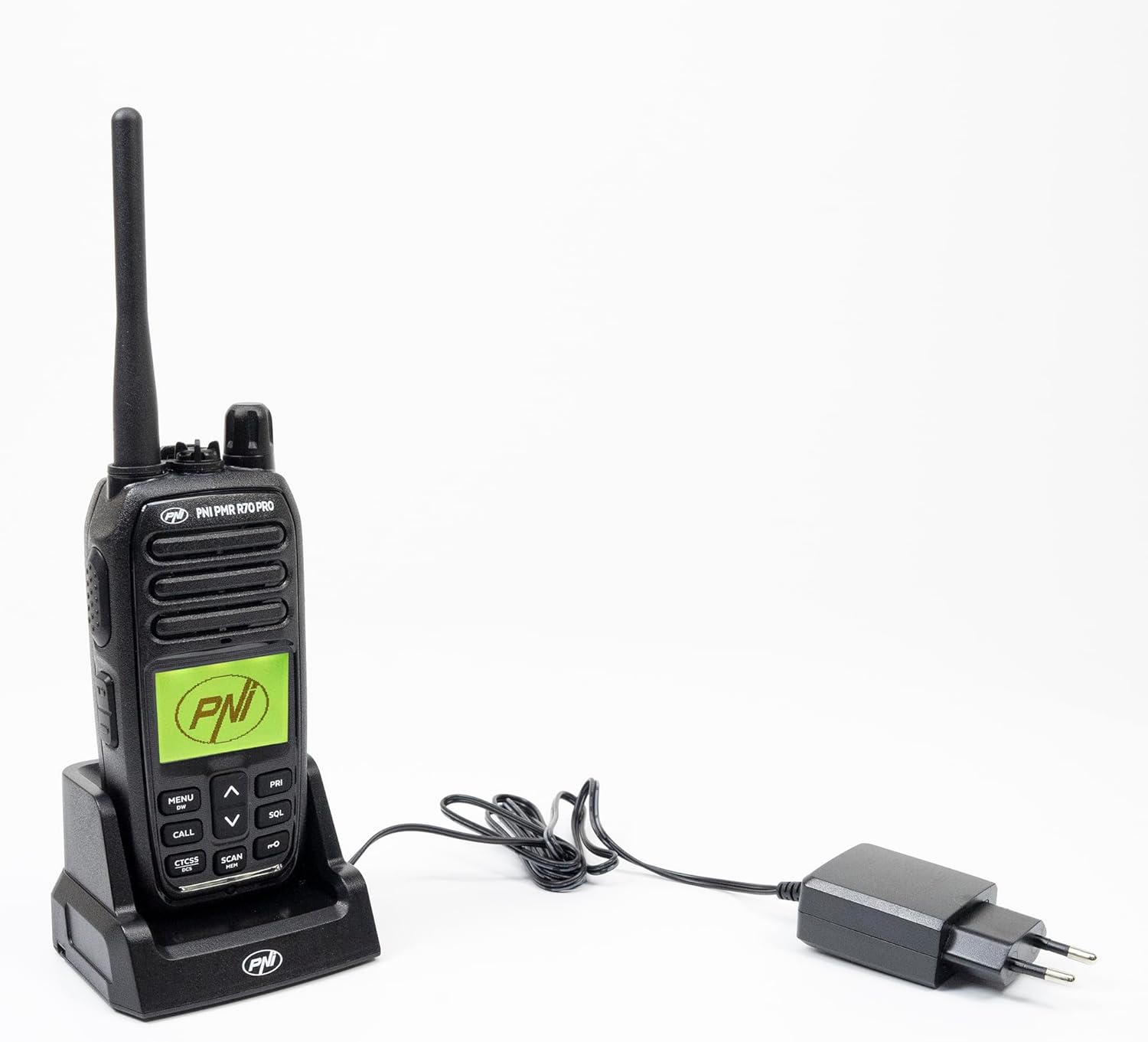
Image 2.1: All components included in the PNI PMR R70 PRO package: radio, antenna, battery, desktop charger, and belt clip.
3. Konfiguracja
3.1 Instalacja baterii
- Sprawdź, czy radio jest wyłączone.
- Znajdź pokrywę komory baterii z tyłu radia.
- Unscrew the retaining screw and carefully remove the cover.
- Insert the 1800 mAh battery into the compartment, ensuring the contacts align correctly.
- Załóż pokrywę komory baterii i zabezpiecz ją śrubą.

Obraz 3.1: Tył view of the PNI PMR R70 PRO radio with the battery compartment open, showing the battery and its connection.
3.2 Ładowanie akumulatora
- Podłącz ładowarkę biurkową do gniazdka elektrycznego.
- Place the radio unit into the charging cradle. Ensure the charging contacts on the radio align with those on the charger.
- Na ładowarce zaświeci się kontrolka ładowania. Zazwyczaj będzie świecić na czerwono, gdy ładowanie będzie się odbywać, a na zielono, gdy ładowanie będzie w pełni naładowane.
- Pełne naładowanie trwa zazwyczaj kilka godzin. Nie przeładowuj baterii.
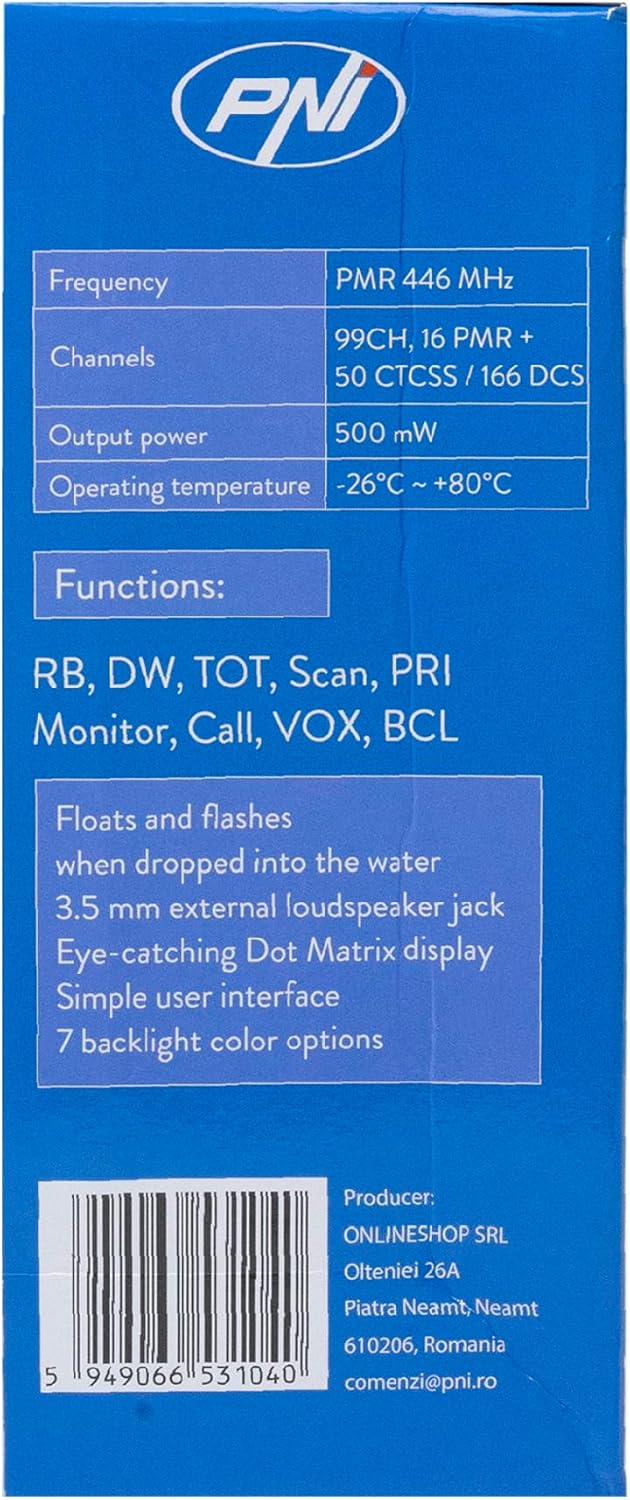
Image 3.2: The PNI PMR R70 PRO radio placed in its desktop charging cradle, connected to a power adapter.
4. Instrukcja obsługi
4.1 Włączanie/wyłączanie zasilania
To power on the radio, rotate the power/volume knob clockwise until you hear a click. To power off, rotate the knob counter-clockwise until it clicks.
4.2 Regulacja głośności
Obróć pokrętło zasilania/głośności zgodnie z ruchem wskazówek zegara, aby zwiększyć głośność, lub przeciwnie do ruchu wskazówek zegara, aby ją zmniejszyć.
4.3 Wybór kanału
Użyj przycisku GÓRA (^) i w dół (v) arrow buttons on the front panel to select one of the 16 available channels. The selected channel number will be displayed on the screen.
4.4 Przesyłanie i odbieranie
- Do przesłania: Press and hold the Push-To-Talk (PTT) button located on the side of the radio. Speak clearly into the microphone. Release the PTT button to stop transmitting.
- Aby otrzymać: Upewnij się, że przycisk PTT nie jest wciśnięty. Radio automatycznie odbierze sygnały na wybranym kanale.
4.5 Funkcje specjalne
- Tony CTCSS/DCS: The radio supports 50 CTCSS (Continuous Tone-Coded Squelch System) and 166 DCS (Digitally Coded Squelch) tones. These tones help filter out unwanted conversations on the same channel. Refer to the full user guide for programming instructions.
- Funkcja skanowania: Activate the scan function to monitor all active channels. The radio will stop on an active channel until the transmission ends.
- Podwójny nasłuch (DW): This feature allows the radio to monitor two channels simultaneously.
- Sygnał dźwiękowy Rogera: An audible tone emitted when the PTT button is released, signaling the end of your transmission.
- Blokada klawiatury: Zapobiega przypadkowym zmianom ustawień.
- PC Programmable Channels: The radio supports 99 PC programmable channels. This requires a specific programming cable (PNI - PSR70) and software.

Image 4.1: The PNI PMR R70 PRO radio connected to a laptop via a programming cable for channel and feature customization.
5. Konserwacja
5.1 Czyszczenie
Wytrzyj radio miękką ściereczką.amp Ściereczka. Nie używaj silnych środków chemicznych ani ściernych środków czyszczących. Upewnij się, że radio jest suche przed użyciem lub ładowaniem.
5.2 Wodoodporność (IP67)
The PNI PMR R70 PRO is rated IP67, meaning it is fully protected against dust ingress and can withstand immersion in water up to 1 meter for 30 minutes. While robust, avoid unnecessary exposure to water and ensure all covers (e.g., battery cover, accessory port cover) are securely closed before exposing the radio to water.

Image 5.1: The PNI PMR R70 PRO radio with water droplets, illustrating its IP67 water resistance feature.
6. Rozwiązywanie Problemów
If you encounter issues with your PNI PMR R70 PRO radio, consider the following common troubleshooting steps:
- Brak zasilania: Upewnij się, że bateria jest prawidłowo zainstalowana i w pełni naładowana. Sprawdź, czy pokrętło zasilania/głośności jest włączone.
- Nie można przesyłać ani odbierać: Verify that you are on the correct channel. Check if the PTT button is functioning. Ensure the antenna is securely attached.
- Słaba jakość dźwięku: Adjust the volume. Ensure the microphone and speaker are not obstructed. Move to an area with fewer obstructions for better signal.
- Krótki zasięg: Obstacles like buildings and terrain can significantly reduce range. Operate in open areas for maximum range. Ensure the battery is fully charged.
- Klawiatura nie reaguje: Check if the keypad lock feature is activated. Deactivate it if necessary.
For persistent issues, consult the comprehensive user guide or contact customer support.
7. Specyfikacje
| Funkcja | Specyfikacja |
|---|---|
| Marka | PNI |
| Numer modelu | PNI-R70-PRO |
| Zakres częstotliwości | 446.00625 ~ 446.19375 MHz |
| Liczba kanałów | 16 (PMR), 99 PC Programmable |
| Moc wyjściowa | 0.5 W |
| Dźwięki CTCSS | 50 |
| DCS Tones | 166 |
| Międzynarodowa Ocena Ochrony | IP67 (Dustproof, Submersible up to 1m for 30 min) |
| Bateria | 1800 mAh (w zestawie) |
| Średnia żywotność baterii | 18 godziny |
| Tomtage | 7.4 V (prąd stały) |
| Maksymalny zasięg | Up to 10 Kilometers (open space) |
| Temperatura pracy | -26°C ~ +80°C |
| Wymiary produktu (Gł. x Szer. x Wys.) | 6P x 13l x 4H centymetrów |
| Waga przedmiotu | 225 gram |
| Cechy specjalne | Digital Display, Rechargeable, Roger Beep, Submersible, Keypad Lock |
8. Gwarancja i wsparcie
8.1 Informacje o gwarancji
The PNI PMR R70 PRO radio comes with a 2-letnia gwarancja od daty zakupu. Niniejsza gwarancja obejmuje wady produkcyjne powstałe w wyniku normalnego użytkowania. Prosimy zachować dowód zakupu na wypadek roszczeń gwarancyjnych.
8.2 Obsługa klienta
For technical assistance, troubleshooting, or warranty service, please contact your retailer or the manufacturer's customer support. Refer to the contact information provided in your purchase documentation.