
MONODEAL DV68
Monodeal DV68 Bone Conduction Headphones User Manual
Model: DV68
Wstęp
Thank you for choosing Monodeal DV68 Bone Conduction Headphones. These open-ear headphones are designed to provide high-quality audio while keeping you aware of your surroundings, making them ideal for sports and daily activities. Featuring Bluetooth 5.3 connectivity and IP67 waterproofing, they offer a comfortable and durable listening experience.
Produkt ponadview

Rysunek 1: Monodeal DV68 Bone Conduction Headphones. This image shows the overall design of the headphones, highlighting their sleek, lightweight structure and the bone conduction transducers.
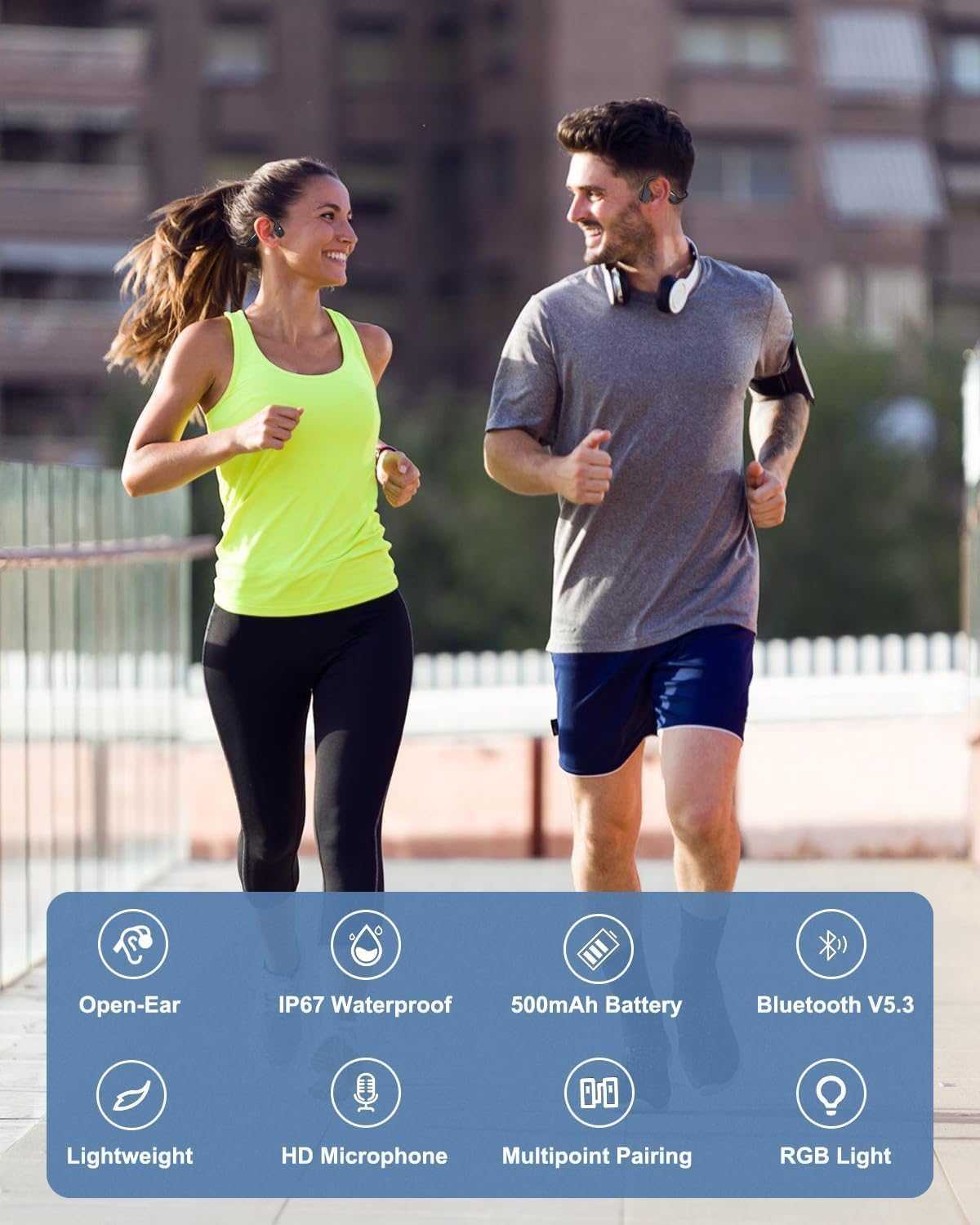
Rysunek 2: Key Features of Monodeal DV68 Headphones. This image illustrates the main features including Open-Ear design, IP67 Waterproof rating, 500mAh Battery, Bluetooth V5.3, Lightweight build, HD Microphone, Multipoint Pairing, and RGB Light.
Główne cechy:
- Technologia przewodnictwa kostnego: Delivers high-quality sound through your cheekbones, ensuring clear audio while keeping your ears open to ambient sounds.
- Bluetooth 5.3: Provides a faster and more stable wireless connection.
- Długa żywotność baterii: Equipped with a 500mAh battery, offering up to 15 hours of continuous music playback or call time.
- Konstrukcja otwarta na uszy: Ensures comfort and awareness of surroundings, promoting safety during outdoor activities.
- Lekki i elastyczny: Weighing only 34 grams with a memory titanium frame for durability and a secure fit.
- Wodoodporność IP67: Resistant to sweat, rain, and splashes, suitable for various sports and weather conditions.
- Wbudowany mikrofon: Do wyraźnych połączeń bez użycia rąk.
- Inteligentne światło LED: Enhances safety during night sports.
Zawartość opakowania
Proszę sprawdzić, czy w paczce znajdują się następujące elementy:
- Monodeal DV68 Bone Conduction Headphones
- Kabel ładujący
- Instrukcja obsługi (ten dokument)
Organizować coś
1. Ładowanie słuchawek
Before first use, fully charge your headphones. The DV68 features fast charging capabilities.
- Podłącz dołączony kabel ładujący do portu ładowania w słuchawkach.
- Podłącz drugi koniec kabla do zasilacza USB (nie ma go w zestawie) lub do portu USB komputera.
- The LED indicator on the headphones will show the charging status. It typically takes approximately 2 hours for a full charge.
- 10-minutowe ładowanie wystarcza na 2 godzin odtwarzania.

Rysunek 3: Battery Life and Charging. This image illustrates the 20-hour playtime and the fast charging capability, where 10 minutes of charging provides 2 hours of playtime.
2. Parowanie z urządzeniem Bluetooth
The Monodeal DV68 headphones use Bluetooth 5.3 for wireless connection.
- Upewnij się, że słuchawki są wyłączone.
- Naciśnij i przytrzymaj przycisk zasilania, aż dioda LED zacznie migać na czerwono i niebiesko, wskazując tryb parowania.
- Na swoim urządzeniu (smartfonie, tablecie, komputerze) włącz Bluetooth i wyszukaj dostępne urządzenia.
- Select "Monodeal DV68" from the list of found devices.
- Po nawiązaniu połączenia dioda LED zaświeci się na niebiesko lub przestanie migać.
- The headphones support multipoint pairing, allowing connection to two devices simultaneously. Refer to your device's Bluetooth settings for managing multiple connections.
Instrukcja obsługi
Włączanie/wyłączanie zasilania
- Włączanie: Naciśnij i przytrzymaj przycisk zasilania przez 3 sekundy.
- Wyłączone: Naciśnij i przytrzymaj przycisk zasilania przez 5 sekundy.
Odtwarzanie muzyki
- Odtwórz/Pauza: Naciśnij raz przycisk wielofunkcyjny.
- Następny utwór: Naciśnij dwukrotnie przycisk wielofunkcyjny.
- Poprzedni utwór: Naciśnij trzykrotnie przycisk wielofunkcyjny.
- Zwiększenie głośności: Naciśnij przycisk Głośność +.
- Ściszanie: Naciśnij przycisk głośności -.
Zarządzanie połączeniami
- Odbieranie/kończenie połączeń: Naciśnij raz przycisk wielofunkcyjny.
- Odrzuć połączenie: Naciśnij i przytrzymaj przycisk wielofunkcyjny przez 2 sekundy.
- Asystent głosowy: Press the multi-function button twice (when not on a call).
Inteligentne oświetlenie LED
The integrated Smart LED Light enhances visibility during night activities.
- Activate/Deactivate LED: Refer to the specific button combination in the quick start guide (usually a dedicated button or a long press of a volume button).
- The LED light can display different colors (blue, green, red) for various indications or safety.

Rysunek 4: Smart LED Light. This image shows a runner at night, highlighting the smart LED light feature for enhanced safety and visibility.
Konserwacja
Proper maintenance ensures the longevity and optimal performance of your Monodeal DV68 headphones.
- Czyszczenie: After sweating during exercise, wipe the headphones with a damp cloth to remove sweat and dirt. Do not use harsh chemicals or abrasive cleaners.
- Składowanie: Przechowuj słuchawki w chłodnym i suchym miejscu, gdy ich nie używasz. Unikaj ekstremalnych temperatur.
- Wodoodporność: While IP67 rated for sweat, rain, and splashes, avoid submerging the headphones in water for extended periods. Ensure the charging port is dry before charging.
- Ładowanie: Use only the provided charging cable. Do not overcharge the battery.

Rysunek 5: IP67 Waterproof Feature. This image shows a person exercising, emphasizing the headphones' resistance to sweat and rain, making them suitable for active use.
Rozwiązywanie problemów
| Problem | Możliwa przyczyna | Rozwiązanie |
|---|---|---|
| Słuchawki nie włączają się. | Niski poziom naładowania baterii. | Naładuj słuchawki do pełna. |
| Nie można sparować z urządzeniem. | Słuchawki nie są w trybie parowania; Bluetooth w urządzeniu jest wyłączony; urządzenie znajduje się za daleko. | Upewnij się, że słuchawki są w trybie parowania (migająca czerwona/niebieska dioda LED). Włącz Bluetooth w urządzeniu. Przybliż urządzenie do słuchawek. |
| Brak dźwięku lub niski poziom głośności. | Głośność jest zbyt niska; brak połączenia; problem ze źródłem dźwięku. | Increase volume on headphones and device. Reconnect Bluetooth. Check audio source. |
| Zniekształcenie dźwięku. | Interference; device too far; audio file jakość. | Move away from sources of interference. Move device closer. Try a different audio file. |
Specyfikacje
| Funkcja | Szczegół |
|---|---|
| Nazwa modelu | DV68 Bone Conduction Headset |
| Marka | MONODEAL |
| Technologia łączności | Bezprzewodowa (Bluetooth 5.3) |
| Współczynnik kształtu | Otwarte ucho |
| Stopień wodoodporności | IP67 |
| Pojemność baterii | 500 mAh |
| Pauza w szkole | Do 15 godzin (ciągłej pracy) |
| Czas ładowania | Około 2 godzin (pełne ładowanie) |
| Waga | 34 gram |
| Tworzywo | Metal (Memory Titanium Frame) |
| Cechy specjalne | Fast Charging, Built-in Microphone, Smart LED Light, Multipoint Pairing |
Gwarancja i wsparcie
Monodeal offers a 2-letnia gwarancja for the DV68 Bone Conduction Headphones, ensuring peace of mind with your purchase.
For any product inquiries, technical support, or warranty claims, please contact the Monodeal service team. Contact information can typically be found on the product packaging or the official Monodeal webstrona.
Wskazówka: After sweating during exercise, wipe the headphones with a damp cloth and put them back in the box. This keeps your headphones clean and like new, helping to maintain their condition for the warranty period and beyond.
Ask a question about this manual
Ask about setup, troubleshooting, compatibility, parts, safety, or missing instructions. Manuals+ will review the question and use this page’s manual context to help answer it.