
1. Koniec produktuview
The OURA Ring Gen3 Heritage is a revolutionary smart ring designed to provide accurate and personalized daily health data. It tracks sleep, activity, recovery, stress, and heart rate using advanced sensor technology. The ring is designed for comfort and features up to 7 days of battery life.
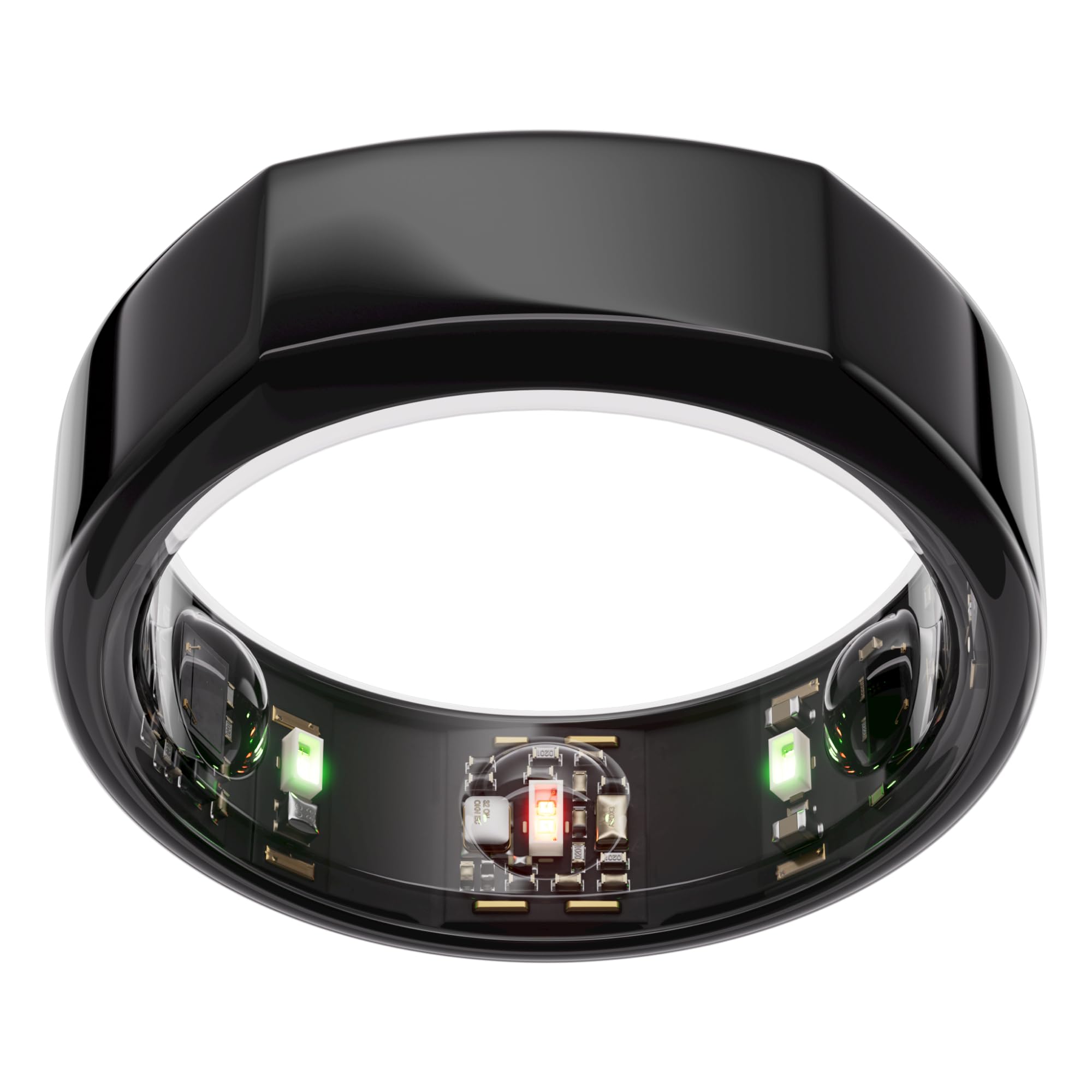
Image: OURA Ring Gen3 Heritage in Black, showcasinze względu na jego elegancki wygląd.
2. Co znajduje się w pudełku
- Pierścień Oura
- Rumak
- Kabel USB
- Broszura informacyjna
- Szybki przewodnik

Image: The OURA Ring charger and USB cable, essential for maintaining device power.
3. Konfiguracja
3.1 Sizing Your OURA Ring
It is crucial to size your OURA Ring Gen3 using the official Sizing Kit before purchase. OURA Ring sizing differs from standard ring sizes. For best performance and accuracy, it is recommended to wear the ring on your index finger.

Image: The OURA Ring Sizing Kit, displaying various ring sizes to ensure a perfect fit.
3.2 Pierwsze ładowanie
Before first use, fully charge your OURA Ring. Place the ring on the provided charger, ensuring the sensors align correctly. Connect the USB cable to a power source. A full charge typically takes about an hour and provides up to 7 days of battery life.
3.3 Pobieranie i parowanie aplikacji
Download the OURA App from your device's app store (compatible with iOS and Android). Follow the in-app instructions to pair your OURA Ring with your smartphone via Bluetooth. The app will guide you through the initial setup process.

Image: A smartphone displaying the OURA App interface, showing various health metrics.
4. Operating Your OURA Ring
4.1 Core Tracking Features
The OURA Ring continuously monitors various biometrics:
- Monitorowanie snu: Provides in-depth analysis of sleep stages (Awake, REM, Light, Deep), efficiency, and restfulness.
- Śledzenie aktywności: Monitors steps, calories burned, and daily movement, encouraging healthy activity levels.
- Tętno: Offers 24/7 heart rate monitoring and heart rate variability (HRV) for comprehensive cardiovascular insights.
- Stress & Recovery: Tracks daytime stress levels and assesses recovery to help balance physiological stress.
- Temperatura ciała: Detects subtle changes in body temperature, providing insights into overall health and potential illness.

Image: Diagram highlighting key OURA Ring Gen3 features including strong titanium exterior, up to 7-day battery life, temperature sensing, and research-grade heart rate & SpO2 sensors.
4.2 OURA App Interface
The OURA App serves as your personal health platform, presenting your data in an easy-to-understand format. It provides daily scores for Readiness, Sleep, and Activity, along with personalized insights and guidance. The app also integrates with over 40 other health and fitness applications, including Apple Health, Google Health Connect, Natural Cycles, Flo, and Strava.
Wideo: 360 stopni view of the OURA Ring Gen3 Heritage in Black, showcasing its design and internal sensors.
5. Konserwacja
5.1 Ładowanie
To charge your OURA Ring, place it on the charging dock. The ring is designed to hold a charge for 5-7 days. It is recommended to charge the ring when you are not actively tracking, such as during periods of inactivity or while showering.
5.2 Czyszczenie
The OURA Ring is water-resistant up to 100 meters, making it suitable for daily wear, including showering. To clean your ring, simply wipe it with a soft, damp cloth. Avoid harsh chemicals or abrasive materials that could damage the finish or sensors.
6. Rozwiązywanie Problemów
6.1 Problemy z łącznością
If your OURA Ring is not connecting to the app, ensure Bluetooth is enabled on your smartphone and the ring is within range. Try restarting both the ring (by placing it on the charger for a few seconds) and the app. If issues persist, consult the OURA support webAby uzyskać dalszą pomoc, odwiedź naszą witrynę.
6.2 Niedokładne odczyty
Ensure your OURA Ring is worn correctly and snugly on your finger, preferably the index finger, with the sensors facing your palm. An improper fit can lead to inaccurate data. If you suspect consistent inaccuracies, verify your ring size with the sizing kit or contact OURA support.
7. Specyfikacje
| Funkcja | Szczegół |
|---|---|
| Wymiary produktu | 0.87 x 0.87 x 0.28 cala |
| Waga przedmiotu | 8 uncji |
| Numer modelu przedmiotu | JZ90-1001-07 |
| Baterie | Wymagane 1 baterie litowo-jonowe (w zestawie) |
| Inne funkcje wyświetlacza | Bezprzewodowy |
| Kolor | Czarny |
| Producent | Oura |
| Data pierwszej dostępności | 19 stycznia 2024 r. |
8. Gwarancja i wsparcie
The OURA Ring Gen3 is eligible for reimbursement with HSA/FSA funds. For specific return policies, please refer to the retailer's terms of service. OURA offers ongoing support and updates through its app and official channels. For detailed warranty information or technical assistance, please visit the official OURA webodwiedź witrynę lub skontaktuj się z działem obsługi klienta.


