
Wstęp
The Uncaged Ergonomics Cube Power Strip is designed to provide a compact and efficient power solution for your devices. This power strip features multiple AC outlets, USB-A ports, and a USB-C port, all integrated with surge protection and a convenient on/off switch. Its space-saving design and 10-foot extension cord offer flexibility for various environments, from home offices to entertainment systems.
Cechy produktu
The Cube Power Strip offers a range of features to enhance your charging experience:
- Wiele gniazdek: Equipped with 5 AC outlets, 3 USB-A ports (5V/2.4A), and 1 fast-charging USB-C port (20W) to power up to 9 devices simultaneously.
- Ochrona przeciwprzepięciowa: Integrated 320J surge protection safeguards your devices from power fluctuations.
- Długi przedłużacz: A 10-foot heavy-duty 18 AWG copper wire cable provides ampdosięgnę.
- Konstrukcja oszczędzająca miejsce: Compact cube shape with non-blocking outlets and a 45-degree right-angled flat plug.
- Możliwość montażu: Features mounting slots and anti-slip pads for secure placement on surfaces or walls.
- Przełącznik włączania/wyłączania: A master on/off switch for easy power control.
- 8-punktowy system bezpieczeństwa: Includes over-current, over-temperature, short-circuit, grounded, surge, overload, fire-resistance, and over-voltagochrona.

The Uncaged Ergonomics Cube Power Strip, showing its compact design and multiple outlets.

An illustration highlighting the power strip's capacity to charge up to 9 devices simultaneously, with 5 AC outlets, 3 USB-A ports, and 1 USB-C port.
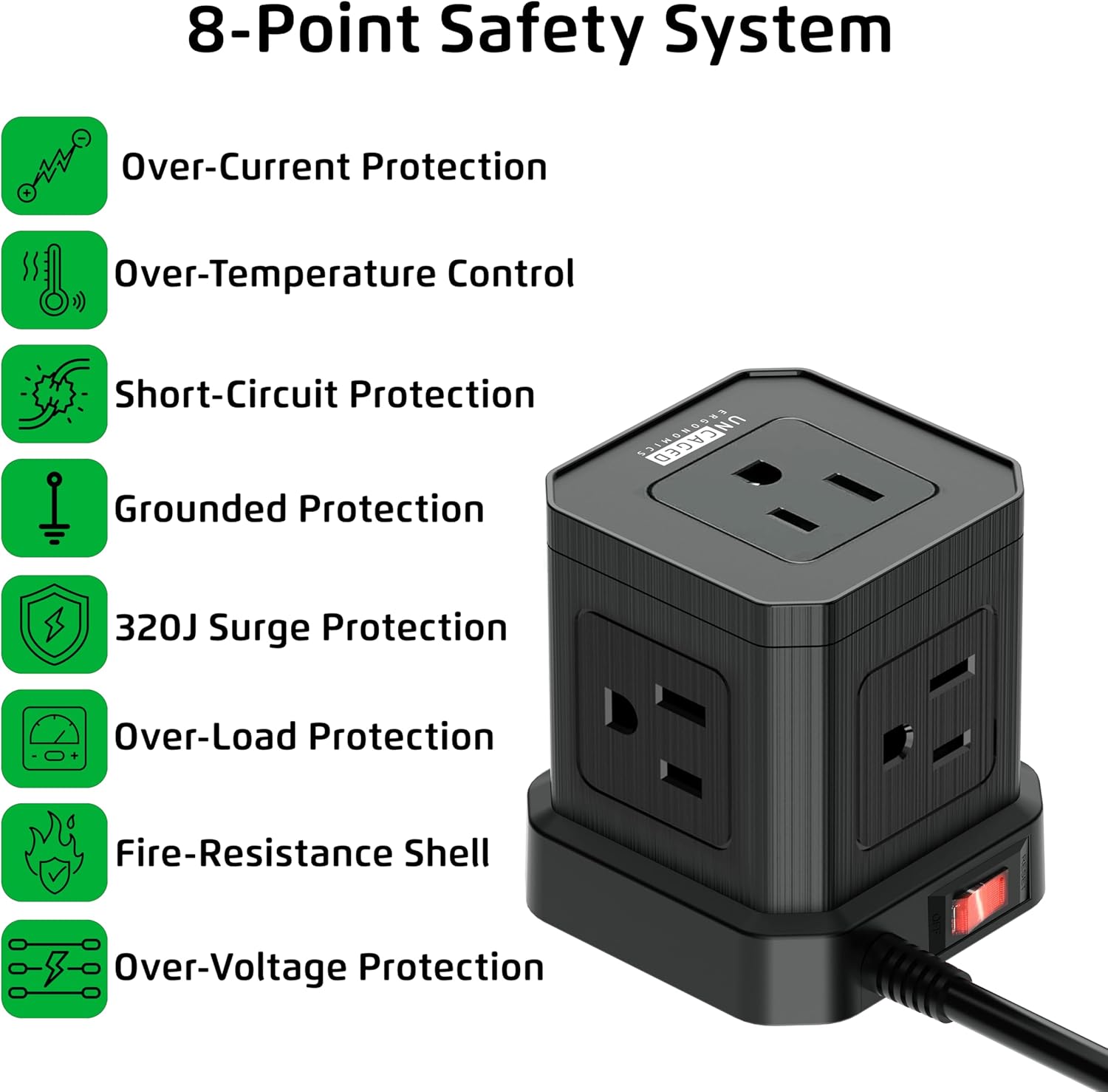
This image details the eight safety features integrated into the power strip, including over-current, over-temperature, short-circuit, grounded, surge, overload, fire-resistance, and over-voltagochrona.

The power strip features a 45-degree right-angled flat plug, designed to fit flush against walls and furniture, saving space.

A 'before and after' comparison showing how the Cube Power Strip helps organize cables and reduce clutter compared to a messy setup.
Instrukcje konfiguracji
- Rozpakuj urządzenie: Carefully remove the Cube Power Strip from its packaging. Inspect for any damage.
- Wybierz lokalizację: Select a suitable location for the power strip. Consider proximity to devices needing power and the length of the 10-foot cord.
- Podłącz do gniazdka ściennego: Insert the 45-degree right-angled flat plug into a standard 120V AC wall outlet. Ensure the connection is secure.
- Montaż (opcjonalny): If desired, use the integrated mounting slots on the bottom of the power strip to secure it to a wall or desk surface. Screws or adhesive strips (not included) can be used for this purpose. The anti-slip pads provide stability if placed on a flat surface.

The underside of the power strip, featuring anti-slip rubber feet for stability, mounting slots for wall installation, and a convenient on/off power switch.
Instrukcja obsługi
- Włączanie/wyłączanie: Use the red on/off switch located on the side of the power strip to control the power supply to all connected devices. Press 'ON' to supply power and 'OFF' to cut power.
- Podłącz urządzenia prądu zmiennego: Plug your AC-powered devices into any of the 5 available AC outlets. The non-blocking design allows for larger adapters.
- Podłącz urządzenia USB: Plug your USB-A compatible devices into the 3 USB-A ports for standard charging. For faster charging, use the dedicated USB-C port for compatible devices.
- Ładowanie monitora: Ensure devices are charging correctly. The power strip's surge protection indicator (if present, typically a small LED) will confirm active protection.
Urzędnik ponadview video demonstrating the features and benefits of the Uncaged Ergonomics Cube Power Strip, including its multiple outlets, USB ports, and compact design.
Informacje dotyczące bezpieczeństwa
Your Uncaged Ergonomics Cube Power Strip is built with an 8-Point Safety System to ensure the protection of your devices and your safety:
- Ochrona nadprądowa: Zapobiega uszkodzeniom spowodowanym nadmiernym przepływem prądu.
- Kontrola przegrzania: Monitoruje i reguluje temperaturę wewnętrzną, zapobiegając przegrzaniu.
- Zabezpieczenie przed zwarciem: Automatycznie odcina zasilanie w przypadku zwarcia.
- Ochrona uziemienia: Ensures a safe path for electrical current in case of a fault.
- Ochrona przeciwprzepięciowa 320J: Absorbs sudden voltage spikes to protect connected electronics.
- Ochrona przed przeładowaniem: Prevents damage when total power draw exceeds the rated capacity (1250W).
- Fire-Resistance Shell: Constructed with fire-resistant materials for added safety.
- Over-voltage Ochrona: Shields devices from excessive voltage.
Ważne środki ostrożności:
- Nie należy przekraczać maksymalnego obciążenia 1250W.
- Use indoors only. Avoid exposure to moisture or wet conditions.
- Nie rozbieraj i nie modyfikuj listwy zasilającej.
- Przechowywać w miejscu niedostępnym dla dzieci.
Konserwacja
To ensure the longevity and optimal performance of your Cube Power Strip, follow these maintenance guidelines:
- Czyszczenie: Przed czyszczeniem odłącz listwę zasilającą od gniazdka ściennego. Do czyszczenia zewnętrznej części listwy użyj miękkiej, suchej ściereczki. Nie używaj płynnych środków czyszczących ani materiałów ściernych.
- Składowanie: Jeśli listwa zasilająca nie będzie używana przez dłuższy czas, należy ją przechowywać w chłodnym i suchym miejscu, z dala od bezpośredniego światła słonecznego i wilgoci.
- Kontrola: Periodically inspect the power cord and the power strip for any signs of damage, such as frayed wires, cracks, or loose connections. If damage is found, discontinue use immediately.
Rozwiązywanie problemów
If you encounter issues with your Cube Power Strip, refer to the following common problems and solutions:
| Problem | Możliwa przyczyna | Rozwiązanie |
|---|---|---|
| Brak zasilania urządzeń | Power switch is off; Power strip not plugged in; Wall outlet not working; Overload protection tripped. | Ensure the on/off switch is in the 'ON' position. Verify the power strip is securely plugged into a live wall outlet. Check the wall outlet with another device. Reduce the number of connected devices to prevent overload. |
| Porty USB nie ładują się | Device not compatible; Cable issue; Power strip is off. | Ensure your device is compatible with USB charging. Try a different USB cable. Confirm the power strip is turned on. |
| Surge protection indicator off | Ochrona przeciwprzepięciowa została naruszona. | If the surge protection indicator light is off, the surge protection feature may no longer be active. Replace the power strip to ensure continued protection. |
Specyfikacje
| Funkcja | Szczegół |
|---|---|
| Marka | Ergonomia bez klatki |
| Numer modelu | PC-B-C |
| Kolor | Czarny |
| Całkowita moc gniazdek | 9 (5 AC, 3 USB-A, 1 USB-C) |
| Gniazda prądu przemiennego | 5 |
| Porty USB-A | 3 (5 V/2.4 A) |
| Port USB-C | 1 (20W Fast Charging) |
| Tomtage | 120 wolty |
| Maksymalny prąd | 11 Amps |
| Moc znamionowa | 1250 W |
| Ocena ochrony przeciwprzepięciowej | 320 dżuli |
| Długość kabla | 10 stóp |
| Typ kabla | Heavy-duty 18 AWG Copper Wire |
| Typ wtyczki | Type A - 2 pin (North American), 45-degree flat plug |
| Materiał obudowy | Copper, Plastic, Rubber |
| Zalecane zastosowanie | Wnętrz |
| UPC | 810150310016 |
Gwarancja i wsparcie
Uncaged Ergonomics products are designed for reliability and performance. For specific warranty information and customer support, please refer to the documentation included with your purchase or visit the official Uncaged Ergonomics webJeśli masz jakiekolwiek pytania lub potrzebujesz pomocy, skontaktuj się z naszym zespołem obsługi klienta.