
WEGROWER WP-01
Instrukcja obsługi pedału do przewracania stron bezprzewodowego
Model: WP-01 | Brand: WEGROWER
Wstęp
Thank you for choosing the WEGROWER Wireless Page Turner Pedal. This device is designed to provide a hands-free solution for musicians, readers, and presenters, allowing seamless page turning or content scrolling on various digital devices. Its silent operation and versatile compatibility make it an essential tool for enhancing your performance and reading experience.
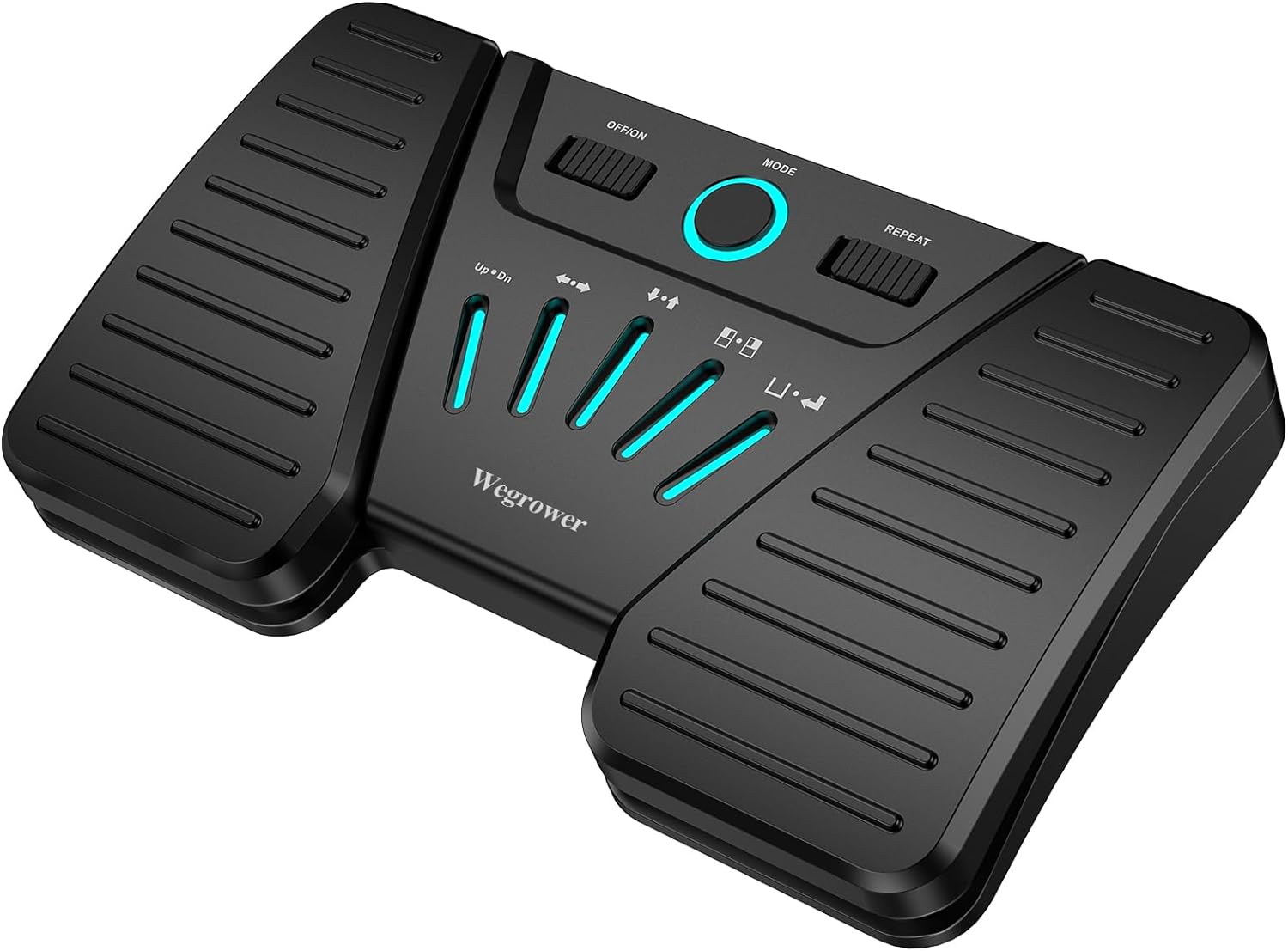
Image: The WEGROWER Wireless Page Turner Pedal, a black, compact device with two large foot pedals and a central control panel featuring illuminated mode indicators.
Co jest w pudełku
- 1 x Wireless Page Turner Pedal
- 1 x kabel ładujący USB
- 1 x Instrukcja obsługi
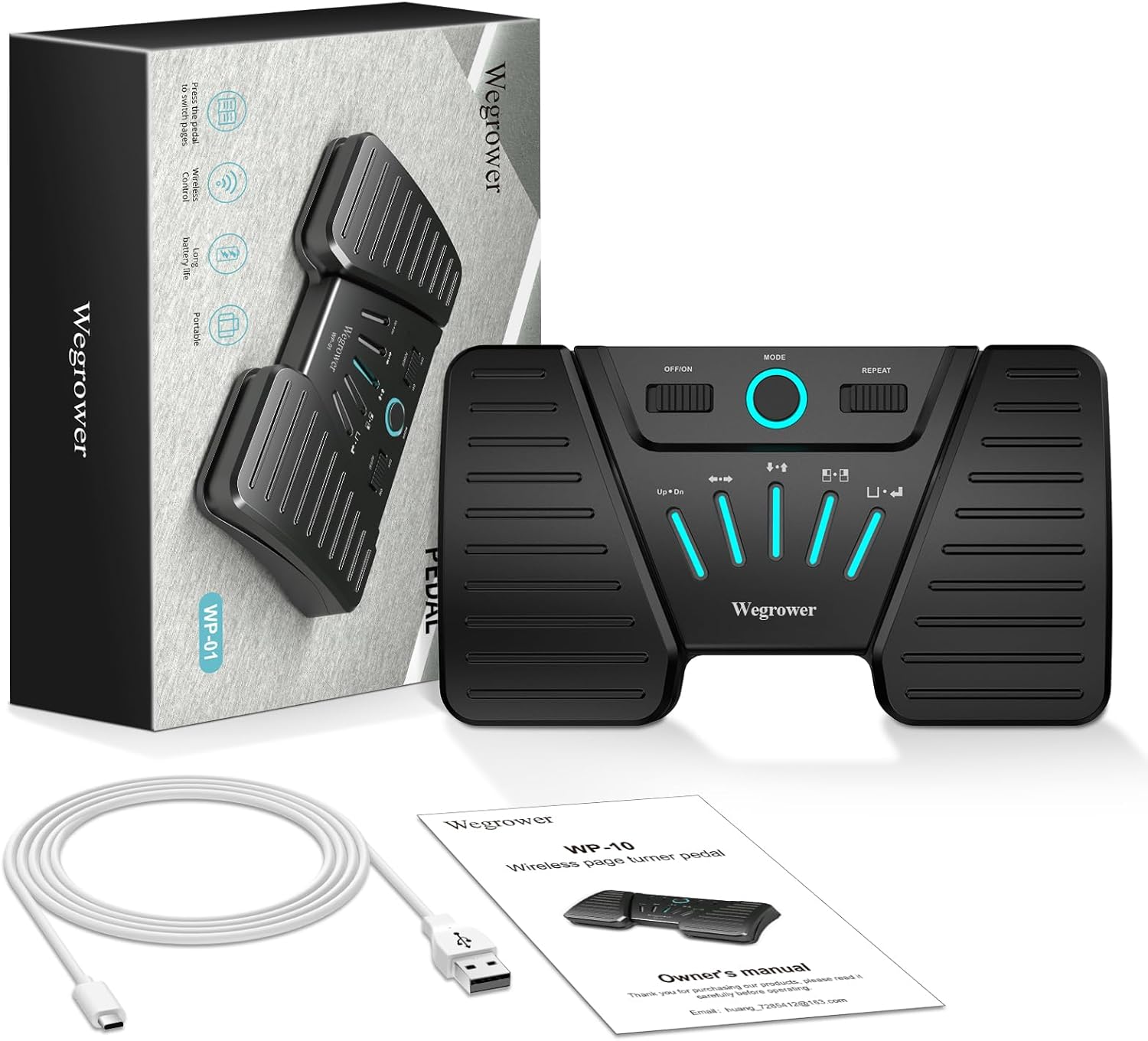
Image: The package contents laid out, including the black page turner pedal, a white USB charging cable, and the owner's manual, alongside the product box.
Cechy produktu
- Bezprzewodowa łączność Bluetooth: Connects seamlessly to your reading devices via Bluetooth, offering hands-free control.
- Wszechstronna kompatybilność: Supports various platforms and systems including iOS, Android, and Windows, and is compatible with apps like For Score, PDF, Nextpage, Music Reader4, Do Gigbook, Teleprompter+3, Paperless Music, Piascore, and Musicstand.
- Silent and Sensitive Touch: Designed for completely silent operation, ensuring no disruptive noise during performances or practice.
- Five Page Turning Modes: Offers multiple control options including Page Up/Down, Left/Right Arrow, Up/Down Arrow, Left/Right Mouse Click, and Space/Enter.
- Długa żywotność baterii: Rechargeable battery provides up to 60 hours of continuous working time on a single charge.
- Konstrukcja antypoślizgowa: Equipped with anti-slip rubber pads for stable placement during use.
Przewodnik po konfiguracji
1. Ładowanie urządzenia
Before first use, ensure the pedal is fully charged. Connect the provided USB charging cable to the pedal's charging port and to a standard USB power source (e.g., computer USB port, USB wall adapter). The charging indicator light will show the charging status.

Obraz: Zbliżenie view of the page turner pedal showing the USB charging port on the side and the anti-skid rubber pads on the bottom, highlighting its long battery life.
2. Połączenie Bluetooth
- Turn on the pedal by sliding the "OFF/ON" switch to "ON".
- Activate Bluetooth on your device (iPad, tablet, phone, computer).
- Szukaj available Bluetooth devices. The pedal should appear as "WEGROWER WP-01" or similar.
- Select the pedal to pair. Once paired, the Bluetooth indicator light on the pedal will become solid.
- To disconnect Bluetooth, press and hold the "MODE" button for 3 seconds.

Image: A person playing a guitar while using the WEGROWER page turner pedal with an iPad, demonstrating hands-free operation via Bluetooth.
Tryby pracy
The WEGROWER pedal offers five distinct operating modes, each providing different functionalities for page turning or content control. You can switch between modes using the "MODE" button on the central panel. The illuminated indicators will show the active mode.
| Wskaźnik trybu | Pedal Left Function | Pedal Right Function |
|---|---|---|
| Up • Dn | Strona w górę | Strona w dół |
| ← → | Strzałka w lewo | Strzałka w prawo |
| ↑ • ↓ | Strzałka w górę | Strzałka w dół |
| □ • ■ | Kliknij lewym przyciskiem myszy | Kliknij prawym przyciskiem myszy |
| □ • ↵ | Przestrzeń | Wchodzić |
Additionally, you can turn on the "repeat switch" to enable continuous scrolling through lyrics, sheet music, or for controlling multimedia platforms.

Image: A detailed diagram illustrating the five different operating modes of the pedal, with corresponding functions for the left and right pedals.
Zgodność
The WEGROWER Wireless Page Turner Pedal is designed for broad compatibility across various operating systems and applications, ensuring a seamless experience for most users.
- Systemy operacyjne: iOS, Android, Windows
- Zgodne aplikacje: For Score, PDF, Nextpage, Music Reader4, Do Gigbook, Teleprompter+3, Paperless Music, Piascore, Musicstand, and many other applications that support keyboard commands for page navigation.

Image: A visual representation of the pedal's versatile compatibility, showing icons for various music and document reading applications, along with logos for Android, Apple iOS, and Windows operating systems.
Konserwacja
- Utrzymuj urządzenie w czystości, przecierając je miękką, suchą ściereczką. Unikaj stosowania środków czyszczących o właściwościach ściernych i rozpuszczalników.
- Przechowuj pedał w chłodnym, suchym miejscu, z dala od bezpośredniego światła słonecznego i ekstremalnych temperatur.
- Unikaj upuszczania urządzenia i narażania go na silne uderzenia.
- Do not attempt to disassemble or repair the pedal yourself, as this will void the warranty.
Rozwiązywanie problemów
Pedal Not Connecting via Bluetooth:
- Upewnij się, że pedał jest włączony i całkowicie naładowany.
- Make sure Bluetooth is enabled on your device and the pedal is within range (typically up to 10 meters).
- Try turning the pedal off and on again.
- On your device, forget the pedal from your Bluetooth settings and attempt to pair again.
- Ensure no other devices are actively connected to the pedal.
Page Turning Not Working Correctly:
- Verify that the pedal is in the correct operating mode for your application (e.g., "Page Up/Down" mode for sheet music apps).
- Check if the application you are using supports external keyboard commands for page turning. Some apps may require specific settings to be enabled.
- Ensure the "repeat switch" is set correctly based on your desired functionality (on for continuous scroll, off for single press).
- Uruchom ponownie pedał i podłączone do niego urządzenie.
Krótki czas pracy baterii:
- Przed użyciem upewnij się, że pedał jest całkowicie naładowany.
- Avoid operating the pedal in extremely cold temperatures, which can reduce battery performance.
- Jeśli problem będzie się powtarzał, skontaktuj się z obsługą klienta.
Specyfikacje
| Funkcja | Szczegół |
|---|---|
| Numer modelu | WP-01 |
| Łączność | Bluetooth |
| Typ baterii | Litowo-jonowy (w zestawie) |
| Czas pracy | Do 60 godzin |
| Waga przedmiotu | 11.7 uncji |
| Wymiary opakowania | 7.36 x 4.57 x 1.34 cala |
| Typ złącza | USB |
| Nazwa koloru | PageTurnerPedal |
| Pierwsza dostępna data | 18 stycznia 2024 r. |
Gwarancja i wsparcie
WEGROWER products are manufactured to the highest quality standards. For information regarding warranty coverage, technical support, or any product-related inquiries, please refer to the contact information provided in your purchase documentation or visit the official WEGROWER webstrona.
E-mail: huang_728542@163.com
Powiązane dokumenty - WP-01
 |
Instrukcja obsługi pedału wielofunkcyjnego Miwayer Kompleksowa instrukcja obsługi pedału wielofunkcyjnego Miwayer, szczegółowo opisująca jego funkcje, tryby, zastosowanie i łączność z różnymi urządzeniami i systemami operacyjnymi. |
 |
Instrukcja obsługi czytnika stron Donner DBM-50 Bluetooth Instrukcja obsługi urządzenia Donner DBM-50 Bluetooth Page Turner, szczegółowo opisująca funkcje produktu, obsługę, rozwiązywanie problemów i środki ostrożności. Urządzenie jest przeznaczone dla muzyków, mówców i nauczycieli, oferując sterowanie bez użycia rąk muzyką cyfrową, prezentacjami i e-bookami. |
 |
JOYO JSP-01 Bezprzewodowy pedał do przewracania stron – instrukcja obsługi Niniejsza instrukcja obsługi zawiera szczegółowe informacje na temat bezprzewodowego pedału do przewracania stron JOYO JSP-01, w tym jego przeznaczenie, ostrzeżenia dotyczące bezpieczeństwa, instrukcje dotyczące zasilania, łączności Bluetooth, ładowania, dane techniczne, zawartość opakowania oraz wytyczne dotyczące utylizacji odpadów. |
 |
Cube Turner Pro: Instrukcja obsługi bezprzewodowego pedału do przewracania stron Kompleksowa instrukcja obsługi bezprzewodowego pedału do przewracania stron Cube Turner Pro. Dowiedz się więcej o jego funkcjach, trybach, obsłudze i środkach ostrożności podczas korzystania z telefonów, tabletów i komputerów. |
 |
bespec VM400 Bluetooth Page Turner Pedal User Manual User manual for the bespec VM400 Bluetooth Page Turner Pedal, detailing setup, connection, operation, modes, specifications, and app compatibility for musicians and readers. |
 |
Szybki przewodnik po pedałach Bluetooth PageFlip Firefly Krótki przewodnik po konfiguracji i obsłudze pedału Bluetooth PageFlip Firefly. Dowiedz się, jak zasilać urządzenie, sparować je przez Bluetooth z komputerami i innymi urządzeniami, wybierać różne tryby emulacji klawiatury i myszy oraz poznać zaawansowane funkcje. Zawiera gwarancję i dane kontaktowe. |
Ask a question about this manual
Ask about setup, troubleshooting, compatibility, parts, safety, or missing instructions. Manuals+ will review the question and use this page’s manual context to help answer it.