
Wstęp
Thank you for choosing the PATIKIL 3.2 Inch Wooden LED Light Base. This manual provides essential information for the proper setup, operation, and maintenance of your LED light base. Please read these instructions carefully before use and retain them for future reference.
Produkt ponadview
The PATIKIL Wooden LED Light Base is designed to illuminate various decorative items such as crystal crafts, resin crafts, glass art, and aroma stones. It features a solid wood construction with a frosted acrylic light diffusion panel for soft, glare-free illumination.
Główne cechy:
- Solid wood material with natural grain.
- Frosted acrylic light diffusion panel for soft, even light.
- USB powered for versatile use.
- Simple one-button ON/OFF switch.
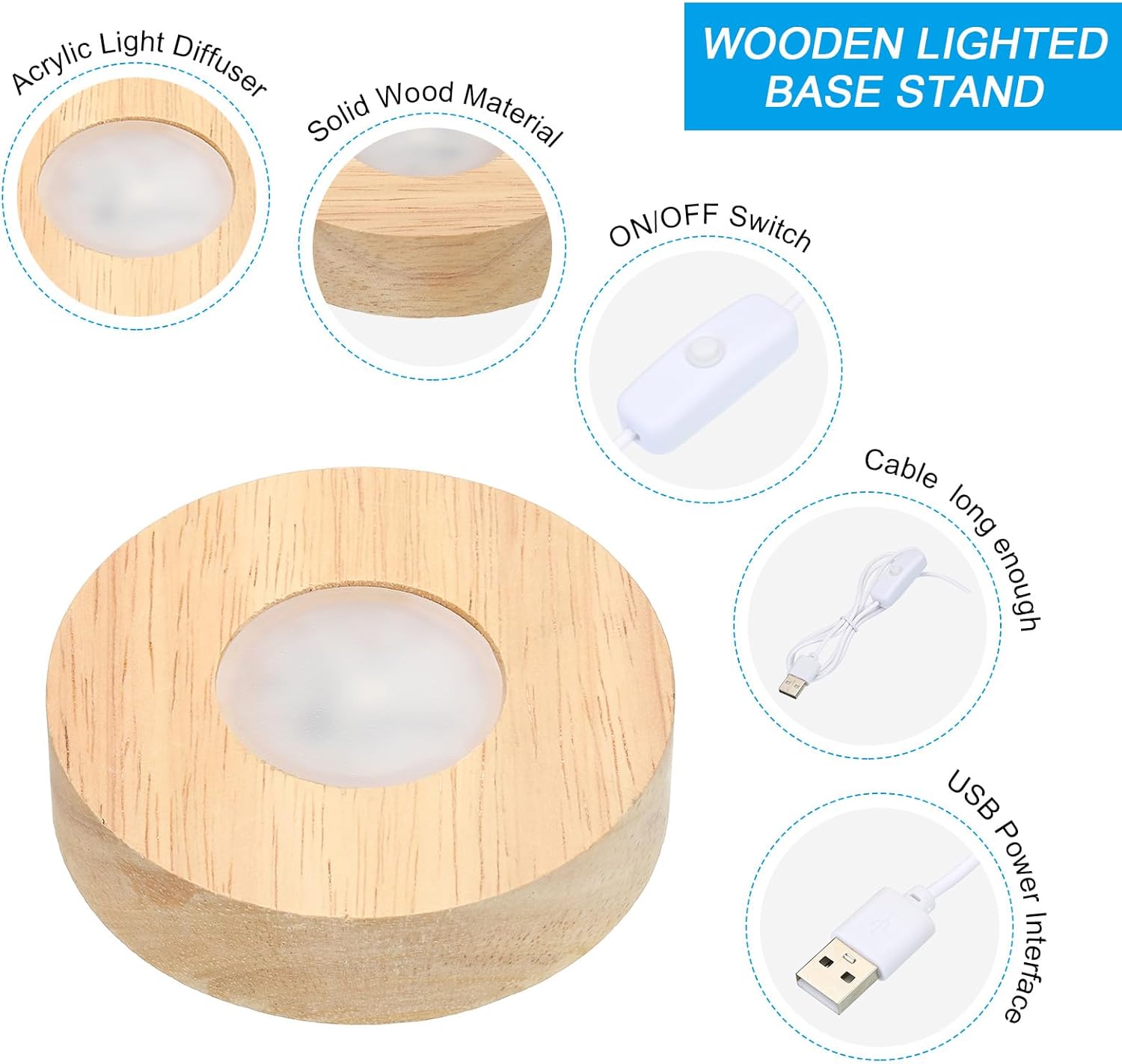
Figure 1: Product Components - This image illustrates the main parts of the LED light base, including the wooden base, light diffuser, and the USB cable with an integrated ON/OFF switch.
Specyfikacje
| Funkcja | Szczegół |
|---|---|
| Tworzywo | Wood, Metal, Electronics |
| Kolor skorupy | Kolor drewna |
| Kolor światła | Biały |
| Znamionowa objętośćtage | Prąd stały 5 V |
| Light Area Diameter | 37 mm / 1.46 cali |
| Total Size (D*H) | 80 mm x 20 mm / 3.2 cala x 0.8 cala |
| Długość przewodu | 1m / 3.28 stóp |
| Technologia łączności | USB |
| Typ przełącznika | Naciśnij przycisk |
| Poziom wodoodporności | Wodoodporny |
| Numer modelu | pta231121tt000555 |

Figure 2: Product Dimensions - This image provides detailed measurements of the LED light base and its components.
Instrukcje konfiguracji
Follow these steps to set up your PATIKIL Wooden LED Light Base:
- Place the Light Base: Position the wooden LED light base on a stable, flat surface where you intend to display your item.
- Podłącz do zasilania: Connect the USB cable to a compatible 5V DC power source. This can be a computer USB port, a power bank, or a phone adapter. Ensure the power source provides the correct voltage.
- Włączyć coś: Press the button switch located on the USB cable to turn on the light.
- Place Your Item: Carefully place your crystal, glass art, aroma stone, or other decorative item onto the illuminated area of the base.

Figure 3: Easy Installation Steps - A visual guide to quickly set up your LED light base.

Figure 4: Compatible Power Sources - The LED base can be powered by various USB sources like power banks, computers, and phone chargers.
Instrukcja obsługi
Operating the PATIKIL Wooden LED Light Base is straightforward:
- Włączanie: Press the button switch on the USB cable to turn the LED light on.
- Wyłączone: Press the button switch again to turn the LED light off.
The light base provides a consistent white light when activated.
Konserwacja
To ensure the longevity and optimal performance of your LED light base, follow these maintenance guidelines:
- Czyszczenie: Wipe the wooden base with a soft, dry cloth. For the acrylic light diffusion panel, use a slightly damp cloth if necessary, then dry immediately. Avoid abrasive cleaners or solvents.
- Składowanie: When not in use, store the light base in a cool, dry place away from direct sunlight and extreme temperatures.
- Obsługiwanie: Handle the base with care to prevent damage to the wood or internal electronics.
Rozwiązywanie problemów
If you encounter any issues with your LED light base, refer to the following common solutions:
- Światło się nie włącza:
- Ensure the USB cable is securely connected to both the light base and the power source.
- Verify that the power source (computer, power bank, adapter) is functioning correctly and providing 5V DC.
- Press the button switch firmly to ensure it engages.
- Światło migocze lub jest słabe:
- Check the power source. An unstable or insufficient power supply can cause flickering or dimming.
- Sprawdź, czy kabel USB nie jest uszkodzony lub zagięty.
- Base Feels Warm:
- It is normal for the light base to feel slightly warm after long hours of operation. If it becomes excessively hot, disconnect it from the power source and contact customer support.
Informacje dotyczące bezpieczeństwa
- Obowiązująca objętośćtage for this device is Prąd stały 5 V. Always provide a voltage that matches the rated voltage of the light to prevent damage.
- Do not expose the light base to extreme temperatures or humidity.
- Przechowywać w miejscu niedostępnym dla dzieci i zwierząt domowych.
- Do not attempt to disassemble or modify the product. This may void any potential warranty and could lead to electrical hazards.
- Although the product has a waterproof rating, avoid submerging it in water or exposing it to heavy rain.
Gwarancja i wsparcie
Information regarding product warranty and customer support was not provided in the product details. For any issues or inquiries, please refer to the seller or manufacturer's contact information available at the point of purchase.