1. Wprowadzenie
This user manual provides detailed instructions for the Symcode USB 1D Barcode Scanner. Please read this manual carefully before using the product to ensure proper operation and to maximize its lifespan. This device is designed for efficient and accurate scanning of 1D barcodes in various environments such as warehouses, libraries, supermarkets, and POS systems.
2. Zawartość opakowania
- 1 x Symcode CCD Barcode Scanner
- 1 x kabel USB
- 1 x Instrukcja obsługi (ten dokument)
3. Koniec produktuview
The Symcode 1D Barcode Scanner is a handheld, wired device featuring CCD image scanning technology. Its ergonomic and lightweight design ensures comfortable use for extended periods.
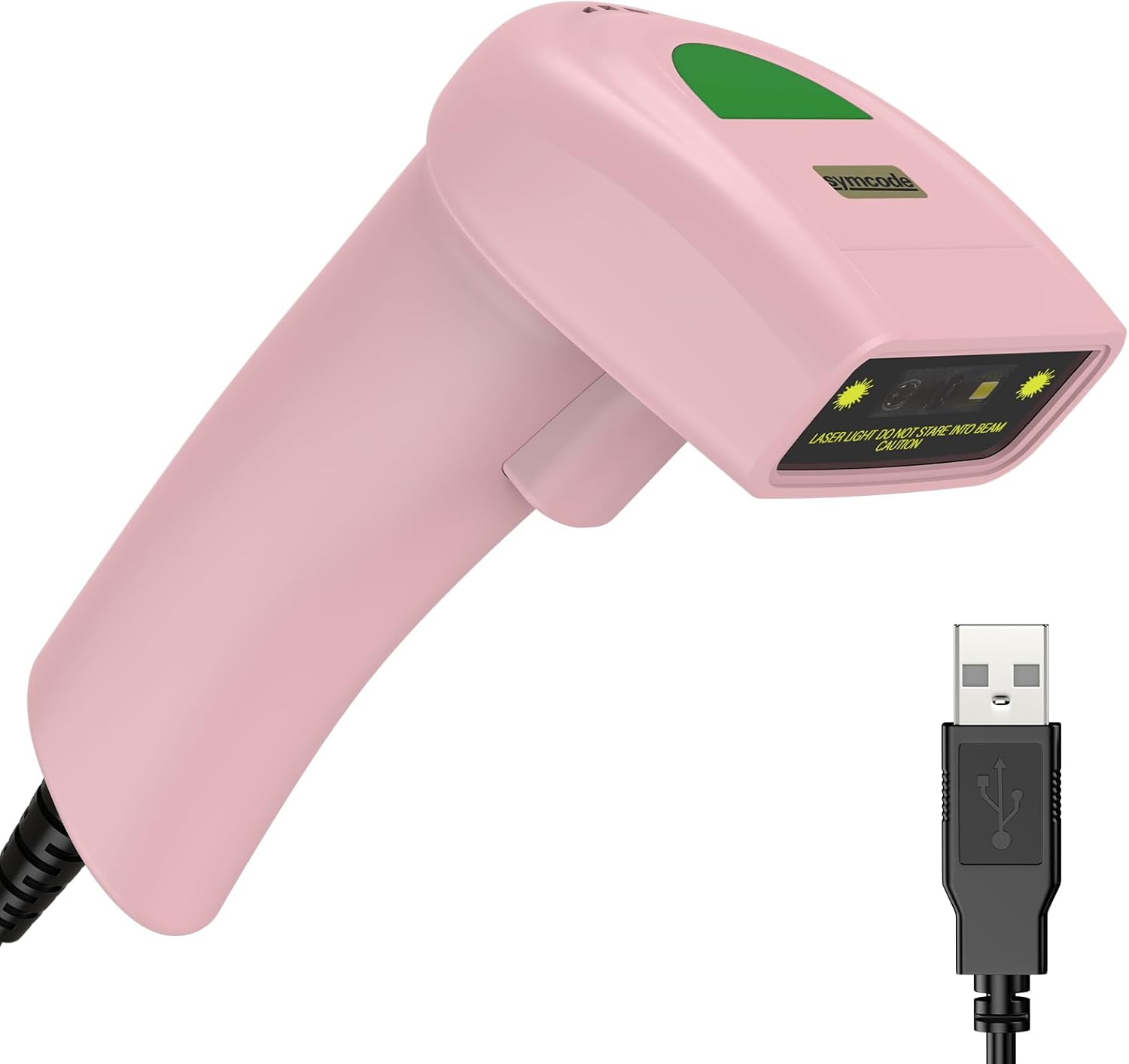
Figure 3.1: Symcode USB 1D Barcode Scanner (Pink) with its USB cable.

Figure 3.2: The scanner's compact dimensions (1.97in/5cm width, 2.76in/7cm depth, 5.5in/14cm height) are shown in comparison to a mobile phone, highlighting its portability. The scanner weighs only 181g (excluding the wire).

Figure 3.3: The scanner's light and streamlined design (left) offers comfort and ease of use, contrasting with a heavier, bulkier design (right) that can be more laborious.
4. Konfiguracja
4.1 Podłączanie skanera
The Symcode 1D Barcode Scanner is a plug-and-play device, requiring no driver installation for most operating systems.
- Locate an available USB port on your computer (Desktop or Laptop).
- Insert the USB connector of the scanner's cable into the USB port.
- The scanner will emit a beep, indicating successful connection and readiness for use.

Figure 4.1: The USB cable serves as both a power source and a data transmission cable, enabling simple plug-and-play functionality.
5. Instrukcja obsługi
5.1 Podstawowe skanowanie
To scan a barcode, aim the scanner's laser beam at the center of the barcode and press the trigger button. A successful scan will be indicated by a beep and a light confirmation.

Figure 5.1: The scanner is capable of reading 1D barcodes from both printed labels and digital screens.
5.2 Tryby skanowania
Skaner obsługuje trzy podstawowe tryby skanowania:
- Kluczowy tryb wyzwalania: Naciśnij przycisk wyzwalacza, aby rozpocząć każde skanowanie.
- Tryb automatycznej indukcji: Skaner automatycznie wykrywa kod kreskowy w swoim polu view i skanuje je bez konieczności naciskania spustu.
- Tryb ciągły: The scanner continuously emits its laser, scanning any barcode that passes through its beam.
5.3 Opcje dostosowywania
5.3.1 Adding Prefix and Suffix
The scanner allows for customization of scanned data by adding prefixes or suffixes. This feature is useful for data organization and integration with various software systems. Refer to the programming barcodes in the included user manual for specific instructions on how to configure these options.

Rysunek 5.2: Examples demonstrating how prefixes (e.g., RL123456789), suffixes (e.g., 123456789RL), or middle insertions (e.g., 12345RL6789) can be added to scanned barcode data.
5.3.2 Kontrola dźwięku
The scanner's sound (beep) can be turned on or off according to user preference. This is typically done by scanning specific configuration barcodes found in the full user manual.

Figure 5.3: Visual representation of turning the scanner's sound on or off using dedicated configuration barcodes.
6. Obsługiwane kody kreskowe
The Symcode 1D Barcode Scanner is equipped with advanced CCD sensor technology, enabling it to accurately read a wide range of 1D barcodes, including those that are smudged, damaged, fuzzy, or reflective. It supports 180 configurable options for prefix, suffix, and termination strings.
Supported 1D Barcode Symbologies include:
- EAN-8/13
- UPC-A/E
- Kod 39/93/128
- EAN-128
- Codabar
- Przemysłowy 2 z 5
- Przeplataj 2 z 5
- Macierz 2 z 5
- MSI
- Warianty RSS
- Chiński 2 z 5

Figure 6.1: The scanner's super decoding ability is demonstrated with examples of various 1D barcodes, including standard ones like KOD 128 I UPC-A, as well as challenging ones like Frauded Barcode, Zawodowiecfiled Kod kreskowy, Folded Barcode, I Color Barcode.
7. Konserwacja
Właściwa konserwacja gwarantuje długowieczność i optymalną wydajność skanera kodów kreskowych.
- Czyszczenie: Do czyszczenia zewnętrznej części skanera użyj miękkiej, suchej ściereczki. Do czyszczenia okna skanowania użyj delikatnej, niepozostawiającej włókien ściereczki.ampened with a non-abrasive cleaner. Avoid harsh chemicals or abrasive materials.
- Składowanie: Przechowuj skaner w chłodnym i suchym miejscu, z dala od bezpośredniego światła słonecznego i ekstremalnych temperatur.
- Obsługiwanie: While the scanner is designed to be durable (withstands drops from 2m), avoid unnecessary drops or impacts to prevent damage to internal components.
8. Rozwiązywanie Problemów
| Problem | Możliwa przyczyna | Rozwiązanie |
|---|---|---|
| Skaner się nie włącza. | Kabel USB nie jest prawidłowo podłączony lub port USB jest uszkodzony. | Ensure the USB cable is securely plugged into both the scanner and the computer. Try a different USB port. |
| Skaner nie odczytuje kodów kreskowych. | Barcode is damaged, poorly printed, or not a supported symbology. Scanner is not in the correct scanning mode. | Ensure the barcode is clear and undamaged. Verify the barcode symbology is supported. Check the scanning mode (Key Trigger, Auto-Induction, Continuous) and adjust if necessary. |
| Zeskanowane dane są nieprawidłowe lub niekompletne. | Incorrect prefix/suffix settings or data formatting issues. | Refer to the customization section (5.3) and the full user manual for programming barcodes to reset or adjust prefix/suffix settings. |
| No sound from scanner. | Dźwięk jest wyłączony. | Scan the "Turn on Sound" configuration barcode (refer to section 5.3.2 and the full user manual). |
9. Specyfikacje
| Funkcja | Szczegół |
|---|---|
| Wymiary | 165 × 63 × 87 mm (6.5 × 2.48 × 3.43 cala) |
| Waga | 156 g (5.9 uncji) |
| Źródło światła | Laser widzialny 650nm~670nm |
| Prędkość skanowania | 100 skanów/sek. |
| Precyzja odczytu | 0.1 mm (4 mil) |
| Kontrast wydruku | 30% min. |
| Głębia ostrości | 0~600 mm (0.33 mm, PCS 90%) |
| Zakres skanowania | 10 mm~250 mm |
| Odległość czytania | 2.5~600 mm (100% UPC/EAN) |
| Współczynnik błędów bitowych | 1/5 miliona |
| Aktualny | 85mA (praca), 36mA (przechowywanie) |
| Interfejs | USB |
| Temperatura pracy | 0℃~45℃ (32°F~113°F) |
| Temperatura przechowywania | -20°C~60°C (-4°F~140°F) |
| Wilgotność | 5%~95% bez kondensacji |
| Tworzywo | ABS+PC |
| Kompatybilne urządzenia | Komputer stacjonarny, laptop |
| Źródło zasilania | Elektryczny przewodowy |
10. Gwarancja i wsparcie
Symcode products are manufactured to high quality standards. For warranty information and technical support, please refer to the contact details provided with your purchase or visit the official Symcode webZachowaj paragon jako dowód zakupu na wypadek reklamacji.
For further assistance, please contact Symcode customer service.