
1. Wprowadzenie i informacje dotyczące bezpieczeństwa
This manual provides essential instructions for the safe installation, operation, and maintenance of your Hilitand Universal Electronic Control Board for sliding gate openers. Please read this manual thoroughly before installation and use to ensure proper function and safety.
Ważne wytyczne dotyczące bezpieczeństwa:
- Profesjonalna instalacja: Installation and wiring should be performed by a qualified electrician in accordance with local electrical codes and safety standards.
- Specyfikacja kabla: Use RVV1 to 2.5mm two-core cable for connecting the controller's output terminal to the door opener's input terminal. The cable length should not exceed 25 meters.
- Prawidłowe okablowanie: Ensure all wiring connections are correct and follow the specified direction to prevent incorrect door operation or damage to the control box.
- Zasilanie: Objętość roboczatage for the door motor is DC 24V. Do not connect AC power voltage to test the machine.
- Sprzęt pomocniczy: Inductive or capacitive auxiliary equipment, such as electric locks, must not use the DC 12V power supply from the control box. This prevents voltage and current impact on the main board's electronic components, which could cause damage.
- Warunki środowiskowe: Avoid using the control board in environments with high temperature, high humidity, excessive dust, or corrosive gases to prevent performance degradation.
- Przechowywanie i użytkowanie: Store and operate the device only under the rated voltage and specified temperature and humidity conditions.
2. Koniec produktuview
The Hilitand Universal Electronic Control Board is designed to manage the operation of sliding gate motors, offering features such as adjustable closing speed, motor protection, and automatic door closing delays. It provides sensitive and reliable control for your gate system.

Rysunek 2.1: Koniecview of the Hilitand Universal Electronic Control Board and its connected button interface.

Rysunek 2.2: Kątowy view highlighting the main components and connection terminals on the control board.
3. Konfiguracja i instalacja
Careful installation is crucial for the safe and efficient operation of your gate opener system. Ensure all power is disconnected before beginning installation.
- Montowanie: Securely mount the control board in a protected enclosure, away from direct weather exposure, high temperatures, humidity, and dust.
- Połączenia elektryczne: Connect the output terminals of the control board to the input terminals of your DC 24V sliding gate motor. Refer to the wiring diagram (if provided separately) for specific terminal assignments. Ensure the cable length does not exceed 25 meters.
- Auxiliary Connections: If connecting auxiliary equipment, ensure they are powered independently and do not draw power from the control board's DC 12V supply.
- Podłączenie zasilania: Connect the appropriate 110V AC power supply to the control board's input terminals. Double-check all connections before applying power.
- Początkowe ustawienia: After all hardware installation is complete, apply power and perform an initial trip learning procedure for the gate. This ensures the gate operates smoothly through its full range of motion.
- Function Knob and Switch Settings: Adjust the function knobs and switches on the board to configure the desired operating mode, such as delay times and speed settings.

Rysunek 3.1: Szczegółowy view of the control board's terminal blocks for wiring and adjustment knobs for settings.
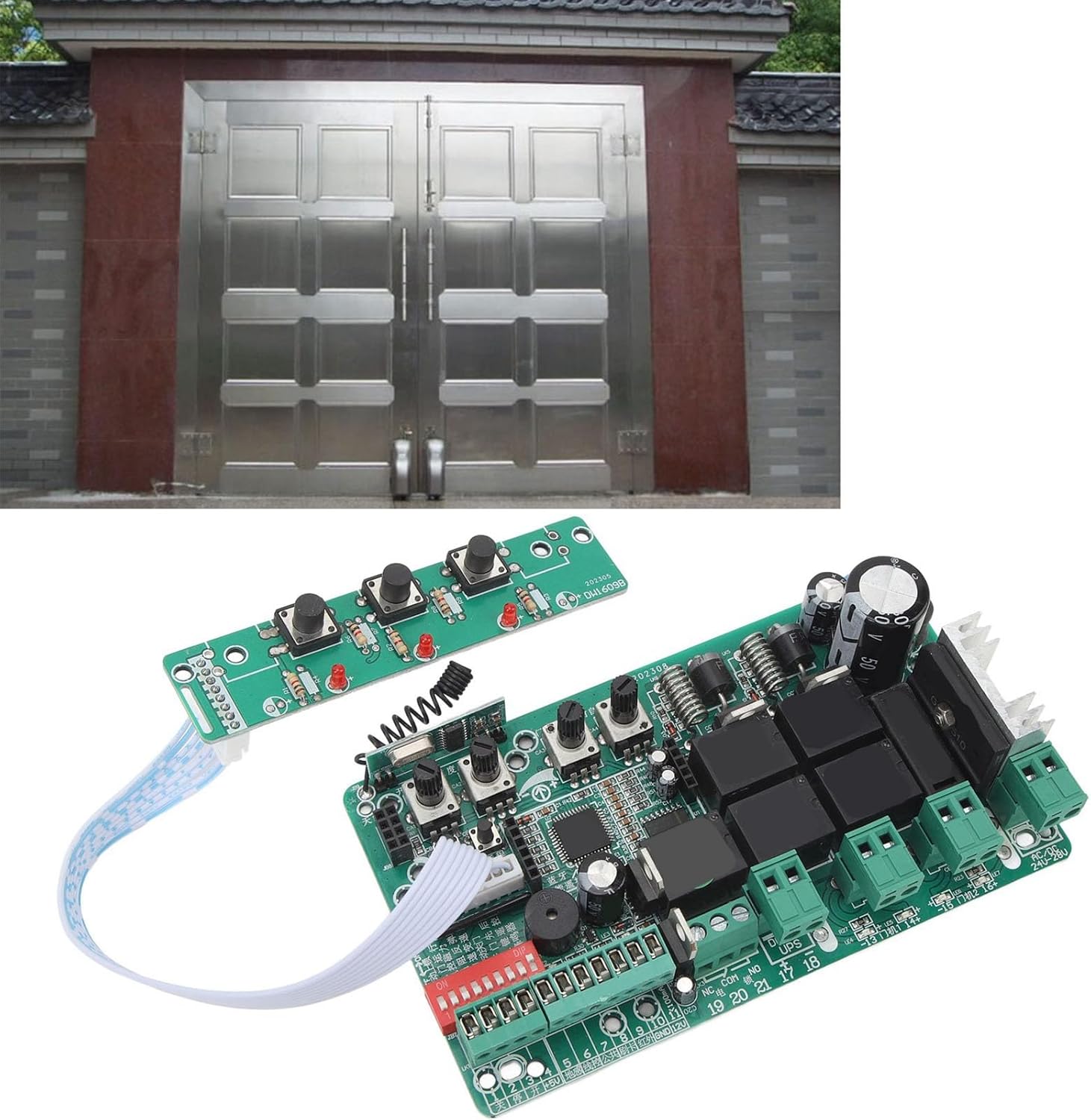
Rysunek 3.2: Example of a sliding gate system where the control board would be integrated.
4. Instrukcja obsługi i funkcje
The control board offers several adjustable features to customize your gate's operation:
- Regulowana prędkość zamykania: Use the dedicated speed adjustment knob to set a deceleration speed for the gate as it approaches its limit. This allows for a smoother and safer closing motion.
- Motor Adjustment (Obstacle Detection): The motor adjustment knob allows you to customize the automatic shutdown function. This feature stops the motor if it encounters high resistance, such as an obstacle, enhancing safety.
- Automatic Door Closing Delay: Set a delay time for the gate to automatically close after it has been fully opened. This delay can be adjusted from 0 to 60 seconds, providing flexibility for user passage.
- Delayed Closing for Door 2 (Dual Gate Systems): For dual gate installations, the control board allows you to adjust the delay time for the second gate motor to begin closing after the primary gate has started its closing sequence.
- Zwiększona czułość: The circuit control board is designed with strong interference resistance and sensitive control, ensuring reliable operation.
5. Konserwacja
To ensure the longevity and optimal performance of your Hilitand Electronic Control Board, consider the following maintenance guidelines:
- Ochrona środowiska: Regularly inspect the installation environment to ensure it remains free from excessive heat, humidity, dust, and corrosive substances. Relocate or provide additional protection if conditions change.
- Integralność połączenia: Okresowo sprawdzaj wszystkie połączenia przewodów pod kątem szczelności i oznak zużycia lub korozji. Luźne połączenia mogą prowadzić do niestabilnej pracy lub uszkodzenia.
- Czystość: Keep the control board clean and free from dust buildup. Use a soft, dry brush or compressed air for cleaning. Do not use liquids or solvents.
- Tomtage Monitorowanie: Upewnij się, że napięcie zasilaniatage remains within the rated specifications (110V AC input, DC 24V motor output).
6. Rozwiązywanie Problemów
If you encounter issues with your control board, review Oto typowe kroki rozwiązywania problemów:
- Brak zasilania: Check the main power supply to the control board. Ensure all power connections are secure and the circuit breaker has not tripped.
- Brama się nie porusza: Verify that the motor is receiving power and that all motor connections are correct. Check for any physical obstructions preventing gate movement. Ensure the obstacle detection sensitivity is not set too high, causing false stops.
- Incorrect Gate Direction: If the gate opens when it should close, or vice-versa, check the motor wiring connections. Incorrect polarity can cause reversed operation.
- Brama zatrzymuje się w połowie cyklu: This could indicate an issue with the limit switches, obstacle detection, or motor overload. Check for obstructions and ensure the motor adjustment knob is set appropriately.
- Automatic Closing Not Working: Verify the automatic door closing delay setting. Ensure it is not set to 0 seconds if a delay is desired.
If problems persist after attempting these steps, please contact Hilitand customer support or a qualified technician.
7. Specyfikacje
| Typ przedmiotu | Gate Opener Circuit Board |
| Tworzywo | Komponent elektroniczny |
| Rozmiar produktu | Około 142 x 82 mm (5.6 x 3.2 cala) |
| Waga przedmiotu | Około. 234g (8.3 uncji) |
| Zakres zastosowania | Motor Controller for Sliding Gates |
| Objętość silnikatage | Prąd stały 24 V |
| Wejście Voltage | 110 V prądu zmiennego |
| Numer modelu | Hilitandx8dh76ro1i-12 |
| Wymagane baterie | NIE |
| Zawarte komponenty | 1 x Gate Opener Circuit Control Board |
8. Gwarancja i wsparcie
For warranty information, technical support, or service inquiries, please contact Hilitand customer service through the retailer where the product was purchased or visit the official Hilitand website. Please have your model number (Hilitandx8dh76ro1i-12) and purchase details available when contacting support.
You can find more information about Hilitand products and support at the Hilitand Store on Amazon.