
AUSEK TX3
AUSEK TX3 Android Mini PC Box User Manual
1. Wprowadzenie
This manual provides detailed instructions for the setup, operation, and maintenance of your AUSEK TX3 Android Mini PC Box. Please read this manual thoroughly before using the device to ensure proper functionality and to maximize your user experience. The AUSEK TX3 is designed to transform your television into a smart entertainment hub, offering access to a wide range of applications and media content.
2. Zawartość opakowania
Po rozpakowaniu prosimy sprawdzić, czy w paczce znajdują się wszystkie poniższe elementy:
- AUSEK TX3 Android Mini PC Box
- Zdalne sterowanie (Baterie nie są dołączone)
- Zasilacz sieciowy
- HD Data Cable (HDMI Cable)
- Instrukcja obsługi

3. Koniec produktuview
The AUSEK TX3 Android Mini PC Box is a compact device designed for high-definition media streaming and smart TV functionalities. It features a robust AMLOGIC S905X3 processor, 4GB RAM, and 64GB ROM, ensuring smooth performance for various applications and 4K content playback.

3.1. Funkcje urządzenia
- System operacyjny: Android 10
- Edytor: AMLOGIC S905X3 Quad Core Cortex-A53
- Pamięć: 4GB RAM, 64GB Internal Storage
- Łączność: Dual-band Wi-Fi (2.4G/5.8G), Bluetooth 5.0, Ethernet
- Wyjście wideo: 4K HDR support

3.2. Porty i połączenia
Familiarize yourself with the various ports on your AUSEK TX3 device:

- Gniazdo karty TF: Do rozszerzenia pamięci za pomocą karty MicroSD.
- 2.0 USB Porty: Connect external devices such as USB drives, keyboards, or mice.
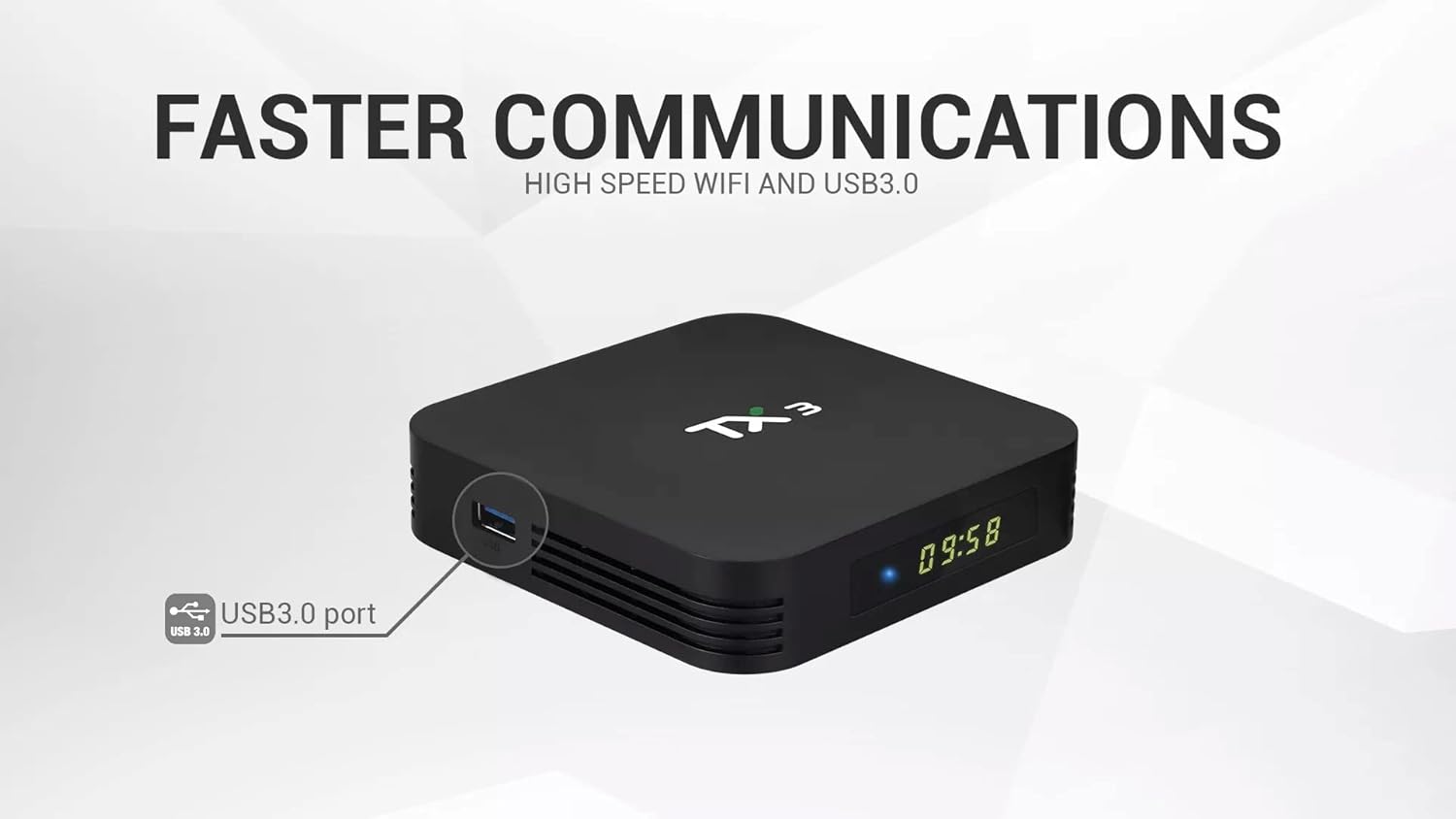
- Port USB 3.0: Offers faster data transfer speeds for compatible external storage devices.
- HD Output (HDMI): Umożliwia podłączenie do telewizora lub wyświetlacza w celu przesyłania obrazu i dźwięku.
- Wejście zasilania (prąd stały 5 V): Podłącz dołączony zasilacz.
- Port Ethernet (LAN): Do przewodowego połączenia internetowego.
- Wyjście SPDIF: Do cyfrowego wyjścia audio do kompatybilnych systemów dźwiękowych.
4. Przewodnik konfiguracji
Follow these steps to set up your AUSEK TX3 Android Mini PC Box:
- Połącz z telewizorem: Connect one end of the provided HDMI cable to the HD Output port on the AUSEK TX3 and the other end to an available HDMI input on your television.
- Podłącz zasilanie: Plug the power adapter into the DC 5V Power Input port on the AUSEK TX3, then plug the adapter into a wall outlet.
- Połącz się z Internetem (opcjonalnie):
- Połączenie przewodowe: Connect an Ethernet cable from your router to the Ethernet Port on the AUSEK TX3.
- Połączenie bezprzewodowe: You will configure Wi-Fi during the initial software setup.
- Włączanie: Turn on your television and select the correct HDMI input source. The AUSEK TX3 should automatically power on and display the boot-up screen.
- Kreator konfiguracji początkowej: Follow the on-screen instructions to complete the initial setup, which typically includes language selection, Wi-Fi network connection, and Google account login.
5. Instrukcja obsługi
5.1. Podstawowa nawigacja
Use the provided remote control to navigate the Android interface. The directional buttons (up, down, left, right) move the cursor, and the 'OK' button confirms selections. The 'Back' button returns to the previous screen, and the 'Home' button takes you to the main home screen.
5.2. Połączenie sieciowe
If you did not connect to Wi-Fi during the initial setup, navigate to Ustawienia> Sieć i Internet to select your Wi-Fi network and enter the password. For wired connections, ensure the Ethernet cable is securely connected.
5.3. Instalowanie aplikacji
The AUSEK TX3 comes with the Google Play Store pre-installed. You can download and install a wide variety of applications, including streaming services, games, and utility apps. Navigate to the Play Store icon on your home screen, sign in with your Google account, and browse or search for desired applications.

5.4. Łączność Bluetooth
To connect Bluetooth devices such as headphones, speakers, or game controllers, go to Settings > Connected Devices > Pair new device. Ensure your Bluetooth device is in pairing mode.
5.5. 4K HDR Playback
The AUSEK TX3 supports 4K HDR video playback. For optimal viewing, ensure your television is 4K HDR compatible and that you are playing 4K HDR content. Adjust display settings in Ustawienia > Wyświetlacz w razie potrzeby.
6. Konserwacja
To ensure the longevity and optimal performance of your AUSEK TX3 Android Mini PC Box, follow these maintenance guidelines:
- Czyszczenie: Do czyszczenia urządzenia należy używać miękkiej, suchej ściereczki. Nie należy używać płynnych środków czyszczących ani materiałów ściernych.
- Wentylacja: Upewnij się, że urządzenie znajduje się w dobrze wentylowanym miejscu, aby zapobiec przegrzaniu. Nie zasłaniaj otworów wentylacyjnych.
- Wyłącz prawidłowo: Always power off the device using the remote control or by navigating to the power options in the system menu before unplugging it.
- Aktualizacje oprogramowania: Okresowo sprawdzaj dostępność aktualizacji systemu Ustawienia > Preferencje urządzenia > Informacje > Aktualizacja systemu aby mieć pewność, że posiadasz najnowsze funkcje i poprawki zabezpieczeń.
7. Rozwiązywanie Problemów
If you encounter issues with your AUSEK TX3, refer to the following common problems and solutions:
| Problem | Możliwa przyczyna | Rozwiązanie |
|---|---|---|
| Brak zasilania | Zasilacz nie jest podłączony; problem z gniazdkiem elektrycznym | Sprawdź, czy zasilacz jest prawidłowo podłączony do urządzenia i czy gniazdko elektryczne jest sprawne. |
| Brak obrazu na telewizorze | Incorrect HDMI input selected; loose HDMI cable | Select the correct HDMI input on your TV. Check HDMI cable connections. Try a different HDMI port or cable. |
| Pilot nie działa | Dead batteries; line of sight blocked | Replace batteries in the remote. Ensure no obstructions between the remote and the device. |
| Nie można połączyć się z siecią Wi-Fi | Incorrect password; router issue; device too far from router | Verify Wi-Fi password. Restart your router. Move the device closer to the router or use a wired Ethernet connection. |
| Aplikacje działają wolno lub ulegają awarii | Too many apps running; low storage; outdated app version | Close unused applications. Clear cache for problematic apps (Settings > Apps). Update apps from Google Play Store. Restart the device. |
8. Specyfikacje
Detailed technical specifications for the AUSEK TX3 Android Mini PC Box:
| Funkcja | Szczegół |
|---|---|
| Marka | AUSEK |
| Model | TX3 |
| System operacyjny | Android 10 |
| Edytor | AMLOGIC S905X3 Quad Core Cortex-A53, 1.5 GHz |
| BARAN | 4 GB pamięci DDR3 SDRAM |
| Pamięć wewnętrzna (ROM) | 64 GB |
| Hard Drive Size (Internal) | 32 GB (Note: This may refer to a partition or specific storage type) |
| Rezolucja | 4K |
| Wi-Fi | Dwuzakresowy (2.4G/5.8G) |
| Bluetooth | Bluetooth 5.0 |
| Porty | USB 2.0, USB 3.0, HD Output (HDMI), Ethernet, SPDIF, TF Card Slot, DC Power Input |
| Wymiary (dł. x szer. x wys.) | 10 x 10 x 10 centymetrów |
| Waga przedmiotu | 400 gramów |
| Kompatybilne urządzenia | Personal Computer (as a mini PC), Televisions |
| Obsługiwane usługi internetowe | Netflix (and others via Play Store) |

9. Gwarancja i wsparcie
For warranty information and customer support regarding your AUSEK TX3 Android Mini PC Box, please contact the manufacturer directly:
Producent: AUSHA EXPORTS P LTD
Adres: 140, Sector 27, Gurugram-122009, India
Obsługa klienta: 08048977694
Proszę zachować dowód zakupu na potrzeby roszczeń gwarancyjnych.
Ask a question about this manual
Ask about setup, troubleshooting, compatibility, parts, safety, or missing instructions. Manuals+ will review the question and use this page’s manual context to help answer it.