
1. Wprowadzenie
The Foscam FNA108HE is an 8-channel Network Video Recorder (NVR) designed for surveillance systems. It supports up to 8 PoE (Power over Ethernet) IP cameras, allowing for simplified installation with power and data transmission over a single Ethernet cable. This NVR records video at up to 8MP resolution per channel and utilizes H.264+ video compression for efficient storage. It offers continuous, motion-detection, and scheduled recording options, and supports a hard drive up to 16TB (not included) for extensive storage. View and manage your surveillance system locally via HDMI/VGA monitor or remotely through a web interfejs.
2. Zawartość opakowania
- Foscam FNA108HE 8-Channel PoE NVR
- Zasilacz
- Mysz USB
- Kabel Ethernet
- Szybki przewodnik
- Mounting Screws for HDD (Hard Disk Drive not included)
3. Koniec produktuview
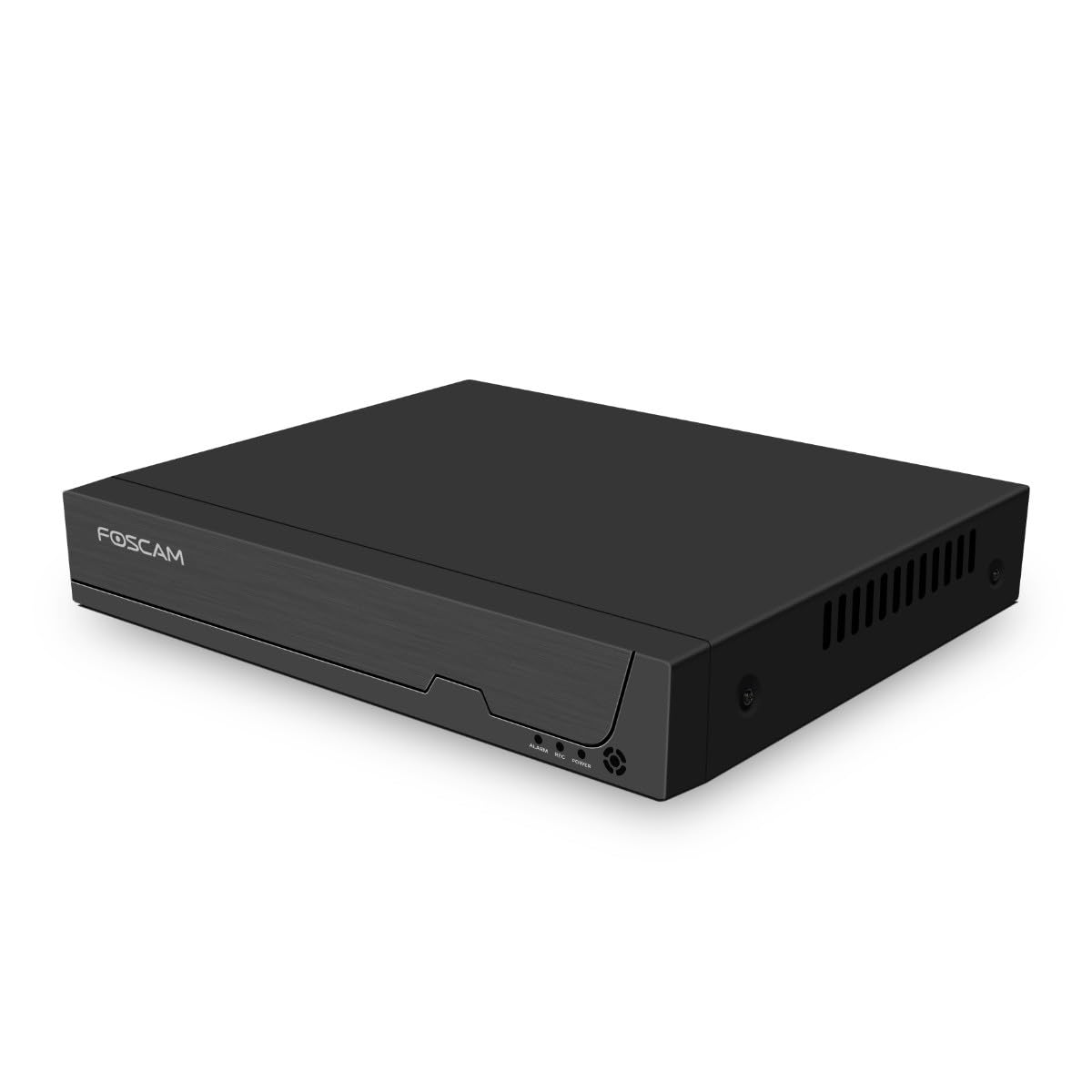
Rysunek 3.1: Panel przedni
This image shows the front of the Foscam FNA108HE NVR, featuring the Foscam logo on the left and indicator lights (ALARM, REC, POWER) on the right, along with a navigation button.

Rysunek 3.2: Kątowy View
An angled perspective of the Foscam FNA108HE NVR, highlighting its compact design and the Foscam branding.

Rysunek 3.3: Panel tylny
This image displays the rear panel of the Foscam FNA108HE NVR, showing various ports including the power switch, DC 48V power input, 8 PoE ports, LAN port, A-OUT (audio output), VGA port, HD-OUT (HDMI port), and two USB ports.
3.1 Wskaźniki na panelu przednim
- MOC: Oznacza, że rejestrator NVR jest włączony.
- REK: Flashes when video is being recorded.
- ALARM: Illuminates when an alarm event (e.g., motion detection) is triggered.
3.2 Porty na tylnym panelu
- Przełącznik włącz / wyłącz: Powers the NVR on or off.
- 48V DC: Power input for the NVR.
- Porty PoE (1-8): Connect PoE IP cameras. These ports provide both power and data.
- Port LAN: Connects the NVR to your local network/router for internet access and remote viewing.
- A-OUT (Wyjście audio): Connects to an external speaker for audio output.
- Port VGA: Connects to a VGA monitor for local display.
- HD-OUT (HDMI Port): Connects to an HDMI monitor or TV for local display.
- Porty USB (x2): Connect a USB mouse for local control and for USB backup devices.
4. Konfiguracja
4.1 Hard Drive Installation (Optional, HDD not included)
For video recording, a 3.5-inch SATA hard drive is required. Ensure the NVR is powered off before installation.
- Odkręć i zdejmij górną pokrywę NVR.
- Podłącz kabel danych SATA i kabel zasilający rejestratora NVR do dysku twardego.
- Przymocuj dysk twardy do obudowy rejestratora NVR za pomocą dołączonych śrub.
- Załóż górną pokrywę i przykręć ją śrubami.
4.2 Połączenie sprzętowe
- Connect your PoE IP cameras to the PoE ports (1-8) on the NVR's rear panel using Ethernet cables.
- Podłącz monitor do portu HD-OUT (HDMI) lub VGA rejestratora NVR.
- Podłącz mysz USB do jednego z portów USB rejestratora NVR.
- Podłącz port LAN rejestratora NVR do routera lub przełącznika sieciowego za pomocą kabla Ethernet.
- Connect the power adapter to the DC 48V input on the NVR and then plug it into a power outlet.
- Press the ON/OFF switch to power on the NVR.
5. Obsługa
5.1 Konfiguracja początkowa i dostęp
Upon first boot, the NVR will guide you through an initial setup wizard (password creation, network settings, etc.). You can access the NVR interface locally via the connected monitor and mouse, or remotely via a web przeglądarkę na komputerze podłączonym do tej samej sieci.
5.2 Na żywo View
After logging in, the NVR will display the live video feeds from connected cameras. You can switch between single-camera view, siatka wielokamerowa viewi dostosuj układ wyświetlania.
5.3 Tryby nagrywania
The NVR supports the following recording modes:
- Ciągłe nagrywanie: Nagrywa 24/7 bez przerwy.
- Nagrywanie z wykrywaniem ruchu: Nagrywa tylko wtedy, gdy kamery wykryją ruch.
- Zaplanowane nagrywanie: Records according to a predefined schedule (e.g., specific hours of the day).
Configure these settings in the NVR's menu under 'Record' or 'Schedule'.
5.4 Odtwarzanie
Aby ponownieview nagrano footage:
- Access the 'Playback' menu on the NVR interface.
- Wybierz żądaną kamerę(y) i zakres daty/godziny.
- Use the timeline to navigate through recordings and play back events.
5.5 Dostęp zdalny
Aby uzyskać zdalny dostęp do rejestratora NVR:
- Upewnij się, że rejestrator NVR jest podłączony do Internetu.
- Configure network settings (e.g., port forwarding) on your router if necessary, or use Foscam's cloud service/P2P feature if available.
- Use the Foscam web interface or mobile application to view live feeds and manage settings from anywhere.
6. Konserwacja
6.1 Zarządzanie dyskiem twardym
Regularly check the status of your hard drive in the NVR's storage settings. If the hard drive is new or has issues, it may need to be formatted through the NVR interface. Ensure sufficient free space for continuous recording.
6.2 aktualizacji oprogramowania sprzętowego
Okresowo sprawdzaj oficjalną stronę Foscam website for firmware updates. Keeping your NVR's firmware updated ensures optimal performance, security, and access to new features. Follow the instructions provided with the firmware update carefully.
7. Rozwiązywanie Problemów
- Brak wyświetlania obrazu: Check HDMI/VGA cable connections, ensure monitor is on and set to correct input. Verify NVR is powered on.
- Cameras Not Showing: Ensure cameras are properly connected to PoE ports. Check camera power and network status. Verify camera IP addresses are within the NVR's range.
- Nie wolno robić nagrań: Confirm a hard drive is installed and formatted. Check recording schedules and motion detection settings. Ensure HDD has free space.
- Problemy ze zdalnym dostępem: Verify NVR has internet access. Check network settings, port forwarding, or P2P status. Ensure correct login credentials.
- NVR Not Powering On: Check power adapter connection and power outlet. Ensure the ON/OFF switch is in the 'ON' position.
8. Specyfikacje
| Funkcja | Specyfikacja |
|---|---|
| Numer modelu | FNA108HE |
| Marka | Foscam |
| Liczba kanałów | 8 |
| Maksymalna pojemność pamięci masowej | 16 TB (Hard Drive not included) |
| Kompresja wideo | H.264 + |
| Typ wejścia wideo | Kamera IP PoE |
| Wyjście wideo | HDMI, VGA, |
| Wyjście audio | A-OUT |
| Porty USB | 2 |
| Technologia łączności | HDMI, USB, VGA, Ethernet (LAN, PoE) |
| Kompatybilne urządzenia | Camera, Smartphone, Television |
| Waga przedmiotu | 880 gram |
| Dostępność części zamiennych | 1 rok |
9. Gwarancja i wsparcie
This Foscam NVR (Model FNA108HE) typically comes with a manufacturer's warranty. Spare parts are available for 1 year. For detailed warranty information, technical support, or service inquiries, please refer to the official Foscam webOdwiedź witrynę lub skontaktuj się bezpośrednio z działem obsługi klienta. Zachowaj paragon zakupu na wypadek reklamacji.