
TruVoice BT75
Instrukcja obsługi zestawu słuchawkowego TruVoice BT75 Premium Wireless
Model: BT75
1. Wprowadzenie
The TruVoice BT75 Premium Wireless Headset is designed for clear communication and comfort in various working environments. Featuring Bluetooth V5.2 connectivity, noise suppression, and extended battery life, it offers a reliable audio solution for professionals.
2. Co znajduje się w pudełku
- TruVoice BT75 Wireless Headset
- Klucz USB
- Kabel ładujący USB
- Instrukcja obsługi
- Etui ochronne
- Poduszki na uszy

The image above displays the TruVoice BT75 headset along with its accompanying USB dongle, which is essential for wireless connectivity with computers.
3. Koniec produktuview
The BT75 headset is engineered for optimal performance and user comfort. Key features include a multi-functional key for easy operation, a Qualcomm Triple-Core Processor for enhanced performance, and cVc Technology for clear voice communication.
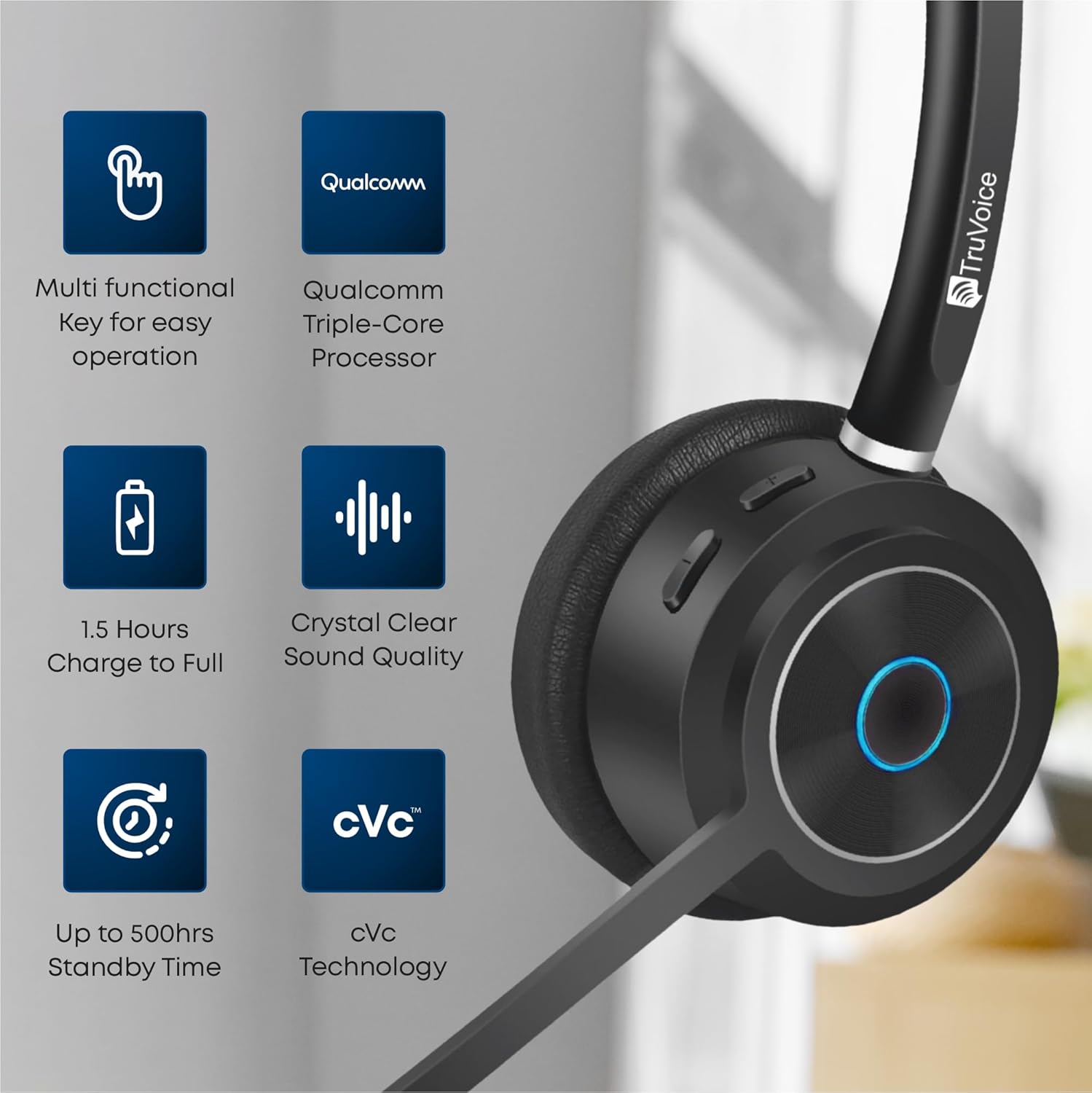
This image highlights the main features of the BT75 headset, including its multi-functional key, Qualcomm processor, fast charging capability, crystal clear sound quality, long standby time, and cVc technology.
Komfort i design
Designed for all-day wear, the BT75 features premium leather plush ear cushions, a soft and wide silicone headband, and a 270° rotatable and flexible microphone for personalized fit and comfort.
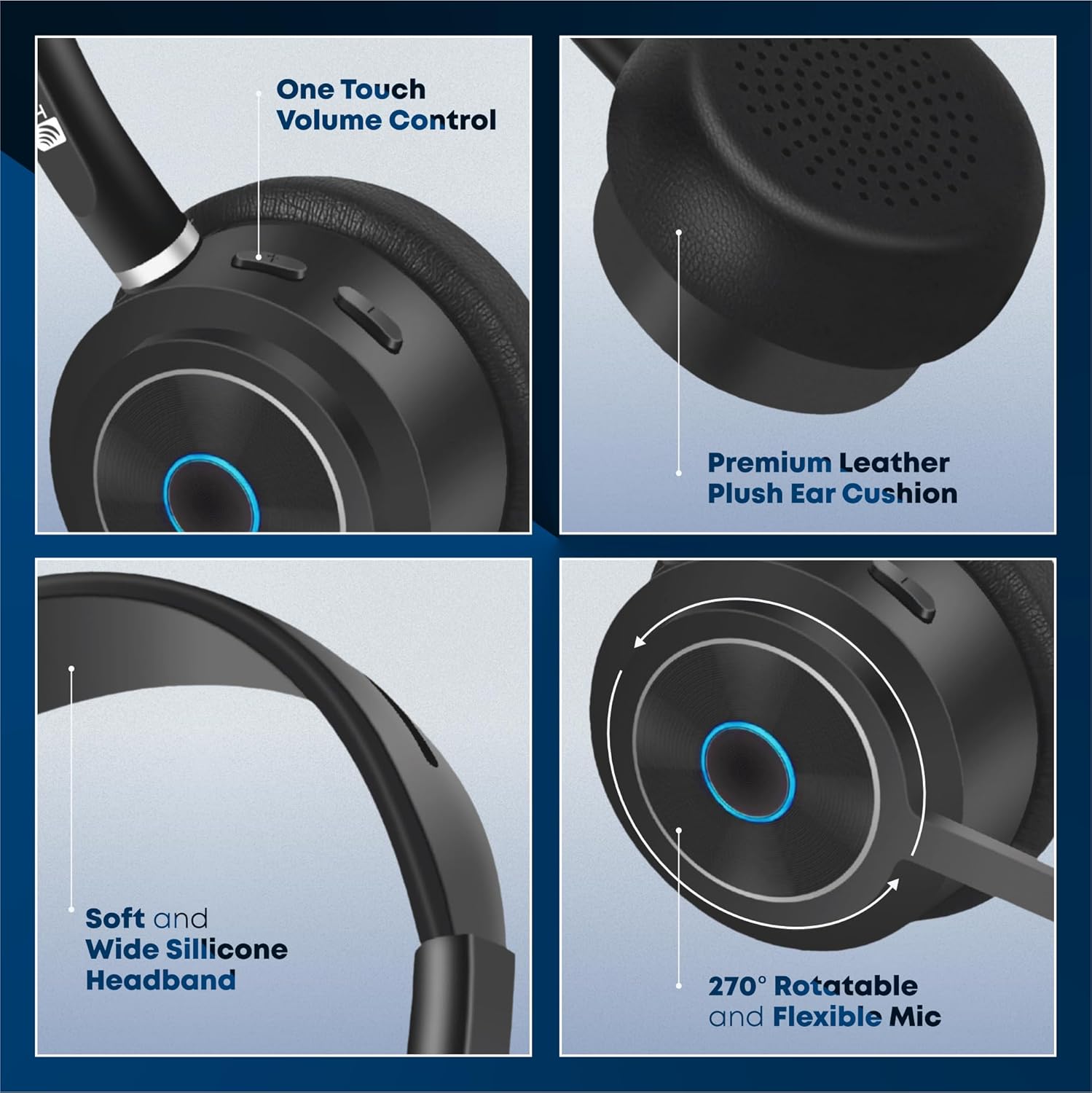
The image illustrates the ergonomic design elements of the headset, such as the one-touch volume control, premium leather ear cushion, soft silicone headband, and the highly adjustable microphone.
Film fabularny
Ten film przedstawia wizualny przeglądview of the key features and benefits of the TruVoice BT75 Wireless Headset, demonstrating its design and functionality.
4. Konfiguracja i łączność
4.1. Parowanie początkowe
To pair your BT75 headset with a device, ensure the headset is in pairing mode (refer to the LED indicator for status). For computer connectivity, insert the included USB dongle into an available USB port. The headset will automatically connect to the dongle, providing a Bluetooth wireless range of up to 50 feet.
4.2. Łączność wielopunktowa
The BT75 headset supports multi-point connectivity, allowing it to connect and work with two Bluetooth devices simultaneously. This feature is ideal for seamless switching between a computer and a mobile phone or desk phone with Bluetooth capabilities.
4.3. Uniwersalna kompatybilność
The BT75 headset is compatible with all major UC (Unified Communications) Computer Voice Platforms, including Microsoft Teams, Skype, Zoom, Avaya, Cisco, Ring Central, Vonage, Nextiva, and 3CX.

This image demonstrates the broad compatibility of the BT75 headset with leading communication platforms, ensuring versatile use across different software environments.
5. Instrukcja obsługi
5.1. Włączanie/wyłączanie zasilania
- To power on: Press and hold the Multi-functional Key until the LED indicator lights up.
- To power off: Press and hold the Multi-functional Key until the LED indicator turns off.
5.2. Zarządzanie połączeniami
- Answer/End Call: Short press the Multi-functional Key.
- Reject Call: Press and hold the Multi-functional Key for 2 seconds.
- Redial Last Number: Double-press the Multi-functional Key.
5.3. Regulacja głośności
- Increase Volume: Press the Volume Up button.
- Decrease Volume: Press the Volume Down button.
5.4. Wyciszenie mikrofonu
- To mute/unmute the microphone: Press the Mute button on the microphone boom.
5.5. Redukcja szumów
The BT75 utilizes Qualcomm cVc Echo Canceling Noise Suppression Technology and a Uni-Directional Noise Cancellation Microphone. This technology works to reduce background noise, ensuring crystal clear voice quality during calls.
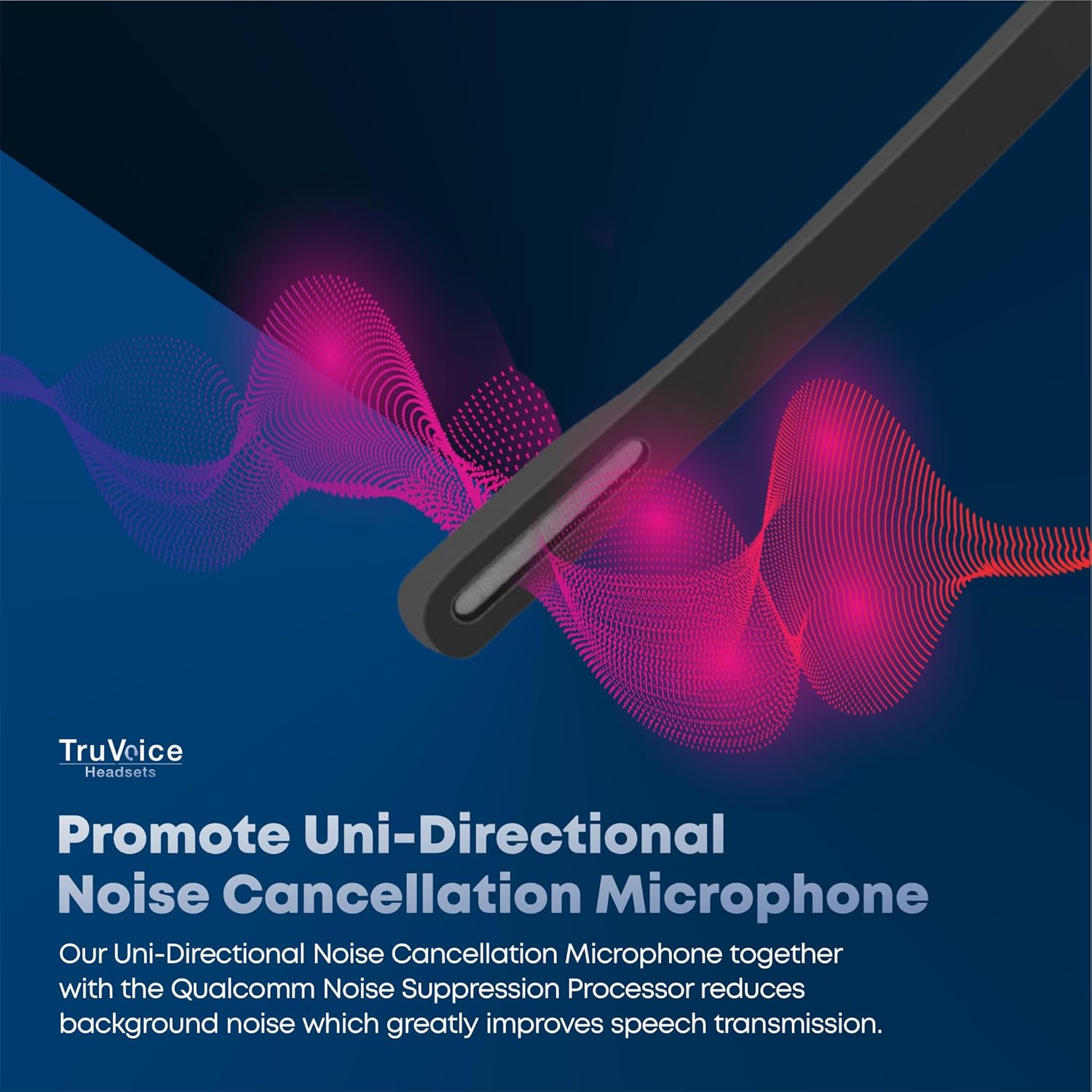
This image visually represents how the headset's uni-directional microphone and Qualcomm noise suppression processor work to minimize ambient noise for clearer conversations.
6. Bateria i ładowanie
The BT75 headset is equipped with a powerful battery offering up to 500 hours of standby time, 22 hours of talk time, and 19 hours of media playing time. A full charge is achieved in approximately 90 minutes using the provided USB charging cable, which can be connected to a PC or a standard wall charger.
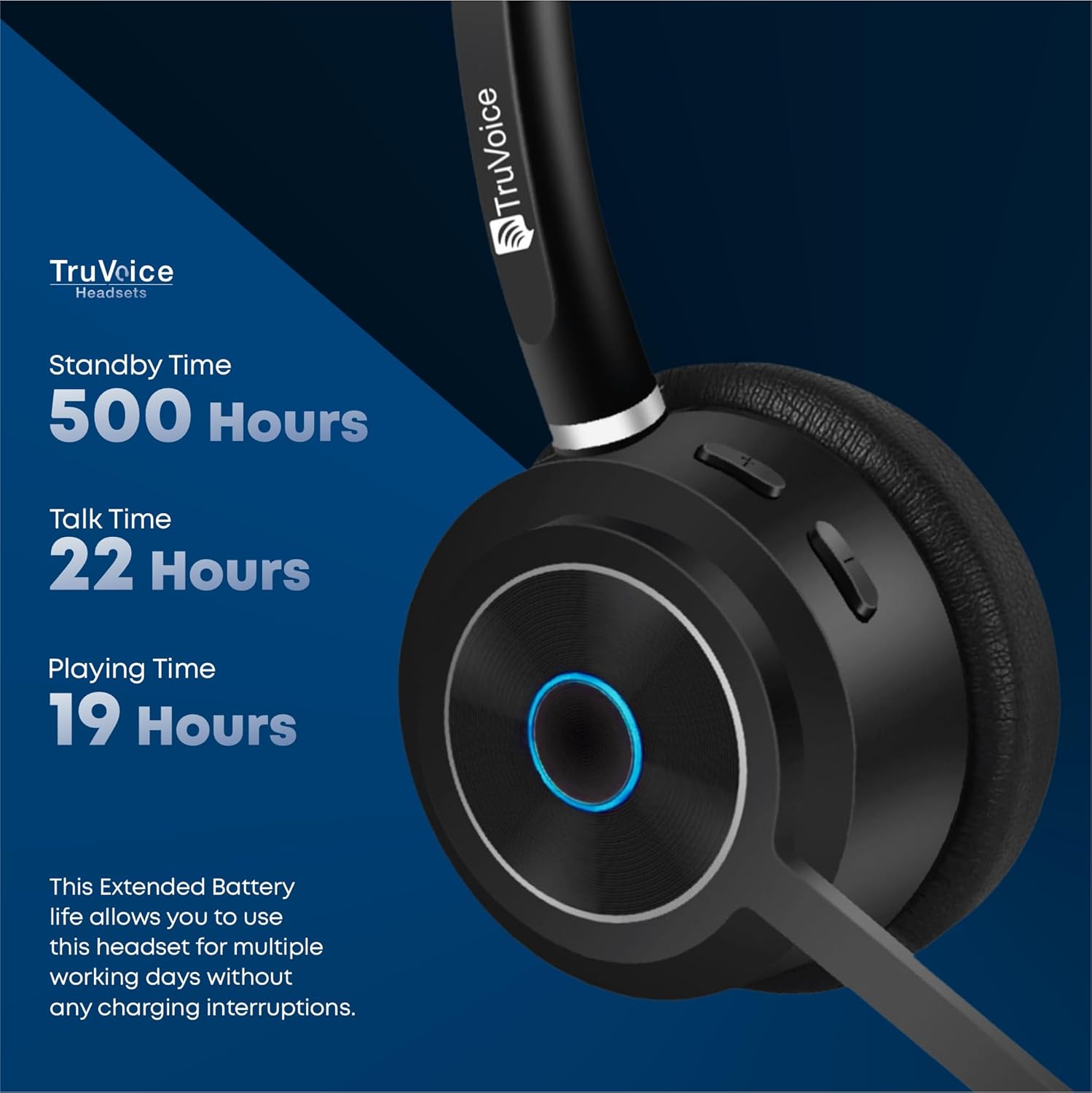
The image highlights the impressive battery life of the BT75 headset, detailing its standby, talk, and media playback durations, ensuring extended use without frequent recharging.
7. Konserwacja
- Regularnie czyść zestaw słuchawkowy miękką, suchą ściereczką. Unikaj stosowania silnych środków chemicznych i materiałów ściernych.
- Store the headset in its protective case when not in use to prevent damage.
- Unikaj wystawiania zestawu słuchawkowego na działanie ekstremalnych temperatur, wilgoci lub bezpośredniego światła słonecznego.
- Nie należy podejmować prób demontażu ani modyfikacji zestawu słuchawkowego, gdyż spowoduje to utratę gwarancji.
8. Rozwiązywanie Problemów
| Problem | Możliwa przyczyna | Rozwiązanie |
|---|---|---|
| Brak dźwięku lub niska głośność | Headset not connected, volume too low, incorrect audio output selected. | Ensure headset is paired. Increase volume on headset and device. Check device's audio settings to select BT75 as output. |
| Cannot connect to device | Headset not in pairing mode, device's Bluetooth off, out of range. | Put headset in pairing mode. Enable Bluetooth on device. Move headset closer to device (within 50 ft). Restart both devices. |
| Mikrofon nie działa | Microphone muted, incorrect input device selected. | Unmute microphone. Check device's audio input settings to select BT75 microphone. |
| Krótki czas pracy baterii | Akumulator nie jest w pełni naładowany, akumulator jest stary. | Ensure full 90-minute charge. If issue persists, contact customer support. |
9. Specyfikacje
| Funkcja | Szczegół |
|---|---|
| Nazwa modelu | Bezprzewodowe zestawy słuchawkowe Bluetooth |
| Technologia łączności | Bezprzewodowa (Bluetooth V5.2) |
| Zasięg Bluetooth | Do 50 stóp |
| Czas pracy baterii (czas rozmów) | 22 godzin |
| Czas pracy baterii (czas słuchania muzyki) | 19 godzin |
| Czas czuwania | Do 500 godzin |
| Czas ładowania | 90 Minutes (Full Charge) |
| Mikrofon | Uni-Directional Noise Cancellation |
| Kontrola hałasu | Qualcomm cVc Echo Canceling Noise Suppression Technology |
| Waga | 85 grams (headset only) |
| Kompatybilne urządzenia | Communication Platforms (PC, Cell, Desk Phones with Bluetooth) |
| Zawarte komponenty | Cable, User Manual, Ear Cushions, Protective Case, Headband |
10. Gwarancja i wsparcie
For warranty information and technical support, please refer to the official TruVoice webOdwiedź stronę internetową lub skontaktuj się bezpośrednio z działem obsługi klienta. Zachowaj paragon zakupu na wypadek ewentualnych roszczeń gwarancyjnych.
Informacje kontaktowe:
- Odwiedź TruVoice Store on Amazon aby uzyskać więcej informacji i zasobów wsparcia.
Ask a question about this manual
Ask about setup, troubleshooting, compatibility, parts, safety, or missing instructions. Manuals+ will review the question and use this page’s manual context to help answer it.