
THINKWARE Q200
THINKWARE Q200 Dash Cam User Manual
Model: Q200
1. Wprowadzenie
This manual provides detailed instructions for the installation, operation, and maintenance of your THINKWARE Q200 Dash Cam. Please read this manual thoroughly before using the device to ensure proper functionality and safety.
2. Koniec produktuview
The THINKWARE Q200 is a high-performance 2K QHD dash camera designed to capture clear video evidence and enhance driving safety. Key features include:
- Nagrywanie w rozdzielczości 2K QHD: Captures clear evidence at 30fps with WDR and Super Night Vision 2.0.
- Distortion-Free 125° Wide Angle: Dewarped lens covers more of the road without fisheye effects.
- Smart Parking Surveillance Suite: Automatically records motion or impacts while parked, with Time Lapse or Energy Saving modes.
- Incident Lock & File Uczciwość: Built-in 3-axis G-sensor auto-saves critical footage.
- Sterowanie aplikacją Wi-Fi: Connect via the THINKWARE DASH CAM LINK app for settings adjustment and footagpobierz.
3. Co znajduje się w pudełku
Przed przystąpieniem do instalacji sprawdź, czy wszystkie komponenty są obecne:
- Kamera samochodowa
- 3M Windshield Mount with Spare Tape
- Kabel ładowarki samochodowej 12V
- Kabel do stałego okablowania
- Adhesive Cable Holders
- Szybki przewodnik
- CS Information
- Karta MicroSD 32 GB

Image: All components included in the THINKWARE Q200 Dash Cam package.
4. Konfiguracja i instalacja
Proper installation ensures optimal performance and recording coverage. It is recommended to install the dash cam near the center of your windshield, behind the rearview lustro, aby nie zasłaniać view.
4.1 Montaż kamery samochodowej
- Wyczyść powierzchnię przedniej szyby w miejscu, w którym zostanie zamontowana kamera samochodowa.
- Attach the 3M adhesive pad to the windshield mount.
- Securely attach the mount with the dash cam to the chosen location on the windshield.
- Dostosuj kąt kamery, aby zapewnić wyraźny obraz view drogi przed nami.
4.2 Połączenie zasilania
The Q200 can be powered via the included 12V car charger cable or the hardwiring cable for continuous parking surveillance.
- Ładowarka samochodowa 12 V: Plug the cable into your vehicle's cigarette lighter socket and the dash cam's power input.
- Hardwiring Cable: For parking mode functionality, connect the hardwiring cable to your vehicle's fuse box. Professional installation is recommended for this method.
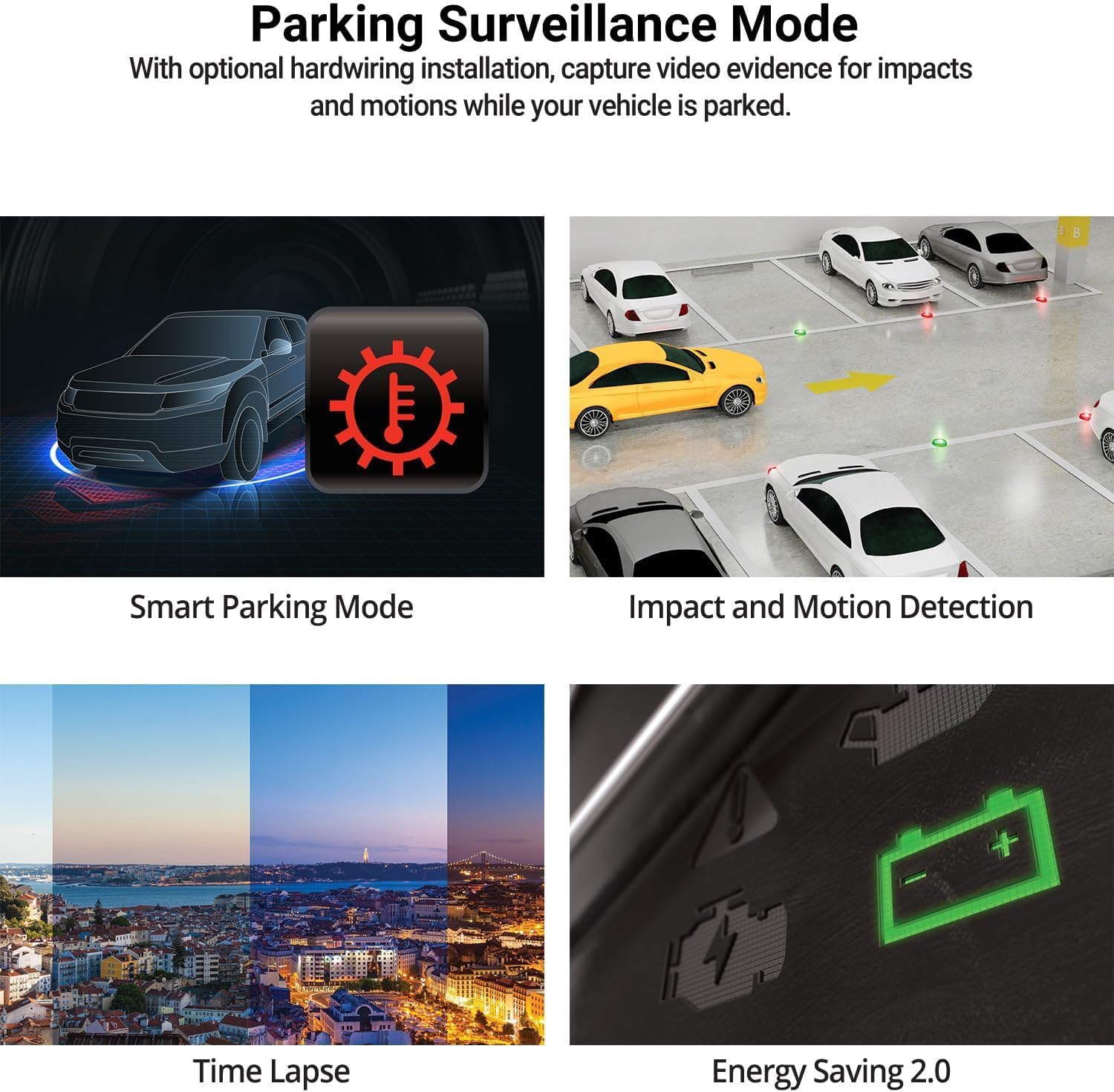
Image: The THINKWARE Q200 Dash Cam installed on a vehicle's windshield.
Wideo: Ponadview of the THINKWARE Q200 Dash Cam, demonstrating its features and installation.
5. Instrukcja obsługi
5.1 Automatyczne nagrywanie
The Q200 Dash Cam automatically powers on and begins continuous recording when the vehicle's ignition is turned on. It will power off automatically when the ignition is turned off.
5.2 Tryby nagrywania
- Ciągłe nagrywanie: Standard recording while driving.
- Rejestrowanie incydentów: Triggered by the built-in G-sensor upon impact, saving a 20-second clip (10 seconds before and 10 seconds after the event) to a protected folder.
- Nagrywanie ręczne: Press the REC button to manually initiate an incident recording.
6. Tryb monitorowania parkingu
When connected via the hardwiring cable (or optional OBD II cable), the Q200 automatically switches to Parking Surveillance Mode when the ignition is off, providing continuous protection for your parked vehicle.
- Motion & Impact Detection: Records video when motion or impact is detected around the vehicle.
- Upływ czasu: Records at 2 frames per second to minimize storage space, ideal for prolonged parking.
- Tryb oszczędzania energii: Reduces power consumption by recording only when impacts are detected, extending parking surveillance duration.
- Tryb inteligentnego parkowania: Automatically disables power during high temperatures to prevent overheating and resumes recording seamlessly.

Image: Visual representation of the various parking surveillance features.
7. Kontrola aplikacji Wi-Fi
The THINKWARE DASH CAM LINK app (available on iOS and Android) allows you to connect to your Q200 Dash Cam via Wi-Fi for convenient control and access to recordings.
- Download the THINKWARE DASH CAM LINK app from your device's app store.
- Enable Wi-Fi on your smartphone and connect to the dash cam's Wi-Fi network.
- Użyj aplikacji, aby dostosować ustawienia, view żyćtagi pobieraj nagrane filmy bezpośrednio na swój telefon.

Image: The THINKWARE DASH CAM LINK app interface on a smartphone.
8. Advanced Driver Assistance System (ADAS) & Safety Camera Alerts
The Q200 features ADAS functions and safety camera alerts to assist drivers and enhance road safety. An optional GPS module is required for full ADAS functionality and safety camera alerts.
- Front Vehicle Departure Warning (FVDW): Alerts when the vehicle in front starts to move.
- System ostrzegania przed kolizją czołową (FCWS): Warns of potential forward collisions based on speed and distance.
- System ostrzegania o niezamierzonym opuszczeniu pasa ruchu (LDWS): Alerts if the vehicle drifts from its lane.
- Safety Camera Alerts: Provides real-time alerts for speed cameras and red light cameras.

Image: Illustration of ADAS and safety camera alert features.
9. Video Quality Features
The Q200 is equipped with advanced video technology to ensure high-quality recordings in various conditions.
- Nagrywanie w rozdzielczości 2K QHD: Captures video at 2560x1440 resolution at 30 frames per second, providing clear and detailed footage.
- Super Night Vision 2.0: Enhances video brightness and reduces noise in low-light environments for improved night recordings.
- Szeroki zakres dynamiki (WDR): Corrects images for optimal color balance and clarity in challenging lighting conditions, such as strong sunlight or shadows.
- Smart Auto-Exposure (AE): Automatically adjusts exposure to ensure clear footage, especially when facing bright headlights or direct sunlight.
- Dewarping Video Technology: Provides a distortion-free 125-degree wide-angle view, preserving clarity across the entire frame.

Obraz: Byłyamples of 2K QHD video quality in various lighting conditions.
10. Konserwacja
- Zarządzanie kartami MicroSD: Regularly format the microSD card to prevent data corruption and ensure optimal recording performance. Replace the card periodically (e.g., every 6-12 months) as they have a limited lifespan.
- Czyszczenie soczewek: Keep the camera lens clean using a soft, lint-free cloth to ensure clear video recordings.
- Aktualizacje oprogramowania układowego: Check the THINKWARE website for the latest firmware updates to ensure your dash cam has the most current features and bug fixes.
11. Rozwiązywanie Problemów
| Problem | Możliwe rozwiązanie |
|---|---|
| Kamera samochodowa nie włącza się. | Check the power cable connection to the dash cam and the vehicle's power source. Ensure the vehicle's ignition is on if using the 12V car charger. If hardwired, check fuse connections. |
| Recording is not working. | Ensure a microSD card is inserted and properly formatted. Check if the card is full; if so, format it or replace it. Verify the recording mode settings via the app. |
| Problemy z połączeniem Wi-Fi. | Restart the dash cam and your smartphone. Ensure you are within range of the dash cam's Wi-Fi signal. Re-establish the connection through the THINKWARE DASH CAM LINK app. |
| Słaba jakość wideo. | Clean the camera lens. Ensure the protective film has been removed. Check the video resolution settings in the app. |
12. Specyfikacje
| Funkcja | Szczegół |
|---|---|
| Wymiary produktu | 0.87 x 3.88 x 1.34 cala |
| Waga przedmiotu | 2.56 uncji |
| Numer modelu przedmiotu | TW-Q200CH |
| Technologie łączności | Wi-Fi |
| Cechy specjalne | G-czujnik |
| Inne funkcje wyświetlacza | Bezprzewodowy |
| Kolor | 1CH Front |
| Producent | MYŚLENIE |
| Nazwa modelu | Pytanie 200 |
| Typ serwisu pojazdu | Autobus, samochód, minivan, kamper, ciężarówka |
| Rozdzielczość przechwytywania wideo | 1440p |
| Typ montażu | Mocowanie do przedniej szyby |
| Pole View | 125 stopni |
13. Gwarancja i wsparcie
The THINKWARE Q200 Dash Cam comes with a standard manufacturer's warranty. For specific warranty terms, conditions, and duration, please refer to the warranty information included in your product packaging or visit the official THINKWARE webstrona.
For technical support, troubleshooting assistance, or service inquiries, please contact THINKWARE customer support through their official channels. Contact information can typically be found in the Quick Start Guide or on the THINKWARE webstrona.
Ask a question about this manual
Ask about setup, troubleshooting, compatibility, parts, safety, or missing instructions. Manuals+ will review the question and use this page’s manual context to help answer it.