
WESECUU 8050
WESECUU Light Bulb Security Camera Model 8050 User Manual
Model: 8050
1. Wprowadzenie
This manual provides detailed instructions for the installation, operation, and maintenance of your WESECUU Light Bulb Security Camera Model 8050. Please read this manual thoroughly before using the product to ensure proper function and safety.

Image 1.1: WESECUU Light Bulb Security Camera Model 8050 (Two Pack) and smartphone interface.
2. Informacje dotyczące bezpieczeństwa
- Przed instalacją lub konserwacją należy upewnić się, że zasilanie jest odłączone.
- The camera is designed for E27 light sockets (100V~240V). Use only with compatible sockets.
- Avoid exposing the camera to extreme temperatures, humidity, or direct water spray. While rated IP65 for outdoor use, proper placement is crucial to prevent water ingress into the socket.
- Nie próbuj samodzielnie demontować ani naprawiać aparatu. Skontaktuj się z obsługą klienta, aby uzyskać pomoc.
- Przechowywać w miejscu niedostępnym dla dzieci.
3. Zawartość opakowania
Sprawdź, czy w przesyłce znajdują się wszystkie elementy:
- WESECUU Light Bulb Security Camera(s)
- E27 Light Socket Adapter
- Instrukcja obsługi (ten dokument)
4. Koniec produktuview
The WESECUU Light Bulb Security Camera Model 8050 offers comprehensive surveillance features in a discreet light bulb form factor. Key features include:
- 2K FHD Resolution: Zapewnia wyraźny i szczegółowy obraz wideotage.
- Dwuzakresowe Wi-Fi: Obsługuje sieci bezprzewodowe 2.4 GHz i 5 GHz, zapewniając elastyczną łączność.
- Pokrycie 360°: Pan 355° and Tilt 90° for a wide viewObszar objęty badaniem.
- Kolorowe widzenie nocne: Equipped with floodlights and IR lights for clear, colored images in low-light conditions.
- Rozmowa dwukierunkowa: Wbudowany mikrofon i głośnik umożliwiające komunikację w czasie rzeczywistym.
- Inteligentne wykrywanie ludzi: Reduces false alarms by focusing on human shapes.
- Śledzenie ruchu: Automatically follows detected objects.
- Nagrywanie 24/7: Supports cloud storage and local TF card storage (up to 128GB, not included).
- Kompatybilność z Alexą: Zintegruj się z Amazon Alexa, aby uzyskać sterowanie głosowe i viewing.


Obraz 4.1: Różne views of the WESECUU Light Bulb Security Camera.
5. Instrukcje konfiguracji
5.1 Fizyczna instalacja
- Wyłączone: Ensure the power to the light socket is turned off at the circuit breaker before beginning installation.
- Wkręcać: Carefully screw the WESECUU Light Bulb Security Camera into a standard E27 light socket. If your existing socket is not E27, use the provided E27 light socket adapter.
- Włączanie: Restore power to the light socket. The camera will power on and initiate its self-test.

Image 5.1: Easy installation into an E27 light socket.
5.2 Pobieranie aplikacji i łączenie
- Pobierz aplikację: Szukaj the 'Eseecloud' app in your smartphone's app store (iOS or Android) and download it.
- Zarejestruj Konto: Otwórz aplikację Eseecloud i postępuj zgodnie z instrukcjami wyświetlanymi na ekranie, aby zarejestrować nowe konto lub zalogować się, jeśli już je posiadasz.
- Dodaj urządzenie: W aplikacji dotknij ikony „+”, aby dodać nowe urządzenie.
- Bluetooth Quick Connection: Enable Bluetooth on your smartphone. The app will guide you through the Bluetooth quick connection process to detect and pair with the camera.
- Konfiguracja Wi-Fi: Select your 2.4GHz or 5GHz WiFi network and enter the password. Ensure your phone is connected to the same WiFi network during this step.
- Ukończenie: Po połączeniu możesz nadać kamerze nazwę i rozpocząć transmisję na żywo viewing.

Image 5.2: The camera supports both 2.4GHz and 5GHz WiFi networks.
6. Instrukcja obsługi
6.1 Na żywo View i odtwarzanie
- Open the Eseecloud app and select your camera from the device list to access the live view.
- Użyj funkcji odtwarzania, aby ponownieview nagrano footage from your cloud storage or TF card.
6.2 Sterowanie obrotem, pochyleniem i powiększeniem (PTZ)
The camera offers a 355° horizontal pan and 90° vertical tilt. Use the controls within the Eseecloud app to adjust the camera's viewkąt.

Image 6.1: Camera demonstrating auto-tracking and PTZ capabilities.
6.3 Rozmowa dwukierunkowa
Aby skorzystać z funkcji rozmowy dwukierunkowej, dotknij ikony mikrofonu w transmisji na żywo. view interface of the Eseecloud app. You can speak through your phone, and your voice will be projected through the camera's speaker. Similarly, you can hear audio from the camera's location through your phone.

Image 6.2: Illustration of the two-way voice communication feature.
6.4 Detekcja ruchu i alerty
- Włącz wykrywanie: In the app settings, enable motion detection and smart human detection. This will filter alerts to primarily notify you of human presence.
- Alerty: When motion or a human is detected, the camera will send real-time notifications to your smartphone.
- Śledzenie ruchu: If enabled, the camera will automatically track the detected object within its field of view.
- Syrena: An audible siren can be activated via the app to deter intruders.

Image 6.3: Human detection and real-time alert functionality.
6.5 Widzenie nocne
The camera automatically switches between day and night vision modes. It utilizes six floodlights and six IR lights to provide clear, colored images even in complete darkness.
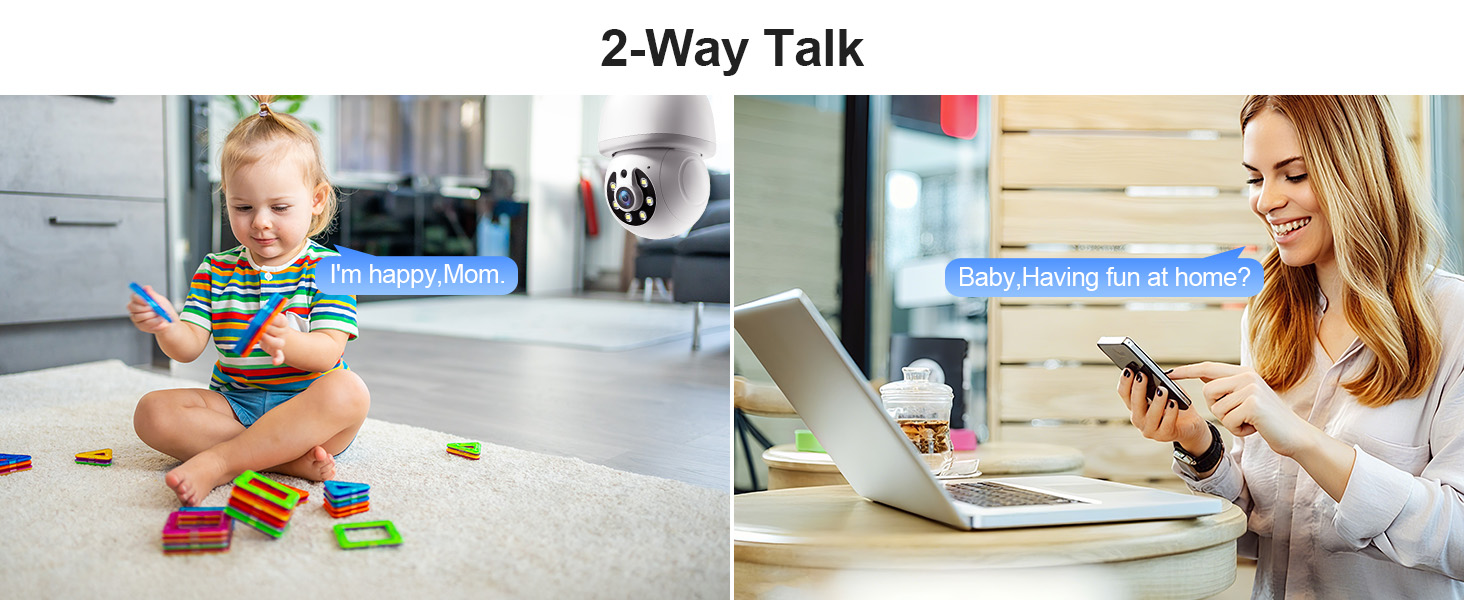
Image 6.4: Comparison of infrared and 2K full-color night vision.
6.6 Rejestrowanie i przechowywanie
The camera supports continuous 24/7 recording. You have two storage options:
- Przechowywanie w chmurze: Subscribe to the Eseecloud app's cloud storage service for remote access to your recordings.
- Przechowywanie kart TF: Insert a TF (microSD) card (up to 128GB, not included) into the camera's slot for local recording.

Image 6.5: 24/7 recording options with cloud and SD card storage.
6.7 Integracja z Alexą
The WESECUU camera is compatible with Amazon Alexa. To connect:
- Otwórz aplikację Alexa na swoim smartfonie.
- Go to 'Skills & Games' and search for 'Eseecloud'.
- Enable the Eseecloud skill and link your Eseecloud account.
- Discover devices. You can then use voice commands like "Alexa, show me the [camera name]" on compatible Alexa devices with screens.

Image 6.6: Camera integration with Amazon Alexa.
6.8 Patrol Guard Mode
The Patrol Guard mode allows you to set multiple distinct viewpoints (presets). The camera will automatically cycle through these preset positions at custom intervals, providing continuous monitoring of different areas.

Image 6.7: Visualization of the Patrol Guard mode with multiple presets.
7. Konserwacja
- Czyszczenie: Delikatnie przetrzyj obiektyw i korpus aparatu miękką, suchą ściereczką. Nie używaj silnych środków chemicznych ani ściernych środków czyszczących.
- Aktualizacje oprogramowania układowego: Regularnie sprawdzaj aplikację Eseecloud pod kątem dostępnych aktualizacji oprogramowania sprzętowego, aby zapewnić sobie optymalną wydajność i bezpieczeństwo.
- Składowanie: Jeśli przechowujesz kamerę przez dłuższy czas, odłącz ją od zasilania i przechowuj w chłodnym, suchym miejscu.
8. Rozwiązywanie Problemów
| Problem | Możliwa przyczyna | Rozwiązanie |
|---|---|---|
| Kamera nie łączy się z siecią Wi-Fi | Incorrect WiFi password; camera too far from router; incorrect WiFi band selected. | Verify WiFi password. Move camera closer to router. Ensure you are connecting to a 2.4GHz or 5GHz network as supported. Restart camera and router. |
| Niska jakość obrazu | Brudny obiektyw, niewystarczające oświetlenie, problemy z przepustowością sieci. | Clean the camera lens. Ensure adequate lighting for optimal color night vision. Check your internet speed. |
| Brak alertów o wykryciu ruchu | Motion detection disabled; sensitivity too low; app notifications blocked. | Enable motion detection and human detection in the app. Adjust sensitivity settings. Check your phone's notification settings for the Eseecloud app. |
| Dwukierunkowa rozmowa nie działa | Microphone/speaker permissions not granted; volume too low. | Check app permissions on your phone. Adjust volume settings in the app and on your phone. |
| TF card not recording | TF card full or corrupted; not inserted correctly. | Format the TF card in the app. Reinsert the TF card. Replace with a new TF card if corrupted. |
9. Specyfikacje
| Funkcja | Specyfikacja |
|---|---|
| Nazwa modelu | 8050 |
| Zastosowanie wewnątrz/na zewnątrz | Do użytku wewnątrz i na zewnątrz (stopień ochrony IP65) |
| Rozdzielczość przechwytywania wideo | 2K (3 MP Maximum Webrozdzielczość obrazu kamery) |
| Technologia łączności | Wireless (Wi-Fi 2.4G/5G) |
| Źródło zasilania | Corded Electric (E27 light socket, 100V~240V) |
| Typ kontrolera | Amazon Alexa |
| Typ montażu | Montaż sufitowy |
| Cechy specjalne | 2-Way Audio, Image Sensor, Color Night Vision, Human Detection, Motion Tracking |
| Opcje przechowywania | Cloud Storage, TF Card (up to 128GB, not included) |
| Wymiary produktu | 1 x 1 x 1 cala |
| Waga przedmiotu | 1.1 funta |
10. Obsługa klienta
For technical assistance, troubleshooting not covered in this manual, or warranty inquiries, please contact WESECUU customer support through the contact information provided with your purchase or on the official WESECUU webstrona.
Ask a question about this manual
Ask about setup, troubleshooting, compatibility, parts, safety, or missing instructions. Manuals+ will review the question and use this page’s manual context to help answer it.