
Dioda LED Philips 585786
Instrukcja obsługi przenośnej lampy solarnej LED Philips 585786
Model: 585786
1. Wprowadzenie
Thank you for choosing the Philips LED Solar Portable Light. This manual provides essential information for the safe and efficient operation of your device. Please read it thoroughly before use and retain it for future reference.

Image 1.1: Philips LED Solar Portable Light and its retail packaging.
The Philips LED Solar Portable Light is designed for both indoor and outdoor use, offering versatile lighting with its 3-in-1 light settings, including bright white and color-changing modes. It features dual charging capabilities via solar power and USB, ensuring long-lasting illumination.
2. Informacje dotyczące bezpieczeństwa
- Przed użyciem produktu należy przeczytać wszystkie instrukcje.
- Nie rozmontowuj, nie naprawiaj ani nie modyfikuj produktu. Może to spowodować porażenie prądem, pożar lub uszkodzenie produktu.
- Przechowywać produkt w miejscu chronionym przed ekstremalnymi temperaturami, bezpośrednim działaniem promieni słonecznych i wilgocią.
- Ensure the USB charging port is dry before connecting the charging cable.
- This product is waterproof (IPX4 rated), meaning it is protected against splashing water from any direction. Do not immerse it in water.
- Przechowywać w miejscu niedostępnym dla dzieci.
3. Zawartość opakowania
Sprawdź, czy w opakowaniu znajdują się wszystkie elementy:
- 1 x Philips LED Solar Portable Light
- 1 x kabel ładujący USB
- 1 x Instrukcja obsługi (ten dokument)
4. Koniec produktuview
Familiarize yourself with the components of your Philips LED Solar Portable Light.

Image 4.1: Product dimensions. The light measures approximately 5.52 inches (L) x 5.16 inches (W) x 5.87 inches (H).
- Panel słoneczny: Znajduje się na górnej powierzchni i służy do ładowania energią słoneczną.
- Light Diffuser: Emituje światło.
- Uchwyt: Dla łatwego przenoszenia.
- Port ładowania USB: For wired charging (located at the base).
- Czujnik sterujący: Integrated into the body for tap control.
5. Konfiguracja i ładowanie
Before first use, it is recommended to fully charge the light.
5.1 Ładowanie słoneczne
Place the light outdoors in direct sunlight. The integrated solar panel will automatically begin charging the internal battery. Charging time varies depending on sunlight intensity.

Image 5.1: The solar panel on top of the light for outdoor charging.
5.2 Ładowanie przez USB
For faster charging or when sunlight is unavailable, use the provided USB cable.
- Locate the USB charging port at the base of the light.
- Connect the small end of the USB cable to the light's charging port.
- Podłącz większy koniec kabla USB do standardowego zasilacza USB (nie ma go w zestawie) lub do portu USB komputera.
- The light will indicate charging status (specific indicator not detailed in product info, assume visual cue or refer to product for details).
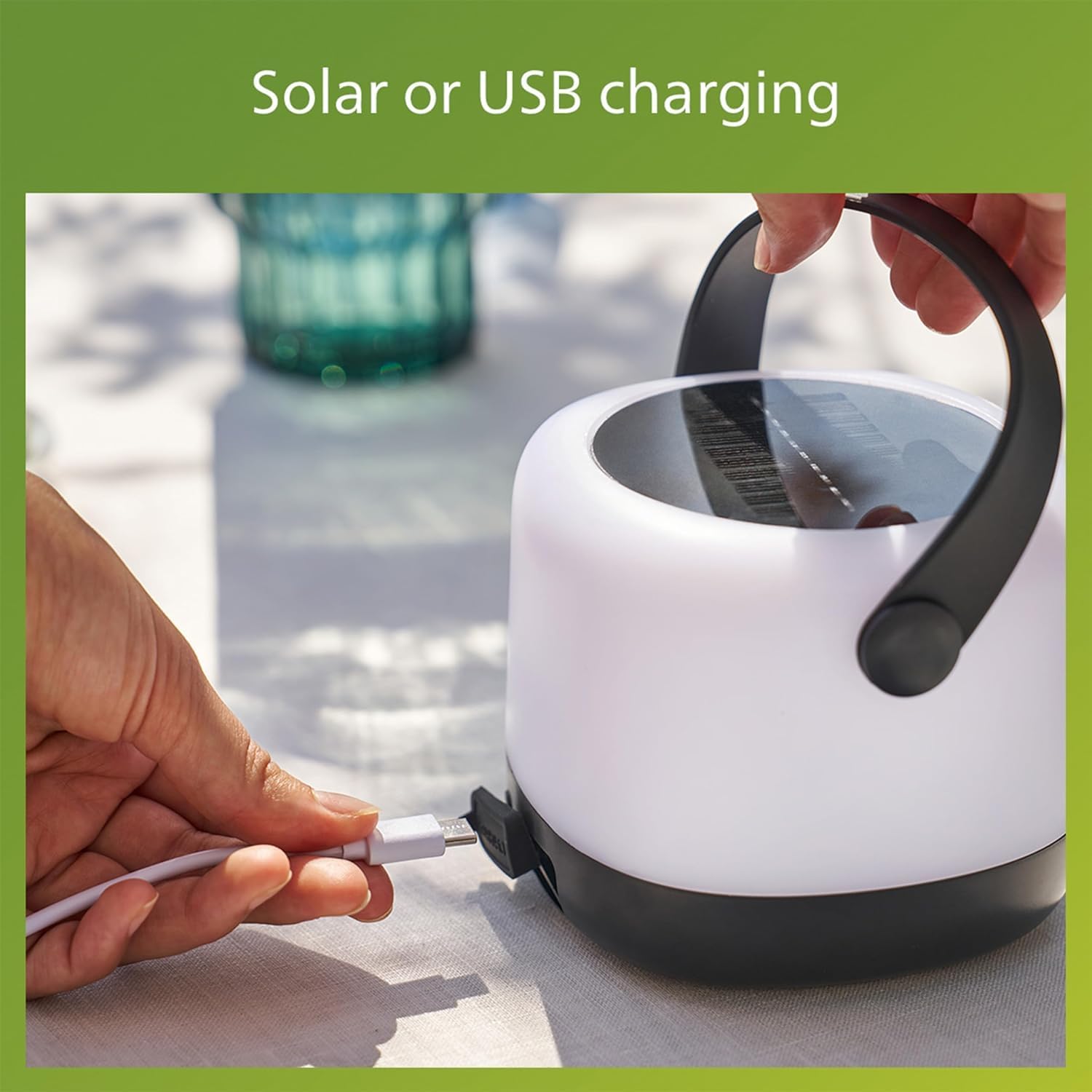
Image 5.2: Connecting the USB charging cable to the light.
A full charge provides up to 24 hours of illumination, depending on the selected light mode.
6. Instrukcja obsługi
The Philips LED Solar Portable Light features intuitive tap control for changing light settings.
6.1 Włączanie/wyłączanie zasilania
To turn the light on or off, gently tap the body of the light once. (Note: Product description mentions "double-tap" for changing modes, implying a single tap for on/off or initial mode. Clarify with product if needed. Assuming single tap for basic on/off.)
6.2 Changing Light Modes (3-in-1 Settings)
The light offers three distinct modes: two brightness levels of bright white (3000K) and an automatic color-changing mode. To cycle through these modes:
- Ensure the light is on.
- Stuknij dwukrotnie the body of the light. Each double-tap will switch to the next mode in sequence.
- The modes typically cycle as follows:
Tryb 1: Bright White (80 Lumens)
Tryb 2: Lower Brightness White (20 Lumens)
Tryb 3: Automatic Color Changing Mode

Image 6.1: User interacting with the light to change settings.

Image 6.2: Visual representation of the 3-in-1 light modes.
6.3 Selecting a Specific Color (Color Changing Mode)
When in the automatic color changing mode, you can select and fix a specific color:
- Activate the automatic color changing mode by double-tapping until it appears.
- Once the desired color is displayed, tap the light once to pause the color cycle and keep that color.
- To resume color cycling, tap the light once again.

Image 6.3: Effortless control to select and confirm your preferred color.
7. Konserwacja
7.1 Czyszczenie
Aby wyczyścić lampę, przetrzyj ją miękką, damp ściereczką. Nie używaj środków czyszczących ani rozpuszczalników o działaniu ściernym, ponieważ mogą one uszkodzić powierzchnię lub elementy wewnętrzne.
7.2 Pielęgnacja baterii
- Aby zapewnić optymalną żywotność baterii, należy unikać częstego całkowitego rozładowywania baterii.
- If storing the light for an extended period, charge it fully and recharge every 3-6 months to prevent deep discharge.
- The light uses a Lithium-Ion battery. Do not attempt to replace the battery yourself.
7.3 Wodoodporność
The light is rated IPX4 waterproof, making it suitable for outdoor use in various weather conditions, including rain. However, it is not designed for submersion in water.

Image 7.1: The light is designed to perform in various weather conditions.
8. Rozwiązywanie Problemów
| Problem | Możliwa przyczyna | Rozwiązanie |
|---|---|---|
| Światło się nie włącza. | Bateria jest rozładowana. | Charge the light using the solar panel or USB cable. |
| Light not charging via solar. | Niewystarczająca ilość światła słonecznego; panel słoneczny jest brudny lub zasłonięty. | Place in direct sunlight; clean the solar panel; try USB charging. |
| Light not changing modes. | Incorrect tapping gesture; sensor obstruction. | Ensure a clear, firm double-tap on the body. Check for any obstructions on the sensor area. |
| Światło niespodziewanie gaśnie. | Niski poziom naładowania baterii. | Naładuj światło. |
9. Specyfikacje
| Funkcja | Szczegół |
|---|---|
| Marka | LED Philipsa |
| Numer modelu | 585786 |
| Typ źródła światła | LED (dioda elektroluminescencyjna) |
| Temperatura barwowa | 3000K (jasna biel) |
| Moc wyjściowa | 80 Lumens / 20 Lumens (Adjustable) |
| Źródło zasilania | Zasilany energią słoneczną, ładowany przez USB |
| Typ baterii | Litowo-jonowe (1 w zestawie) |
| Żywotność baterii | Do 24 godzin |
| Poziom wodoodporności | IPX4 (wodoodporny) |
| Wymiary produktu | 5.52" dł. x 5.16" szer. x 5.87" wys. |
| Waga przedmiotu | 1 funt |
| Tworzywo | Plastikowy |
| Tomtage | 3.7 wolty |
10. Informacje o gwarancji
This Philips LED Solar Portable Light comes with a 2-letnia gwarancja producenta od daty zakupu. Niniejsza gwarancja obejmuje wady materiałowe i wykonawcze wynikające z normalnego użytkowania. Nie obejmuje uszkodzeń spowodowanych niewłaściwym użytkowaniem, wypadkiem, nieautoryzowaną modyfikacją lub przyczynami zewnętrznymi.
Proszę zachować dowód zakupu na potrzeby roszczeń gwarancyjnych.
11. Obsługa klienta
For further assistance, technical support, or warranty inquiries, please contact Philips customer service. You can typically find contact information on the Philips Lighting webna stronie internetowej lub u sprzedawcy.
Odwiedź oficjalną stronę Philips Lighting webstrona zawierająca najnowsze informacje dotyczące pomocy technicznej: www.philips.com/oświetlenie
Ask a question about this manual
Ask about setup, troubleshooting, compatibility, parts, safety, or missing instructions. Manuals+ will review the question and use this page’s manual context to help answer it.