
Roxicosly Cordless Vibrating Clock and Bed Shaker
Roxicosly Cordless Vibrating Clock and Bed Shaker User Manual
Model: Cordless Vibrating Clock and Bed Shaker
Marka: Roxicosly
Wstęp
This manual provides detailed instructions for the setup, operation, and maintenance of your Roxicosly Cordless Vibrating Clock and Bed Shaker. Please read this manual thoroughly before using the device to ensure proper function and longevity.
Ważne informacje dotyczące bezpieczeństwa
- Trzymaj urządzenie z dala od wody i dużej wilgotności.
- Nie wystawiaj urządzenia na działanie ekstremalnych temperatur ani bezpośredniego światła słonecznego.
- Unikaj upuszczania i narażania urządzenia na silne uderzenia.
- Nie próbuj samodzielnie demontować ani naprawiać urządzenia. Skontaktuj się z obsługą klienta, aby uzyskać pomoc.
- Do ładowania należy używać wyłącznie dołączonego kabla USB-C.
- Przechowywać w miejscu niedostępnym dla dzieci i zwierząt domowych.
Zawartość opakowania
Sprawdź, czy w opakowaniu znajdują się wszystkie elementy:
- Roxicosly Cordless Vibrating Clock and Bed Shaker
- Kabel ładujący USB-C
- Instrukcja obsługi (ten dokument)
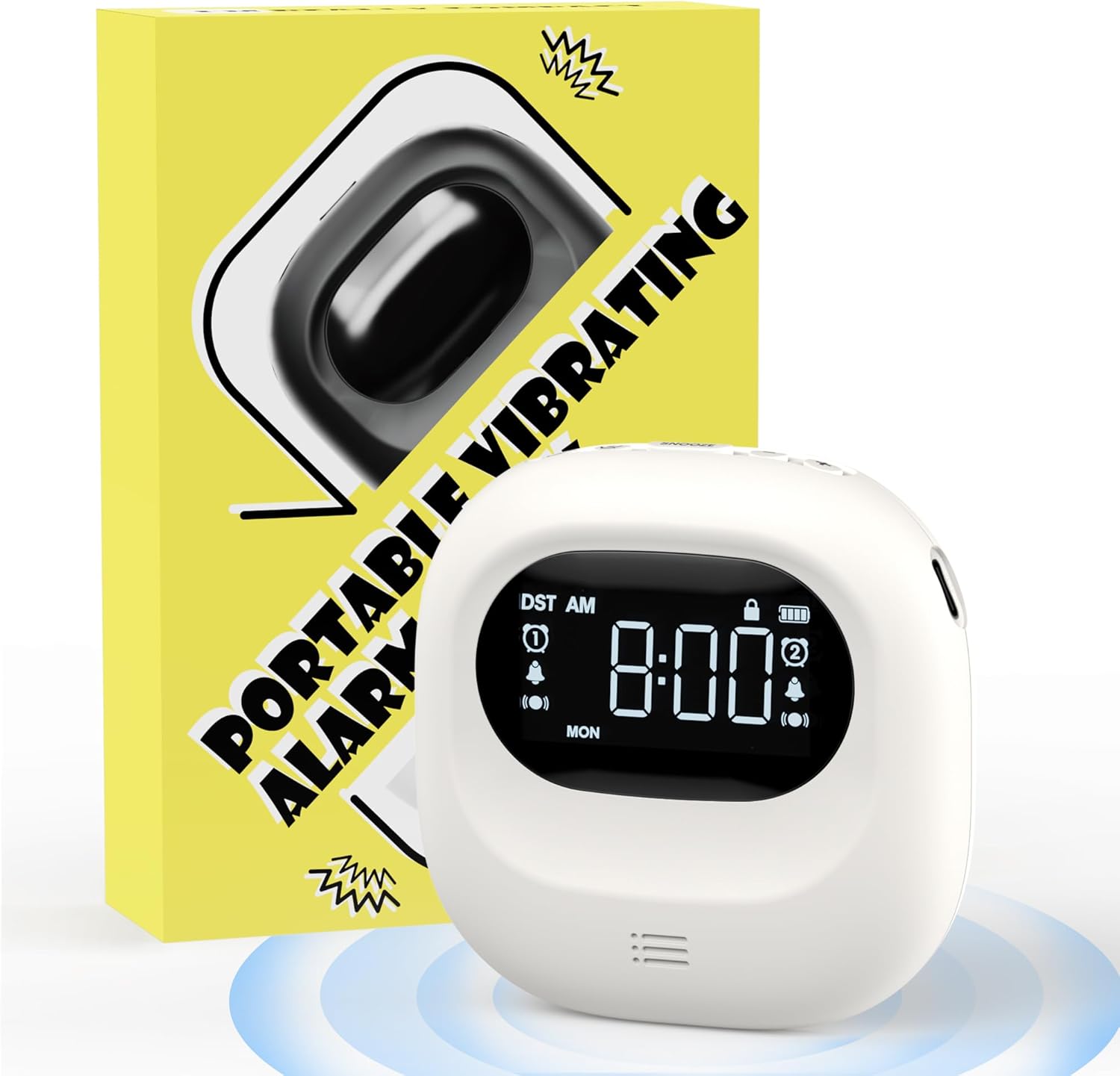
Image: The Roxicosly Cordless Vibrating Clock and Bed Shaker shown alongside its product packaging.
Produkt ponadview
The Roxicosly Cordless Vibrating Clock is designed to provide a reliable and discreet wake-up experience. Its compact size and cordless design make it ideal for use under a pillow or for travel.
Główne cechy:
- Konstrukcja bezprzewodowa: Operates without tangled wires, offering flexibility in placement.
- Adjustable Vibration Intensity: Choose from High, Medium, or Low vibration levels.
- Wiele trybów alarmu: Wake up with Vibration+Alarm, Vibration Only, or Alarm Only.
- Podwójny alarm: Set two independent alarms with Weekday/Weekend/All 7 Days modes.
- Długa żywotność baterii: Built-in 3000mAh rechargeable battery provides up to 160 days of usage on a single charge (lowest settings).
- Ładowanie przez USB-C: Wygodny i nowoczesny interfejs ładowania.
- Blokada dziecięca: Zapobiega przypadkowemu naciśnięciu przycisków.
- Funkcja drzemki: Allows for temporary alarm delay.
- Kompaktowy i przenośny: Measures 3.35 x 3.35 x 1 inch, weighing 0.3lb (135g).
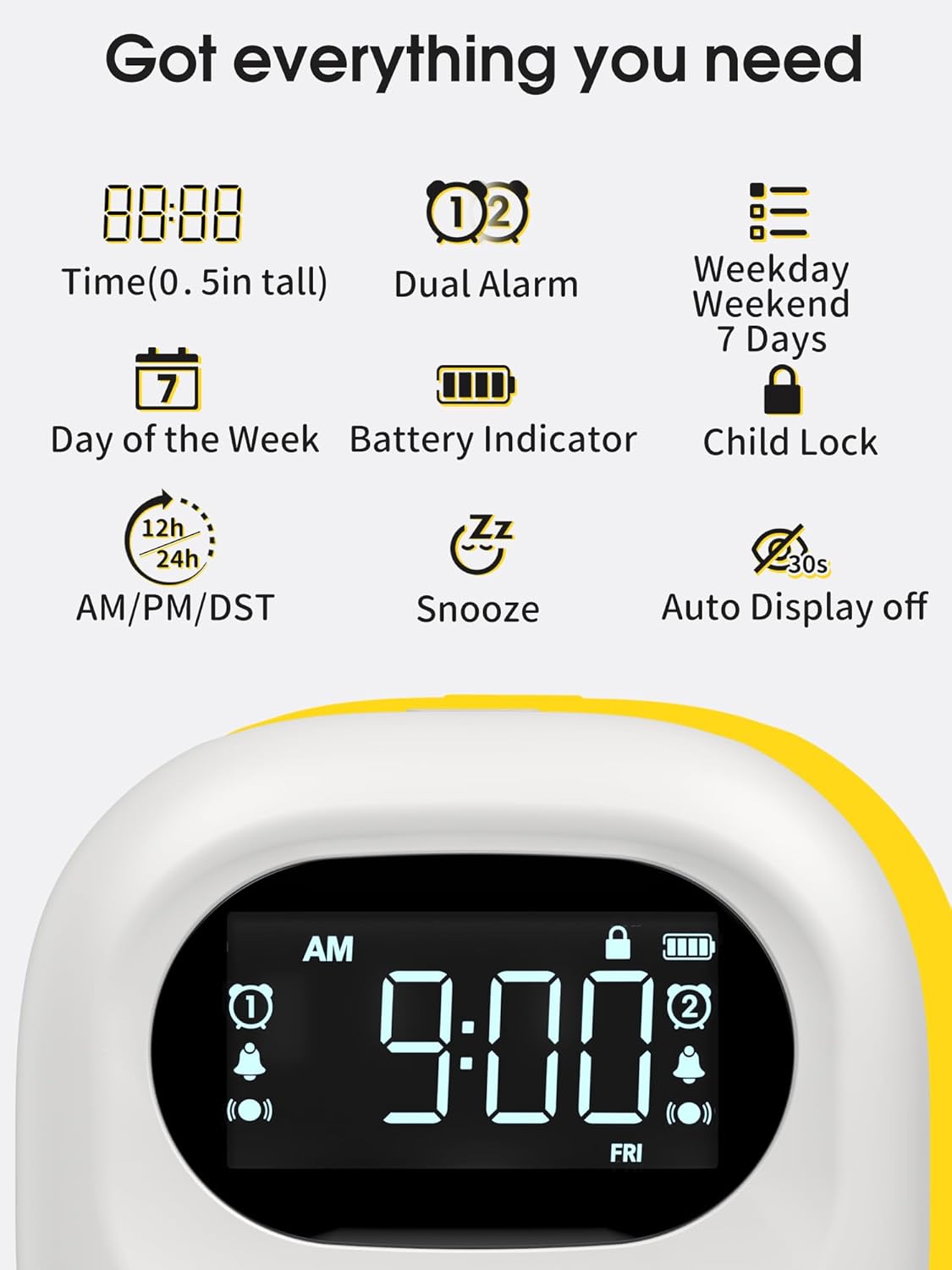
Image: A visual representation of the clock's display, highlighting features such as time, dual alarm indicators, day of the week, battery level, and child lock icon.
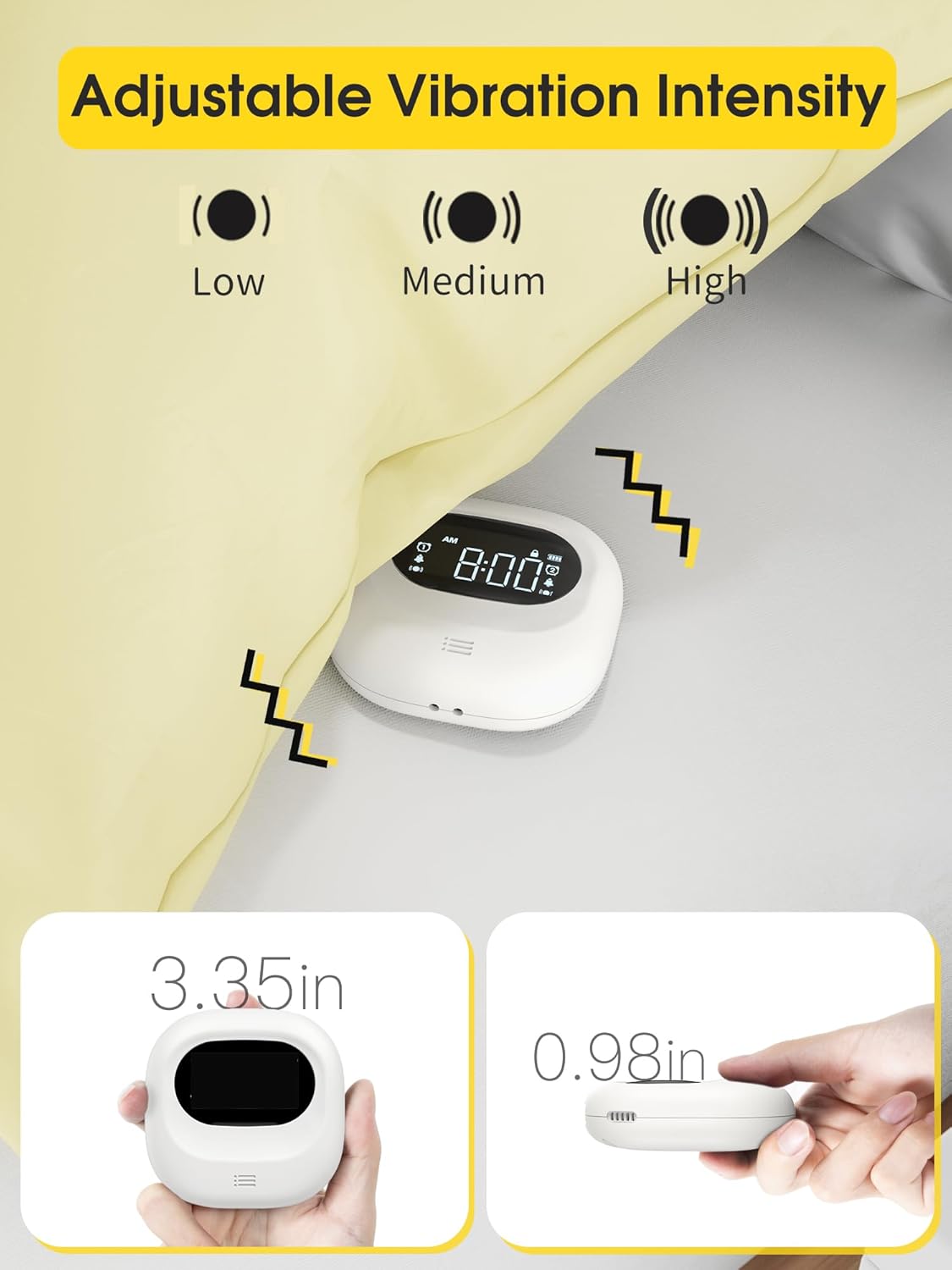
Image: The clock demonstrating its adjustable vibration intensity (Low, Medium, High) and its compact dimensions of 3.35 inches width and 0.98 inches thickness.
Organizować coś
Ładowanie urządzenia
Before first use, fully charge the clock. Connect the provided USB-C cable to the charging port on the device and plug the other end into a USB power adapter (not included) or a computer USB port. The battery indicator on the screen will show charging status.

Image: The clock connected to a USB-C charging cable, illustrating the charging process and the battery indicator on the display.
Pierwsze włączenie zasilania
Once charged, the clock will automatically power on. If not, press and hold the power button (if available, otherwise it's always on when charged) to activate the display.
Instrukcja obsługi
Ustawianie czasu
- Press the "Time Set" button (refer to device for exact button label, typically a gear or clock icon).
- Użyj przycisków „+” i „-”, aby ustawić godzinę.
- Press "Time Set" again to move to minute adjustment, then use "+" and "-" buttons.
- Continue pressing "Time Set" to cycle through 12/24-hour format and AM/PM settings.
- Confirm settings by waiting a few seconds or pressing a "Set" button.
Ustawianie alarmów (podwójny alarm)
Zegar obsługuje dwa niezależne alarmy (Alarm 1 i Alarm 2).
- Press the "Alarm 1 Set" button (or similar, typically an alarm clock icon with '1').
- Use "+" and "-" buttons to set the desired alarm hour.
- Press "Alarm 1 Set" again to set the alarm minute.
- Cycle through alarm modes (Vibration+Alarm, Vibration Only, Alarm Only) using the "Mode" button or by repeatedly pressing "Alarm 1 Set".
- Adjust alarm volume (if in Alarm or Vibration+Alarm mode) using "+" and "-" buttons.
- Adjust vibration intensity (if in Vibration or Vibration+Alarm mode) using a dedicated vibration button or by cycling through options.
- Set the alarm frequency: Weekday (Mon-Fri), Weekend (Sat-Sun), or All 7 Days (Mon-Sun).
- Repeat steps for "Alarm 2 Set" button to configure the second alarm.
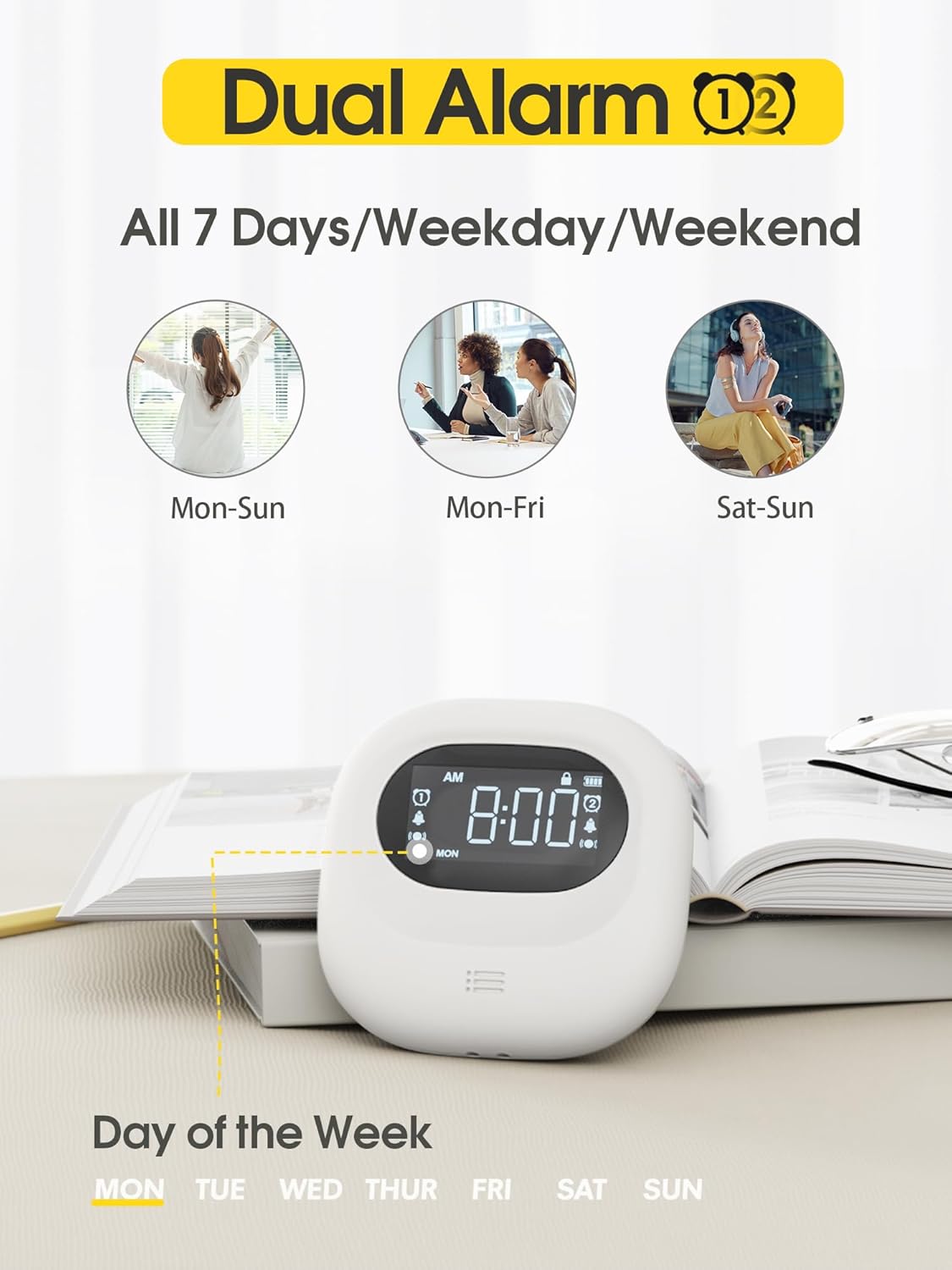
Image: The clock display illustrating the dual alarm feature and options for setting alarms for all 7 days, weekdays, or weekends.

Image: The clock showcasing its three distinct alarm modes: Vibration Only, Buzzer Only (audible alarm), and a combination of Vibration and Buzzer.
Funkcja drzemki
When an alarm sounds, press the large "Snooze" button (typically located in the center) to temporarily silence the alarm. The alarm will sound again after a set snooze interval (e.g., 9 minutes).
Blokada dziecięca
To prevent accidental changes to settings, slide the "Child Lock" switch on the back of the device to the locked position. This will disable most buttons until unlocked.
Konserwacja
Czyszczenie
Przetrzyj urządzenie miękką, suchą ściereczką. Nie używaj środków czyszczących o właściwościach ściernych ani rozpuszczalników, ani nie zanurzaj urządzenia w wodzie.
Składowanie
When not in use for extended periods, store the clock in a cool, dry place. Ensure it is fully charged before storing to maintain battery health.
Rozwiązywanie problemów
| Problem | Możliwa przyczyna | Rozwiązanie |
|---|---|---|
| Urządzenie się nie włącza. | Niski poziom naładowania baterii. | Naładuj urządzenie za pomocą kabla USB-C. |
| Alarm nie wydaje dźwięku/nie wibruje. | Alarm is off, volume is too low, or vibration is disabled. | Ensure the alarm is enabled, check alarm mode settings (Vibration+Alarm, Vibration Only, Alarm Only), and adjust volume/vibration intensity. |
| Ustawień nie można zmienić. | Child Lock is engaged. | Slide the Child Lock switch on the back of the device to the unlocked position. |
| Inaccurate time display. | Czas jest ustawiony nieprawidłowo. | Refer to "Setting the Time" section to reset the time. |
Specyfikacje
- Marka: Roxicosly
- Model: Cordless Vibrating Clock and Bed Shaker
- Kolor: Czarny
- Typ wyświetlacza: Cyfrowy
- Dodatek specjalny: Loud Alarm, Adjustable Vibration
- Wymiary produktu: 3.35"W x 3.35"H x 1"D (approximate, based on 0.98in thickness)
- Źródło zasilania: Zasilanie bateryjne (ładowalne)
- Pojemność baterii: 3000mAh
- Port ładowania: USB-C
- Materiał ramy: Akrylonitryl-butadien-styren (ABS)
- Budzik: Yes, Dual Alarm
- Tryb działania: Elektryczny
- Formularz zegara: Podróż
Gwarancja i wsparcie
Roxicosly products are designed for reliability and performance. For warranty information or technical support, please refer to the warranty card included with your purchase or visit the official Roxicosly webJeśli napotkasz jakiekolwiek problemy nieopisane w tym podręczniku, skontaktuj się z naszym działem obsługi klienta, aby uzyskać pomoc.
Informacje kontaktowe: Please refer to your product packaging or the Roxicosly official webna tej stronie znajdziesz najbardziej aktualne dane kontaktowe.
Powiązane dokumentyCordless Vibrating Clock and Bed Shaker

Ask a question about this manual
Ask about setup, troubleshooting, compatibility, parts, safety, or missing instructions. Manuals+ will review the question and use this page’s manual context to help answer it.