
1. Wprowadzenie
This manual provides instructions for the VINABTY MB2199 replacement remote control, designed for use with TREVI LTV 4008 Smart TVs. This remote offers a dedicated replacement solution, ensuring full compatibility and ease of use without the need for complex programming.
2. Konfiguracja
2.1 Instalacja baterii
Do pilota potrzebne są dwie baterie AAA 1.5 V (brak w zestawie). Aby zainstalować baterie, wykonaj następujące kroki:
- Znajdź pokrywę komory baterii z tyłu pilota.
- Aby otworzyć komorę, naciśnij zakładkę i przesuń pokrywę w dół.
- Włóż dwie baterie AAA, upewniając się, że bieguny dodatni (+) i ujemny (-) są prawidłowo ustawione względem oznaczeń wewnątrz komory.
- Przesuń pokrywę komory baterii z powrotem na miejsce, aż zatrzaśnie się pewnie.

Image: Back of the remote control with the battery compartment open, illustrating the correct insertion of two AAA 1.5V batteries.
2.2 Pierwsze użycie
No programming or configuration is required for this replacement remote control. Once the batteries are correctly installed, the remote is ready for immediate use with your TREVI LTV 4008 Smart TV.
3. Instrukcja obsługi
The VINABTY MB2199 remote control features an ergonomic design for comfortable handling and intuitive button layout for easy operation of your television. The transmission distance is approximately 10 meters.

Obraz: Przód view of the VINABTY remote control, displaying the layout of all function buttons.
3.1 Funkcje kluczoweview
- Przycisk zasilania (●): Włącza lub wyłącza telewizor.
- Przyciski numeryczne (0-9): Bezpośredni wybór kanałów.
- GŁOŚNOŚĆ +/-: Dostosowuje poziom głośności.
- CO +/-: Zmienia kanały sekwencyjnie.
- Przycisk wyciszenia (🔇): Wycisza lub włącza dźwięk telewizora.
- Przycisk menu: Dostęp do głównego menu telewizora.
- Przyciski nawigacyjne (góra, dół, lewo, prawo, ENTER): Poruszaj się po menu i potwierdzaj wybory.
- Przycisk WYJDŹ: Wyjście z bieżącego menu lub funkcji.
- Przycisk źródła: Wybiera źródła wejściowe (HDMI, AV itp.).
- Colored Buttons (Red, Green, Yellow, Cyan): Access specific functions depending on the TV's current mode or application.
- Other buttons provide access to features like Sleep, List, P.Mode, S.Mode, Aspect, Info, Guide, Index, TTX (Teletext), Sub.Pg (Subpage), Reveal, Mix, Cancel, Hold/Refresh, Size/Mouse, Fav (Favorites), Cap (Caption), Subtitle, TV/Radio.
4. Konserwacja
4.1 Czyszczenie
Do czyszczenia pilota należy używać miękkiej, suchej ściereczki. Nie należy używać płynów czyszczących, sprayów ani materiałów ściernych, ponieważ mogą one uszkodzić powierzchnię pilota lub jego elementy wewnętrzne.
4.2 Wymiana baterii
Replace batteries when the remote control's response becomes sluggish or stops working. Always replace both batteries at the same time with new AAA 1.5V batteries. Do not mix old and new batteries or different types of batteries.
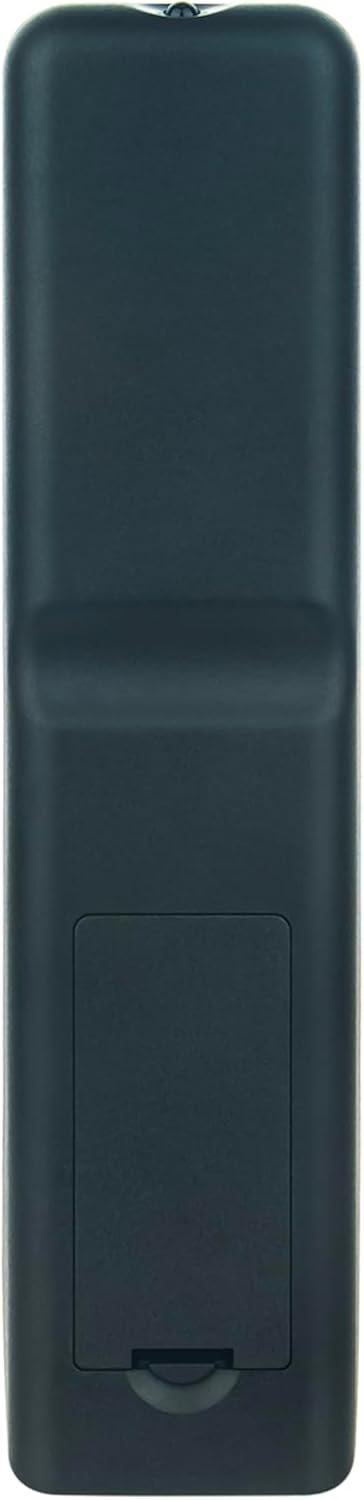
Image: Back of the remote control with the battery compartment closed, showing its sleek design.
5. Rozwiązywanie Problemów
- Pilot nie odpowiada:
- Upewnij się, że baterie zostały zainstalowane prawidłowo, z zachowaniem właściwej biegunowości.
- Replace old batteries with new AAA 1.5V batteries.
- Sprawdź, czy między pilotem zdalnego sterowania a odbiornikiem podczerwieni telewizora nie znajdują się żadne przeszkody.
- Upewnij się, że znajdujesz się w zasięgu skutecznego działania (około 10 metrów) i skieruj pilota bezpośrednio na telewizor.
- Ograniczony zasięg działania:
- Wymień baterie na nowe.
- Ensure there are no strong light sources (like direct sunlight or bright fluorescent lights) interfering with the infrared signal.
6. Specyfikacje
| Marka | WINNY |
| Numer modelu | MB2199 |
| Kompatybilne modele | TREVI LTV 4008 Smart Fernbedienung |
| Technologia łączności | Podczerwony |
| Maksymalny zasięg | 10 metrów |
| Liczba przycisków | 20 |
| Obsługiwane urządzenia | Television (up to 18 devices supported, though this remote is dedicated to one TV model) |
| Typ baterii | 2 x AAA 1.5V (brak w zestawie) |
| Tworzywo | ABS |
| Kolor | Czarny |
| Funkcja specjalna | Ergonomiczna konstrukcja |
7. Gwarancja i wsparcie
For any questions or issues regarding your VINABTY replacement remote control, please contact the seller or manufacturer directly. Refer to your purchase documentation for specific warranty details and customer service contact information.