
Wstęp
Thank you for choosing the LEXIP Madara Design Headset. This manual provides detailed instructions for setting up, operating, and maintaining your headset. Please read this manual thoroughly before use to ensure optimal performance and longevity of your device.
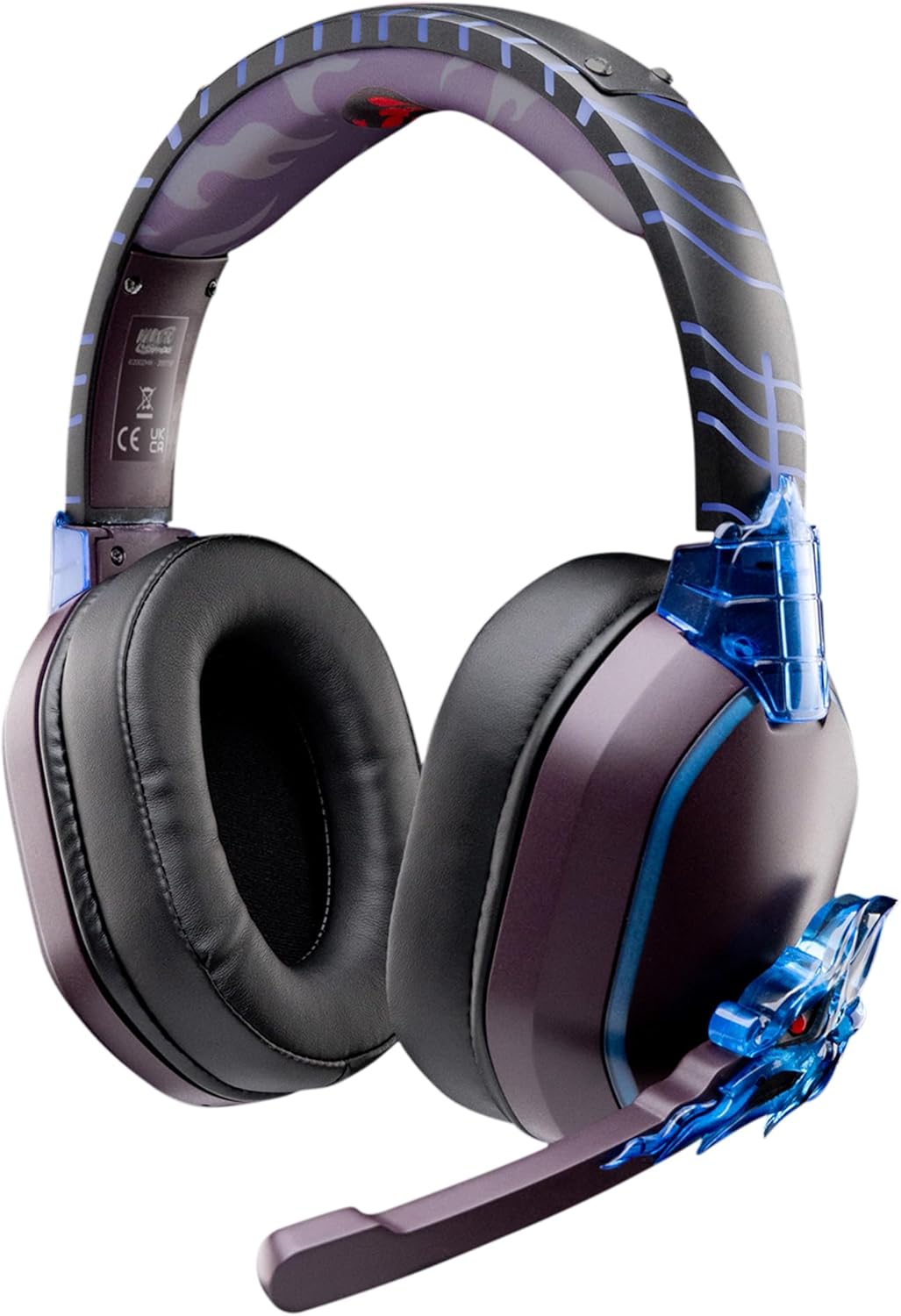
Image: The LEXIP Madara Design Headset, featuring a distinctive purple and blue color scheme with intricate design elements inspired by Madara.
Zawartość opakowania
Sprawdź, czy w przesyłce znajdują się wszystkie elementy:
- LEXIP Madara Design Headset
- Odłączany mikrofon
- Kabel audio 3.5 mm
- Kabel ładujący USB
- Instrukcja obsługi
Produkt ponadview
Familiarize yourself with the components and design features of your headset.

Image: Close-up of the headset's ear cup, highlighting the intricate blue dragon design element.

Obraz: View of the soft earcups and adjustable headband, designed for comfort during extended use.
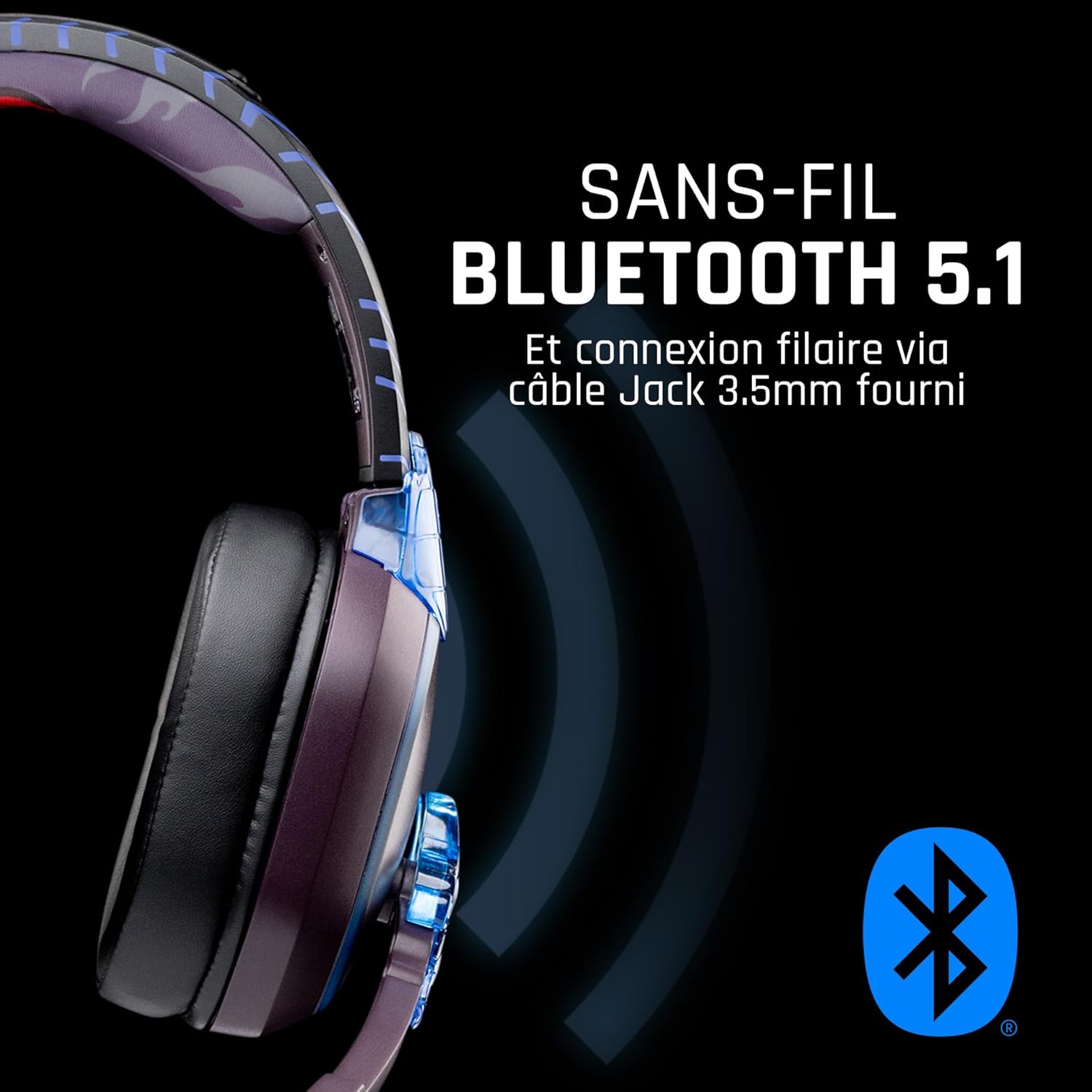
Obraz: Bok view of the headset, illustrating its wireless Bluetooth 5.1 capability and connection points.

Image: The headset displayed on a stand, alongside a matching game controller, showcasing its gaming application.
Główne cechy:
- Bezprzewodowy Bluetooth 5.1: For seamless wireless audio.
- Łączność przewodowa: Via the included 3.5mm Jack cable.
- Odłączany mikrofon: For clear communication and versatility.
- Regulacja głośności: Integrated controls for easy audio adjustment.
- Izolacja akustyczna: Passive noise reduction for an immersive experience.
- Wygodny projekt: Adjustable headband and over-ear form factor.
Organizować coś
1. Ładowanie zestawu słuchawkowego
- Podłącz kabel ładujący USB do portu ładowania w zestawie słuchawkowym.
- Podłącz drugi koniec kabla USB do kompatybilnego źródła zasilania USB (np. portu USB komputera, zasilacza ściennego USB).
- The LED indicator on the headset will show the charging status. A full charge typically takes approximately 2-3 hours.
2. Podłączanie mikrofonu
- Locate the microphone input port on the headset, usually on the left earcup.
- Align the detachable microphone connector with the port and gently push it in until it clicks into place.
- Dostosuj położenie mikrofonu w celu uzyskania optymalnego odbioru głosu.
Instrukcja obsługi
1. Włączanie/wyłączanie zasilania
- Włączanie: Naciśnij i przytrzymaj przycisk zasilania przez około 3 sekundy, aż zaświeci się kontrolka LED.
- Aby wyłączyć: Naciśnij i przytrzymaj przycisk zasilania przez około 5 sekundy, aż wskaźnik LED zgaśnie.
2. Parowanie Bluetooth (tryb bezprzewodowy)
- Upewnij się, że zestaw słuchawkowy jest wyłączony.
- Naciśnij i przytrzymaj przycisk zasilania przez około 5–7 sekund, aż dioda LED zacznie szybko migać, wskazując tryb parowania.
- On your device (Windows 10/11, Mac, PS5, PS4, Xbox Series X/S, Xbox One, Nintendo Switch, Android, iOS, tablets), navigate to Bluetooth settings.
- Szukaj available devices and select "LEXIP Madara Headset" (or similar name).
- Po sparowaniu wskaźnik LED przestanie migać i pozostanie ciągłym niebieskim światłem.
3. Połączenie przewodowe (gniazdo 3.5 mm)
- Insert one end of the 3.5mm audio cable into the headset's audio jack.
- Insert the other end into the 3.5mm audio port of your desired device.
- The headset will operate in passive wired mode, even if the power is off.
4. Regulacja głośności
- Use the volume control dial or buttons located on the headset to adjust the audio level.
Konserwacja
- Czyszczenie: Do czyszczenia zestawu słuchawkowego należy używać miękkiej, suchej ściereczki. Nie należy używać środków czyszczących o właściwościach ściernych ani rozpuszczalników.
- Składowanie: Przechowuj zestaw słuchawkowy w chłodnym, suchym miejscu, z dala od bezpośredniego światła słonecznego i ekstremalnych temperatur.
- Pielęgnacja baterii: Aby zapewnić optymalną żywotność baterii, unikaj częstego całkowitego rozładowywania zestawu słuchawkowego. Regularnie go ładuj.
- Wodoodporność: Zestaw słuchawkowy nie jest wodoodporny. Unikaj kontaktu z płynami.
Rozwiązywanie problemów
| Problem | Możliwa przyczyna | Rozwiązanie |
|---|---|---|
| Brak dźwięku w zestawie słuchawkowym | Headset not powered on; Volume too low; Not paired/connected; Incorrect audio output selected on device. | Ensure headset is powered on and charged. Increase volume. Re-pair Bluetooth or check 3.5mm cable connection. Select headset as audio output on your device. |
| Nie można sparować przez Bluetooth | Headset not in pairing mode; Device Bluetooth off; Too far from device; Interference. | Ensure headset is in pairing mode (flashing LED). Turn device Bluetooth off and on again. Move headset closer to device. Avoid strong Wi-Fi signals or other Bluetooth devices. |
| Mikrofon nie działa | Microphone not properly attached; Muted on headset/device; Incorrect input selected on device. | Ensure microphone is securely attached. Check if microphone is muted. Select headset microphone as input device in your device's sound settings. |
| Krótki czas pracy baterii | Headset not fully charged; Old battery. | Ensure headset is fully charged before use. Battery performance may degrade over time. |
Specyfikacje
| Numer modelu | TSXLXHS0003 |
| Marka | Leksip |
| Technologia łączności | Bezprzewodowy (Bluetooth 5.1), przewodowy (gniazdo 3.5 mm) |
| Zakres częstotliwości | 20 Hz - 20 000 Hz |
| Impedancja | 3 omy |
| Wrażliwość | 116dB |
| Izolacja szumów | Pasywna redukcja szumów |
| Mikrofon | Odłączany |
| Sterownica | Regulacja głośności, pilot zdalnego sterowania |
| Kompatybilne urządzenia | Windows 10/11, Mac, PS5, PS4, Xbox Series X/S, Xbox One, Nintendo Switch, Android, iOS, tablets |
| Współczynnik kształtu | Over-ear, Extra-aural |
| Tworzywo | Materiały mieszane |
| Przedział wiekowy | Dorosły |
| Poziom wodoodporności | Nie jest wodoodporny |
| Bateria | 1 non-standard battery (included) |
Gwarancja i wsparcie
The LEXIP Madara Design Headset comes with a 2-letnia gwarancja producenta od daty zakupu. Niniejsza gwarancja obejmuje wady materiałowe i wykonawcze przy normalnym użytkowaniu.
For warranty claims, technical support, or further assistance, please contact LEXIP customer service through their official website or the retailer where the product was purchased. Please have your proof of purchase and model number (TSXLXHS0003) ready when contacting support.
Uwaga: Informacje dotyczące dostępności części zamiennych i aktualizacji oprogramowania nie są w tej chwili dostępne.