
Wstęp
Thank you for choosing the KIVI 43U750NB 43-inch UHD 4K Smart TV. This television combines advanced display technology with the versatility of Android 11, offering a superior entertainment experience. This manual provides essential information for setting up, operating, and maintaining your new TV. Please read it thoroughly before use and keep it for future reference.
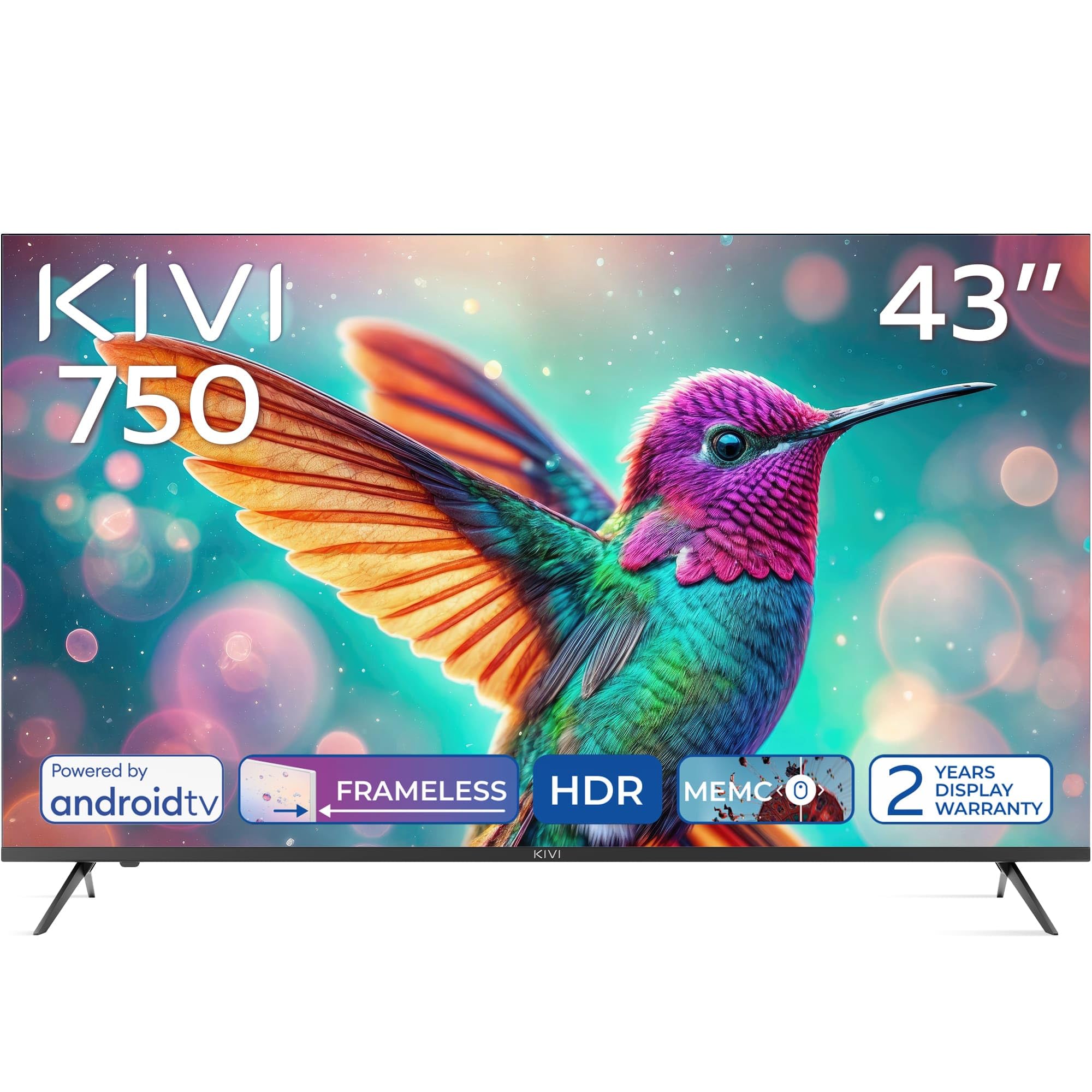
Przód view of the KIVI 43U750NB 43-inch UHD 4K Smart TV.
Informacje dotyczące bezpieczeństwa
Aby zapewnić bezpieczną obsługę i zapobiec uszkodzeniom, należy przestrzegać następujących środków ostrożności:
- Nie wystawiaj telewizora na działanie deszczu ani wilgoci.
- Nie otwieraj telewizoraasing; wszelkie prace serwisowe należy zlecać wykwalifikowanemu personelowi.
- Zapewnij odpowiednią wentylację wokół telewizora.
- Unikaj umieszczania telewizora w pobliżu źródeł ciepła lub w miejscu wystawionym na bezpośrednie działanie promieni słonecznych.
- Używaj wyłącznie przewodu zasilającego dołączonego do telewizora.
- Przechowuj baterie w miejscu niedostępnym dla dzieci.
- Odłączaj wtyczkę zasilającą podczas burzy z piorunami lub jeśli nie używasz urządzenia przez dłuższy czas.
Zawartość opakowania
Sprawdź, czy w opakowaniu znajdują się wszystkie elementy:
- KIVI 43U750NB 43-inch UHD 4K Smart TV
- Zdalne sterowanie
- 2 baterie AAA (do pilota)
- Przewód zasilający
- Instrukcja obsługi (ten dokument)
- TV Stands (if included for tabletop setup)
- Śruby do stojaków pod telewizor
Organizować coś
1. Installing the TV Stands
If you are placing the TV on a flat surface, attach the included stands to the bottom of the TV using the provided screws. Ensure the stands are securely fastened before placing the TV upright.
2. Montaż na ścianie
For wall mounting, use a VESA-compatible wall mount (not included) that supports a 200 x 200 mm pattern. Follow the instructions provided with your wall mount. Ensure the wall can support the weight of the TV.
3. Podłączanie urządzeń zewnętrznych
Connect your external devices such as Blu-ray players, game consoles, or sound systems to the TV's ports.
- Porty HDMI (x3): For high-definition audio and video. Supports HDMI (eARC) for enhanced audio return channel.
- Porty USB 2.0 (x2): For connecting USB storage devices to play media or for service.
- Port Ethernet: Do przewodowego połączenia internetowego.
- Antenna (75Ω) Input: Do podłączenia anteny naziemnej lub kablowej.
- Optyczne wyjście audio: Do podłączenia zewnętrznego odbiornika audio lub soundbara.
- Gniazdo słuchawkowe: Do podłączenia słuchawek.
- Mini RCA: Do podłączania starszych urządzeń analogowych.

Tył view of the KIVI 43U750NB TV, illustrating the various connection ports including HDMI, USB, Ethernet, and audio outputs.
4. Podłączenie zasilania
After all connections are made, plug the power cord into the TV and then into a wall outlet (220 VAC, 50 Hz).
Instrukcja obsługi
1. Pilot zdalnego sterowania
Insert the two AAA batteries into the remote control. The remote uses Bluetooth technology for enhanced control.

The KIVI Smart TV remote control, powered by two AAA batteries.
2. Konfiguracja początkowa (Android TV 11)
Po pierwszym włączeniu telewizor poprowadzi Cię przez proces początkowej konfiguracji.
- Wybór języka: Wybierz preferowany język.
- Połączenie internetowe: Connect to your Wi-Fi network or use the Ethernet cable.
- Logowanie do konta Google: Sign in with your Google account to access Android TV features, apps, and voice control.
- Skanowanie kanałów: Scan for available TV channels (DVB-T2 tuner).
- Ustawienia prywatności: Skonfiguruj swoje preferencje prywatności.

The Android TV 11 interface, providing access to a wide range of applications and services.
3. Funkcje Smart TV
- Zastosowania: Access popular streaming services like Netflix and HBO directly from the Android TV home screen. Download more apps from the Google Play Store.
- Sterowanie głosowe: Use the built-in voice control feature (via the remote) to search for content, control playback, and manage TV settings.
- Google Cast: Wirelessly cast content from your compatible smartphone, tablet, or computer to the TV screen.
4. Ustawienia obrazu
Dostosuj ustawienia obrazu, aby zoptymalizować viewzdobywania doświadczenia.
- HDR10 i HLG: The TV supports HDR10 and HLG for enhanced contrast and color reproduction with compatible content.
- MEMC: Motion Estimation, Motion Compensation technology reduces motion blur in fast-moving scenes.
- Tryby obrazu: Select from various preset picture modes (e.g., Standard, Vivid, Movie, Game) or customize your own.

Visual representation of KIVI TV's picture quality features, including Max Vivid, Super Contrast Control, Ultra Clear, and ALLM & Game Mode.
5. Ustawienia dźwięku
Customize audio output for optimal sound quality.
- Dźwięk Dolby: The TV features Dolby Audio for clear and powerful sound.
- Tryby dźwięku: Choose from preset sound modes (e.g., Standard, Music, Movie, Speech) or adjust equalizer settings.
- Wyjście audio: Select between TV speakers, optical output, or Bluetooth audio devices.
Konserwacja
Regular maintenance helps prolong the life of your TV.
- Czyszczenie ekranu: Delikatnie przetrzyj ekran miękką, niepozostawiającą włókien ściereczką. W przypadku uporczywych zabrudzeń użyj specjalnego środka do czyszczenia ekranów przeznaczonego do telewizorów, nakładając go na ściereczkę, a nie bezpośrednio na ekran.
- Czyszczenie Casing: Do czyszczenia telewizora należy używać miękkiej, suchej ściereczki.asing. Nie należy używać środków czyszczących o właściwościach ściernych ani rozpuszczalników.
- Wentylacja: Aby zapobiec przegrzaniu, sprawdź, czy otwory wentylacyjne z tyłu telewizora nie są zablokowane.
Rozwiązywanie problemów
Jeśli masz problemy z telewizorem, zapoznaj się z poniższymi typowymi problemami i ich rozwiązaniami:
| Problem | Możliwa przyczyna / rozwiązanie |
|---|---|
| Brak zasilania | Sprawdź, czy przewód zasilający jest prawidłowo podłączony do telewizora i gniazdka ściennego. Upewnij się, że gniazdko ścienne działa. |
| Brak obrazu, ale dźwięk jest obecny | Sprawdź źródło sygnału wejściowego. Upewnij się, że podłączone urządzenie jest włączone i działa prawidłowo. Wypróbuj inny kabel HDMI. |
| Brak dźwięku, ale obraz jest | Check the volume level. Ensure the TV is not muted. Verify audio output settings (TV speakers, optical, etc.). |
| Pilot nie działa | Replace the AAA batteries. Ensure there are no obstructions between the remote and the TV. Re-pair the Bluetooth remote if necessary. |
| Nie można połączyć się z siecią Wi-Fi | Ensure your Wi-Fi router is on and working. Re-enter the Wi-Fi password. Try restarting the TV and your router. |
| Aplikacje się nie ładują / powolna wydajność | Check your internet connection speed. Clear app cache or data. Restart the TV. Ensure sufficient storage space. |
Specyfikacje
| Funkcja | Szczegół |
|---|---|
| Numer modelu | 43U750NB |
| Rozmiar ekranu | 43 cali |
| Rezolucja | UHD 4K (3840 × 2160) |
| Technologia wyświetlania | LED (Direct LED backlight, VA-panel) |
| Częstotliwość odświeżania | 60 Hz |
| Obsługa HDR | HDR10, HLG |
| System operacyjny | Android 11.0 |
| Technologia audio | Dolby Audio (2.0 channels) |
| Porty HDMI | 3 (including eARC) |
| Porty USB | 2 (USB 2.0) |
| Łączność | Wi-Fi, Bluetooth 5.1, Ethernet |
| Cechy specjalne | Voice Control, Google Cast, MEMC |
| Pobór mocy | 53 waty |
| Zasilacz | 220 V AC 50 Hz |
| Wymiary produktu (gł. x szer. x wys.) | Wymiary 6.4 x 96 x 55.6 cm |
| Waga produktu | 9.7 kilogramów |
| Standard montażowy VESA | 200x200mm |

Energy label for KIVI 43U750NB, indicating energy efficiency class G and power consumption.
Aby uzyskać szczegółowe informacje na temat energii, odwiedź stronę: https://eprel.ec.europa.eu/qr/1326921
Gwarancja i wsparcie
Your KIVI 43U750NB Smart TV comes with a limited warranty. KIVI offers a 3-year display warranty. Please retain your proof of purchase for warranty claims.
For technical support, troubleshooting assistance, or warranty inquiries, please contact KIVI customer service through their official webstronie internetowej lub danych kontaktowych podanych przy zakupie.