
Wstęp
This manual provides detailed instructions for the setup, operation, maintenance, and troubleshooting of your Tera P161 Android 11 Barcode Scanner PDA. The P161 is a robust portable data terminal designed for various industrial and retail environments, featuring a Qualcomm processor, Android 11 operating system, and a high-performance Zebra SE4710 scan engine.
Główne cechy obejmują:
- System operacyjny: Android 11 for enhanced data protection and application compatibility.
- Edytor: Qualcomm Octa-Core 2.0GHz for robust performance and stable connectivity.
- Skaner: Integrated Zebra SE4710 1D/2D/QR scan engine for fast and accurate barcode capture.
- Bateria: 6700mAh hot-swappable battery with a 100mAh backup for continuous operation.
- Klawiatura: 37-key numeric keypad for easy operation, even with gloves.
- Trwałość: IP65 rated for water, dust, and drop resistance (up to 1.5 meters).
- Łączność: Dual-band Wi-Fi (2.4G/5G), Bluetooth 5.0, GPS, and NFC.
Zawartość opakowania
Po rozpakowaniu sprawdź, czy wszystkie wymienione poniżej przedmioty znajdują się na miejscu i są w dobrym stanie:
- 1 x Tera P161 Android 11 Barcode Scanner PDA
- 1 x chwyt pistoletowy
- 1 x podstawka ładowania
- 1 x Pasek na rękę
- 1 x adapter ładujący
- 1 x QC Adapter
- 1 x Folia ochronna na ekran
- 1 x narzędzie do wyjmowania karty SIM
- 1 x kabel USB
- 1 x Instrukcja obsługi (ten dokument)
- 1 x SDK (Software Development Kit)

Image: The Tera P161 PDA shown with its included pistol grip and charging cradle, illustrating the main components of the package.
Organizować coś
1. Montaż i ładowanie akumulatora
The Tera P161 is equipped with a 6700mAh removable battery and a 100mAh backup battery for hot-swapping. Before first use, fully charge the device.
- Locate the battery compartment on the back of the PDA.
- Insert the 6700mAh battery, ensuring proper alignment of the contacts.
- Place the PDA into the charging cradle or connect the USB cable directly to the device using the provided charging adapter.
- Zaświeci się kontrolka ładowania. Pełne naładowanie trwa zazwyczaj około 3.5 godzin.

Image: The Tera P161 PDA securely placed in its charging cradle, indicating the charging process.
2. SIM Card and MicroSD Card Installation (Optional)
If you plan to use cellular data or expand storage, install a SIM card or MicroSD card.
- Wyłącz urządzenie.
- Use the SIM ejector tool to open the SIM/MicroSD card tray.
- Insert the SIM card and/or MicroSD card into the tray with the contacts facing down.
- Ostrożnie włóż tacę z powrotem do urządzenia.
3. Attaching the Pistol Grip and Hand Strap (Optional)
The pistol grip provides ergonomic handling for extended scanning tasks, and the hand strap offers additional security.
- To attach the pistol grip: Align the connectors on the grip with the corresponding ports on the bottom of the PDA and secure it firmly.
- To attach the hand strap: Thread the strap through the designated loops on the PDA.
Instrukcja obsługi
1. Włączanie/wyłączanie zasilania
- Włączanie: Naciśnij i przytrzymaj przycisk zasilania znajdujący się z boku urządzenia, aż ekran się podświetli.
- Wyłączone: Naciśnij i przytrzymaj przycisk zasilania, a następnie na ekranie pojawi się opcja „Wyłącz”.
- Uruchom ponownie: Naciśnij i przytrzymaj przycisk zasilania, a następnie wybierz z dostępnych opcji opcję „Uruchom ponownie”.
2. Skanowanie kodów kreskowych
The Tera P161 features a Zebra SE4710 2D scan engine for efficient barcode reading.
- Open a scanning application or a field that requires barcode input.
- Skieruj okno skanera na kod kreskowy.
- Press the scan button (typically located on the side or the pistol grip) to activate the scanner.
- Ensure the red aiming beam covers the entire barcode for optimal reading.
- Pomyślne skanowanie zostanie zazwyczaj potwierdzone sygnałem dźwiękowym i/lub wizualnym potwierdzeniem na ekranie.
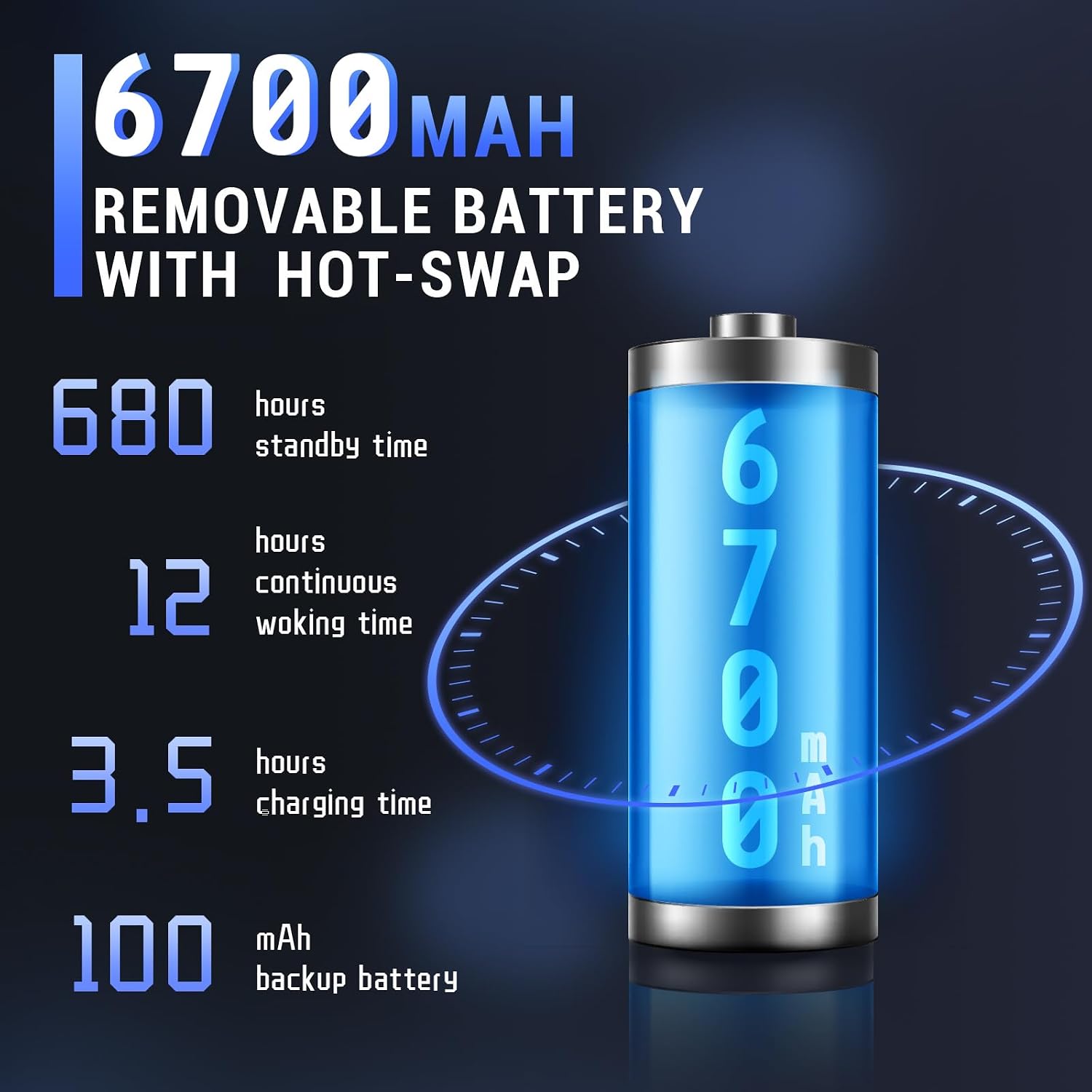
Image: The Tera P161 PDA actively scanning a barcode, demonstrating its primary function.
3. Keypad and Touchscreen Usage
The device combines a 4-inch touchscreen with a physical 37-key numeric keypad.
- Ekran dotykowy: Navigate the Android interface by tapping, swiping, and pinching.
- Klawiatura: Use the physical keys for data entry, navigation, and quick access functions. The keypad is designed for use even with gloves.

Obraz: szczegółowy view of the Tera P161 PDA's 37-key physical keypad, highlighting its layout and design.
4. Łączność
- Wi-Fi: Connect to available Wi-Fi networks via the Android settings menu. Supports 2.4G and 5G bands.
- Bluetooth: Pair with Bluetooth devices (e.g., headphones, printers) through the Bluetooth settings. The device uses Bluetooth 5.0 for faster data transfer.
- GPS: The integrated GPS module allows for location-based services and tracking.
- NFC: For Near Field Communication, ensure the pistol grip is removed for optimal performance. Access NFC settings in the Android menu.
Konserwacja
1. Czyszczenie urządzenia
Aby zachować optymalną wydajność i higienę:
- Przetrzyj ekran i obudowę miękką, niepozostawiającą włókien ściereczką.
- W przypadku uporczywych zabrudzeń, delikatnieamppl szmatkę wodą lub łagodnym, nieściernym środkiem czyszczącym.
- Nie należy używać silnych środków chemicznych, rozpuszczalników ani materiałów ściernych.
- Upewnij się, że do portów i otworów nie dostanie się żadna ciecz.
2. Pielęgnacja baterii
The 6700mAh battery is designed for long operational periods. The 100mAh backup battery allows for hot-swapping the main battery without losing data.
- Unikaj częstego całkowitego rozładowywania akumulatora.
- Przechowuj urządzenie w chłodnym i suchym miejscu, jeśli nie będziesz go używać przez dłuższy czas.
- If replacing the main battery, ensure the device is powered on and the backup battery is charged to facilitate a hot-swap.
3. Zagadnienia środowiskowe
The Tera P161 has an IP65 rating, indicating resistance to dust and water jets, and can withstand drops up to 1.5 meters.
- While robust, avoid intentional exposure to extreme conditions.
- Aby zachować ochronę przed wodą i kurzem, należy upewnić się, że wszystkie pokrywy portów są szczelnie zamknięte.
- Nie zanurzaj urządzenia w wodzie.

Image: The Tera P161 PDA being shown to withstand drops and splashes, illustrating its IP65 durability rating.
Rozwiązywanie problemów
If you encounter issues with your Tera P161, refer to the following common problems and solutions:
| Problem | Możliwa przyczyna | Rozwiązanie |
|---|---|---|
| Urządzenie nie włącza się. | Niski poziom naładowania baterii lub jej rozładowanie. | Connect the device to the charger and allow it to charge for at least 30 minutes before attempting to power on. |
| Barcode scanner not reading. | Barcode damaged, scanner window dirty, incorrect symbology settings, or scanner application not active. | Clean the scanner window. Ensure the barcode is clear and undamaged. Check scanner settings in the application. Verify the scanning application is open and active. |
| Problemy z łącznością Wi-Fi lub Bluetooth. | Out of range, incorrect password, or interference. | Move closer to the Wi-Fi router or Bluetooth device. Re-enter the password. Restart the device and try again. |
| Urządzenie jest wolne lub nie reaguje. | Too many applications running, low memory, or software glitch. | Close unnecessary applications. Restart the device. Clear cache if possible. |
| Forgotten PIN or password. | Blokada bezpieczeństwa została aktywowana. | If you have forgotten your device PIN or password, you may need to perform a factory reset. Warning: A factory reset will erase all data on the device. Consult the online support resources or contact customer service for guidance before proceeding. |
If the problem persists after trying these solutions, please contact Tera customer support.
Specyfikacje
| Funkcja | Szczegół |
|---|---|
| Numer modelu | FUN-PDA-P161-EU |
| System operacyjny | Android 11 |
| Edytor | Qualcomm Octa-Core 2.0GHz |
| Scanner Engine | Zebra SE4710 (1D/2D/QR) |
| Wyświetlacz | 4-calowy ekran dotykowy |
| Pamięć | 3GB RAM, ROM 32GB |
| Główna bateria | 6700mAh (Removable, Hot-swappable) |
| Bateria zapasowa | 100mAh |
| Czas ładowania | Około 3.5 godzin |
| Klawiatura | 37-key Numeric Keypad |
| Łączność | Wi-Fi (2.4G/5G), Bluetooth 5.0, GPS, NFC |
| Ocena trwałości | IP65 (Water, Dust, 1.5m Drop Resistance) |
| Źródło zasilania | Kabel elektryczny |
Gwarancja i wsparcie
Tera is committed to providing high-quality products and excellent customer service.
- Obsługa klienta: Obsługa klienta jest dostępna 24 godziny na dobę, 7 dni w tygodniu, aby odpowiedzieć na wszelkie pytania i udzielić pomocy.
- Pomoc techniczna: Comprehensive technical support is provided to help with setup, operation, and troubleshooting.
- SDK and Customization: SDKs are provided, and customization services are available to meet specific business needs.
- Informacje kontaktowe: For support, please refer to the contact details provided with your product documentation or visit the official Tera webstrona.
For more information about Tera products and services, you can visit the Tera Brand Store.