
1. Wprowadzenie
Thank you for choosing the WOLFBOX Level 2 EV Charger. This manual provides essential information for the safe and efficient installation, operation, and maintenance of your EV charging station. This 50 Amp, 240V smart home EV charger is designed for fast and reliable charging of all J1772 compatible electric vehicles.
2. Informacje dotyczące bezpieczeństwa
Przed instalacją i użytkowaniem należy uważnie przeczytać wszystkie instrukcje bezpieczeństwa. Nieprzestrzeganie tych instrukcji może spowodować porażenie prądem, pożar lub poważne obrażenia.
- Profesjonalna instalacja: Installation of this EV charger requires electrical expertise. For your safety, always connect a professional, qualified electrician for installation.
- Certyfikaty: The WOLFBOX EV charger is CSA certified and meets UL safety standards (UL2594 standard), ensuring safety and reliability.
- Ochrona środowiska: The charger features a robust NEMA 4 waterproof protective housing, suitable for both indoor and outdoor use in various weather conditions.
- Wbudowane zabezpieczenia: The unit includes Over Voltage Protection, Short Circuit Protection, Leakage Protection, Grounding Protection, Over Temperature Protection, and Over Charge Protection.
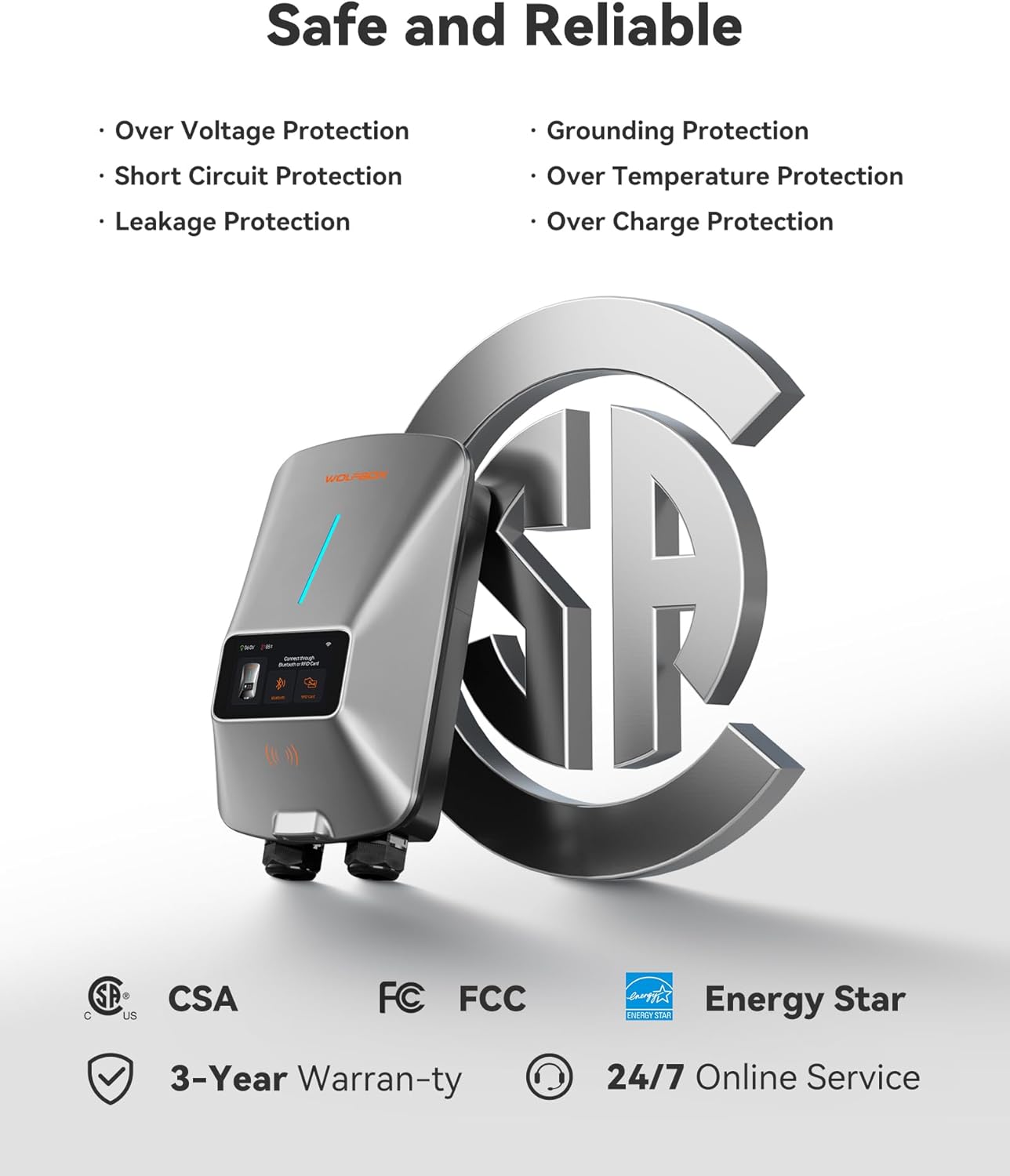
Image: WOLFBOX EV Charger highlighting its safety features and certifications like CSA, FCC, and Energy Star.
3. Zawartość opakowania
Sprawdź, czy w opakowaniu znajdują się wszystkie elementy:
- Ładowarka EV poziomu 2
- Uchwyt złącza
- Uchwyt ścienny
- 1 Management Card and 2 RFID Charging Cards
- Instrukcja obsługi
- AmpEtykieta wiekowa
- Wkręt samogwintujący x11
- Plastic Expansion Tube x11
- Machine Screw (2 PCS)
- Anti-theft Locking Piece
4. Funkcje produktu
4.1 Smart App Management
The EV charger supports APP management and Wi-Fi connectivity. This allows you to adjust current intensity, schedule charging times, and monitor charging data in real-time. Scheduling charging during off-peak hours can help reduce electricity costs. The 4.3-inch LCD screen on the charger displays the charging rate, time, voltage, and charged amount.

Image: A smartphone displaying the WOLFBOX EV charger app interface, showing options to schedule charge time, adjust current, remotely monitor, and receive real-time notifications.
4.2 Wysoka wydajność
This Level 2 EV charger offers significantly faster charging speeds compared to Level 1 chargers, providing approximately 45 miles of range in just one hour.

Image: The WOLFBOX EV Charger unit with a large display indicating 'UP TO 50A' charging power and '1 HOUR ≈ 45MILES' range added.
4.3 Convenient Charging Options
The charger provides three convenient methods for initiating a charge:
- Podłącz i ładuj: Simply plug the connector into your vehicle to begin charging.
- Karta RFID: Use the provided RFID card to authorize and start charging, preventing unauthorized access.
- Mobile App Scheduled Charging: Plan your charging times effortlessly through the mobile application. Your EV will automatically start/stop charging at the designated times.

Image: A collage illustrating the three charging options: direct plug-in, scheduling via the mobile app, and initiating charge with an RFID card.
4.4 NEMA Type 4 Protection
The charger is built with robust NEMA 4 protection, ensuring it functions reliably in various environmental conditions, including rain, snow, dust, and extreme temperatures.

Image: A four-panel image demonstrating the NEMA Type 4 protection of the WOLFBOX EV Charger, showing its resilience against water, dust, extreme cold, and high heat.
4.5 Uniwersalna kompatybilność
The wall-mounted EV charger is compatible with all J1772 electric vehicle models. It comes equipped with a SAE J1772 connector and a 25ft extension cable. For Tesla EVs, a special adapter is required (Adapter ASIN: B0CLLTWG2S), which can be obtained by contacting customer service.

Image: The WOLFBOX EV Charger connected to an electric vehicle, with a list of compatible car brands including Tesla, Ford, Chevrolet, Hyundai, Nissan, Benz, Audi, Kia, Toyota, Jeep, Volvo, and BMW.
5. Konfiguracja i instalacja
The WOLFBOX electric car charger can be installed indoors or outdoors. It is available in both plug-in and hardwired options. Due to the electrical requirements, installation should be performed by a qualified electrician.
5.1 Lista kontrolna przed instalacją
- Ensure you have the necessary tools and safety equipment.
- Confirm your electrical panel can support a 50 Amp, 240V circuit.
- Choose a suitable mounting location that is accessible and protected.
5.2 Montaż ładowarki
- Use the provided wall mount bracket as a template to mark drilling points.
- Drill holes and insert plastic expansion tubes.
- Secure the wall mount bracket using the self-tapping screws.
- Mount the charger onto the bracket.
5.3 Electrical Connection (Professional Electrician Required)
For hardwired installations, the electrician will connect the charger directly to your home's electrical system. For plug-in models, ensure the appropriate NEMA 14-50 outlet is installed.
- Turn off power at the main breaker before any electrical work.
- Follow local electrical codes and standards.
- Connect the charger's wiring to the dedicated 240V circuit.
- Sprawdź, czy wszystkie połączenia są solidne i właściwie zaizolowane.
5.4 Konfiguracja aplikacji
- Download the WOLFBOX EV charger app from your smartphone's app store.
- Follow the in-app instructions to connect your charger to your home Wi-Fi network.
- Register your device and set up your preferences.
6. Instrukcja obsługi
Once installed and configured, operating your WOLFBOX EV Charger is straightforward.
6.1 Direct Plug and Charge
- Sprawdź, czy ładowarka jest włączona.
- Podłącz złącze SAE J1772 do portu ładowania pojazdu elektrycznego.
- The charger will automatically detect the vehicle and begin charging.
- Monitor charging status on the charger's LCD screen or via the mobile app.
- To stop charging, disconnect the connector from your vehicle.
6.2 RFID Card Charging
- Podłącz złącze SAE J1772 do portu ładowania pojazdu elektrycznego.
- Hold one of the provided RFID charging cards near the designated RFID reader area on the charger.
- The charger will authenticate the card and begin charging.
- To stop charging, present the RFID card to the reader again or disconnect the connector.
6.3 App Scheduled Charging
- Open the WOLFBOX EV charger app on your smartphone.
- Przejdź do sekcji planowania.
- Set your desired start and end times for charging.
- Connect the charger to your vehicle. The charger will wait for the scheduled time to begin charging.
- You can also adjust the current intensity through the app.
7. Konserwacja
Regular maintenance ensures the longevity and optimal performance of your WOLFBOX EV Charger.
- Czyszczenie: Okresowo przecieraj zewnętrzną część ładowarki miękką,amp cloth. Do not use abrasive cleaners or solvents. Ensure the charging connector is free of dust and debris.
- Kontrola kabla: Regularnie sprawdzaj kabel ładujący i złącze pod kątem oznak zużycia, uszkodzeń lub przetarć. W przypadku zauważenia jakichkolwiek uszkodzeń, zaprzestań użytkowania i skontaktuj się z obsługą klienta.
- Aktualizacje oprogramowania układowego: Check the mobile app periodically for any available firmware updates for your charger to ensure you have the latest features and improvements.
8. Rozwiązywanie Problemów
If you encounter issues with your WOLFBOX EV Charger, refer to the following common troubleshooting steps:
- Ładowarka się nie włącza: Check the circuit breaker in your electrical panel to ensure it has not tripped. Verify all electrical connections are secure (if professionally installed).
- Ładowanie nie rozpoczyna się: Ensure the charging cable is fully inserted into both the charger and the vehicle. Check the mobile app for any scheduled charging conflicts or error messages. Try using an RFID card if app charging is not initiating.
- Powolne ładowanie: Verify the current setting in the mobile app. Ensure your vehicle is capable of accepting the full charging rate.
- Kody błędów: If an error code appears on the LCD screen, consult the detailed error code section in the full user manual (if provided separately) or contact WOLFBOX customer support with the specific code.
- Problemy z łącznością Wi-Fi: Ensure your Wi-Fi router is within range and functioning correctly. Try restarting both the charger and your router. Re-pair the charger with the app if necessary.
For persistent issues, please contact WOLFBOX customer support.
9. Specyfikacje
| Specyfikacja | Szczegół |
|---|---|
| Marka | WOLFBOX |
| Numer modelu | E50 |
| Nazwa typu przedmiotu | Level 2 EV Charger 50 Amp |
| Wejście Voltage | 240 V (nominalnie) |
| Maksymalny prąd | 50 Amp |
| Długość kabla | 25 stóp |
| Typ złącza | SAE J1772 |
| Certyfikaty | UL, CSA |
| Stopień ochrony obudowy | NEMA Type 4 (Waterproof, Dustproof) |
| Łączność | Wi-Fi, APP Control, RFID Card |
| Waga przedmiotu | 13.4 funtów |
10. Gwarancja i wsparcie
The WOLFBOX Level 2 EV Charger comes with a 3-letnia gwarancja.
For technical assistance, troubleshooting, or warranty claims, please contact WOLFBOX customer service. 24/7 online service is available to assist you.
Refer to the official WOLFBOX website or the contact information provided in your product packaging for specific support channels.