
1. Wprowadzenie
Dziękujemy za zakupasing the ASHATA AK160BT Bluetooth 5.0 Stereo Audio Amplifier. Ten kompaktowy i wszechstronny amplifier is designed to deliver clear and powerful sound for various applications, including home audio, karaoke, home theater, and car radio systems. Featuring Bluetooth 5.0 connectivity and independent bass and treble controls, it offers an enhanced audio experience. Please read this manual thoroughly before use to ensure proper operation and to maximize the performance of your device.
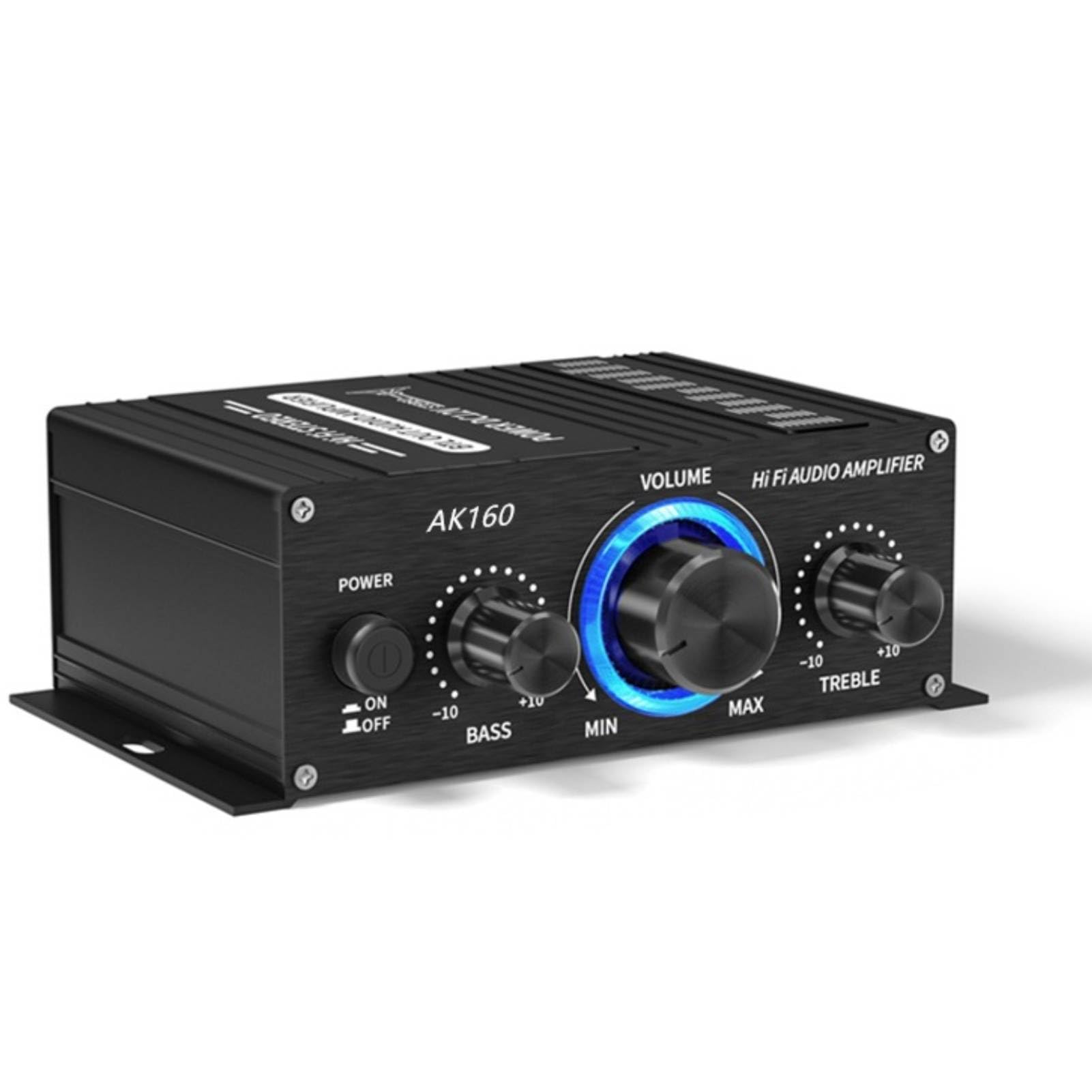
Image: The ASHATA AK160BT Bluetooth 5.0 Stereo Audio Amplifier, a compact black unit with control knobs, displayed in a home setting with a television in the background.
2. Informacje dotyczące bezpieczeństwa
- Nie wystawiaj urządzenia na działanie deszczu, wilgoci ani ekstremalnych temperatur.
- Zapewnij odpowiednią wentylację wokół ampfiltr, aby zapobiec przegrzaniu.
- Use only the specified power adapter (DC 12V, 2A-5A) to avoid damage.
- Nie otwieraj amplifier casing. Wszelkie prace serwisowe powierzaj wykwalifikowanemu personelowi.
- Przechowywać w miejscu niedostępnym dla dzieci.
- Unikaj umieszczania amplifier near strong magnetic fields.
3. Zawartość opakowania
Proszę sprawdzić, czy w paczce znajdują się następujące elementy:
- ASHATA AK160BT Stereo Audio Ampżywsze
- Instrukcja obsługi (ten dokument)
- Note: A DC 12V power adapter is required and sold separately.
4. Koniec produktuview
4.1 Elementy sterujące na panelu przednim

Obraz: Zbliżenie view of the ASHATA AK160BT amplifier's front panel, showing the Mode button, BT/AUX switch, Power switch, Bass knob, Volume knob, and Treble knob.
- Przycisk TRYB: Press to switch between input modes (e.g., Bluetooth, AUX).
- BT/AUX Switch: Selects between Bluetooth and AUX input.
- Przycisk zasilania: Obraca amplifier On or Off.
- Pokrętło basowe: Reguluje wyjście niskiej częstotliwości.
- Gałka GŁOŚNOŚCI: Controls the overall audio output level.
- Pokrętło TREBLE: Reguluje wyjście wysokiej częstotliwości.
4.2 Połączenia panelu tylnego

Obraz: Zbliżenie view of the rear panel of the ASHATA AK160BT amplifier, showing the speaker wire terminals for left and right channels.

Obraz: Zbliżenie view of the rear panel of the ASHATA AK160BT amplifier, showing the DC 12V power input port.
- Speaker Terminals (R+, R-, L+, L-): Connect your passive speakers here. Ensure correct polarity.
- Wejście AUX (RCA): Connect external audio sources (e.g., CD player, TV) using RCA cables.
- Wejście zasilania 12 V DC: Connect the DC 12V power adapter (not included).
5. Konfiguracja
5.1 Podłączanie głośników
- Zapewnij ampLififier jest wyłączony.
- Connect your passive speakers (4-16 ohms) to the speaker terminals on the rear panel.
- Match the positive (+) terminal of the speaker to the positive (+) terminal on the amplifier, and the negative (-) to the negative (-).
- Upewnij się, że wszystkie połączenia są solidne, aby zapobiec zwarciom.
5.2 Connecting Audio Sources (AUX)
- Zapewnij ampLififier jest wyłączony.
- Connect your audio source (e.g., smartphone, tablet, CD player) to the AUX input (RCA jacks) on the rear panel using appropriate audio cables.
5.3 Połączenie zasilania
- Ensure all audio and speaker connections are made.
- Connect a DC 12V (2A-5A) power adapter (not included) to the DC 12V power input on the rear panel.
- Podłącz zasilacz do odpowiedniego gniazdka ściennego.
6. Instrukcja obsługi
6.1 Włączanie/wyłączanie
- Aby włączyć amplifier, odwróć MOC przełączyć na pozycję „ON”.
- Aby wyłączyć, obróć MOC przełączyć na pozycję "WYŁ".
6.2 Regulacja głośności
- Obróć TOM Obróć pokrętło zgodnie z ruchem wskazówek zegara, aby zwiększyć głośność, a przeciwnie do ruchu wskazówek zegara, aby ją zmniejszyć.
6.3 Regulacja tonów niskich i wysokich
- Obróć BASS pokrętło do regulacji odpowiedzi niskiej częstotliwości.
- Obróć POTROIĆ pokrętło do regulacji odpowiedzi wysokich częstotliwości.
6.4 Przełączanie trybów wprowadzania danych
- Użyj TRYB przycisk lub BT/AUX switch on the front panel to select your desired audio input source (Bluetooth or AUX).
7. Połączenie Bluetooth

Image: The ASHATA AK160BT amplifier positioned in front of a television, with people watching content, illustrating its use in a home theater setup.
- Power on the ASHATA AK160BT ampliyfikator.
- Set the input mode to Bluetooth using the TRYB przycisk lub BT/AUX przełącznik. amplifier will enter pairing mode, indicated by a flashing light (if applicable, refer to device for specific indicator).
- Na urządzeniu z włączoną funkcją Bluetooth (smartfon, tablet, laptop) przejdź do ustawień Bluetooth.
- Szukaj available devices and select "AK160BT" from the list.
- Once connected, the indicator light on the amplifier will become solid, and you can play audio from your device through the ampliyfikator.
- Ten amplifier supports connections up to 40 feet (approximately 12 meters) away.
8. Konserwacja
- Czyszczenie: Do czyszczenia zewnętrznej części urządzenia używaj miękkiej, suchej szmatki amplifier. Nie używaj płynnych środków czyszczących ani aerozoli.
- Składowanie: W przypadku nieużywania przez dłuższy czas, należy przechowywać ampPrzechowywać w chłodnym i suchym miejscu, z dala od bezpośredniego światła słonecznego i wilgoci.
- Wentylacja: Aby zapobiec gromadzeniu się ciepła, należy upewnić się, że otwory wentylacyjne nie są zablokowane.
9. Rozwiązywanie Problemów
| Problem | Możliwa przyczyna | Rozwiązanie |
|---|---|---|
| Brak zasilania | Zasilacz nie jest podłączony lub jest uszkodzony. | Check power adapter connection and ensure it is plugged into a working outlet. Verify power adapter specifications (DC 12V, 2A-5A). |
| Brak dźwięku | Incorrect input mode selected; speaker wires loose or incorrectly connected; volume too low; audio source issue. | Ensure correct input mode (BT/AUX) is selected. Check speaker wire connections and polarity. Increase volume. Verify audio source is playing and connected correctly. |
| Bluetooth nie łączy się | Amplifier not in pairing mode; device too far; incorrect device selected. | Zapewnić amplifier is in Bluetooth mode and pairing. Move device closer to amplifier. Select "AK160BT" from your device's Bluetooth list. |
| Zniekształcony dźwięk | Volume too high; incorrect bass/treble settings; faulty audio source or cables. | Reduce volume. Adjust bass and treble knobs. Test with a different audio source or cables. |
10. Specyfikacje
- Model: AK160BT
- Marka: ASZATA
- Moc wyjściowa: 20W x 2 (Maximum)
- Impedancja głośnika: 4-16 omów
- Wersja Bluetooth: 5.0
- Zasięg Bluetooth: Do 40 stóp (ok. 12 metrów)
- Wejście: Bluetooth, AUX (RCA)
- Kontrola tonów: Independent Bass and Treble adjustment
- Zasilanie: DC 12V, 2A-5A (Adapter not included)
- Wymiary: Około 12.9 x 10.8 x 4.9 cm
- Waga: Około 200 g
11. Gwarancja i wsparcie
This product is covered by a standard manufacturer's warranty. For specific warranty details, please refer to the documentation provided at the time of purchase or contact your retailer. For technical support or inquiries, please reach out to the ASHATA customer service team through your purchase platform or the official brand webstrona.