
1. Wprowadzenie
1.1 Produkt powyżejview
The Fanvil X4U v2 is an advanced IP phone designed for professional communication environments. It features 12 SIP lines, a 2.8-inch color display, Power over Ethernet (PoE) support, Gigabit Ethernet ports, and Bluetooth connectivity via a USB dongle. This manual provides instructions for setting up, operating, and maintaining your Fanvil X4U v2 IP phone.
1.2 Zawartość opakowania
Sprawdź, czy w opakowaniu znajdują się wszystkie elementy:
- Fanvil X4U v2 IP Phone Unit
- Słuchawka
- Przewód słuchawki
- Kabel Ethernet
- Stojak na telefon
- Szybki przewodnik instalacji
- (Optional) Power Adapter (if PoE is not used)
2. Konfiguracja
2.1 Fizyczna instalacja
Follow these steps to physically set up your IP phone:
- Przymocuj podstawkę pod telefon do jednostki głównej.
- Connect the handset to the handset port using the coiled cord.
- Connect the Ethernet cable from your network switch or router to the Sieć lokalna port on the phone. If your network switch provides Power over Ethernet (PoE), the phone will power on automatically.
- If not using PoE, connect an optional power adapter (not included) to the power port and a power outlet.
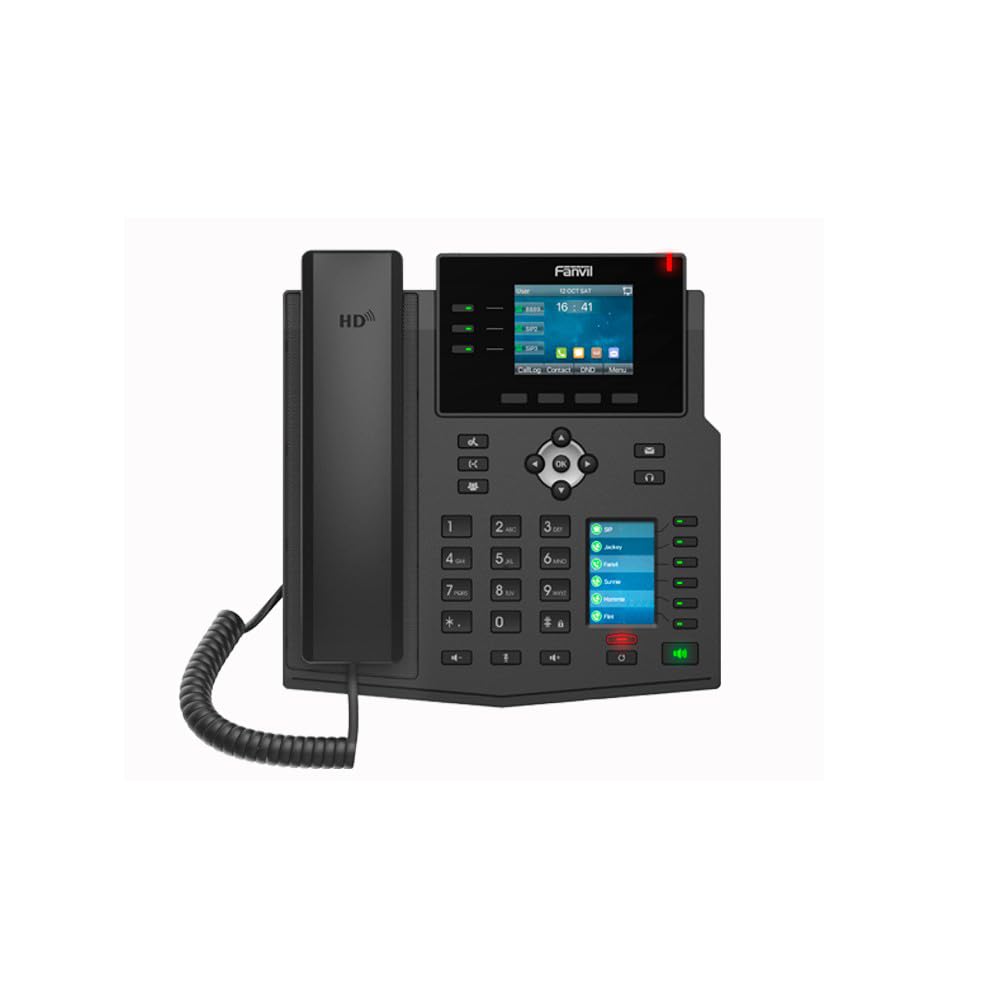
Obraz: Przód view of the Fanvil X4U v2 IP Phone, showing the handset, color display, navigation keys, and numeric keypad.
2.2 Pierwsze włączenie zasilania
Once connected to power and network, the phone will initiate its boot sequence. The display will show the Fanvil logo and then proceed to load the operating system.
3. Instrukcja obsługi
3.1 Wyświetlacz i nawigacja
The 2.8-inch (240x320) color display shows call status, menu options, and other relevant information. Use the navigation keys (up, down, left, right, OK) to browse menus and select options.
3.2 Podstawowe funkcje wywołań
Wykonywanie połączenia
- Podnieś słuchawkę lub naciśnij Głośnik przycisk.
- Wybierz żądany numer telefonu za pomocą klawiatury numerycznej.
- Press the "Dial" soft key or wait for the call to connect automatically.
Odbieranie połączenia
When an incoming call rings, pick up the handset or press the Głośnik button or the "Answer" soft key.
Zakończenie połączenia
Odłóż słuchawkę lub naciśnij Głośnik przycisk.
3.3 Rozmowy konferencyjne
The Fanvil X4U v2 supports 6-way audio conferencing:
- During an active call, press the "Conf" soft key.
- Dial the number of the next participant and press "Dial".
- Once the second participant answers, press the "Conf" soft key again to merge the calls.
- Repeat for additional participants up to a total of six.
3.4 Łączność Bluetooth
The phone supports Bluetooth connectivity via a USB dongle (sold separately). Insert the Bluetooth USB dongle into the USB port on the phone. Navigate to the Bluetooth settings menu on the phone's display to pair with compatible devices such as headsets.
4. Konserwacja
4.1 Czyszczenie
Do czyszczenia telefonu należy używać miękkiej, suchej ściereczki. W przypadku uporczywych zabrudzeń należy delikatnie przetrzeć telefon.amp cloth with mild, non-abrasive cleaner can be used. Avoid spraying liquids directly onto the phone.
4.2 Przechowywanie
Przechowuj telefon w chłodnym, suchym miejscu, z dala od bezpośredniego światła słonecznego i ekstremalnych temperatur, jeśli nie używasz go przez dłuższy czas.
5. Rozwiązywanie Problemów
5.1 Typowe problemy i rozwiązania
Telefon się nie włącza
- Check if the Ethernet cable is securely connected to the LAN port and the network switch/router. Ensure the network switch provides PoE.
- If not using PoE, verify the power adapter is correctly connected to the phone and a working power outlet.
Brak sygnału wybierania
- Ensure the Ethernet cable is properly connected and the phone has network connectivity.
- Verify that your SIP account is registered and active. Check the display for SIP registration status.
Słaba jakość dźwięku
- Sprawdź stabilność połączenia sieciowego.
- Sprawdź, czy przewód słuchawki jest solidnie podłączony.
- Adjust volume settings during a call.
6. Specyfikacje
6.1 Specyfikacje techniczne
- Marka: Kowadło
- Model: X4U-V2
- Linie SIP: 12
- Wyświetlacz: 2.8-inch (240x320) Color Display
- Porty Ethernet: Gigabit Ethernet (2 ports)
- Moc: Zasilanie przez Ethernet (PoE)
- Bluetooth: Via USB Dongle
- Audio Conference: 6-drożny
- Kodek audio: G.711a/u, G.729A/B, iLBC, G.722, Opus
- Wersja sprzętu: V2.0
- Wymiary produktu: 13 x 9 x 3 cala
- Waga przedmiotu: 2.62 funta (1.19 kilograma)
- Kolor: Czarny
- Tworzywo: Plastikowy
- Typ telefonu: Sznurowy
- Źródło zasilania: Corded Electric (if not using PoE)
- Typ dialera: Podwójna klawiatura
- Typ systemu zgłoszeniowego: Cyfrowy
7. Gwarancja i wsparcie
7.1 Informacje o gwarancji
For warranty details and terms, please refer to the documentation provided with your purchase or contact Fanvil customer support.
7.2 Obsługa klienta
If you encounter issues not covered in this manual or require further assistance, please contact your vendor or Fanvil's official customer support channels.