
Pristar LPPR-P15-LM-GYF
Instrukcja obsługi drukarki etykiet Pristar P15 Mini Bluetooth
Model: LPPR-P15-LM-GYF
Marka: Pristar
1. Wprowadzenie
The Pristar P15 Mini Bluetooth Label Printer is a compact, portable, and rechargeable thermal label maker designed to simplify your organization tasks. With its wireless Bluetooth connectivity, you can easily create and print custom labels directly from your iOS or Android smartphone using the intuitive 'Marklife' application. This manual provides detailed instructions on setting up, operating, maintaining, and troubleshooting your P15 label printer to ensure optimal performance and a seamless labeling experience.
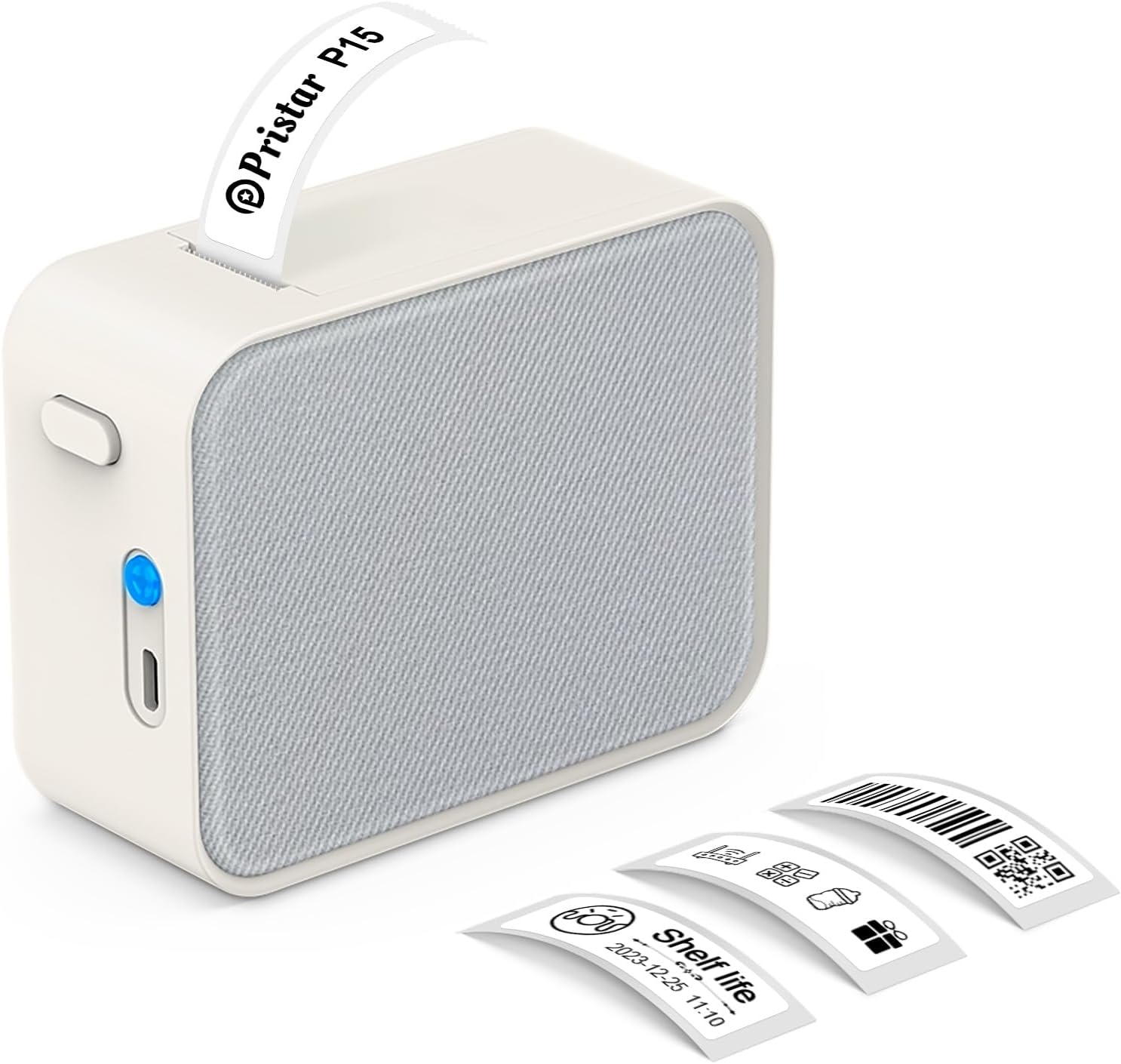
Figure 1.1: Pristar P15 Mini Bluetooth Label Printer
2. Informacje dotyczące bezpieczeństwa
Please read all safety instructions carefully before using the Pristar P15 label printer. Failure to follow these instructions may result in injury or damage to the device.
- Nie demontuj, nie naprawiaj ani nie modyfikuj urządzenia.
- Trzymaj urządzenie z dala od wody, wilgoci i wysokich temperatur.
- Use only the specified USB-C cable for charging.
- Avoid exposing the print head to direct sunlight or strong light.
- Przechowywać w miejscu niedostępnym dla dzieci.
3. Zawartość opakowania
Sprawdź, czy w opakowaniu znajdują się wszystkie elementy:
- 1 x Pristar P15 Label Printer (with built-in 1200mAh rechargeable lithium battery)
- 1 x Roll of Label Paper (12x40mm, White)
- 1 x USB-C Charging Cable (Power adapter not included)
- 1 x Instrukcja obsługi
4. Przewodnik konfiguracji
4.1 Ładowanie drukarki
Before first use, fully charge the printer. Connect the provided USB-C cable to the charging port on the printer and plug the other end into a USB power source (e.g., computer, wall adapter). The indicator light will show charging status.
4.2 Ładowanie papieru etykietowego
Proper loading of the label paper is crucial for clear printing.
- Open the printer cover by sliding the release button.
- Insert the label roll with the label face down, ensuring the leading edge of the labels extends slightly out of the slot.
- Zamknij pokrywę drukarki, aż zatrzaśnie się na swoim miejscu.

Figure 4.1: Label Paper Installation and App Connection Steps
4.3 Instalacja aplikacji
The Pristar P15 operates via the 'Marklife' application.
- Scan the QR code provided in the quick start guide or search for "Marklife" in your device's app store (App Store for iOS, Google Play Store for Android).
- Pobierz i zainstaluj aplikację.
4.4 Połączenie Bluetooth
Connect your printer to the 'Marklife' app.
- Upewnij się, że Bluetooth jest włączony w Twoim smartfonie.
- Otwórz aplikację „Marklife”.
- Within the app, search for and connect to your P15 printer. Do not connect via your phone's general Bluetooth settings.
5. Instrukcja obsługi
The 'Marklife' app provides extensive features for creating and customizing labels.
5.1 Podstawowe tworzenie etykiet
- Open the 'Marklife' app and ensure your printer is connected.
- Select the desired label size (e.g., 12x40mm).
- Tap on the text box to enter your desired label content.
- Use the editing tools to customize fonts, sizes, and styles.
- Tap the 'Print' button to send the label to the printer.
5.2 Zaawansowane funkcje aplikacji
The 'Marklife' app offers a wide range of customization options:
- Fonts & Languages: Access over 60 fonts and 8 languages for diverse labeling needs.
- Ikony i ramki: Choose from 1000+ icons and various frames to enhance your labels.
- Kody kreskowe i kody QR: Generate and print barcodes and QR codes directly from the app.
- Image & Text Import: Import pictures, or use features like Excel import, scanning, and voice input for text.
- Szablony: Utilize free templates for quick label creation. (Note: Some templates may require payment, and signing in allows saving customized templates.)

Rysunek 5.1: Interfejs inteligentnego sterowania aplikacją
5.3 Technologia druku termicznego
The P15 uses thermal printing, eliminating the need for ink or toner, making it cost-effective and environmentally friendly. It supports 12-15mm label printing with a 203 DPI resolution for clear results.
5.4 Label Tape Features
Pristar label tapes are designed for durability and ease of use:
- Odporne na wodę i olej: Labels maintain integrity even when exposed to water or oil.
- Odporne na zarysowania: Resistant to fading or damage from rubbing.
- Odporność na rozdarcie: Durable and not easily torn by hand.
- Brak lepkiej pozostałości: Designed for easy removal without leaving adhesive residue.

Rysunek 5.2: Cechy papieru termicznego P15
5.5 Szerokie zastosowanie
The P15 is versatile for various organizational tasks:
- Przechowywanie w domu: Label food containers, pantry items, and storage bins.
- Office Classification: Zorganizować files, dokumenty i materiały biurowe.
- Cena Tags: Create clear and professional price labels.
- School Information Management: Label school supplies, books, and projects.
- Zarządzanie kablami: Identify cables and wires for electronics.

Figure 5.3: Home Organization Examples

Figure 5.4: Work Organization Examples
6. Konserwacja
To ensure the longevity and optimal performance of your Pristar P15 label printer, follow these maintenance guidelines:
- Czyszczenie głowicy drukującej: Jeżeli jakość wydruku ulegnie pogorszeniu, delikatnie przetrzyj głowicę drukującą termiczną wacikiem.ampWysmarować alkoholem izopropylowym. Przed użyciem upewnić się, że drukarka jest wyłączona i sucha.
- Czyszczenie powierzchni zewnętrznej: Do czyszczenia zewnętrznej części drukarki należy używać miękkiej, suchej ściereczki. Nie należy używać środków czyszczących o właściwościach ściernych ani rozpuszczalników.
- Składowanie: Store the printer in a cool, dry place away from direct sunlight and extreme temperatures. Remove the label roll if storing for an extended period.
7. Rozwiązywanie Problemów
If you encounter issues with your Pristar P15 label printer, refer to the following common problems and solutions:
| Problem | Możliwa przyczyna | Rozwiązanie |
|---|---|---|
| Drukarka się nie włącza | Niski poziom naładowania baterii; przycisk zasilania nie jest mocno wciśnięty | Naładuj drukarkę; naciśnij i przytrzymaj przycisk zasilania przez kilka sekund. |
| Nie można połączyć się przez Bluetooth | Bluetooth off; Incorrect connection method; App issue | Ensure phone Bluetooth is on; Connect via 'Marklife' app, not phone settings; Restart app/phone. |
| Niska jakość druku | Dirty print head; Incorrect label loading; Low battery | Clean the print head; Re-load label paper correctly (face down); Charge the printer. |
| Etykiety nie są podawane | Label roll empty; Paper jammed; Cover not closed properly | Replace label roll; Clear any paper jams; Ensure printer cover is securely closed. |
| Aplikacja ulega awarii lub zawiesza się | Błąd oprogramowania; nieaktualna wersja aplikacji | Uruchom ponownie aplikację. Sprawdź dostępność aktualizacji aplikacji w sklepie z aplikacjami. |
8. Specyfikacje
Key technical specifications for the Pristar P15 Mini Bluetooth Label Printer:
| Funkcja | Specyfikacja |
|---|---|
| Model | LPPR-P15-LM-GYF |
| Wymiary produktu | 4 cm głębokości x 9.5 cm szerokości x 7.9 cm wysokości |
| Waga przedmiotu | 150 gram |
| Technologia łączności | Bluetooth 4.0 (Effective distance up to 10m) |
| Technologia druku | Termiczny |
| Rozdzielczość wydruku | 203 DPI |
| Maksymalny rozmiar nośnika | 15mm |
| Obsługiwana szerokość etykiety | 12-15 mm |
| Bateria | Akumulator litowy o pojemności 1200 mAh |
| Kompatybilne urządzenia | Smartfony (iOS, Android) |
| Zawarte komponenty | USB-C Cable, Labels |
9. Gwarancja i wsparcie
Pristar products are manufactured to high-quality standards. For warranty information and technical support, please refer to the contact details provided on the product packaging or the official Pristar webZachowaj paragon jako dowód zakupu na wypadek ewentualnych roszczeń gwarancyjnych.
For further assistance, you may contact Pristar customer service at pristar_service@outlook.com.
Ask a question about this manual
Ask about setup, troubleshooting, compatibility, parts, safety, or missing instructions. Manuals+ will review the question and use this page’s manual context to help answer it.