
Wstęp
This manual provides essential instructions for the safe installation, operation, and maintenance of your APC Back-UPS Pro 1050VA (BN1050M) Uninterruptible Power Supply. Please read this manual thoroughly before installing or operating the unit.
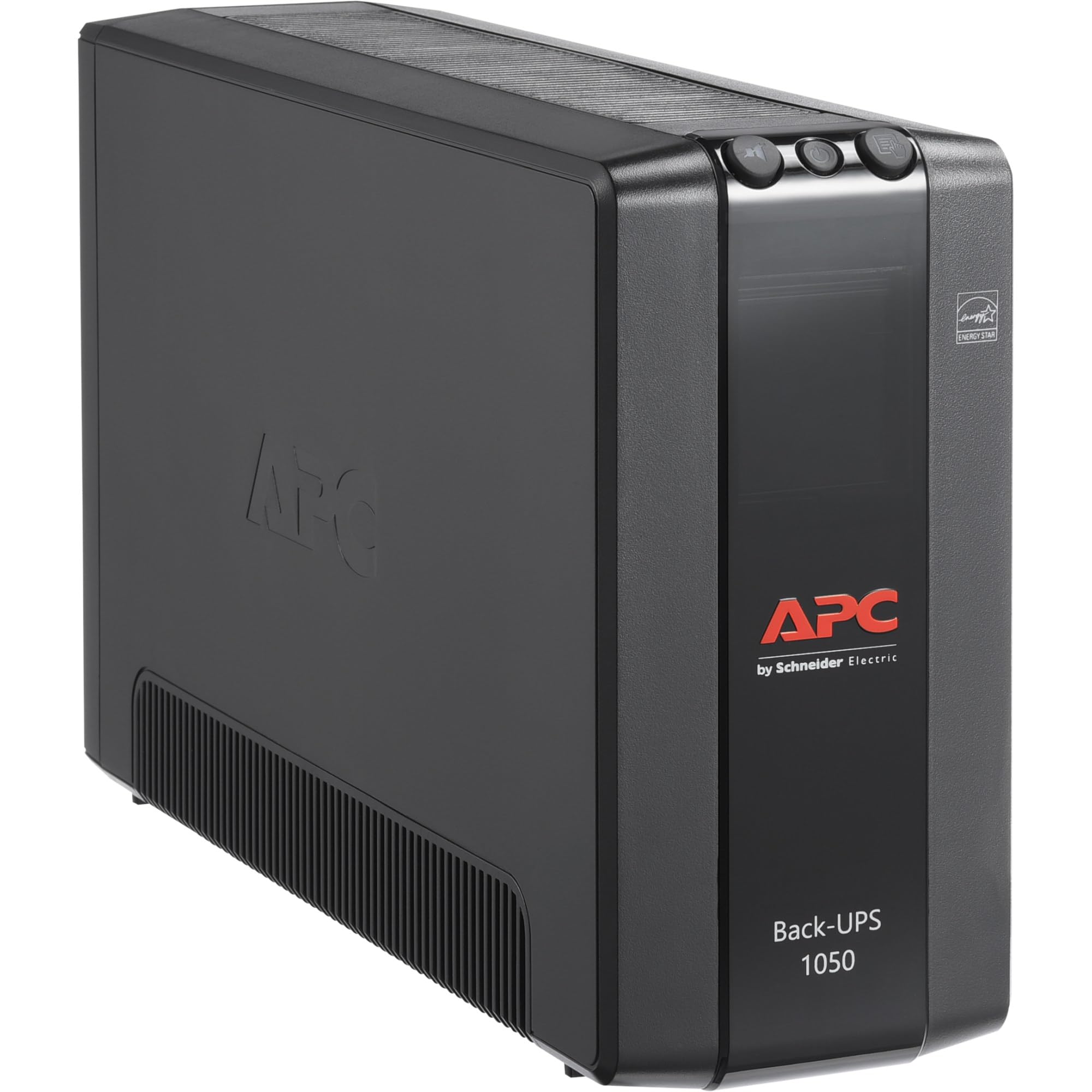
Obraz: Przód view of the APC Back-UPS Pro 1050VA (BN1050M) unit, showcasing its compact tower design and control panel.
Organizować coś
1. Rozpakowanie i kontrola
- Carefully unpack the UPS and inspect it for any shipping damage. If damage is found, notify the carrier and dealer.
- Verify that all components are included: UPS unit, user manual, USB communication cable.
2. Umieszczenie
- UPS należy ustawić na płaskiej i stabilnej powierzchni.
- Ensure adequate airflow around the unit. Do not block ventilation openings. Maintain at least 1 inch (2.5 cm) of clearance on all sides.
- Avoid direct sunlight, excessive heat, humidity, or conductive contaminants.

Image: The APC Back-UPS Pro 1050VA (BN1050M) unit positioned discreetly under a desk, demonstrating its compact size for convenient placement in a home or office environment.
3. Podłączanie sprzętu
The Back-UPS Pro 1050VA features two types of outlets:
- Gniazda z zasilaniem awaryjnym i ochroną przeciwprzepięciową (4 gniazda): Connect critical equipment such as computers, monitors, and external hard drives to these outlets. These outlets provide power from the UPS battery during power outagi chronią przed przepięciami.
- Gniazdka tylko z zabezpieczeniem przeciwprzepięciowym (4 gniazda): Connect non-critical equipment like printers, scanners, or speakers to these outlets. These outlets provide surge protection but do not provide battery backup power during an outage.

Obraz: Tył view of the APC Back-UPS Pro 1050VA (BN1050M), clearly showing the arrangement of the 8 outlets (4 battery backup, 4 surge only), the USB and Serial data ports, and the circuit breaker. A QR code for support is also visible.
4. Ładowanie początkowe
Connect the UPS power cord to a grounded 120V AC outlet. The unit will begin charging the battery. Allow the battery to charge for at least 24 hours before connecting equipment to ensure maximum runtime capacity.
5. Instalacja oprogramowania (opcjonalnie)
For advanced power management features, such as automatic shutdown during extended outages, install APC PowerChute software. Connect the provided USB cable from the UPS data port to your computer. Download the latest software version from the official APC webstrona: apc.com/us/en/support/software-downloads/.
Instrukcja obsługi
1. Włączanie/wyłączanie UPS-a
- Włączyć: Press and hold the power button on the front panel until a beep is heard. The unit will perform a self-test, and the 'On Line' indicator will illuminate.
- Wyłączyć: Press and hold the power button until a beep is heard and the unit powers down.
2. Zrozumienie wskaźników
The front panel features LED indicators and an audible alarm to communicate the UPS status:
- On Line (Green LED): UPS dostarcza zasilanie do podłączonego sprzętu.
- On Battery (Yellow LED): The UPS is supplying battery power to connected equipment during a power outage. An audible alarm will sound.
- Overload (Red LED): The connected load exceeds the UPS capacity. Disconnect non-essential equipment immediately.
- Fault (Red LED): Indicates an internal fault. Refer to the Troubleshooting section.
- Building Wiring Fault (Red LED on rear): Indicates a wiring problem in the building's electrical system (e.g., missing ground, reversed polarity). Consult a qualified electrician.
3. Funkcja autotestu
To manually initiate a self-test, press and hold the 'Test' button on the front panel for a few seconds. The UPS will briefly switch to battery power to test its battery and internal circuitry. This is recommended monthly.
Konserwacja
1. Pielęgnacja i wymiana baterii
- The internal battery is not user-replaceable. Contact APC support for battery service or replacement.
- To maximize battery life, ensure the UPS is kept in a cool, dry environment and remains connected to utility power.
- Regularly perform self-tests to monitor battery health.
2. Czyszczenie
Wyczyść zewnętrzną część UPS-a miękką szmatką.amp cloth. Do not use solvents or abrasive cleaners. Ensure ventilation openings are free from dust and debris.
Rozwiązywanie problemów
Aby zapoznać się z najczęstszymi problemami i ich rozwiązaniami, zapoznaj się z poniższą tabelą.
| Problem | Możliwa przyczyna | Rozwiązanie |
|---|---|---|
| UPS nie włącza się. | Not connected to utility power; discharged battery. | Ensure power cord is securely plugged into a live outlet. Allow 24 hours for initial battery charge. |
| UPS wydaje ciągły lub częsty sygnał dźwiękowy. | On battery mode; low battery; overload. | Check utility power. Allow battery to recharge. Reduce connected load. |
| Świeci się dioda LED sygnalizująca przeciążenie. | Too much equipment connected to battery backup outlets. | Disconnect non-essential equipment from battery backup outlets until the LED turns off. |
| Building Wiring Fault LED is illuminated. | Wiring problem in the building. | W celu sprawdzenia instalacji elektrycznej budynku należy skonsultować się z wykwalifikowanym elektrykiem. |
| UPS provides short runtime. | Akumulator jest stary lub nie jest w pełni naładowany. | Allow battery to charge for 24 hours. If issue persists, the battery may need service. Contact APC support. |
Reset wyłącznika
If the UPS experiences an overload and shuts down, the circuit breaker on the rear panel may trip. Disconnect some equipment, then push the circuit breaker button to reset the unit. Refer to the rear panel image in the Setup section for its location.
Specyfikacje
| Funkcja | Szczegół |
|---|---|
| Numer modelu | BN1050M |
| Pojemność | 1050VA/600W |
| Nominalna Objętość Wejściowatage | 120 V prądu zmiennego |
| Moc nominalna Objętośćtage | 120 V prądu zmiennego |
| Częstotliwość wejściowa | 60 Hz |
| Przebieg wyjściowy | Stepped approximation to a sine wave |
| Liczba gniazdek | 8 (4 baterie zapasowe i przeciwprzepięciowe, 4 tylko przeciwprzepięciowe) |
| Typ baterii | Litowo-jonowy |
| Typowy czas ładowania | 24 hours (for initial charge) |
| Współczynnik kształtu | Wieża |
| Połączenie wejściowe | NEMA 5-15P (Type B - 3 pin North American) |
| Porty danych | USB, szeregowy |
Gwarancja i wsparcie
For detailed warranty information, please refer to the official APC website or the warranty card included with your product. APC provides technical support and customer service to assist with any product-related inquiries.
- Wsparcie online: Visit the APC support page at apc.com/us/en/support/ for FAQs, documentation, and contact options.
- Rejestracja produktu: Register your product online to receive important updates and warranty service. You can use the QR code on the rear of the unit or visit go2se.com/ref=BN1050M.