
Wstęp
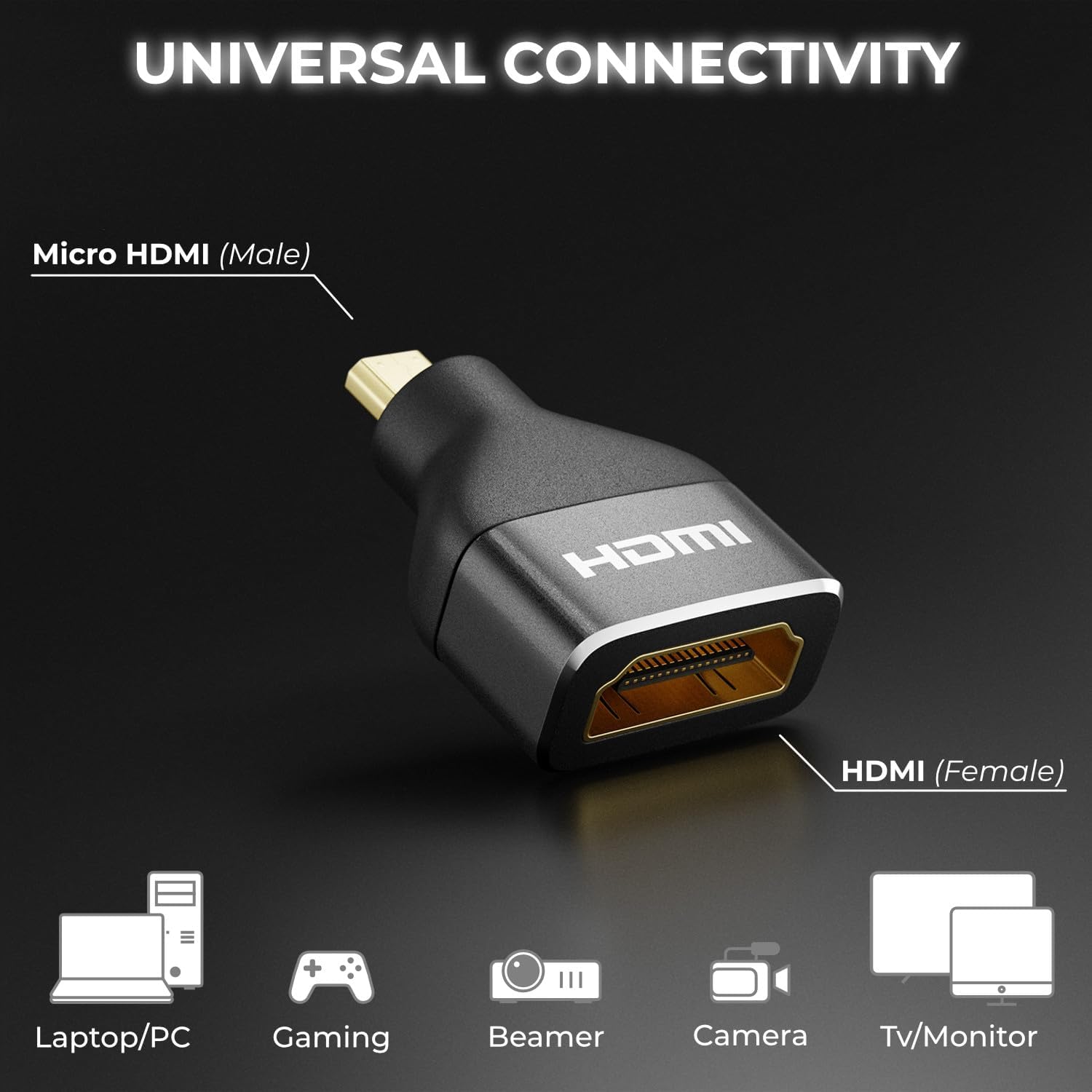
The deleyCON Micro HDMI to HDMI Adapter (Model MK6093) is designed to connect devices with a Micro HDMI output to displays or cables with a standard HDMI input. This adapter supports high-resolution video and audio transmission, ensuring a reliable connection for various multimedia applications. It is built with an aluminum casing for enhanced durability and optimal signal integrity.
Cechy produktu
- Obsługa wysokiej rozdzielczości: Supports impressive 4K resolutions (4096 x 2160) at 60Hz and 2K resolutions at 120Hz.
- Standard HDMI 2.0: Compliant with HDMI 2.0, ensuring compatibility with current and future display technologies.
- Wysoka szybkość transmisji danych: Capable of transmitting data up to 18 Gbit/s.
- Zaawansowane funkcje: Supports Audio Return Channel (ARC), High Dynamic Range (HDR), 3D video, Variable Refresh Rate (VRR), Auto Low Latency Mode (ALLM), and High-bandwidth Digital Content Protection (HDCP).
- Trwała konstrukcja: Features a robust black aluminum casing for excellent signal transmission and long-lasting reliability.
- Uniwersalna łączność: Connects Micro HDMI (male) to HDMI (female), compatible with a wide range of devices.

Zawartość opakowania
The deleyCON Micro HDMI to HDMI Adapter package includes:
- 1 x deleyCON Micro HDMI to HDMI Adapter (Model MK6093)
Informacje dotyczące bezpieczeństwa
Please read and follow these safety guidelines to ensure proper use and prevent damage to the adapter or connected devices:
- Nie wystawiaj adaptera na działanie wody, wilgoci ani ekstremalnych temperatur.
- Unikaj upuszczania adaptera i narażania go na silne uderzenia.
- Nie próbuj demontować ani modyfikować adaptera. Spowoduje to unieważnienie gwarancji.
- Przechowywać w miejscu niedostępnym dla dzieci.
- Stosować wyłącznie z kompatybilnymi urządzeniami i kablami.
Organizować coś
The deleyCON Micro HDMI to HDMI Adapter is designed for simple plug-and-play installation. Follow these steps to connect your devices:
- Identify the Micro HDMI output port on your source device (e.g., camera, tablet, laptop).
- Connect the Micro HDMI (male) end of the deleyCON adapter into the Micro HDMI output port of your source device.
- Take a standard HDMI cable (not included) and connect one end into the HDMI (female) port of the deleyCON adapter.
- Connect the other end of the standard HDMI cable to the HDMI input port of your display device (e.g., TV, monitor, projector).
- Upewnij się, że zarówno urządzenie źródłowe, jak i urządzenie wyświetlające są włączone.

Instrukcja obsługi
Once the adapter is correctly connected as described in the Setup section, the deleyCON Micro HDMI to HDMI Adapter operates automatically. It functions as a passive converter, transmitting the audio and video signal from your Micro HDMI source device to your HDMI display device.
- Ensure your source device is configured to output video and audio through its Micro HDMI port.
- Wybierz prawidłowe wejście HDMI na urządzeniu wyświetlającym.
- The adapter will automatically negotiate the best possible resolution and refresh rate supported by both your source and display devices, up to its maximum capabilities (4K@60Hz, 2K@120Hz).
Rozwiązywanie problemów
If you encounter issues while using the deleyCON Micro HDMI to HDMI Adapter, refer to the following common troubleshooting steps:
- Brak sygnału na wyświetlaczu:
- Ensure all cables are securely connected to both the adapter and your devices.
- Sprawdź, czy wyświetlacz jest ustawiony na właściwe źródło sygnału wejściowego HDMI.
- Test with a different HDMI cable to rule out cable issues.
- Try connecting the source device directly to the display (if possible) to confirm the source device's output functionality.
- Restart both the source device and the display.
- Słaba jakość obrazu lub migotanie:
- Check the resolution and refresh rate settings on your source device. Ensure they are within the adapter's supported specifications (e.g., 4K@60Hz, 2K@120Hz).
- Ensure the HDMI cable used is rated for the desired resolution and data rate (e.g., High-Speed HDMI for 4K).
- Minimize cable length if possible, especially for high-resolution signals.
- Brak dźwięku:
- Verify that the audio output settings on your source device are correctly configured for HDMI.
- Sprawdź poziom głośności na urządzeniu źródłowym i wyświetlaczu.
- Ensure your display device supports audio via HDMI.
Specyfikacje
| Funkcja | Szczegół |
|---|---|
| Numer modelu | MK6093 |
| Marka | deleyCON |
| Typ złącza | Micro HDMI (Male) to HDMI (Female) |
| Standardowy HDMI | HDMI 2.0 |
| Obsługa maksymalnej rozdzielczości | 4K (4096x2160) @ 60Hz, 2K @ 120Hz, 1440p @ 120Hz, 1080p @ 120Hz |
| Szybkość transmisji danych | Do 18 Gb/s |
| Obsługiwane technologie | ARC, HDR, 3D, VRR, ALLM, HDCP |
| Tworzywo | Aluminum (Metallic finish) |
| Kolor | Czarny |
| Waga przedmiotu | 7.99 gram |
| Liczba portów | 2 |
| Zasilacz | Nie wymaga zasilania zewnętrznego |
| Kompatybilne urządzenia | TV box, recorder, monitor, DVD player, camera, video game console, PC, projector, TV |
| Kraj pochodzenia | Chiny |

Konserwacja
To ensure the longevity and optimal performance of your deleyCON Micro HDMI to HDMI Adapter, follow these maintenance guidelines:
- Czyszczenie: Use a soft, dry cloth to gently wipe the adapter. Do not use liquid cleaners or abrasive materials, as they may damage the surface or internal components.
- Składowanie: Przechowuj adapter w chłodnym, suchym miejscu, z dala od bezpośredniego światła słonecznego i ekstremalnych temperatur, gdy nie jest używany.
- Obsługiwanie: Always grasp the connector housing when plugging or unplugging the adapter. Avoid pulling on the cable itself, as this can damage the internal wiring.
Gwarancja i wsparcie
deleyCON products are designed for reliability and performance. For information regarding warranty coverage, technical support, or service inquiries, please refer to the documentation provided with your purchase or visit the official deleyCON webZachowaj dowód zakupu na wypadek roszczeń gwarancyjnych.