
1. Wprowadzenie
This manual provides essential information for the setup, operation, and maintenance of your PlayStation PULSE Explore Wireless Earbuds. Designed for an immersive audio experience, these earbuds feature planar magnetic drivers and PlayStation Link wireless technology for high-fidelity sound and seamless connectivity across multiple devices.

Obraz 1.1: Przód view of the PULSE Explore Wireless Earbuds. These earbuds feature a distinctive white outer shell with black inner components, designed for comfortable in-ear fit.
2. Zawartość pudełka
Sprawdź, czy w przesyłce znajdują się wszystkie elementy wymienione poniżej:
- PULSE Explore wireless earbuds (Left and Right)
- Adapter USB PlayStation Link
- Etui ładujące
- 6 Earbud tips (various sizes)
- Kabel USB (do ładowania)
- Printed Materials (Quick Start Guide, Safety Guide)

Image 2.1: The retail packaging for the PULSE Explore Wireless Earbuds, alongside the earbuds and their charging case. The box displays the PlayStation and Sony logos.
3. Konfiguracja
3.1 Pierwsze ładowanie
Before first use, fully charge the earbuds and the charging case. Connect the supplied USB cable to the charging case and a compatible USB power source. The indicator light on the case will show charging status.

Image 3.1: The PULSE Explore Wireless Earbuds nestled within their charging case. The case is open, revealing the earbuds and the charging port, indicating readiness for charging.
The charging case provides up to 10 hours of additional battery life, while the earbuds offer up to 5 hours of play on a single charge.
3.2 Łączenie się z urządzeniami
The PULSE Explore Wireless Earbuds support PlayStation Link and Bluetooth connectivity.
3.2.1 PlayStation Link (PS5, PC/Mac, PlayStation Portal)
- Insert the PlayStation Link USB adapter into a USB port on your PS5 console, PC/Mac, or PlayStation Portal.
- Ensure the earbuds are in the charging case and the case is open, or the earbuds are powered on.
- The earbuds and adapter should automatically pair. A status indicator will confirm connection.
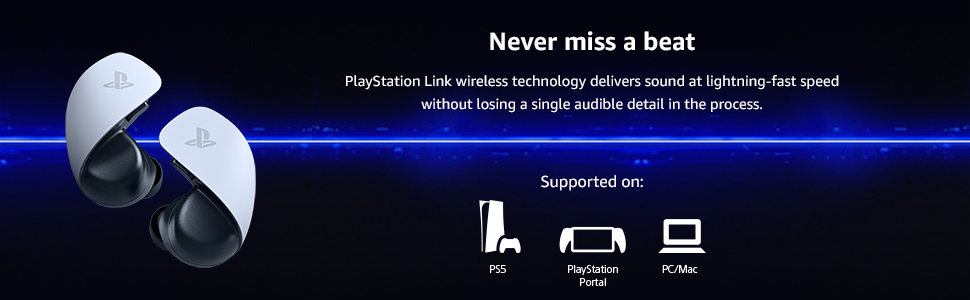
Image 3.2: An illustration demonstrating the multi-device compatibility of the PULSE Explore Wireless Earbuds via PlayStation Link. Compatible devices include PS5, PlayStation Portal, and PC/Mac.
3.2.2 Bluetooth (Mobile Devices)
- With the earbuds in the charging case, open the case.
- Press and hold the pairing button on the charging case until the indicator light flashes blue.
- On your mobile device, go to Bluetooth settings and select "PULSE Explore" from the list of available devices.
- The earbuds can connect to a mobile device via Bluetooth while simultaneously connected to a PlayStation Link device.
4. Instrukcja obsługi
4.1 Noszenie słuchawek dousznych
Select the earbud tips that provide the best fit and seal for optimal sound quality and comfort. Gently insert each earbud into your ear canal and twist slightly to secure.
4.2 Sterowanie
The earbuds feature easy-access volume controls. Refer to the printed materials for specific button functions for volume adjustment, play/pause, and call management.
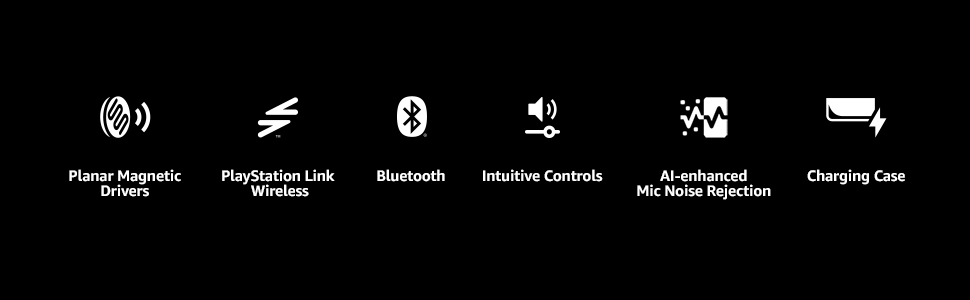
Image 4.1: A visual summary of the PULSE Explore's core features, including its advanced audio technology, wireless connectivity options, user-friendly controls, and microphone capabilities.
4.3 Funkcjonalność mikrofonu
The earbuds are equipped with two hidden microphones featuring AI-enhanced noise rejection technology to ensure clear voice capture during calls or in-game communication, minimizing background noise.
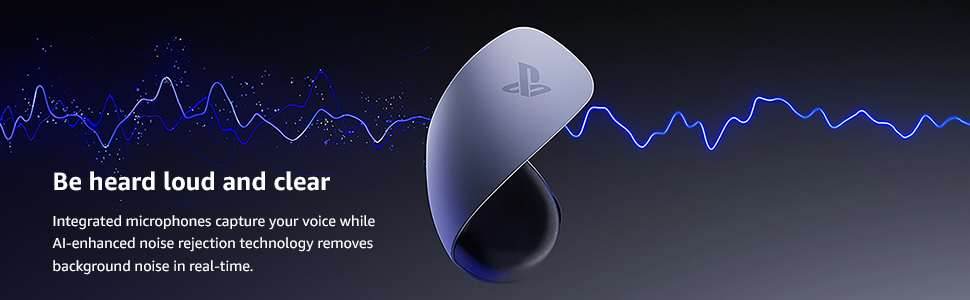
Image 4.2: This image highlights the integrated microphones and AI-enhanced noise rejection, ensuring your voice is transmitted clearly without interference from ambient sounds.

Image 4.3: The PULSE Explore Wireless Earbuds positioned next to a PlayStation Portal, illustrating their seamless integration and use with PlayStation's gaming ecosystem.
5. Konserwacja
Właściwa konserwacja gwarantuje trwałość i wydajność słuchawek dousznych.
- Czyszczenie: Regularly clean the earbud tips and the mesh covers with a soft, dry cloth. Do not use harsh chemicals or abrasive materials.
- Składowanie: Gdy nie używasz słuchawek, przechowuj je w etui ładującym, aby chronić je przed kurzem i uszkodzeniami.
- Pielęgnacja baterii: Avoid exposing the earbuds and charging case to extreme temperatures. For long-term storage, ensure the battery has a partial charge (around 50%).
6. Rozwiązywanie Problemów
| Problem | Możliwa przyczyna | Rozwiązanie |
|---|---|---|
| Brak dźwięku w słuchawkach | Earbuds not paired or connected; low battery; incorrect audio output selected. | Ensure earbuds are charged and paired. Check device's audio output settings. |
| Słuchawki nie ładują się | Charging cable or power source issue; earbuds not seated correctly in case. | Verify cable connection and power source. Reseat earbuds in the charging case. |
| Słaba jakość dźwięku | Earbud tips not sealing properly; interference; dirty earbuds. | Try different earbud tips. Move closer to the connected device. Clean earbuds. |
| Mikrofon nie działa | Mikrofon wyciszony; wybrano nieprawidłowe urządzenie wejściowe. | Check device settings to ensure microphone is enabled and selected as input. |
7. Specyfikacje
- Nazwa modelu: PULSE Odkryj
- Numer modelu: CFI-ZWA2
- Marka: PlayStation
- Producent: Sony
- Technologia łączności: Bezprzewodowa (PlayStation Link, Bluetooth)
- Technologia komunikacji bezprzewodowej: Bluetooth
- Zgodne urządzenia: PlayStation 5, PlayStation Portal, PC, Mac, Mobile devices
- Typ sterowania: Kontrola głośności
- Umieszczenie ucha: W uchu
- Współczynnik kształtu: W uchu
- Dodatek specjalny: AI-enhanced Noise Rejection Microphones, Planar Magnetic Drivers
- Żywotność baterii słuchawki dousznej: Do 5 godzin
- Charging Case Additional Battery Life: Do 10 godzin
- Item Weight (Earbuds): Około 0.25 funtów (za parę)
- Wymiary produktu: 4.8 x 4.2 x 3 cala (opakowanie)
- Kolor: Biały
- Kod UPC: 711719568315
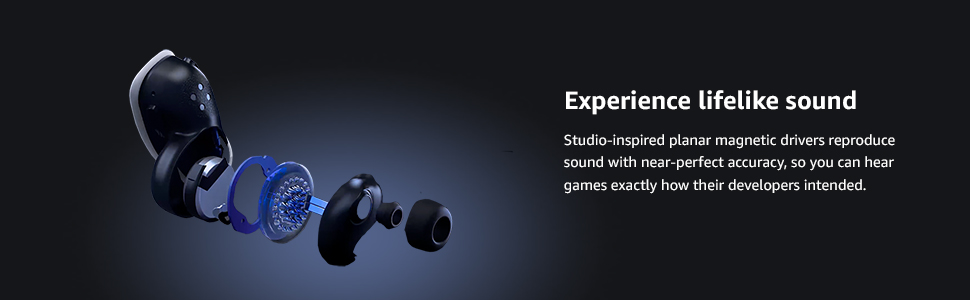
Image 7.1: An exploded diagram of a PULSE Explore earbud, illustrating the sophisticated planar magnetic drivers responsible for its high-fidelity audio reproduction.
8. Gwarancja i wsparcie
For warranty information and customer support, please refer to the official PlayStation website or the printed materials included in your product box. You can also visit the Sklep PlayStation za dodatkowe zasoby.
Zasady zwrotu: This product is subject to a 30-day refund/replacement policy when purchased from Amazon.