
TAB Fairy 10
Instrukcja obsługi robota odkurzającego i mopującego TAB Fairy10
Model: Fairy 10
1. Wprowadzenie
Thank you for choosing the TAB Fairy10 Robot Vacuum and Mop Combo. This advanced cleaning device is designed to provide a comprehensive and hands-free cleaning experience for your home. Featuring powerful suction, intelligent navigation, and a multifunctional docking station, the Fairy10 simplifies floor maintenance. This manual provides essential information for setup, operation, and maintenance to ensure optimal performance and longevity of your device.
2. Informacje dotyczące bezpieczeństwa
Przed użyciem urządzenia należy uważnie przeczytać wszystkie instrukcje bezpieczeństwa. Zachowaj tę instrukcję do wykorzystania w przyszłości.
- Nie należy pozwalać dzieciom ani zwierzętom domowym na obsługę robota.
- Sprawdź, czy przewód zasilający nie jest uszkodzony i jest prawidłowo podłączony.
- Do not use the robot in wet environments or near flammable materials.
- Przed czyszczeniem usuń z podłogi wszelkie luźne kable, małe przedmioty i delikatne przedmioty, aby zapobiec ich splątaniu lub uszkodzeniu.
- Nie używaj robota do zbierania dużych śmieci, ostrych przedmiotów ani płynów.
- Only use accessories and replacement parts specified by the manufacturer.
3. Zawartość opakowania
Sprawdź, czy w opakowaniu znajdują się wszystkie komponenty:
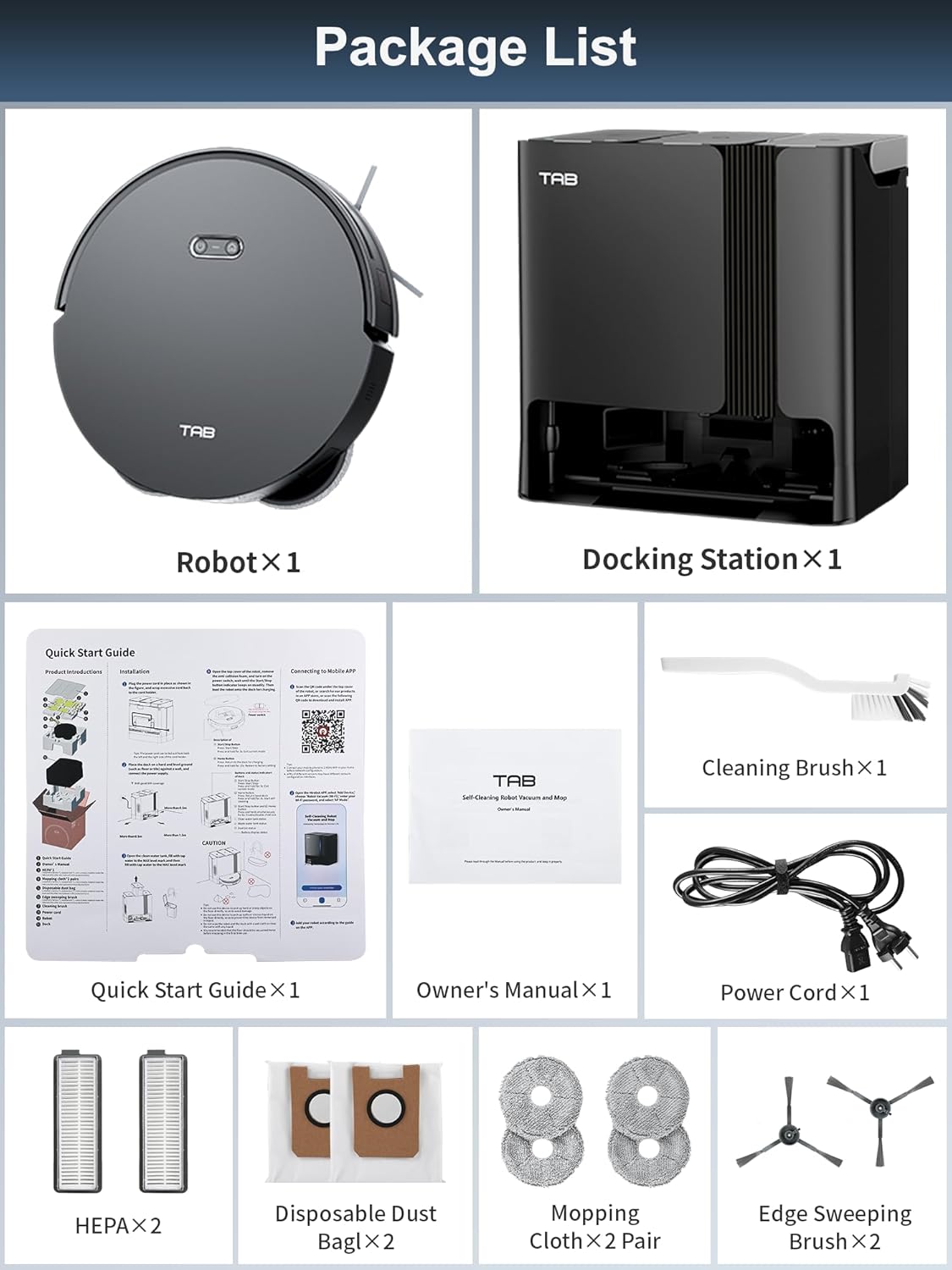
Image: All components included in the TAB Fairy10 package, neatly laid out.
- Robot Vacuum ×1
- Baza ładująca ×1
- Adapter ×1
- HEPA Filters ×2
- Szczotka do czyszczenia ×1
- Side Brush ×2 Pair
- Mop Cloth ×2 Pair
- Disposable Dust Bag ×2
- Szybki przewodnik ×1
- Owner's Manual ×1
4. Koniec produktuview
The TAB Fairy10 consists of the robot vacuum and a multifunctional docking station.

Image: The TAB Fairy10 robot vacuum positioned in front of its docking station, with a smartphone showing the companion app.
4.1 Robot odkurzający
The robot features a compact design with hidden LiDAR navigation, allowing it to access tighter spaces. It is equipped with a multi-directional floating brush and dual rotary mops for effective cleaning.
4.2 Multifunctional Docking Station
The docking station serves as an all-in-one hub for the robot, providing self-draining, self-washing, self-drying, self-cleaning, and self-refilling capabilities.

Image: A visual representation of the docking station's capabilities, including self-mop cleaning, self-dust emptying, self-mop drying, and self-refilling.
5. Konfiguracja
5.1 Rozpakowanie
Ostrożnie wyjmij wszystkie elementy z opakowania. Zachowaj materiały opakowaniowe do transportu lub przechowywania w przyszłości.
5.2 miejsce na stację dokującą
Place the docking station on a hard, level surface against a wall. Ensure there is at least 0.5 meters (1.6 feet) of clear space on both sides and 1.5 meters (4.9 feet) in front of the station for the robot to dock properly. Connect the power adapter to the docking station and plug it into a wall outlet.
5.3 Przygotowanie robota
Install the side brushes by pressing them into their slots until they click. Ensure the mop pads are securely attached to the mop module.
5.4 Pierwsze ładowanie
Place the robot onto the docking station. Ensure the charging contacts align. The robot will begin charging automatically. For first use, fully charge the robot before operation.
5.5 Instalacja i połączenie aplikacji
Download the official TAB app from your smartphone's app store. Follow the in-app instructions to connect your Fairy10 robot. This typically involves creating an account, adding the device, and connecting it to your home Wi-Fi network.
5.6 Mapowanie
Once connected, initiate a mapping run through the app. The hidden LiDAR navigation system will efficiently scan and map your home, creating a detailed floor plan for optimized cleaning routes.

Image: The robot vacuum actively mapping a room using its LiDAR system, with a visual representation of the map being created on a smartphone screen.
6. Instrukcja obsługi
6.1 Rozpoczęcie/zatrzymanie czyszczenia
You can start or stop a cleaning cycle using the button on the robot or through the TAB app. The robot will automatically return to the docking station upon completion or when its battery is low.
6.2 tryby czyszczenia
The Fairy10 offers versatile cleaning modes to suit your needs:

Obraz: Wizualizacjaamples of the four available cleaning modes: sweep only, mop only, sweep then mop, and mop while sweeping.
- Only Sweep: For dry debris collection with 6000 Pa suction.
- Only Mop: For wet cleaning with dual rotating mops.
- Sweep Then Mop: Completes a full vacuuming cycle before initiating mopping.
- Mop While Sweep: Simultaneous vacuuming and mopping for combined cleaning.

Image: The robot vacuum demonstrating its powerful 6000Pa suction on a carpeted surface.

Image: The robot vacuum actively mopping a hard floor, showcasing its dual rotating mops and key specifications like rotation speed, lift, and pressure.
6.3 Planowane sprzątanie
Set specific cleaning times via the app to automate your cleaning routine. The robot will start and return to the dock as scheduled.

Image: The robot vacuum returning to its base, indicating a successful scheduled cleaning setup.
6.4 Targeted Cleaning Zones
Use the app to define specific areas for cleaning, such as the kitchen, living room, or bedroom, allowing for customized cleaning preferences.

Image: The app interface displaying targeted cleaning zones, with corresponding images of the robot cleaning different rooms.
6.5 Strefy zakazane
Set virtual boundaries or no-go zones in the app to prevent the robot from entering specific areas, protecting delicate items or preventing access to certain rooms.

Image: The robot vacuum avoiding a designated 'No-Go Zone' in a home environment.
6.6 Blokada dziecięca
Activate the child lock feature in the app to prevent unintended operation by children or pets, ensuring safety.

Image: The robot vacuum with a child lock icon, illustrating its safety feature when children or pets are present.
6.7 Lidar Navigation and Obstacle Avoidance
The hidden LiDAR navigation system allows the robot to create precise maps and navigate efficiently, even in tight spaces. AI 3.0 Obstacle Avoidance helps the robot detect and avoid objects on the floor, reducing the need for pre-cleaning.

Image: The robot vacuum demonstrating its hidden LiDAR navigation by cleaning under a sofa, highlighting its ability to access tight spaces.
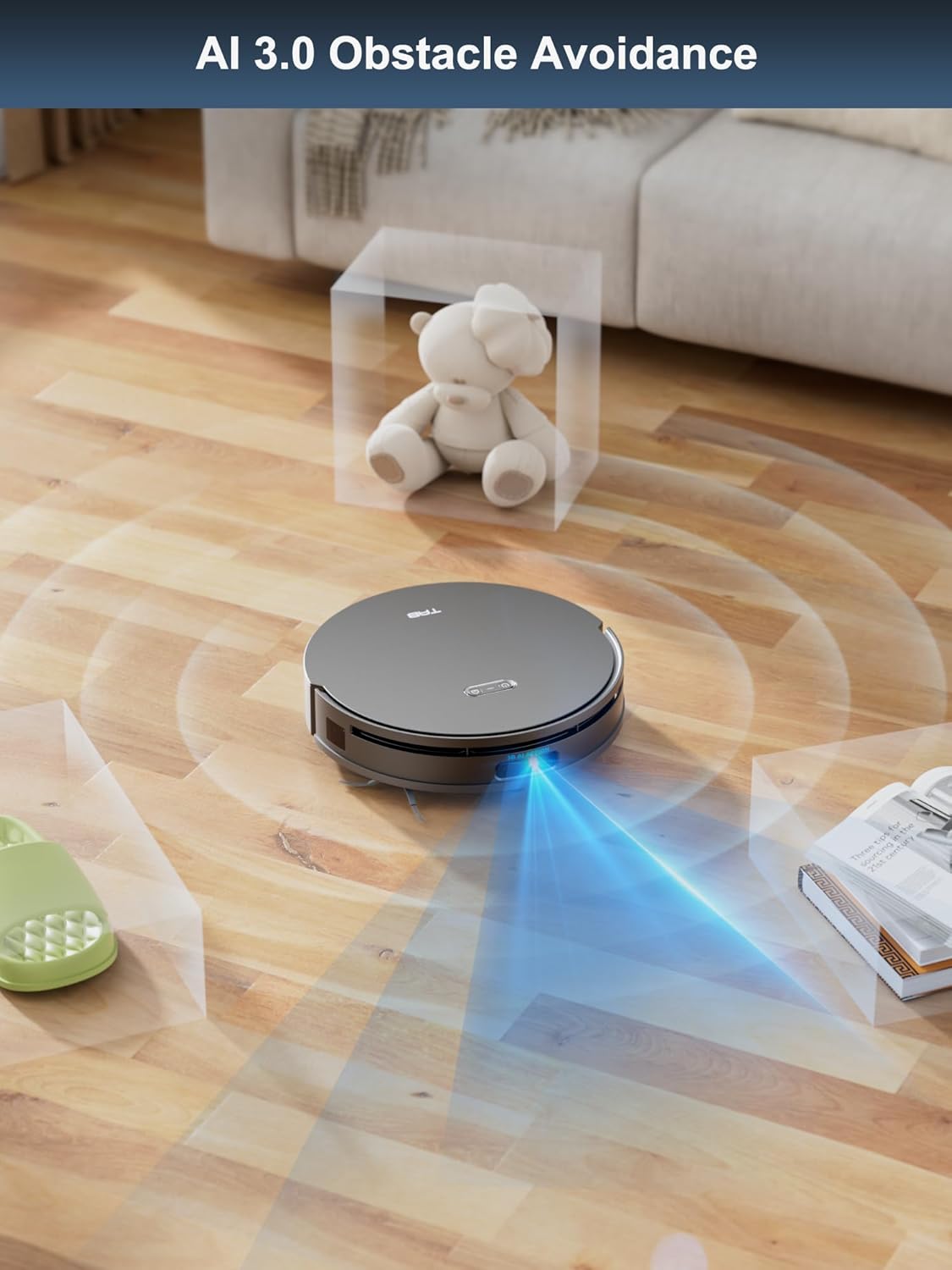
Image: The robot vacuum employing AI 3.0 obstacle avoidance to detect and navigate around various items on the floor.
6.8 Auto Mop Lifting
The robot automatically lifts its mops by 15mm when it detects carpets, preventing them from getting wet during vacuuming cycles.
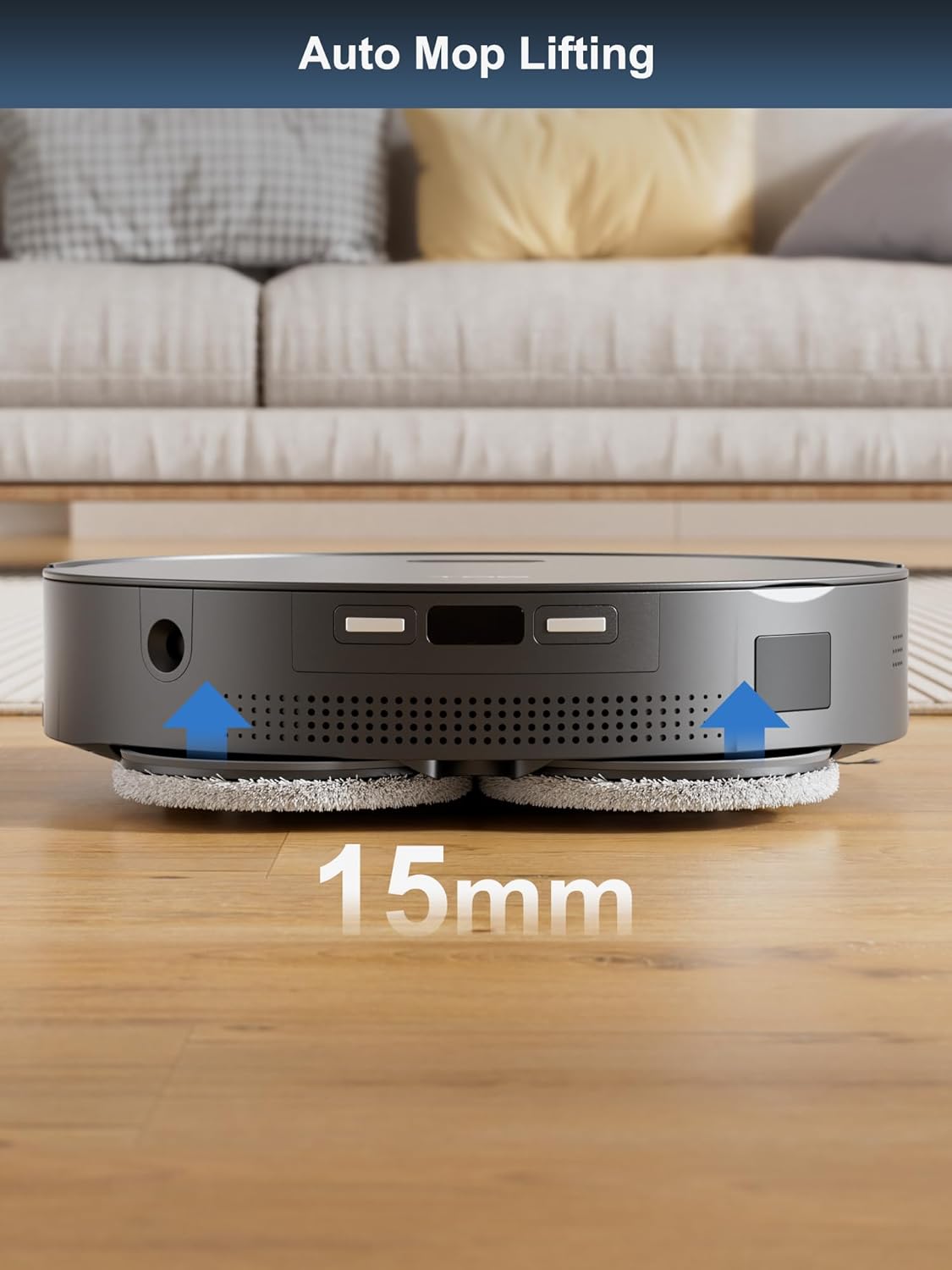
Image: The robot vacuum demonstrating its auto mop lifting feature, raising its mops by 15mm as it approaches a carpet.
7. Konserwacja
Regular maintenance ensures the optimal performance and longevity of your TAB Fairy10.
7.1 Funkcje samoczyszczące
The docking station automates several maintenance tasks:
- Automatyczne opróżnianie: The robot's dustbin is automatically emptied into a disposable dust bag in the docking station.
- Mycie mopa: The mop pads are automatically washed at the docking station to remove dirt and debris.
- Suszenie mopa: After washing, the mop pads are dried with hot air to prevent odors and mildew.
- Samonapełnianie: The robot's water tank is automatically refilled from the clean water tank in the docking station.

Image: The self-cleaning and hot air drying processes for the mop pads within the docking station.

Obraz: Przezroczysty view of the docking station illustrating the automatic dust emptying process.
7.2 Czyszczenie robota
- Pędzel główny: Regularly remove hair and debris from the main brush. Use the cleaning tool provided.
- Szczotki boczne: Check for tangled hair or debris and clean as needed. Replace if worn.
- Czujniki: Wipe all sensors (cliff sensors, wall sensors, charging contacts) with a clean, dry cloth.
- Koła: Oczyść koła napędowe i koło skrętne z wszelkich zanieczyszczeń.
7.3 Cleaning the Docking Station
- Worek przeciwkurzowy: Wymień jednorazowy worek na kurz, gdy jest pełny.
- Zbiorniki na czystą/brudną wodę: Empty the dirty water tank and refill the clean water tank as needed. Clean both tanks regularly to prevent buildup.
- Tacka do mycia mopa: Clean the mop washing tray to remove any residue.
7.4 Wymiana materiałów eksploatacyjnych
Replace consumables according to usage or as indicated by the app:
- Filtry HEPA: Wymieniać co 3-6 miesiące.
- Disposable Dust Bags: Replace when full.
- Ściereczki do mopa: Replace every 1-3 months depending on usage.
- Szczotki boczne: Wymieniać co 3-6 miesiące.
8. Rozwiązywanie Problemów
If you encounter issues with your TAB Fairy10, refer to the following common solutions:
| Problem | Możliwa przyczyna | Rozwiązanie |
|---|---|---|
| Robot się nie włącza | Niski poziom naładowania baterii; Wyłącz zasilanie | Naładuj robota; upewnij się, że przełącznik zasilania jest włączony |
| Robot nie może dokować | Docking station obstructed; Incorrect placement | Clear obstacles around the dock; Ensure proper placement as per setup instructions |
| Słaba wydajność czyszczenia | Full dustbin; Clogged brushes/filters; Worn mop pads | Empty dustbin/replace dust bag; Clean brushes/filters; Replace mop pads |
| Problemy z łącznością aplikacji | Nieprawidłowe hasło Wi-Fi; Robot jest zbyt daleko od routera; Aplikacja jest nieaktualna | Verify Wi-Fi credentials; Move robot closer to router; Update app to latest version |
| Mops not drying | Air vents blocked; Drying cycle not initiated | Check for obstructions in air vents; Ensure drying function is enabled in app |
For further assistance, please refer to the support section of the TAB app or visit the official TAB webstrona.
9. Specyfikacje
| Funkcja | Specyfikacja |
|---|---|
| Marka | PATKA |
| Nazwa modelu | Fairy 10 |
| Funkcja specjalna | Auto Mop Washing, Auto-Docking, Automatic Dust Collection |
| Kolor | Czarny |
| Wymiary produktu | 18.8" dł. x 18.8" szer. x 19.2" wys. |
| Typ filtra | Nabój |
| Żywotność baterii | 120 minut |
| Źródło zasilania | Zasilany bateryjnie |
| Metoda kontroli | Aplikacja |
| Kompatybilne urządzenia | Smartfony |
| Waga przedmiotu | 42.1 funta |
10. Gwarancja i wsparcie
For warranty information and customer support, please refer to the official TAB website or contact their customer service directly. Details can typically be found in the TAB app under the 'Support' or 'About Us' sections.
Zasoby internetowe:
- Odwiedź Official TAB Store on Amazon aby uzyskać aktualizacje produktu i wsparcie.