
Wstęp
Thank you for choosing the Behaesty Smart Visual Ear Cleaner. This innovative device combines an 800W Pixels FHD camera with a comprehensive ear wax removal kit, providing a safe and effective solution for personal ear hygiene. This manual will guide you through the setup, operation, maintenance, and troubleshooting of your new device to ensure optimal performance and a clear view Twojego kanału słuchowego.
Zawartość opakowania
Upon opening your Behaesty Smart Visual Ear Cleaner package, please verify that all components listed below are present and in good condition.

Image: The Behaesty Smart Visual Ear Cleaner along with its full set of accessories, including silicone ear scoops, traditional ear picks, and a USB Type-C charging cable.
- 1 x Behaesty Visual Earwax Remover with Lid
- 10 x Silicone Ear Scoops
- 1 x Traditional Earwax Removal 6-piece Set
- Kabel ładujący 1 x USB Type-C
- 1 x Instrukcja obsługi
Wideo: Ponadview of the Behaesty Smart Visual Ear Cleaner and its included accessories, demonstrating the contents of the package.
Główne cechy
800W Pixels FHD Camera & 360° Wide Angle Lens
Experience crystal-clear visuals with the 800W Pixels FHD camera and a 360° wide-angle professional-grade lens. This provides a full, clear view of your ear canal, making earwax removal easier and safer. Equipped with 6 LED IP67 waterproof lights, the device ensures bright illumination and thermostatic conditions for real-time observation.

Obraz: Szczegółowy view of the 800W Pixel HD camera lens.

Image: Illustration of the 360° wide-angle view.

Obraz: View of the 6 super lights on the lens.
Wide Compatibility & WiFi Connectivity
The ear cleaning tool is compatible with most Android and iOS smartphones and tablets that have WiFi functionality. It connects to the ear pick and the accompanying 'Soulear' app via WiFi, offering a video transmission rate of up to 20 FPS. You can easily save images and videos for later review. Operating frequency: 2.4GHZ.
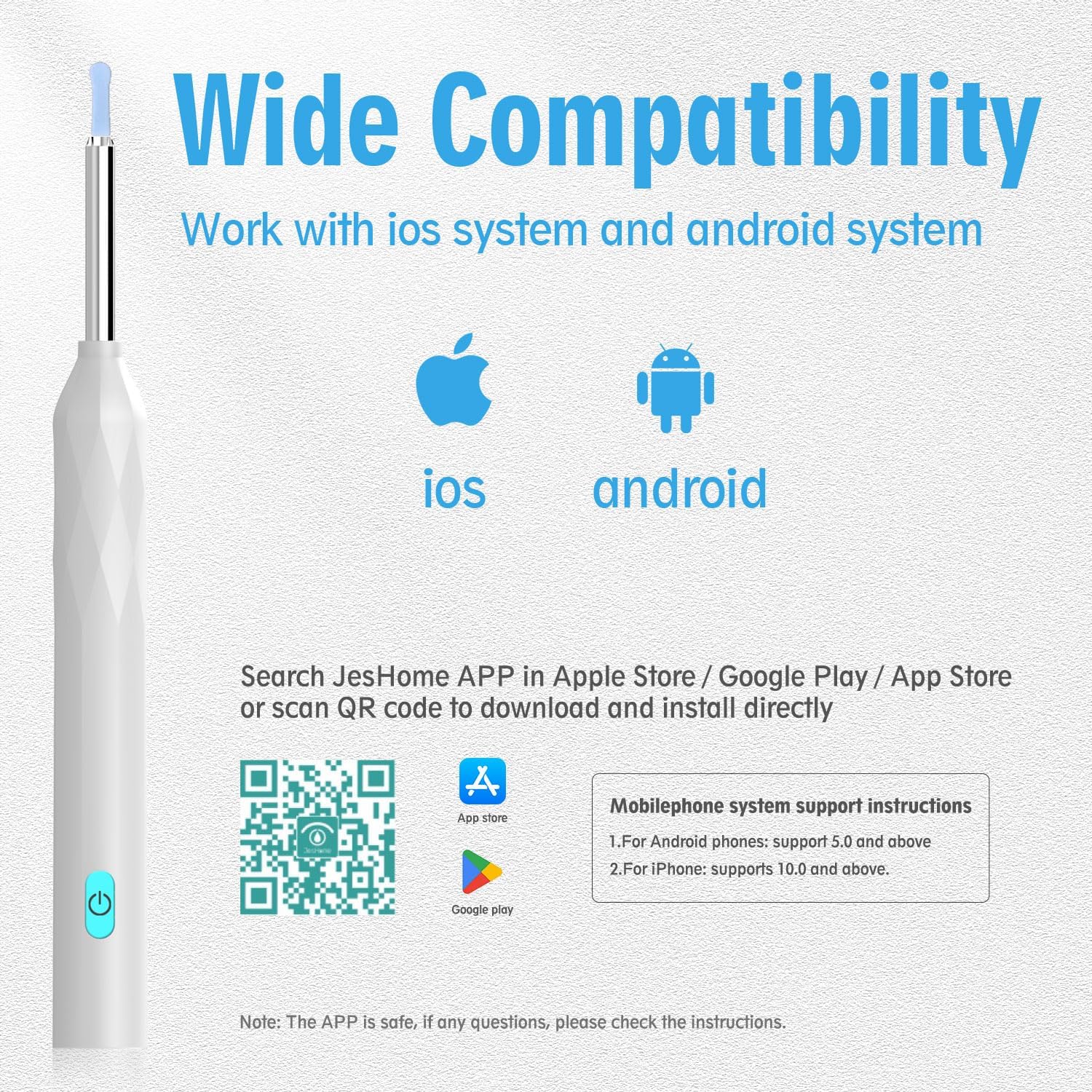
Image: Compatibility with iOS and Android devices.

Image: Visual representation of WiFi connection.
Long-Lasting Battery & Fast Charging
The built-in battery ensures extended use, lasting up to 180 days on standby and up to 90 minutes of continuous use. It can be conveniently recharged anytime using the included USB Type-C cable, making it eco-friendly and practical for daily use.

Image: Built-in battery and Type-C charging port.
Multi-scene, Multi-purpose Application
Beyond ear wax removal, this versatile tool can be used for various applications, including kids' oral health examination, nasal examination, dermatological observation, scalp health checks, and even pet ear checks, making it a valuable health tool for the entire family.

Image: Multi-scene, multi-purpose uses of the device.
Temperature Control System & Ergonomic Design
The device features an intelligent temperature control system, maintaining the handle at approximately 32°C and the lens at 25°C for comfortable and safe use. Its diamond-shaped body design ensures a secure and comfortable grip during operation.

Image: Temperature control system details.

Image: Diamond-shaped body design for ergonomic grip.
Przewodnik po konfiguracji
Follow these steps to set up your Behaesty Smart Visual Ear Cleaner and begin using it.
- Pobierz aplikację: Scan the QR code below or search for "Soulear" (or "JesHome") in your device's app store (Apple App Store / Google Play Store) to download and install the application. Pobierz aplikację tutaj
- Włączanie: Press and hold the power button on the ear cleaner for 1 second to turn it on. The blue indicator light will illuminate.
- Połącz się z Wi-Fi: On your smartphone or tablet, go to your WiFi settings. Select the network named "JesHome-PX-XXXX" (where XXXX is a unique identifier) and connect to it. No password is required.
- Zacznij używać: Open the "Soulear" (or "JesHome") app. Click on the "Start" button to begin real-time observation of your ear canal.

Image: Visual guide for connecting the device to your smartphone via WiFi.
Video: A demonstration of the power-on sequence and WiFi connection process for the Behaesty Smart Visual Ear Cleaner.
Instrukcja obsługi
Once connected, you can safely and effectively use your visual ear cleaner.
- Attach Ear Scoop: Gently attach one of the silicone ear scoops to the tip of the visual ear cleaner. Ensure it is securely fitted.
- Pozycja urządzenia: Carefully insert the ear cleaner into your ear canal while observing the live feed on your smartphone screen. The 360° wide-angle lens provides a comprehensive view.
- Delikatne usuwanie: Using the silicone ear scoop, gently and slowly maneuver to remove visible earwax. Always move with caution and avoid pushing wax deeper into the ear canal.
- Monitoruj temperaturę: The device maintains a safe temperature. If you feel any discomfort or excessive warmth, discontinue use immediately.
- Przechwytuj obrazy/filmy: Use the app's functions to take photos or record videos of your ear canal for personal record or consultation with a professional.
- Właściwa technika: Avoid using sharp objects like pliers or cotton swabs, which can push wax further in or cause injury. The visual ear cleaner with soft silicone tips is designed for safer removal.

Image: Illustrates safe and unsafe methods of ear cleaning.

Image: Demonstrates the soft silicone ear tip and the IP67 waterproof lens.
Konserwacja i pielęgnacja
Proper maintenance ensures the longevity and hygiene of your Behaesty Smart Visual Ear Cleaner.
- Cleaning Ear Scoops: Always clean the silicone ear scoops and traditional ear picks with alcohol before and after each use. This prevents the spread of bacteria and ensures hygiene.
- Czyszczenie obiektywu: Gently wipe the camera lens with a soft, dry cloth. Avoid using abrasive materials or harsh chemicals that could damage the lens.
- Składowanie: Przechowuj urządzenie i jego akcesoria w czystym i suchym miejscu, z dala od bezpośredniego światła słonecznego i ekstremalnych temperatur.
- Ładowanie: Only use the provided USB Type-C cable for charging. Do not use damaged cables or chargers.
Rozwiązywanie problemów
Jeśli napotkasz jakiekolwiek problemy z urządzeniem, zapoznaj się z poniższą tabelą, w której znajdziesz listę typowych problemów i ich rozwiązania.
| Numer seryjny | Wada | Rozwiązanie |
|---|---|---|
| 1 | Brak odpowiedzi po uruchomieniu | Please charge with the provided charging cable. The charging duration is 40 minutes. |
| 2 | Wskaźnik kamery nie świeci | Shut down and restart or reconnect to WiFi. |
| 3 | Awarie aplikacji | Uninstall the existing APP and rescan the QR code to install the latest version of APP. |
| 4 | Silikonowy rękaw jest luźny | Remove the silicone sleeve and slowly re-insert the earpick, or replace the silicone sleeve. |
| 5 | Niebieski wskaźnik miga szybko | Low battery, please charge the product with the provided charging cable. |
| 6 | Niestabilne połączenie, łatwo jest odłączyć lub zamrozić podczas używania | Restart the earpick and reconnect to the APP. |
| 7 | After the product is connected to APP, image cannot be displayed normally | Disconnect the phone from the WiFi of the earpick, restart the earpick, and reconnect to WiFi. |
If the above operation still fails to solve the problem, please contact our customer service staff. We will further provide you with practical solutions on APP-Personal Center-FAQ.

Image: Troubleshooting guide for common device issues.
Specyfikacje
- Numer modelu: P3
- Producent: Behaesty
- Wymiary opakowania: 7.28 x 2.95 x 0.75 cala
- Waga przedmiotu: 2.4 uncji
- Rozdzielczość kamery: 800W Pixels FHD
- Obiektyw: 360° Wide Angle, 6 LED Lights
- Stopień wodoodporności: IP67 (Lens)
- Łączność: WiFi (2.4GHZ)
- Czas pracy baterii: Up to 90 minutes continuous use, 180 days standby
- Port ładowania: USB typu C
Gwarancja i wsparcie
Behaesty products are designed for reliability and performance. This product comes with a standard manufacturer's warranty covering defects in materials and workmanship under normal use. For specific warranty details, please refer to the warranty card included in your package or contact Behaesty customer support.
For technical assistance, troubleshooting beyond this manual, or warranty claims, please contact Behaesty Customer Service through the 'Personal Center-FAQ' section within the 'Soulear' (or 'JesHome') app, or visit the official Behaesty store on Amazon.