
1. Wprowadzenie
The BOXPUT Remoter ATV3 Mini is a Bluetooth voice remote control designed for enhanced navigation and interaction with compatible TV boxes. It features Bluetooth connectivity for strong signal transmission without direct line-of-sight, integrated voice control for convenient command input, and dedicated shortcut buttons for popular streaming services.

Figure 1: The BOXPUT Remoter ATV3 Mini remote control.
2. Główne cechy
- Łączność Bluetooth: Utilizes Bluetooth for a stable and responsive connection, eliminating the need to point the remote directly at the device.
- Sterowanie głosowe: Supports voice input for searching, navigating, and controlling your TV box with ease.
- Dedykowane przyciski skrótów: Quick access buttons for Netflix and YouTube for immediate streaming.
- Szeroka kompatybilność: Primarily designed for iATV Q5 and Q5 Plus TV Boxes, with potential compatibility for Xiaomi devices via firmware flashing.
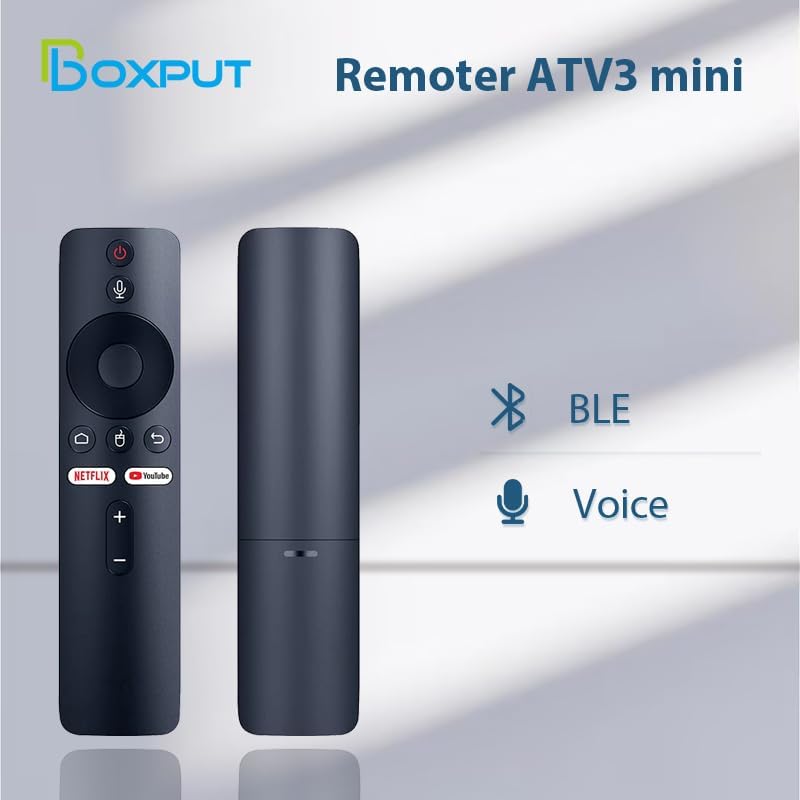
Figure 2: Bluetooth and Voice Control capabilities of the remote.
Figure 3: Illustration of the remote's Bluetooth signal range.

Figure 4: Software shortcut buttons for quick access to applications.
3. Układ przycisków i funkcje
Familiarize yourself with the buttons on your BOXPUT Remoter ATV3 Mini for optimal use.
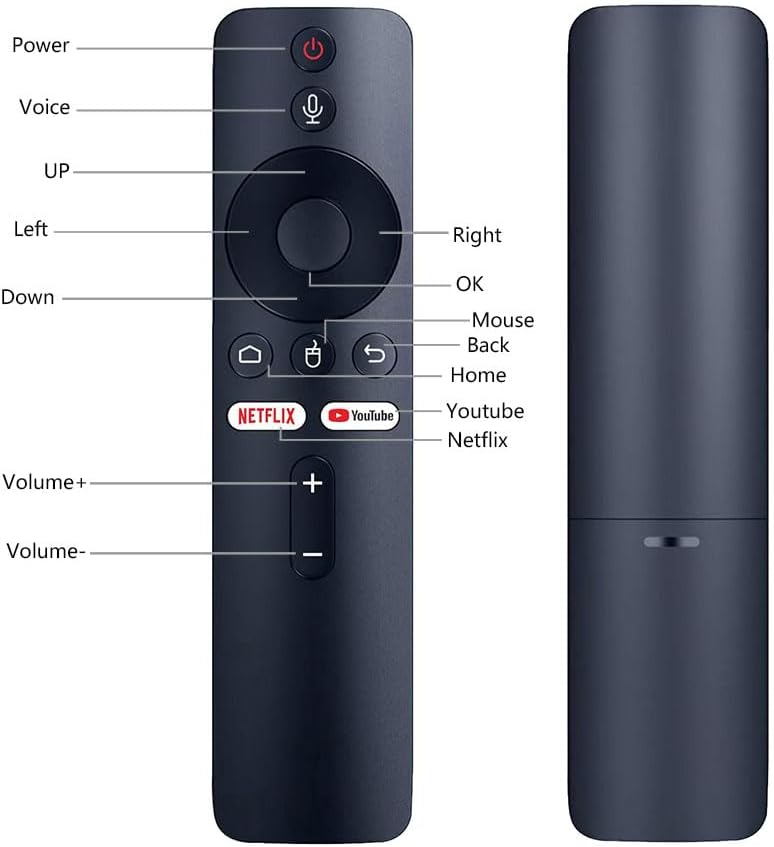
Rysunek 5: Przód i bok view of the remote with labeled buttons.
| Przycisk | Funkcjonować |
|---|---|
| Moc | Włącza lub wyłącza podłączone urządzenie. |
| Głos | Aktywuje sterowanie głosowe poleceniami i wyszukiwaniem. |
| Panel nawigacyjny (góra, dół, lewo, prawo) | Umożliwia nawigację po menu i treściach. |
| OK | Potwierdza wybór. |
| Mysz | Activates mouse pointer mode (if supported by device). |
| Z powrotem | Powrót do poprzedniego ekranu lub menu. |
| Dom | Powrót do głównego ekranu głównego. |
| Netflix | Launches the Netflix application directly. |
| YouTube | Launches the YouTube application directly. |
| Volume + | Zwiększa głośność. |
| Tom - | Zmniejsza głośność. |
4. Konfiguracja
4.1 Instalacja baterii
- Znajdź komorę baterii z tyłu pilota.
- Otwórz pokrywę komory baterii.
- Włóż dwie baterie AAA (nie ma ich w zestawie), zwracając uwagę na prawidłową biegunowość (+/-).
- Dokładnie zamknij pokrywę komory baterii.
4.2 Parowanie pilota
The ATV3 Mini uses Bluetooth for connection. Follow these general steps to pair it with your compatible TV box:
- Ensure your TV box is powered on and within range of the remote.
- Navigate to the Bluetooth settings menu on your TV box. (Specific steps may vary by device model).
- Na pilocie naciśnij i przytrzymaj OK przycisk i Z powrotem button simultaneously for a few seconds until an indicator light on the remote begins to flash, signaling it is in pairing mode.
- On your TV box, search for new Bluetooth devices. The remote should appear as "ATV3 Mini" or a similar name.
- Select the remote control from the list on your TV box to complete the pairing process. The indicator light on the remote should stop flashing and remain solid or turn off, indicating a successful connection.
Note for Xiaomi Devices: For Xiaomi devices, manual connection and use may require flashing specific Xiaomi firmware. Please refer to Xiaomi's official support or community forums for detailed instructions on this advanced procedure.
5. Instrukcja obsługi
5.1 Podstawowa nawigacja
- Użyj Panel nawigacyjny (Up, Down, Left, Right) to move through menus and select items on your screen.
- Naciśnij OK button to confirm a selection or open an application.
- Naciśnij Z powrotem przycisk, aby powrócić do poprzedniego ekranu.
- Naciśnij Dom button to quickly return to the main home screen of your TV box.
5.2 Korzystanie ze sterowania głosowego
- Naciśnij i przytrzymaj Głos button (microphone icon).
- Mów wyraźnie do mikrofonu znajdującego się na pilocie.
- Uwolnij Głos button when you have finished speaking. Your command or search query will be processed by the TV box.
5.3 Using Shortcut Buttons
- Naciśnij Netflix button to launch the Netflix application directly.
- Naciśnij YouTube button to launch the YouTube application directly.

Figure 6: The remote is designed for simple and intuitive operation.
6. Konserwacja
- Czyszczenie: Przetrzyj pilota miękką, suchą ściereczką. Nie używaj płynnych środków czyszczących ani materiałów ściernych.
- Wymiana baterii: Replace batteries when the remote's performance degrades or it becomes unresponsive. Always use new AAA batteries and dispose of old batteries responsibly.
- Składowanie: Przechowuj pilota w chłodnym, suchym miejscu, z dala od bezpośredniego światła słonecznego i ekstremalnych temperatur.
7. Rozwiązywanie Problemów
- Pilot nie odpowiada:
- Sprawdź, czy baterie są prawidłowo włożone i wystarczająco naładowane. W razie potrzeby wymień je.
- Ensure the remote is paired with your TV box. If not, follow the pairing instructions in Section 4.2.
- Verify that there are no obstructions between the remote and the TV box, although Bluetooth reduces this concern.
- Sterowanie głosowe nie działa:
- Sprawdź, czy pilot jest prawidłowo sparowany przez Bluetooth.
- Check the TV box's settings to ensure voice input is enabled and configured correctly.
- Speak clearly and hold the voice button while speaking.
- Shortcut buttons not launching apps:
- Ensure the respective applications (Netflix, YouTube) are installed and updated on your TV box.
- Verify the remote is correctly paired.
8. Specyfikacje
| Funkcja | Szczegół |
|---|---|
| Wymiary produktu | 6.05 x 1.48 x 0.59 cala |
| Waga przedmiotu | 1.44 uncji |
| Funkcja specjalna | Wyszukiwanie głosowe |
| Maksymalna liczba obsługiwanych urządzeń | 5 |
| Kompatybilne urządzenia | Home Theater, Set Top Box, Television |
| Łączność | Bluetooth (BT) |
| Źródło zasilania | Baterie 2 x AAA (brak w zestawie) |
9. Wsparcie i gwarancja
BOXPUT is committed to providing excellent customer support. If you encounter any operational or usage issues that cannot be resolved using this manual, please contact BOXPUT Official Support.
When contacting support, please be prepared to provide details about your product and, if applicable, your device's MAC address for TV box-related issues. Our technical team aims to assist you within 24 hours to help resolve any problems.
For the latest support information and contact details, please visit the official BOXPUT webodwiedź witrynę lub zapoznaj się z opakowaniem produktu.