
1. Wprowadzenie
This manual provides comprehensive instructions for the InnoMaker UVC USB2.0 1M Global Shutter Mono Sensor OV9281 Camera Module. It covers product features, setup procedures, operational guidelines, maintenance tips, troubleshooting, and detailed specifications. Please read this manual thoroughly before using the product to ensure proper operation and to maximize its performance.
2. Koniec produktuview
The InnoMaker UVC USB2.0 1M Global Shutter Mono Sensor OV9281 Camera Module is a high-performance imaging solution designed for various applications requiring high-speed and distortion-free image capture. Featuring a 1-megapixel OV9281 mono sensor with global shutter technology, it delivers 720p video at 120 frames per second. Its universal UVC compatibility ensures plug-and-play functionality across multiple operating systems and platforms, including Windows, Linux, Mac OS, Android, Raspberry Pi, and Jetson Nano. The module also includes external trigger and strobe functions for precise control in industrial and scientific applications.
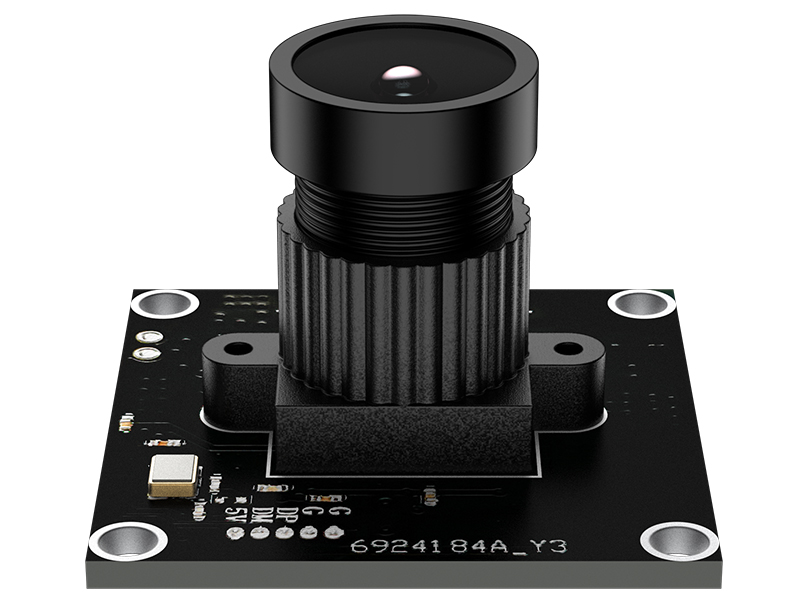
Rysunek 2.1: Kąt przedni view of the InnoMaker camera module, showcasing its compact design and integrated lens.
3. Główne cechy
- High-Speed Global Shutter Camera: Equipped with a 1MP OV9281 mono sensor and global shutter technology, delivering 720p at 120fps. Captures sharp, distortion-free images of fast-moving objects, ideal for industrial vision and applications.
- Universal UVC USB 2.0 and USB 3.0 Support: Plug-and-play UVC camera module with integrated driver. Compatible with both USB 2.0 and USB 3.0 interfaces, supporting Windows, Linux, Mac OS, Android, Raspberry Pi, and Jetson Nano.
- External Trigger and Strobe Function: Features hardware external trigger mode and strobe output pins for precise capture control and perfect synchronization with external lighting.
- Easy Connection with 2.0mm Headers: Simplifies external circuit connections. Accessible trigger and strobe pins allow for rapid prototyping and integration for developers.
- 148° M12 Lens: The fixed-focus M12 lens provides a 148-degree field of view, ensuring wide coverage for surveillance, robotics, and machine vision applications.
4. Zawartość opakowania
Sprawdź, czy w opakowaniu znajdują się wszystkie elementy:
- InnoMaker UVC USB2.0 1M Global Shutter Mono Sensor OV9281 Camera Module
- Kabel USB
- CD (containing drivers and documentation)
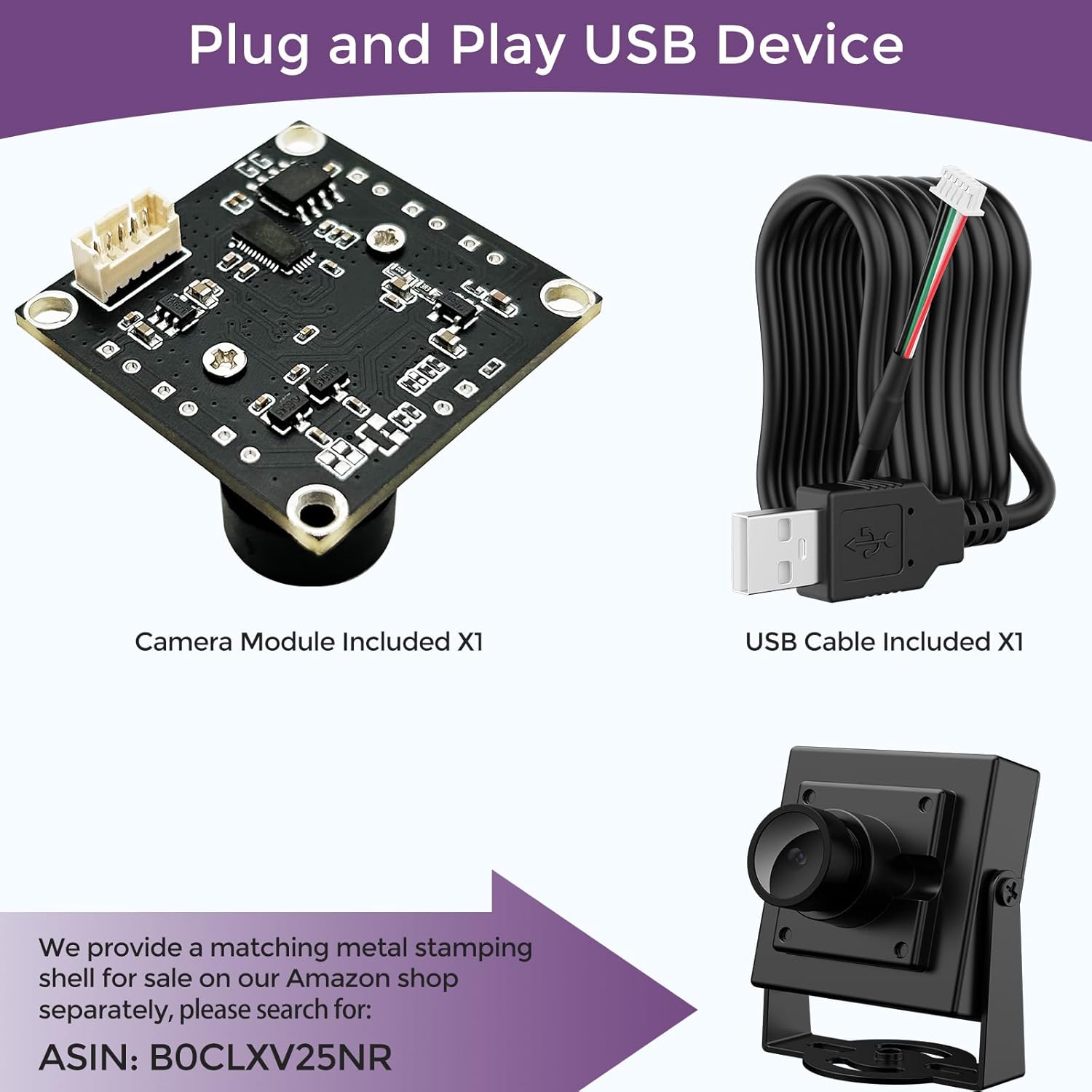
Figure 4.1: The camera module and its accompanying USB cable, illustrating the components for plug-and-play setup.
5. Konfiguracja
5.1. Połączenie sprzętowe
- Podłącz kabel USB: Insert one end of the provided USB cable into the camera module's USB port.
- Połącz z urządzeniem hosta: Plug the other end of the USB cable into an available USB 2.0 or USB 3.0 port on your host device (e.g., computer, Raspberry Pi, Jetson Nano).
- Secure Mounting (Optional): For stable operation, consider mounting the camera module using its mounting holes. The compact 32x32mm size allows for flexible installation.

Figure 5.1: The camera module demonstrating its compact size and adaptable design for various installations.
5.2. Instalacja oprogramowania
The InnoMaker camera module is a UVC (USB Video Class) compliant device, meaning it typically does not require specific driver installation on most modern operating systems.
- Windows/Linux/Mac OS: The operating system should automatically detect and install the necessary generic UVC drivers upon connection. You can verify installation in Device Manager (Windows) or by using relevant commands (Linux/Mac OS).
- Raspberry Pi/Jetson Nano/Android: Similar to desktop OS, these platforms generally support UVC devices out-of-the-box. Ensure your system's kernel and libraries are up-to-date.
- Included CD: The provided CD may contain additional software, sample code, or more detailed documentation specific to certain platforms or advanced features. Refer to its contents for further guidance if needed.

Figure 5.2: Illustration of the camera module's broad compatibility with various operating systems and development boards.
6. Instrukcja obsługi
6.1. Podstawowa obsługa
- Uruchom aplikację Aparat: Open any standard camera or video capture application on your host device. For example, 'Camera' app on Windows, 'Cheese' on Linux, or a custom application using OpenCV or similar libraries.
- Wybierz kamerę: If multiple cameras are connected, select the InnoMaker OV9281 camera module from the list of available devices.
- Dostosuj ustawienia: Most applications allow adjustment of resolution, frame rate, exposure, and white balance. For optimal performance, ensure settings are configured for 720p resolution and 120fps frame rate if high-speed capture is desired. The camera supports manual exposure control.
- Capture/Stream: Begin capturing images or streaming video as required by your application.

Figure 6.1: The camera module, emphasizing its USB 2.0 UVC standard for high-speed data transfer.
6.2. Global Shutter Advantage
The global shutter technology ensures that all pixels are exposed simultaneously, eliminating rolling shutter artifacts such as skew, wobble, and partial exposure when capturing fast-moving objects. This makes the camera ideal for:
- Industrial automation and machine vision
- Robotyka
- Motion analysis
- High-speed object tracking
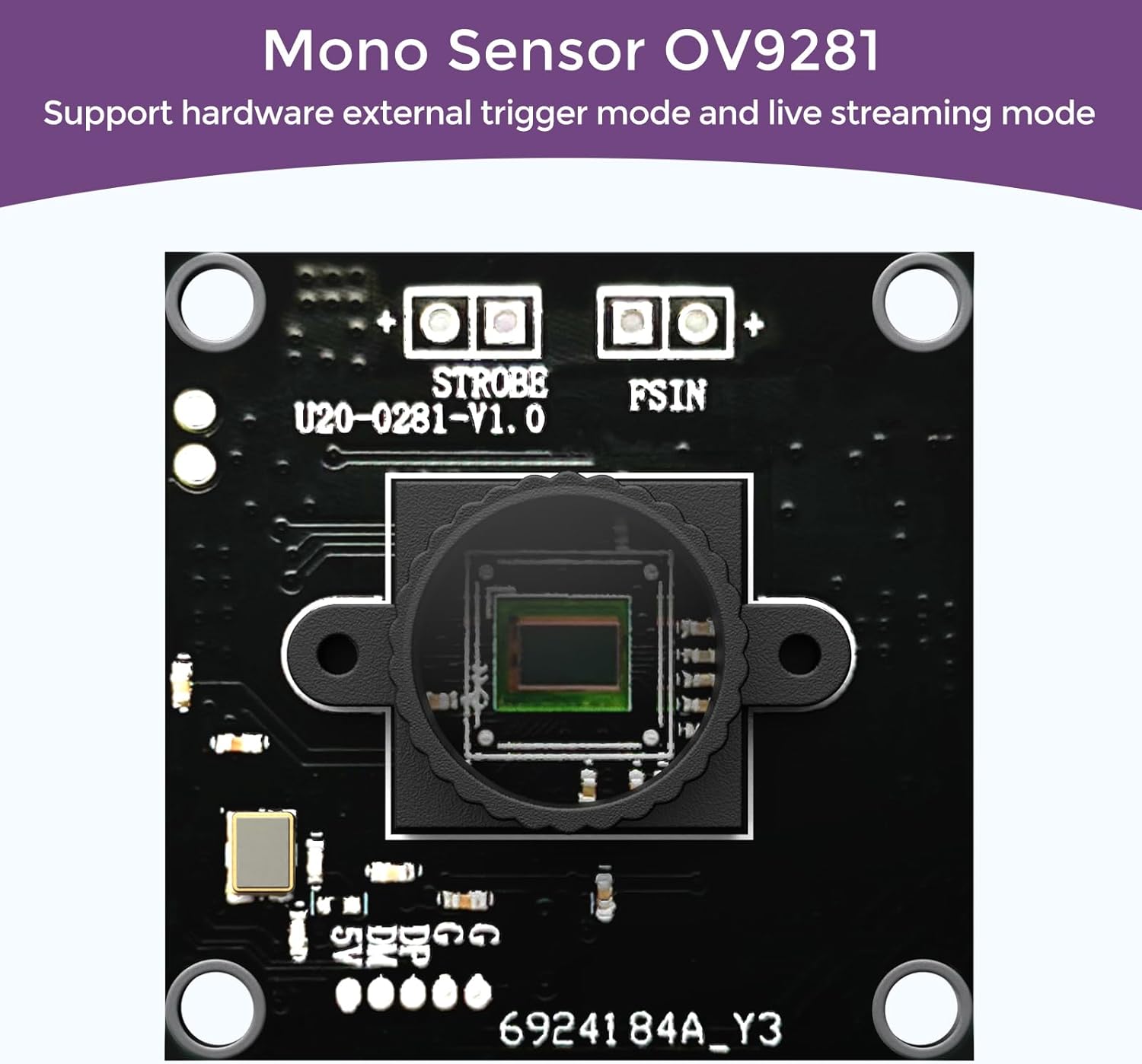
Figure 6.2: A close-up of the OV9281 mono sensor, illustrating the core component for global shutter capabilities.
7. External Trigger and Strobe Function
The camera module features dedicated pins for external hardware triggering and strobe output, allowing for precise synchronization with external events or lighting.
7.1. Opis pinów
- FSIN (Frame Sync Input): This pin is used for external hardware triggering. A rising or falling edge signal on this pin can initiate a frame capture, providing precise control over image acquisition timing.
- STROBE (Strobe Output): This pin outputs a signal that can be used to synchronize external lighting (e.g., an LED strobe light) with the camera's exposure cycle. This ensures consistent illumination during high-speed captures.

Figure 7.1: The STROBE and FSIN pins on the camera module, enabling external trigger and strobe synchronization.
7.2. Wskazówki dotyczące użytkowania
- Refer to the detailed documentation on the included CD or the manufacturer's website for specific electrical characteristics and timing diagrams for the FSIN and STROBE pins.
- Zapewnij odpowiednią objętośćtage levels and current limits when connecting external circuits to avoid damage to the camera module.
- These features are typically utilized in advanced machine vision setups where precise timing and synchronization are critical.
8. Konserwacja
- Czyszczenie obiektywu: Use a soft, lint-free cloth specifically designed for optical lenses to gently clean the camera lens. Avoid abrasive materials or harsh chemicals.
- Składowanie: When not in use, store the camera module in a clean, dry, and dust-free environment.
- Obsługiwanie: Handle the module by its edges to avoid touching the sensor or electronic components. Electrostatic discharge (ESD) precautions are recommended.
- Aktualizacje oprogramowania układowego: Periodically check the InnoMaker official webodwiedź tę witrynę, aby sprawdzić, czy są dostępne aktualizacje oprogramowania sprzętowego, które mogą poprawić wydajność lub dodać nowe funkcje.
9. Rozwiązywanie Problemów
9.1. Camera Not Detected
- Sprawdź połączenie USB: Ensure the USB cable is securely connected to both the camera module and the host device. Try a different USB port or cable.
- Restart Host Device: Czasami proste ponowne uruchomienie może rozwiązać problemy z wykrywaniem.
- Zweryfikuj sterowniki: Although UVC compliant, ensure your operating system's USB drivers are up-to-date.
- Przetestuj na innym urządzeniu: If possible, test the camera module on a different computer or compatible device to rule out host-specific issues.
9.2. Low Frame Rate or Poor Image Quality
- Przepustowość USB: Ensure you are using a USB 2.0 or USB 3.0 port with sufficient bandwidth. High-resolution and high-frame-rate streams require more bandwidth.
- Ustawienia aplikacji: Verify that your camera application is configured for the desired resolution (720p) and frame rate (120fps). Incorrect settings can lead to lower performance.
- Warunki oświetleniowe: Ensure adequate lighting. While the global shutter helps with motion, sufficient light is crucial for overall image quality.
- Czystość soczewek: Zabrudzony obiektyw może znacznie pogorszyć jakość obrazu. Instrukcje dotyczące czyszczenia znajdują się w sekcji poświęconej konserwacji.
9.3. External Trigger/Strobe Not Working
- Okablowanie: Double-check all connections to the FSIN and STROBE pins for correctness and secure contact.
- Signal Levels: Ensure the external trigger signal levels are compatible with the camera module's specifications.
- Konfiguracja oprogramowania: Confirm that your software application is correctly configured to enable and utilize the external trigger and strobe functions.
10. Specyfikacje
| Marka | InnoMaker |
| Numer modelu | U20CAM-9281M |
| Technologia czujnika fotograficznego | Global Shutter CMOS |
| Rozmiar czujnika optycznego | 1/4 cala |
| Rozdzielczość przechwytywania wideo | 720p |
| Efektywna rozdzielczość wideo | 720 pikseli |
| Szybkość przechwytywania obrazu | 120 klatek na sekundę |
| Maksymalna ogniskowa | 3 mm |
| Przysłona maksymalna | f/2.3 |
| Typ soczewki | Szeroki kąt |
| Typ fokusu | Fixed focus or manual |
| Viewing kąt | 148 stopni |
| Technologia łączności | USB (USB 2.0 & USB 3.0 compatible) |
| Systemy operacyjne | Windows, Linux, Mac OS, Android, Raspberry Pi, Jetson Nano |
| Kompatybilne urządzenia | Laptops, personal computers, tablets, smartphones |
| Współczynnik kształtu | Kompaktowy |
| Stabilizacja obrazu | NIE |
| Poziom wodoodporności | Nie jest wodoodporny |
| Zalecane zastosowania | High-speed image acquisition, real-time image processing, and fast-moving object tracking |
| Obsługiwany format obrazu | TIFF or BMP |
| Format przechwytywania wideo | MOV, M-JPEG, MP4, AVI |
| Ustawienia balansu bieli | Automatyczny |
| Typ kontroli ekspozycji | Podręcznik |
| Proporcje obrazu | 4:3 |
| Kraj pochodzenia | Chiny |
11. Gwarancja i wsparcie
11.1. Informacje o gwarancji
InnoMaker products are covered by a limited warranty. Please refer to the warranty card included with your product or visit the official InnoMaker webSzczegółowe warunki gwarancji znajdziesz na stronie. Zachowaj dowód zakupu na wypadek roszczeń gwarancyjnych.
11.2. Wsparcie techniczne
For technical assistance, troubleshooting, or inquiries regarding your InnoMaker camera module, please contact InnoMaker customer support through their official website. Provide your product model number and a detailed description of the issue for efficient support.