
Wstęp
This manual provides detailed instructions for the assembly, operation, and maintenance of your PayLessHere 32-inch Black Computer Desk. Please read all instructions carefully before beginning assembly and retain this manual for future reference. This desk is designed for use as a computer table, writing desk, study station, or gaming surface in home offices, bedrooms, dorm rooms, and other compact spaces.
Konfiguracja i montaż
Before assembly, ensure all parts are present and undamaged. Refer to the parts list provided in your packaging. Assembly typically requires one person and can be completed in minutes.
Kroki montażu:
- Rozpakuj komponenty: Carefully remove all parts from the packaging. Identify each component using the provided labels (A, B, C, D, E, K, F, G, H, J).
- Złóż ramę: Connect parts B, C, and D to form the main frame structure. Secure these connections using screws J. Ensure all connections are firm but do not fully tighten until the entire frame is assembled.
- Zainstaluj wsporniki wsporcze: Attach part K (triangular support brackets) to the frame using screws H. Repeat this step for all four corners to enhance stability. Note the position of the marked holes for correct alignment.
- Attach Top Supports: Install part E (top support bars) and secure them with screws J.
- Montaż nóżek regulowanych: Screw part G (adjustable leg pads) into the bottom of each leg. These pads help level the desk on uneven surfaces and reduce noise.
- Dołącz pulpit: Carefully place part A (the desktop) onto the assembled frame. Align the pre-drilled holes on the desktop with the holes on the frame. Secure the desktop to the frame using screws I. Fully tighten all screws once the desktop is in place and the desk is stable.
Official assembly video for the PayLessHere 32-inch computer desk, demonstrating step-by-step installation of components.

Image showing the overall product dimensions: 32 inches (width) x 20 inches (depth) x 30 inches (height).

Close-up image of the adjustable leg pads, designed for anti-slip and noise reduction, and to level the desk on uneven ground.

Image illustrating the sturdy metal frame with extra fixed steel brackets for reliable support and stability.

Image showing the 1.5cm thick particle board desktop, highlighting its scratch and water resistance.
Instrukcja obsługi
The PayLessHere 32-inch Computer Desk is designed for versatile use in various settings. Its compact size makes it suitable for small spaces, while its sturdy construction ensures reliable performance.
Główne cechy:
- Kompaktowa konstrukcja: Ideal for apartments, bedrooms, dorm rooms, and home offices where space is limited.
- Wielofunkcyjny: Can be used as a computer desk, writing table, study station, or gaming desk.
- Stabilna konstrukcja: Features a reinforced steel frame and triangular structural support for wobble-free use.
- Regulowany spód: Allows for leveling on uneven floors, ensuring stability.
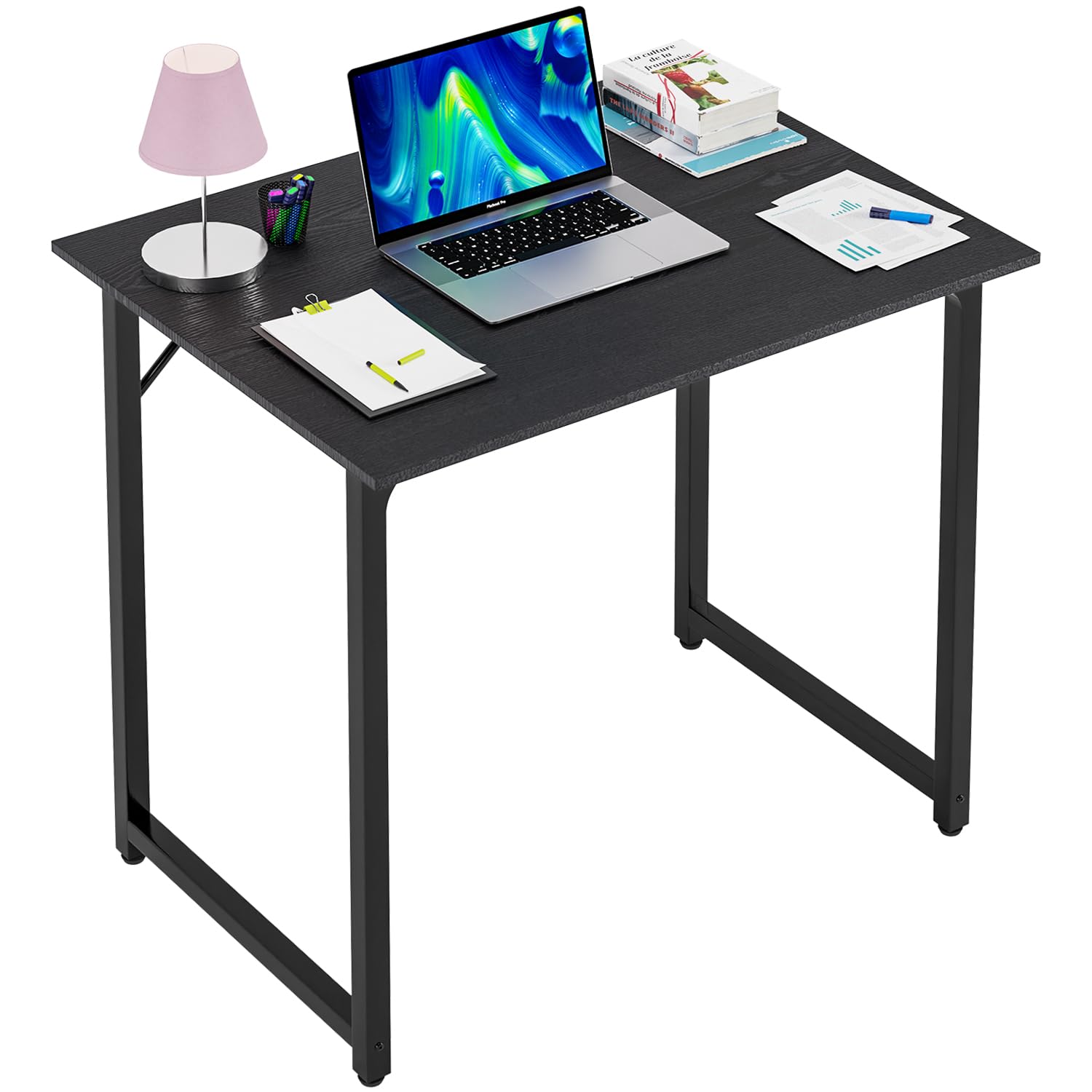
Image of the 32-inch black computer desk in use, showcasing its compact design and suitability for a home office or study area.

Close-up image of the spacious desktop, highlighting its waterproof, smooth, and scratch-proof surface, suitable for various tasks.
Konserwacja
Właściwa pielęgnacja i konserwacja przedłużą żywotność i wygląd Twojego biurka.
- Czyszczenie: Dust regularly with a dry or damp cloth. The water-resistant and scratch-resistant surface allows for easy cleaning of spills. Avoid using harsh chemicals or abrasive cleaners that may damage the finish.
- Kontrola: Okresowo sprawdzaj wszystkie śruby i połączenia, aby upewnić się, że są dobrze dokręcone. W razie potrzeby dokręć je, aby zachować stabilność.
- Ochrona: While the surface is scratch-resistant, using coasters for drinks and protective pads for heavy or sharp objects is recommended to preserve the desk's appearance over time.

Image illustrating the waterproof and easy-to-clean properties of the desktop, along with its anti-scratch and eco-friendly material.
Rozwiązywanie problemów
Jeśli napotkasz jakiekolwiek problemy z biurkiem, zapoznaj się z poniższymi typowymi rozwiązaniami:
- Chwieje się biurko:
- Sprawdź, czy wszystkie śruby montażowe są całkowicie dokręcone.
- Adjust the leveling feet (part G) on each leg to compensate for uneven flooring.
- Verify that the triangular support brackets (part K) are correctly installed and secured.
- Brakujące lub uszkodzone części: If any parts are missing or damaged upon arrival, please contact customer support for assistance.
- Przeciążenie: Do not exceed the maximum recommended weight capacity of 220 pounds to prevent damage to the desk structure.
Specyfikacje
| Funkcja | Szczegół |
|---|---|
| Marka | PayLessHere |
| Numer modelu | 32/39/47 inch Computer Desk |
| Wymiary produktu (Gł. x Szer. x Wys.) | 20" gł. x 32" szer. x 30" wys. |
| Kolor | Czarny |
| Projekt biurka | Biurko komputerowe |
| Najlepszy rodzaj materiału | Drewno (płyta wiórowa) |
| Materiał bazowy | Metal (stal malowana proszkowo) |
| Funkcja specjalna | Adjustable Height (via feet) |
| Maksymalna zalecana waga | 220 funtów |
| Wymagany montaż | Tak |
| Zawiera wszystkie narzędzia montażowe | Tak |
| Grubość blatu | 1.57 cali |
Informacje o gwarancji
This PayLessHere desk comes with a limited warranty. For specific details regarding coverage, duration, and terms, please refer to the warranty documentation included with your purchase or contact PayLessHere customer support.
Obsługa klienta
For any questions, assistance with assembly, or to report missing/damaged parts, please contact PayLessHere customer support. Contact information can typically be found on the product packaging or the official PayLessHere webstrona.