
1. Wprowadzenie
This manual provides detailed instructions for the FUNLAB Grily Hall Effect Wireless Controller. Please read this manual thoroughly before use to ensure proper operation and to maximize your gaming experience. This controller is designed for use with Nintendo Switch, Switch OLED, and Switch Lite consoles, as well as PC, Steam Deck, iOS, and Android devices.

This image displays the pink FUNLAB Grily Hall Effect Wireless Controller from a top-down perspective, showcasing its cat paw pattern design and button layout.
2. Funkcje produktu
- Ukryty, podświetlany wyświetlacz: Unique design where patterns illuminate when the LED is active, remaining subtle when off.
- Polichromowane diody LED z funkcją oddychania: Features 7 LED colors with 4 lighting modes: breathing, quick flash, vibration lighting, and always-on.
- Joysticki z efektem Halla: Provides precise and sensitive control, reducing mechanical wear and preventing stick drift.
- Wykrywanie ruchu i funkcja turbo: Equipped with precise motion control and a turbo function for continuous input.
- Długa żywotność baterii: Built-in 3.7V/950mAH Lithium battery offers up to 12.5 hours of gameplay with lights off.
- Programmable Back Paddle Buttons: Two customizable back buttons for enhanced control and personalized gameplay.
- Ergonomiczna konstrukcja: Shaped for comfortable handling during extended gaming sessions.
- Funkcja wibracji: Zapewnia wciągające wrażenia dotykowe podczas rozgrywki.
- Szeroka kompatybilność: Supports Nintendo Switch (2/OLED/Lite), Windows PC, Steam Deck, iOS, and Android devices.
2.1 Detailed Feature Overview

This image illustrates the controller's unique hidden-til-lit display, where the cat paw patterns glow when the internal LEDs are active, creating a distinct visual effect.

The image highlights the controller's 7-color breathing LED feature, demonstrating various lighting modes such as always-on, breathing, quick flash, and vibrating.

This diagram illustrates the Hall Effect joystick technology, emphasizing its precision and resistance to stick drift compared to traditional joysticks.

The image displays the controller's battery specifications, indicating a 12-hour playing time and a 950mAh battery capacity.
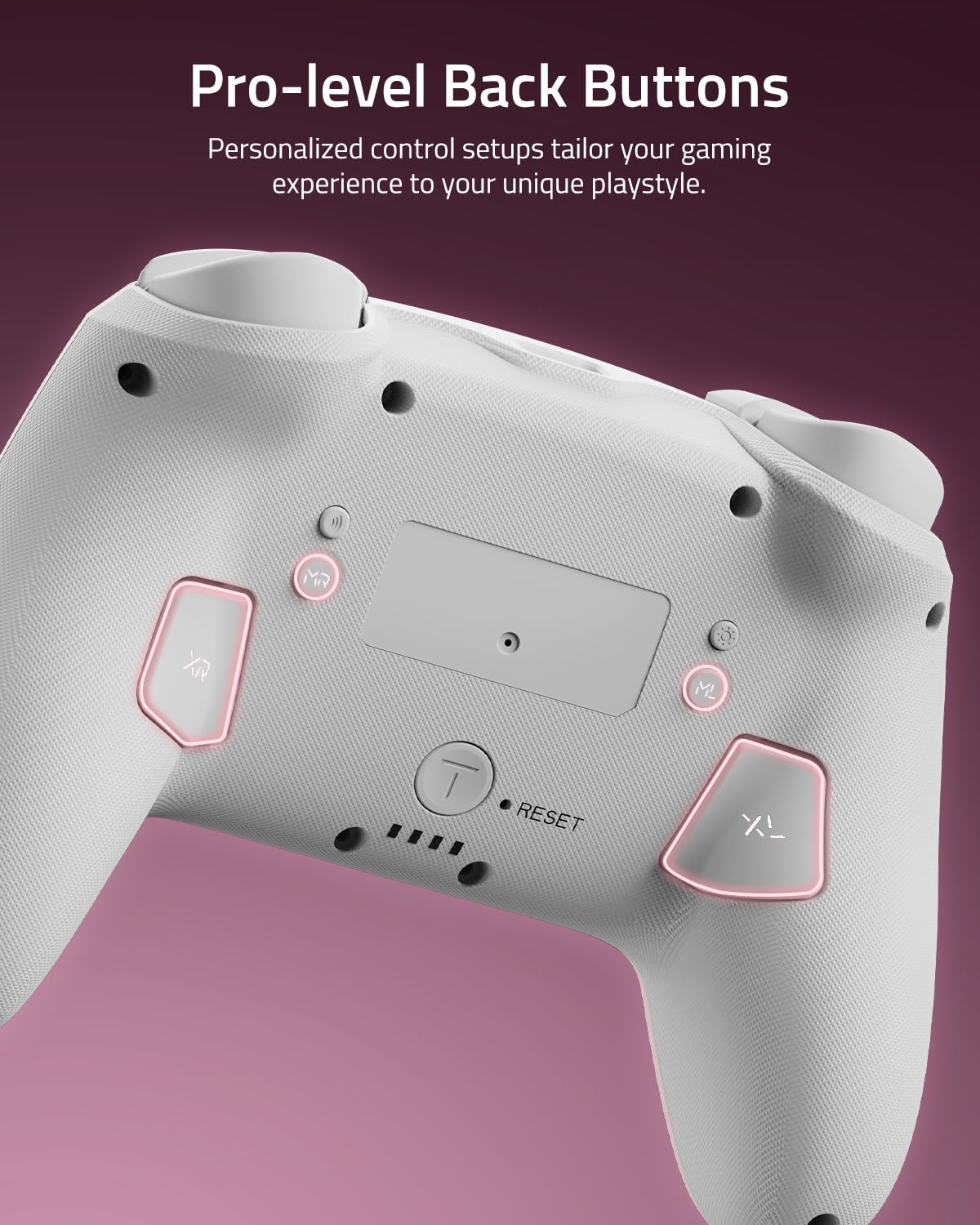
To zbliżenie view shows the two programmable back paddle buttons (XL and XR) located on the underside of the controller, designed for custom assignments.
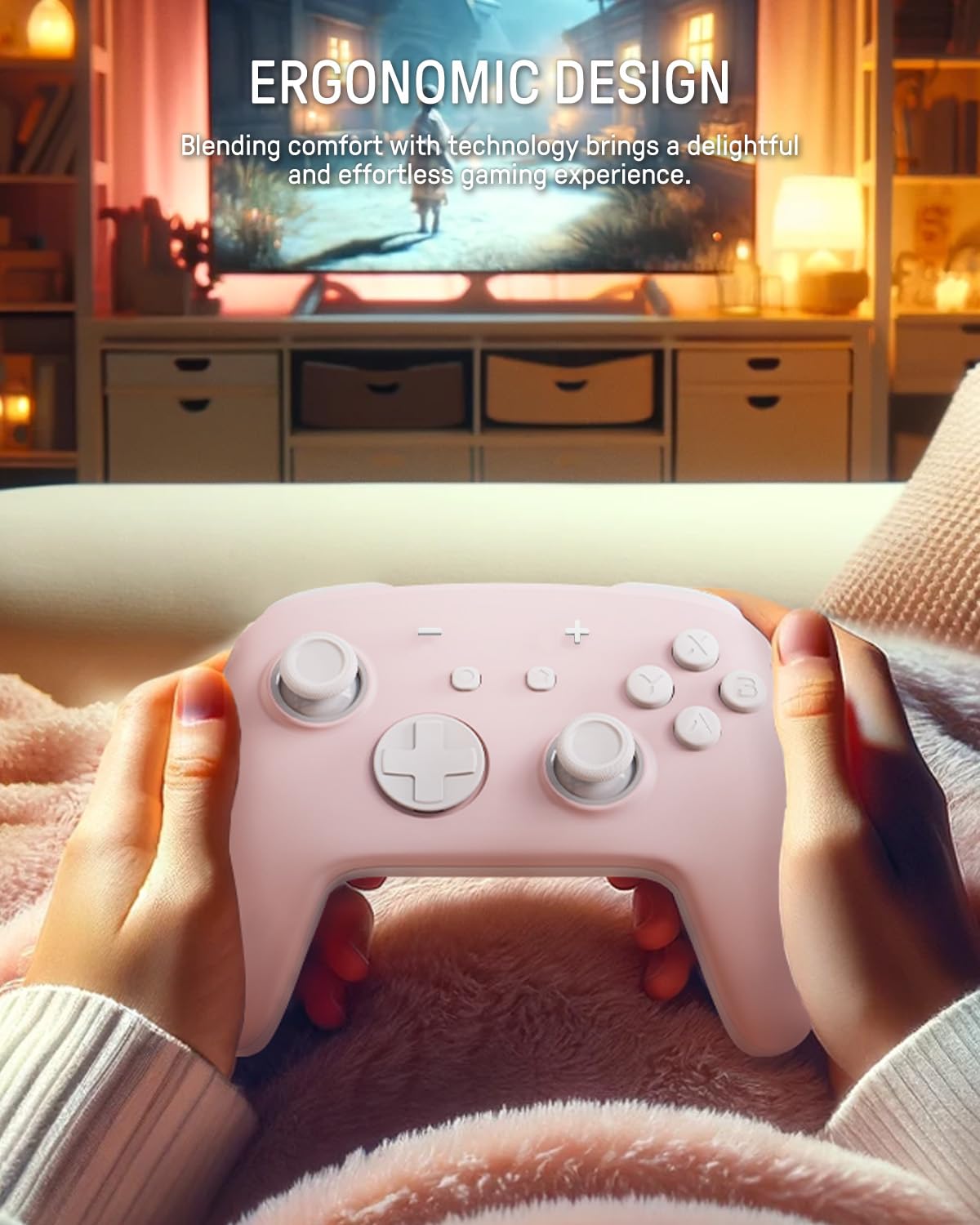
The image depicts a person holding the controller, highlighting its ergonomic shape designed for comfortable and extended gameplay.
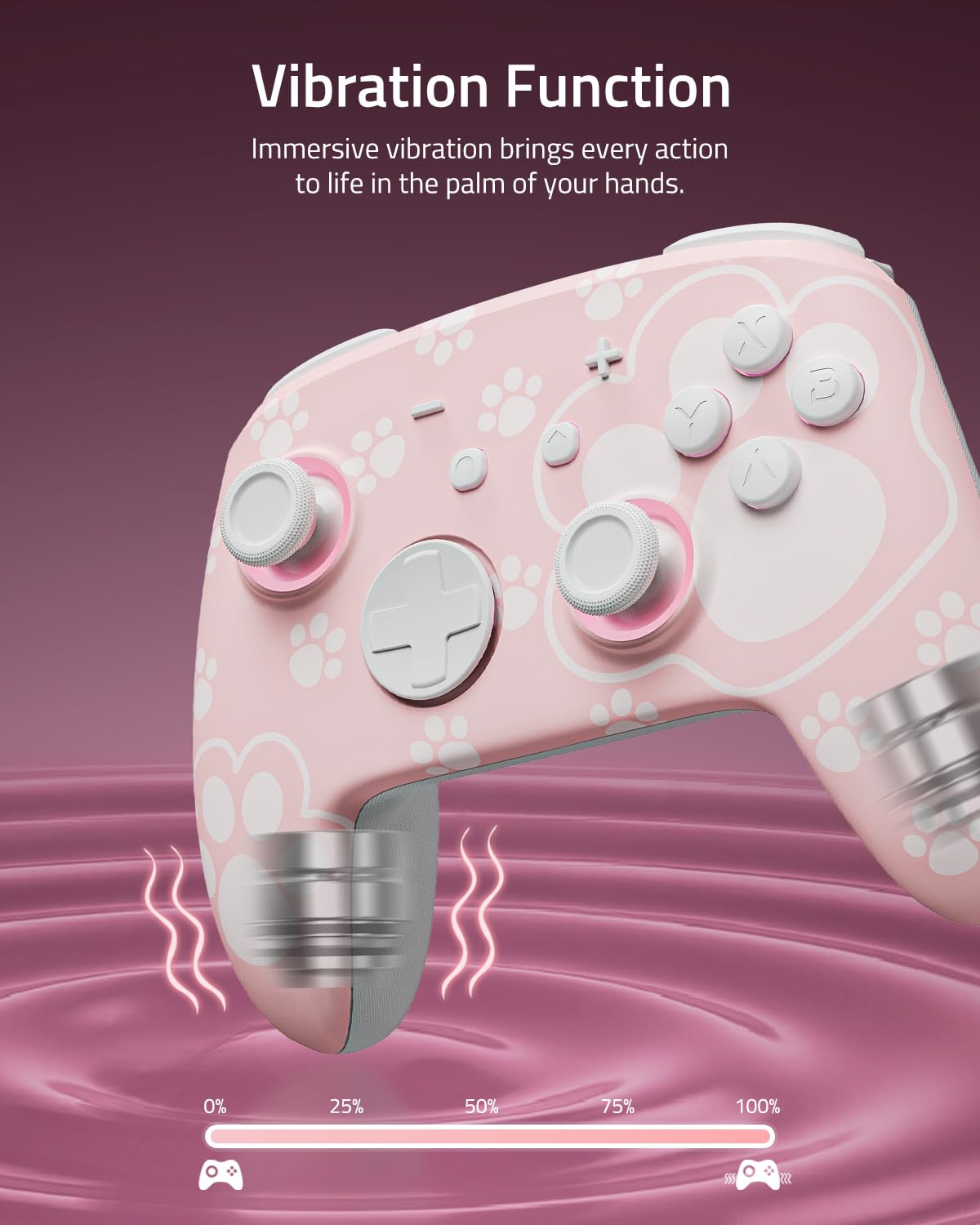
This image visually represents the controller's vibration function, with intensity levels shown to indicate immersive haptic feedback.

The image demonstrates the controller's broad compatibility with multiple platforms, including Nintendo Switch systems, Windows PCs, Steam Deck, iOS, and Android devices.
3. Konfiguracja i połączenie
3.1 Ładowanie Kontrolera
Before first use, fully charge the controller. Connect the included USB-C cable to the controller's charging port and the other end to a USB power source (e.g., Nintendo Switch dock, PC, or USB wall adapter). The LED indicators will show charging status and turn off or change color when fully charged.
3.2 Parowanie z Nintendo Switch
- Z menu HOME wybierz Kontrolery > Zmień uchwyt/kolejność.
- Na kontrolerze naciśnij i przytrzymaj Przycisk parowania (usually a small button on the top or back) for a few seconds until the indicator lights begin to flash rapidly.
- Once paired, the player indicator LED(s) on the controller will remain lit.
3.3 Pairing with PC (Windows)
- Upewnij się, że Twój komputer ma włączoną funkcję Bluetooth.
- Idź do Ustawienia > Urządzenia > Bluetooth i inne urządzenia > Dodaj Bluetooth lub inne urządzenie.
- Wybierać Bluetooth.
- Na kontrolerze naciśnij i przytrzymaj Przycisk parowania until the indicator lights flash rapidly.
- Select the controller from the list of available devices on your PC.
3.4 Pairing with iOS Devices
- Na swoim urządzeniu z systemem iOS przejdź do Ustawienia > Bluetooth i włącz Bluetooth.
- Na kontrolerze naciśnij i przytrzymaj Przycisk parowania until the indicator lights flash rapidly.
- Select the controller from the list of available devices on your iOS device.
3.5 Parowanie z urządzeniami z systemem Android
- Na urządzeniu z systemem Android przejdź do Ustawienia > Podłączone urządzenia > Bluetooth i włącz Bluetooth.
- Na kontrolerze naciśnij i przytrzymaj Przycisk parowania until the indicator lights flash rapidly.
- Select the controller from the list of available devices on your Android device.
4. Działanie
4.1 Basic Button Layout
The controller features standard gamepad buttons including A/B/X/Y, D-pad, Left/Right Joysticks, L/R, ZL/ZR, Home, Capture, Plus (+), Minus (-), and two programmable back paddle buttons (XL, XR).
4.2 Adjusting LED Lighting Modes
Naciśnij Przycisk światła (refer to controller diagram for location) to cycle through the 7 LED colors. To change lighting modes (breathing, quick flash, vibration lighting, always-on), consult the specific instructions provided with your controller or the manufacturer's website for the exact button combination.
4.3 Using the Turbo Function
The Turbo function allows for rapid, continuous input of a button press. To activate Turbo for a button:
- Naciśnij i przytrzymaj Przycisk Turbo.
- While holding Turbo, press the desired action button (e.g., A, B, X, Y, L, R, ZL, ZR).
- Release both buttons. The selected action button will now continuously input when held.
To deactivate Turbo for a button, repeat the process. To clear all Turbo settings, press and hold the Turbo button for 5 seconds.
4.4 Programming Back Paddle Buttons (XL, XR)
The XL and XR back paddle buttons can be assigned to replicate other button inputs or perform macro sequences. Refer to the specific programming instructions that came with your controller, as the method may vary. Typically, this involves a combination of holding a programming button (often labeled 'M' or 'MR') and pressing the desired input button(s).
4.5 Motion Control Functionality
The controller supports motion control for compatible games. Ensure the controller is paired correctly with your device. Calibration may be required within the game or system settings if motion controls are not responding accurately.
5. Konserwacja i pielęgnacja
5.1 Czyszczenie
- Use a soft, dry cloth to wipe the controller's surface.
- W przypadku uporczywych zabrudzeń, delikatnieamppl szmatkę wodą lub łagodnym, nieściernym środkiem czyszczącym.
- Avoid using harsh chemicals, solvents, or abrasive materials, as these can damage the controller's finish.
- Nie dopuść do przedostania się płynów do otworów kontrolera.
5.2 Przechowywanie
- Przechowuj kontroler w chłodnym, suchym miejscu, z dala od bezpośredniego światła słonecznego i ekstremalnych temperatur.
- If storing for an extended period, ensure the controller is fully charged before storage and recharge it periodically (e.g., every 3-6 months) to maintain battery health.
- Keep the controller away from dust and moisture.
6. Rozwiązywanie Problemów
6.1 Problemy z połączeniem
- Kontroler nie łączy się: Ensure the controller is charged. Try re-pairing the controller by following the setup instructions for your specific device.
- Przerywane połączenie: Move closer to the console/device. Ensure there are no strong interference sources (e.g., Wi-Fi routers, other Bluetooth devices) nearby.
- Kontroler nie został rozpoznany: Restart your console/device and the controller, then attempt pairing again.
6.2 Kontroler nie odpowiada
- Brak danych wejściowych: Check battery level. If the battery is low, charge the controller.
- Przyciski nie reagują: Perform a soft reset by pressing the small reset button (if available, often located in a pinhole on the back) with a thin object like a paperclip.
6.3 LEDs Not Working
- Sprawdź, czy kontroler jest włączony.
- Naciśnij Przycisk światła to cycle through colors and modes.
- If still unresponsive, try resetting the controller.
6.4 Bateria nie ładuje się
- Verify the USB-C cable is securely connected to both the controller and the power source.
- Wypróbuj inny kabel USB-C lub zasilacz.
- Upewnij się, że źródło zasilania jest aktywne i dostarcza wystarczającą moc.
6.5 Dryfowanie kijem
While Hall Effect joysticks are designed to prevent stick drift, if you experience any unintended input from the joysticks, try the following:
- Recalibrate the joysticks through your console's or device's system settings.
- Ensure the controller's firmware is up to date (check the FUNLAB web(strona z aktualizacjami).
7. Specyfikacje
| Funkcja | Szczegół |
|---|---|
| Model | Grily Hall Effect Controller |
| Wymiary | 5.91 x 2.36 x 4.33 cala |
| Waga | 8.8 uncji |
| Bateria | 1 Lithium Ion battery (included), 3.7V/950mAH |
| Żywotność baterii | Do 12.5 godzin (z wyłączonym oświetleniem) |
| Łączność | Bezprzewodowy (Bluetooth) |
| Zgodność | Nintendo Switch (2/OLED/Lite), Windows PC, Steam Deck, iOS, Android |
| Cechy specjalne | Hall Effect Joysticks, Polychrome LED, Turbo Function, Programmable Back Buttons, Motion Control |
8. Informacje o pomocy technicznej
For further assistance, product registration, or warranty information, please visit the official FUNLAB website or contact customer support through the retailer where the product was purchased.
Producent: LABORATORIUM ZABAWY
Data pierwszej dostępności: 4 listopada 2023 r.