
Wstęp
The eRapta Wireless Backup Camera System (Model AWT7) provides enhanced visibility for various vehicles, including cars, pickup trucks, SUVs, RVs, minivans, and sedans. This system features a 7-inch 1080P monitor and an IP69K waterproof camera with night vision and a 150-degree wide-angle view. Its wireless design simplifies installation by eliminating the need for complex wiring between the camera and monitor.
Informacje dotyczące bezpieczeństwa
Always operate the vehicle safely and be aware of your surroundings. The backup camera system is an aid and does not replace the need for careful driving and direct observation. Ensure all components are securely installed before driving. Do not attempt to operate the system if any part is damaged or malfunctioning. Keep cables clear of moving parts and heat sources.
Zawartość opakowania
Sprawdź, czy w przesyłce znajdują się wszystkie elementy wymienione poniżej:
- 1 x 7-calowy monitor
- 1 x bezprzewodowa kamera
- 1 x ładowarka samochodowa
- 2 x Brackets (for monitor mounting)
- 2 x Power Cables (for camera)
- 3 x Anteny
- 1 x Instruction Manual (physical copy)
- 1 x Pudełko do pakowania
- 1 x Type-C Charger (for monitor)

Figure 1: Components included in the eRapta AWT7 package.
Organizować coś
Instalacja
The eRapta AWT7 system is designed for easy wireless installation, minimizing complex wiring. The monitor connects to your vehicle's lighter charger, and the camera connects to either the running light or reversing light power source.

Figure 2: Two-step installation process for the eRapta AWT7 system.
- Podłączenie zasilania monitora: Connect the monitor to the car's cigarette lighter charger. Press the switch button on the cigarette lighter adapter to turn the monitor on or off.
- Camera Power Connection: Connect the camera's black wire to a ground point on your vehicle. Connect the red wire to either the running light or reversing light power source. This provides power to the camera.
No additional wiring is required between the camera and the monitor due to the wireless transmission feature.
Instrukcja obsługi
Funkcje monitora
- Rozdzielczość FHD 1080P: The 7-inch high-resolution monitor, equipped with a built-in CMOS upgrade chip, provides vivid and clear images for enhanced visibility.
- DIY Parking Lines: The system allows for customization of parking lines to perfectly fit different vehicle models. You can adjust the width, height, and position of the guide lines.

Figure 3: Adjustable DIY parking guide lines.
- Mirror/Flip Function: The camera supports mirror and flip functions, allowing for flexible viewing options (normal, mirror, flip, mir-flip) to suit front or rear view Aplikacje.
- Obsługa podzielonego ekranu: The monitor supports up to two channels, enabling either full-screen display or split-screen viewing for simultaneous monitoring from multiple cameras (additional camera sold separately).

Figure 4: Full screen and split screen display options.
Funkcje aparatu
- Powerful Digital Signal: Featuring the latest Sunrest transmission chip, the system provides a stable 2.4GHz WiFi transmission with high stability, ensuring vivid and instant images for safer driving. The effective transmission distance is up to 40 feet.
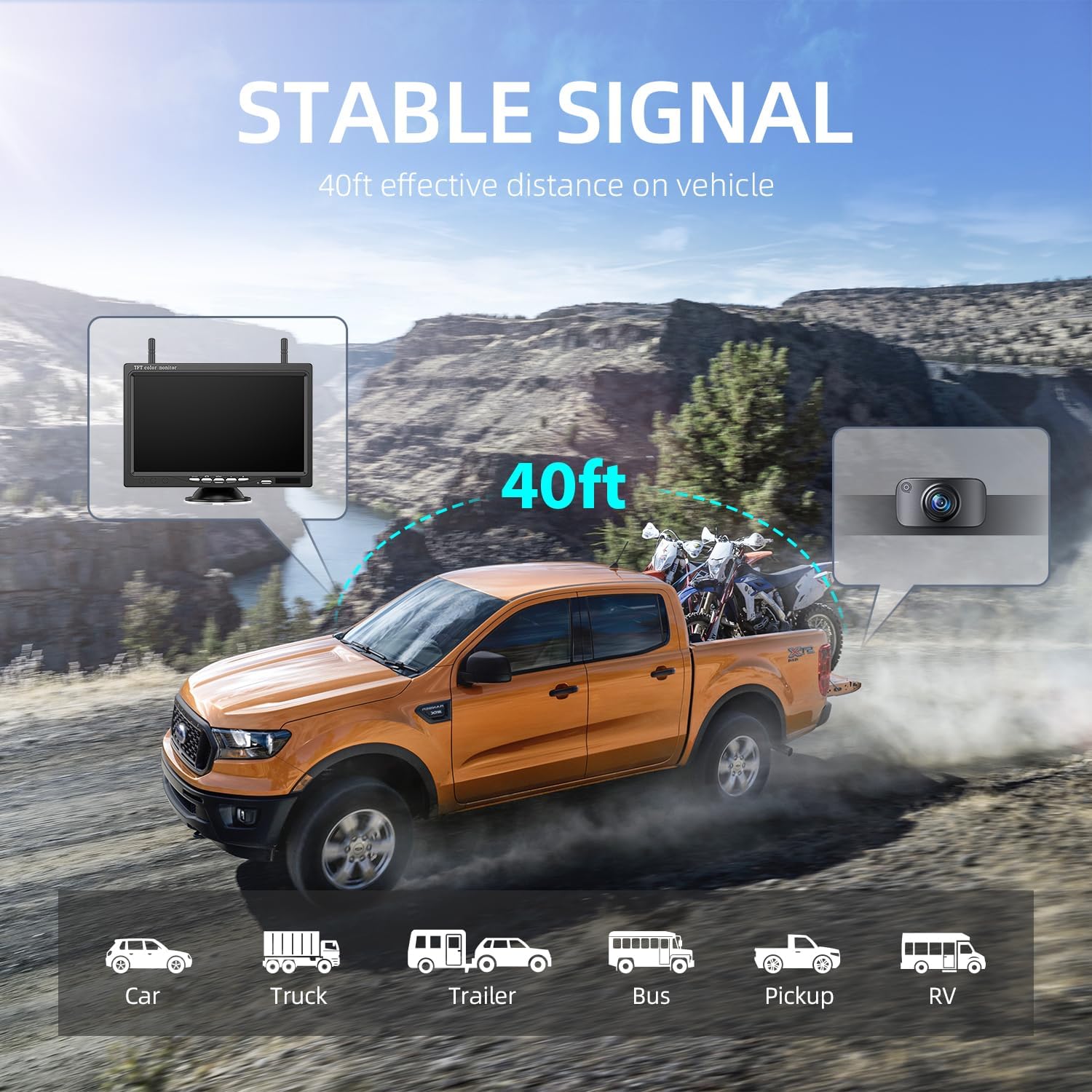
Figure 5: Stable wireless signal transmission up to 40 feet.
- Wyraźna wizja nocna: Equipped with automatic light sensors, the camera delivers high-definition clear vision even in the darkest conditions, providing clear color images in low light or exposure environments.
- IP69K Waterproof Rating: The camera features upgraded sealing material, providing IP69K waterproof, shock-proof, and drop-proof capabilities. It is designed to withstand temperatures from -4°F to 35°F, making it suitable for all weather conditions.

Figure 6: IP69K waterproof camera design.
- Szeroki kąt 150° View: The camera provides a 150-degree wide-angle view, helping to eliminate blind spots and improve overall situational awareness when maneuvering your vehicle.
Konserwacja
- Czyszczenie: Użyj miękkiego, damp cloth to clean the monitor screen and camera lens. Avoid abrasive cleaners or solvents that could damage the surfaces.
- Kontrola kabla: Periodically inspect all cables and connections for signs of wear, damage, or loose connections. Ensure they are securely fastened.
- Składowanie: If storing the system for an extended period, disconnect it from power and store components in a cool, dry place away from direct sunlight and extreme temperatures.
Rozwiązywanie problemów
| Problem | Możliwa przyczyna | Rozwiązanie |
|---|---|---|
| Brak obrazu na monitorze | Monitor not powered; Camera not powered; Loose connection; Signal interference. | Ensure monitor is plugged in and turned on. Check camera power connection. Verify all cables are securely connected. Relocate monitor or camera to reduce interference. |
| Migotanie lub niestabilny obraz | Weak signal; Electrical interference. | Ensure camera and monitor are within effective range (40ft). Check for strong electrical sources nearby. |
| Image is reversed or upside down | Mirror/Flip setting incorrect. | Adjust the mirror/flip settings on the monitor as per operating instructions. |
Specyfikacje
| Funkcja | Szczegół |
|---|---|
| Numer modelu | AWT7 |
| Rozmiar ekranu | 7 cali |
| Technologia wyświetlania | LCD |
| Rozdzielczość przechwytywania wideo | 1080p |
| Technologia czujnika optycznego | CMOS |
| Typ soczewki | Szeroki kąt (150°) |
| Stopień wodoodporności | IP69K |
| Tomtage | 12 wolty |
| Wymiary produktu | 7.1 x 0.8 x 4.51 cala |
| Waga przedmiotu | 2.01 funta |
| Producent | eRapta |
Gwarancja i wsparcie
The eRapta Wireless Backup Camera System comes with a Dwuletnia gwarancja. Additionally, eRapta provides Dożywotnie wsparcie techniczne for this product. For any consultation, technical assistance, or warranty claims, please contact the eRapta support department.
Contact information can typically be found on the official eRapta webstronie lub poprzez platformę zakupową.