
1. Koniec produktuview
The Roku 40" Select Series 1080p Full HD Smart RokuTV offers a seamless entertainment experience with its integrated Roku platform. Enjoy bright, full HD picture quality and clear audio. The customizable home screen provides quick access to streaming apps, inputs, and free live TV. This model features a bezel-less design and comes with a voice remote for easy navigation.
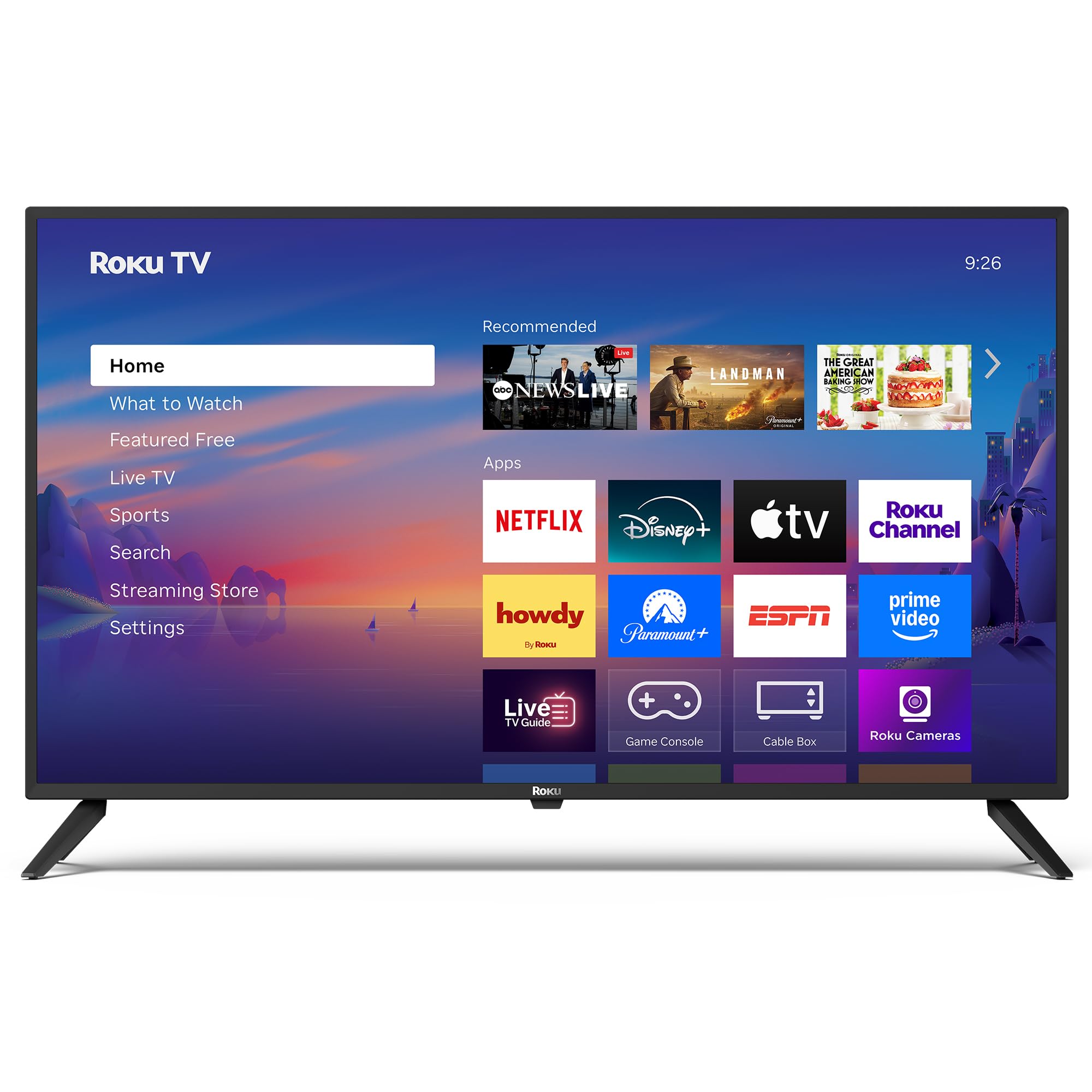
Obraz: Przód view of the Roku 40" Select Series Full HD Smart TV.
2. Co znajduje się w pudełku
- Roku 40” Select Series Full HD Smart TV
- Roku voice remote with batteries
- Stojaki pod telewizor (2)
- Śruby stojaka (4)
- Instrukcja obsługi (ten dokument)

Image: Diagram illustrating the components included in the Roku TV package.
3. Przewodnik konfiguracji
3.1 Mocowanie podstawek pod telewizor
- Ostrożnie połóż telewizor ekranem do dołu na miękkiej i czystej powierzchni, aby zapobiec zarysowaniu.
- Dopasuj każdą podstawę telewizora do odpowiednich otworów na śruby na spodzie telewizora.
- Insert the provided screws into the holes and tighten them securely with a screwdriver.
- Ensure both stands are firmly attached before proceeding.
3.2 Podłączanie zasilania i konfiguracja początkowa
- Connect the power cord to the TV and then to a standard electrical outlet (100-240 VAC, 50-60 Hz).
- Insert the AAA batteries into the Roku voice remote.
- Naciśnij przycisk zasilania na pilocie, aby włączyć telewizor.
- Postępuj zgodnie z instrukcjami wyświetlanymi na ekranie, aby wybrać język, połączyć się z siecią Wi-Fi i aktywować konto Roku.
- The TV will guide you through adding your preferred streaming apps and setting up any connected devices.

Obraz: Zbliżenie view of the TV's side panel, showing various input ports like HDMI, USB, and antenna connection.
4. Operating Your Roku TV
4.1 Nawigacja na ekranie głównym
The Roku home screen provides a centralized hub for all your entertainment. Easily access streaming apps, connected devices (like game consoles or cable boxes), and free live TV channels. The interface is designed for quick and intuitive navigation using your Roku voice remote.

Image: The Roku TV home screen, showing a grid of streaming applications and input selections.
4.2 Korzystanie z pilota głosowego
The included voice remote simplifies your TV experience. Use voice commands to search for movies, shows, or songs across thousands of streaming apps. Dedicated shortcut buttons provide instant access to popular services like Netflix, Disney+, and Apple TV. Volume controls are conveniently located on the side of the remote.

Image: Close-up of the Roku voice remote, highlighting the voice command button and dedicated app shortcuts.
4.3 Ustawienia obrazu i dźwięku
The Roku TV delivers a bright, full HD picture with exceptional clarity. It features direct LED backlighting for better brightness and uniformity. Enhanced audio output is provided by built-in speakers. You can adjust picture modes, screen brightness, and other advanced settings through the TV's menu to optimize your viewzdobywania doświadczenia.
4.4 Integracja inteligentnego domu
The Roku TV is compatible with various smart home ecosystems, including Apple AirPlay 2, Apple Home, Alexa, and Google Home. This allows for integrated control and seamless interaction with your existing smart devices.

Image: Icons representing compatibility with various smart home platforms.
5. Konserwacja
To ensure the longevity and optimal performance of your Roku TV, follow these maintenance guidelines:
- Czyszczenie ekranu: Use a soft, lint-free cloth specifically designed for electronics. Gently wipe the screen to remove dust and smudges. Avoid harsh chemicals or abrasive materials.
- Czyszczenie powierzchni zewnętrznej: Wipe the TV's exterior with a soft, dry cloth. Do not use liquid cleaners directly on the TV.
- Wentylacja: Upewnij się, że otwory wentylacyjne telewizora nie są zablokowane, aby zapobiec przegrzaniu. Zachowaj odpowiednią przestrzeń wokół telewizora, aby zapewnić cyrkulację powietrza.
- Zarządzanie energią: Odłączaj telewizor od gniazdka elektrycznego podczas burzy z wyładowaniami atmosferycznymi lub jeśli nie będziesz go używać przez dłuższy czas.
6. Rozwiązywanie Problemów
If you encounter issues with your Roku TV, try the following basic troubleshooting steps:
- Brak zasilania: Ensure the power cord is securely plugged into both the TV and the electrical outlet. Check if the outlet is functioning by plugging in another device.
- Brak obrazu/dźwięku: Verify that the correct input source is selected on the TV. Check all cable connections (HDMI, AV, etc.) for looseness.
- Pilot nie odpowiada: Replace the batteries in the remote. Ensure there are no obstructions between the remote and the TV. Re-pair the remote if necessary (refer to the on-screen instructions during initial setup or the Roku support site).
- Problemy z połączeniem sieciowym: Restart your Wi-Fi router and modem. Go to the TV's network settings to reconnect to your Wi-Fi network.
- Zawieszanie się/awaria aplikacji: Restart the specific app. If the issue persists, restart the TV by unplugging it from the power outlet for 30 seconds and then plugging it back in.
For more detailed troubleshooting or persistent issues, visit the official Roku support webstrona.
7. Specyfikacje
| Funkcja | Szczegół |
|---|---|
| Rozmiar ekranu | 40 cali |
| Marka | Roku |
| Numer modelu | 40R2A5R |
| Technologia wyświetlania | PROWADZONY |
| Rezolucja | 1080p Full HD |
| Częstotliwość odświeżania | 60 Hz |
| System operacyjny | Roku OS |
| Cechy specjalne | Bezel-Less Design, Voice Remote |
| Technologia łączności | HDMI, USB, Wi-Fi |
| Wszystkie porty HDMI | 3 |
| Total USB 3.0 Ports | 1 |
| Tryb wyjścia audio | Wzmocniony |
| Metoda kontroli | Sterowanie aplikacją, zdalne sterowanie, sterowanie głosowe |
| Screen Mirroring Technology | AirPlay 2, Miracast |
| Wymiary produktu (Gł. x Szer. x Wys.) | 8.7" gł. x 35.5" szer. x 22.6" wys. |
| Item Weight Without Stand | 11.2 funtów |
| Standard mocowania VESA | 200x100mm |
8. Gwarancja i wsparcie
8.1 Ograniczona gwarancja
Roku warrants the hardware of this device against defects in materials and workmanship under normal use for a period of one (1) year from the date of purchase ("Warranty Period"), provided it is used in accordance with the provided documentation. If a hardware defect is determined during the Warranty Period, Roku's sole obligation and your exclusive remedy will be to either repair or replace the unit with a new or rebuilt device, at Roku's option.
Important information about warranty returns and replacements is available on the Roku support site.
8.2 Product Returns
You may return a device for any reason, subject to the terms of the applicable return policy:
- Within thirty (30) days from the date of purchase from Roku.
- Within the applicable return period if purchased from an authorized reseller or distributor.
Additional details regarding product returns can be found on the Roku support site.