
1. Wprowadzenie
Thank you for choosing the Podofo Android 13 Car Radio. This manual provides essential information for the safe and efficient use of your new device. Please read it thoroughly before installation and operation. This unit is specifically designed for Volkswagen series vehicles, including Jetta, Passat, Caddy, Golf, Polo, SKODA, and others. It features a 7-inch touchscreen, 2GB RAM, 64GB ROM, Wireless CarPlay, Android Auto, GPS, WiFi, Bluetooth 4.2, FM/RDS radio, and AHD rearview obsługa kamery.
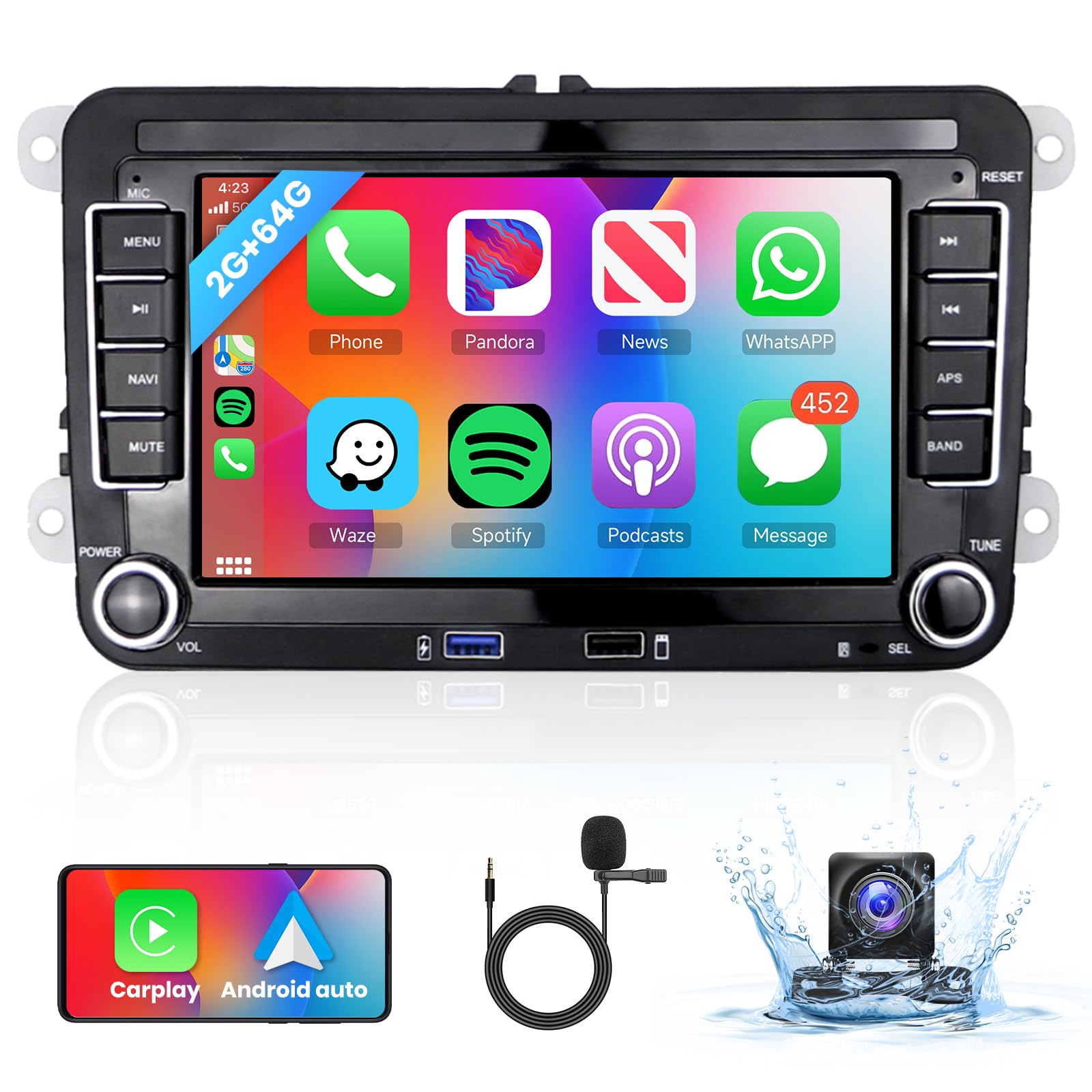
Image 1.1: Podofo Android 13 Car Radio main unit.
2. Konfiguracja i instalacja
Zaleca się zlecenie instalacji profesjonalnemu fachowcowi. Przed rozpoczęciem instalacji należy upewnić się, że zasilanie pojazdu jest odłączone.
2.1. Zawartość opakowania
Przed instalacją należy sprawdzić, czy wszystkie komponenty są obecne:
- 1 x radio samochodowe
- 1 x 36-pin Power Cable
- 1 x 40-pin Power Cable
- 1 x 52-pin Power Cable
- Kabel 1 x RCA
- 1 x antena GPS
- 1 x antena radiowa
- 1 x kabel USB
- 1 x kabel wejściowy kamery
- 1 x Instrukcja obsługi
- 1 x AHD Tyłview Camera with 6m Cable
- 1 x dekoder Canbus

Obraz 2.1: Elementy zawarte w pakiecie.
2.2. Połączenia okablowania
Connect the appropriate power cable (36-pin, 40-pin, or 52-pin) based on your vehicle's model and configuration. Ensure all connections are secure. The Canbus decoder is included for seamless integration with your vehicle's systems, including steering wheel controls.

Image 2.2: Power cable pin definitions for 36, 40, and 52 pin connectors.
Ważna uwaga: Some Volkswagen models may require careful attention to the orange power cable connection. Incorrect wiring can lead to continuous power draw, even when the vehicle is off, potentially draining the car battery. Consult a professional if unsure.
2.3. Zgodność pojazdu
This unit is compatible with various VW models. Please verify your car's year and model before installation.

Image 2.3: List of compatible Volkswagen models.
3. Instrukcja obsługi
3.1. Bezprzewodowy CarPlay i Android Auto
Establish a fast connection between your smartphone and the car radio to access phone contacts, emails, notifications, music, and map navigation. For Android Auto, ensure the 'Android Auto' app is installed on your smartphone.
- Połączenie bezprzewodowe: Enable Bluetooth and Wi-Fi on your smartphone. Pair your phone with the car radio via Bluetooth. Follow the on-screen prompts to initiate CarPlay or Android Auto.
- Połączenie przewodowe: Connect your smartphone to the car radio using a USB cable. The system should automatically detect and launch CarPlay or Android Auto.
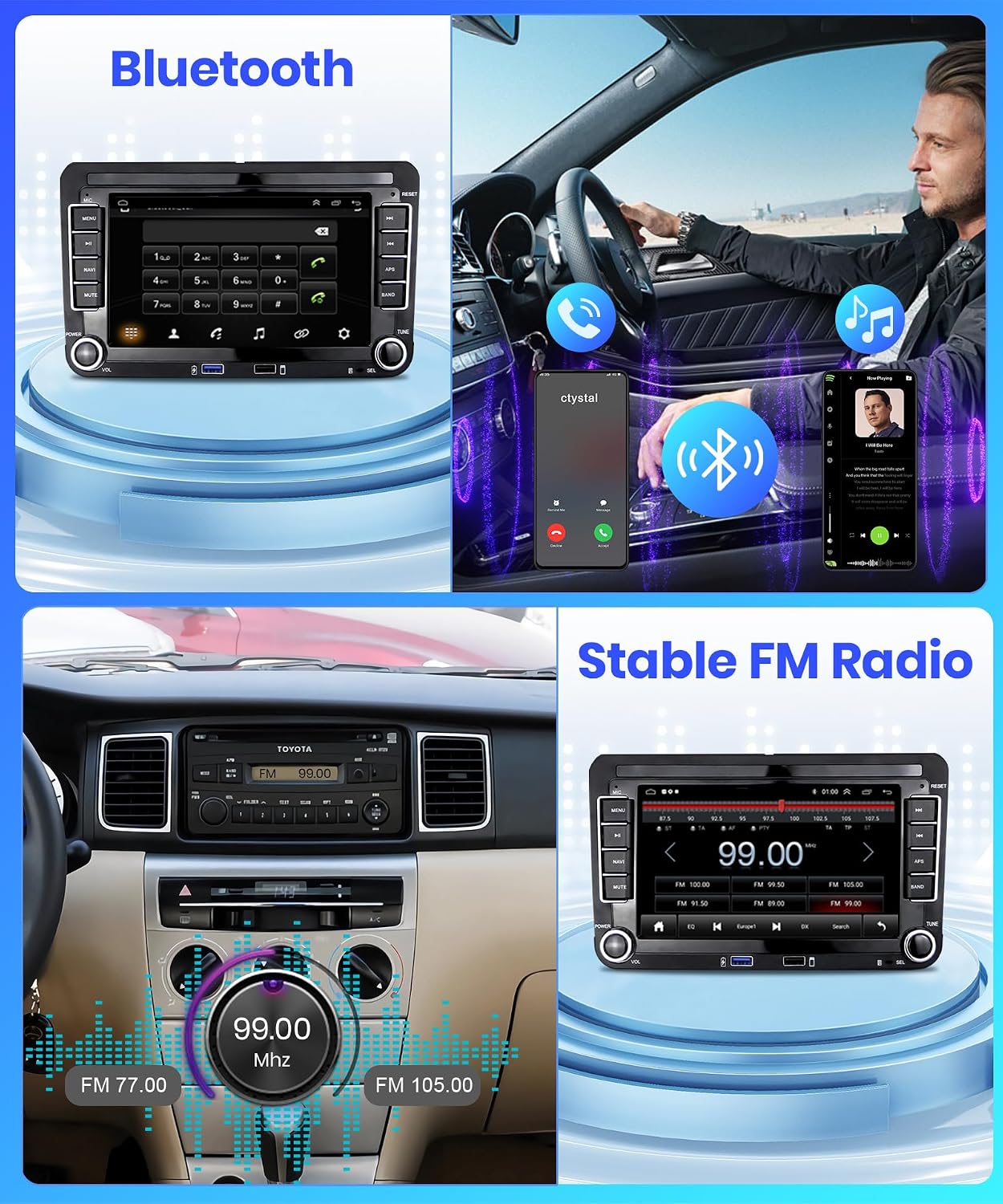
Image 3.1: Display of Wireless CarPlay and Android Auto interfaces.
3.2.Bluetooth 4.2
The unit features Bluetooth 4.2 for hands-free calling and wireless audio streaming. It includes a clear built-in microphone and supports an external microphone for enhanced call quality.
- Łączenie w pary: Go to the Bluetooth settings on the car radio and your smartphone. Szukaj available devices and select the car radio's name. Confirm the pairing code if prompted.
- Rozmowy bez użycia rąk: Once paired, you can answer, make, and end calls directly from the car radio's screen.
- Strumieniowe przesyłanie dźwięku: Play music from your smartphone wirelessly through the car's speakers.

Ilustracja 3.2: Interfejs Bluetooth do połączeń i słuchania muzyki.
3.3. Nawigacja GPS i WiFi
The integrated GPS module allows for precise navigation. Connect to WiFi to download maps, update software, and access online services.
- GPS: Use pre-installed navigation apps or download your preferred ones from the app store. Ensure the GPS antenna is properly installed for optimal signal reception.
- Wi-Fi: Connect to a mobile hotspot or a local WiFi network to access online content, stream videos, and use internet-dependent applications.

Image 3.3: GPS navigation and WiFi application display.
3.4. Radio FM/RDS
Słuchaj ulubionych stacji radiowych dzięki wbudowanemu tunerowi FM/RDS.
- Strojenie: Za pomocą ekranu dotykowego możesz skanować stacje lub ręcznie dostroić się do określonej częstotliwości.
- RDS: System RDS (Radio Data System) wyświetla informacje o stacji, tytuły utworów i komunikaty drogowe, jeśli są dostępne.

Ilustracja 3.4: Interfejs radia FM.
3.5. AHD Tyłview Kamera
W zestawie tylny AHDview camera provides an ultra-wide 140-degree viewing angle and IP69 waterproof rating with HD night vision, assisting with safer parking maneuvers.
- Automatyczny wyświetlacz: When the vehicle is shifted into reverse, the camera feed will automatically display on the car radio screen.
- Instalacja: Ensure the camera is securely mounted and correctly wired to the car radio's camera input and the vehicle's reverse light power source.

Obraz 3.5: Tyłview kamera view na ekranie radia samochodowego.
3.6. Sterowanie z kierownicy (SWC)
The included Canbus decoder enables integration with your vehicle's steering wheel controls, allowing you to manage functions like switching songs, changing channels, adjusting volume, and answering calls without taking your hands off the wheel.
- Organizować coś: Access the 'Steering Learn' or 'SWC Settings' menu on the car radio to program the buttons according to your preference.

Image 3.6: Steering Wheel Control learning interface.
3.7. Korektor dźwięku (EQ)
Customize your audio experience with the built-in equalizer. Adjust sound settings to match your preferences and vehicle acoustics.
- Ustawienia wstępne: Select from various preset EQ modes (e.g., Pop, Rock, Jazz, Classical).
- Personalizacja: Manually adjust frequency bands to create your personalized sound profile.

Image 3.7: Hi-Fi audio equalizer settings.
4. Konserwacja
Aby zapewnić długowieczność i optymalną pracę radia samochodowego, należy przestrzegać poniższych wskazówek dotyczących konserwacji:
- Czyszczenie: Use a soft, dry cloth to clean the screen and unit exterior. For stubborn smudges, slightly dampPrzetrzyj ściereczkę wodą lub środkiem do czyszczenia ekranów. Unikaj materiałów ściernych i silnych środków chemicznych.
- Temperatura: Unikaj wystawiania urządzenia na działanie ekstremalnych temperatur, zarówno wysokich, jak i niskich, przez dłuższy czas.
- Aktualizacje oprogramowania: Okresowo sprawdzaj dostępność aktualizacji oprogramowania i instaluj je, aby mieć pewność, że system działa wydajnie i posiada najnowsze funkcje oraz poprawki zabezpieczeń.
5. Rozwiązywanie Problemów
Jeśli masz problemy z radiem samochodowym, zapoznaj się z poniższymi typowymi problemami i ich rozwiązaniami:
- Brak zasilania / Urządzenie nie włącza się:
- Check all power connections, ensuring they are secure.
- Sprawdź, czy bezpiecznik radia w pojeździe jest nienaruszony.
- Ensure the orange power cable is correctly wired to prevent battery drain. If it's causing continuous power draw, it might need to be disconnected or wired to an ignition-switched power source.
- Słaby odbiór radia:
- Ensure the radio antenna is securely connected.
- Check for any obstructions or interference sources.
- Bluetooth/WiFi/GPS Connectivity Issues:
- Restart the car radio and your smartphone.
- Ensure Bluetooth and WiFi are enabled on both devices.
- For GPS, ensure the antenna has a clear view of the sky. Slow GPS performance might indicate a weak signal or an issue with the navigation app.
- If WiFi connection is slow, try connecting to a different hotspot or network to rule out network issues.
- Brak połączenia CarPlay/Android Auto:
- For wired connection, try a different USB cable.
- For wireless, ensure Bluetooth and WiFi are active and paired.
- Ensure the 'Android Auto' app is installed and updated on your Android phone.
- Clock Not Updating Automatically:
- Check the time and date settings in the car radio's system settings.
- Ensure automatic time synchronization via GPS or network is enabled.
- Tyłview Kamera nie wyświetla:
- Verify the camera's power and video input cables are correctly connected.
- Ensure the reverse trigger wire is properly connected to the vehicle's reverse light circuit.
- Opóźnienia lub brak reakcji systemu:
- Zamknij niepotrzebne aplikacje działające w tle.
- Wykonaj restart systemu.
- If issues persist, consider a factory reset (note: this will erase all user data and settings).
6. Specyfikacje
| Funkcja | Specyfikacja |
|---|---|
| Marka | podofo |
| Numer modelu | A3049A4B6MI2AM24EU1 |
| System operacyjny | Android 13 |
| BARAN | 2 GB |
| ROM (pamięć masowa) | 64 GB |
| Rozmiar ekranu | 7 cali |
| Rozdzielczość ekranu | 1024x600 |
| Typ ekranu dotykowego | Pojemnościowy |
| Łączność | Bluetooth 4.2, Wi-Fi, USB |
| Cechy specjalne | Wireless CarPlay, Android Auto, GPS Navigation, FM/RDS Radio, AHD Rearview Camera Support, Steering Wheel Control (SWC) |
| Zgodny typ pojazdu | Automobile (VW, Skoda, Seat) |
| Typ montażu | W desce rozdzielczej |
| Tryb wyjścia audio | Cyfrowy |
7. Gwarancja i wsparcie
7.1. Gwarancja na produkt
To radio samochodowe Podofo jest wyposażone w: 2-letnia gwarancja od daty zakupu. Niniejsza gwarancja obejmuje wady produkcyjne i usterki powstałe w wyniku normalnego użytkowania. Nie obejmuje ona uszkodzeń spowodowanych nieprawidłową instalacją, niewłaściwym użytkowaniem, wypadkami lub nieautoryzowanymi modyfikacjami.
7.2. Obsługa klienta
For technical assistance, troubleshooting, or warranty claims, please contact Podofo customer support through the retailer's platform or the official Podofo website. Please have your product model number (A3049A4B6MI2AM24EU1) and proof of purchase ready when contacting support.