
TROMAR VT-9IN1
TROMAR 9-in-1 Air Quality Monitor User Manual
Model: VT-9IN1
Wstęp
Thank you for choosing the TROMAR 9-in-1 Air Quality Monitor. This device is designed to provide real-time detection of various air pollutants and environmental factors, ensuring you have a clear understanding of your indoor air quality. Please read this manual carefully before use to ensure proper operation and maintenance.
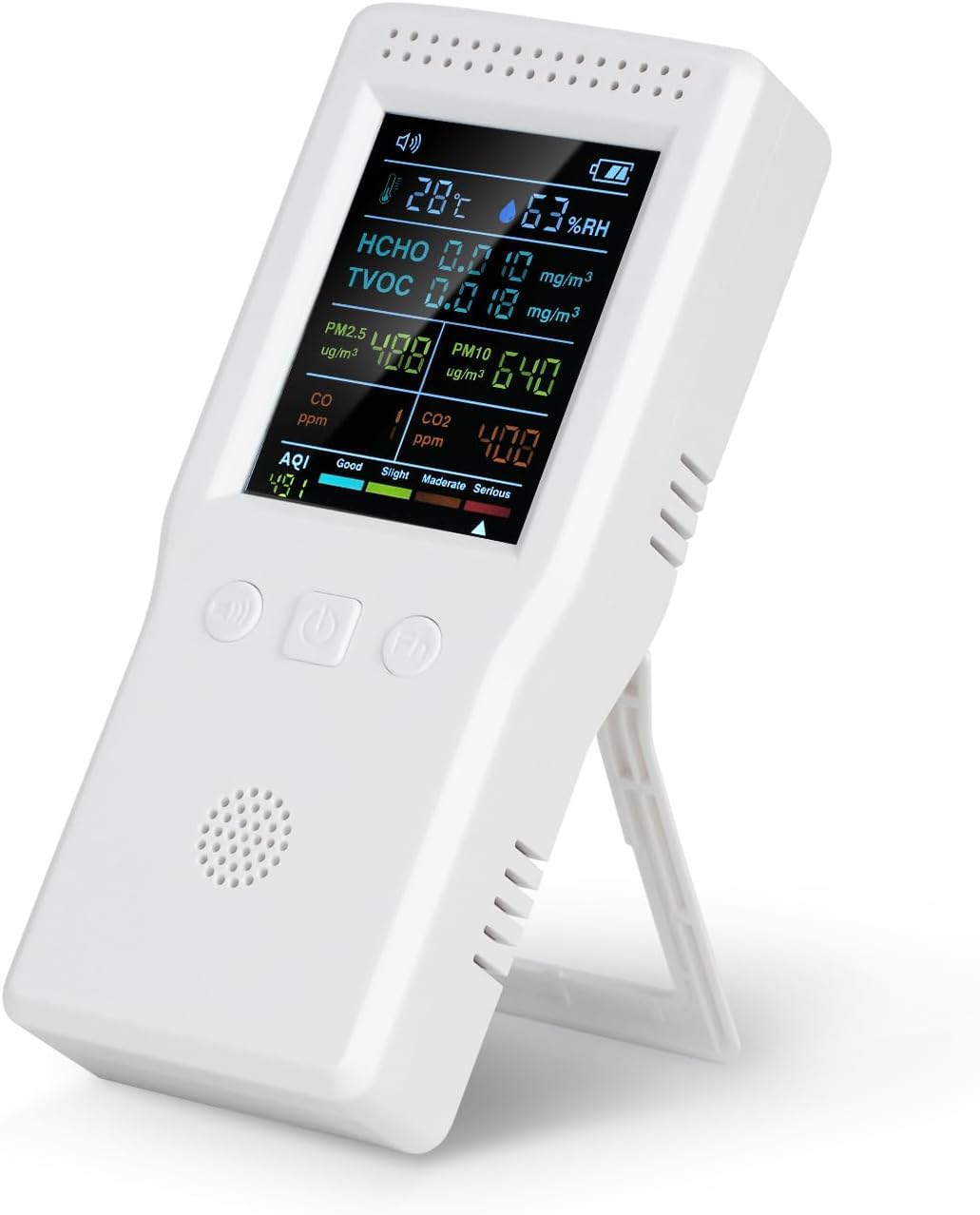
Image: The TROMAR 9-in-1 Air Quality Monitor, showing its digital display with readings for temperature, humidity, HCHO, TVOC, PM2.5, PM10, CO, CO2, and AQI.
Główne cechy
- Wykrywanie 9 w 1: Monitors CO2, CO, HCHO, TVOC, PM2.5, PM10, Temperature, Humidity, and AQI.
- Monitorowanie na żywo: Provides instant readings for comprehensive air quality assessment.
- Łatwa obsługa: Simple interface with no complex app or Wi-Fi required.
- Przenośna konstrukcja: Compact and lightweight, suitable for various indoor and outdoor environments.
- Akumulator: Built-in 1500mAh battery with Type-C USB charging, offering 4-6 hours of operation.
- Clear Screen Display: Easy-to-read screen for quick air quality assessment.

Image: A detailed diagram of the TROMAR Air Quality Monitor, highlighting and labeling its various components such as Speech State, Temperature, HCHO Concentration, PM2.5 Concentration, CO Concentration, AQI, Buzzer Switch, Mute On/Off, Function Keys, Air Quality Level, CO2 Concentration, PM10 Concentration, TVOC Concentration, Humidity, and Battery Capacity.
Organizować coś
Rozpakowywanie
Carefully remove the air quality monitor and all accessories from the packaging. Ensure all items listed in the packing list are present:
- 1 x TROMAR Air Quality Monitor
- 1 x kabel do ładowania USB (typ C)
- 1 x Instrukcja obsługi
Ładowanie urządzenia
Before first use, fully charge the monitor. Connect the provided USB Type-C charging cable to the device's charging port and the other end to a standard USB power adapter (not included) or a computer USB port.
- Wskaźnik baterii na wyświetlaczu pokaże stan ładowania.
- Pełne naładowanie trwa zazwyczaj około 2–3 godzin.
- The device can operate for 4-6 hours on a full charge.

Image: The TROMAR Air Quality Monitor with its USB Type-C charging port visible, connected to a charging cable, illustrating the charging process.
Instrukcja obsługi
Włączanie/wyłączanie zasilania
- Aby włączyć, naciśnij i przytrzymaj Przycisk zasilania (usually the middle button) for 3 seconds.
- Aby wyłączyć, naciśnij i przytrzymaj Przycisk zasilania ponownie przez 3 sekundy.
Zrozumienie wyświetlacza
The monitor features a clear screen that displays all detected parameters simultaneously. Readings are updated in real-time.
| Parametr | Jednostka | Opis |
|---|---|---|
| zrobiony | mg/mXNUMX | Formaldehyde concentration |
| TVOC | mg/mXNUMX | Total Volatile Organic Compounds concentration |
| TEMP | °C | Temperatura otoczenia |
| HUMI | % wilgotności względnej | Wilgotność względna |
| CO2 | PPM | Carbon Dioxide concentration |
| CO | PPM | Carbon Monoxide concentration |
| PM2.5 | ug/m3 | Fine Particulate Matter concentration (2.5 micrometers) |
| PM10 | ug/m3 | Coarse Particulate Matter concentration (10 micrometers) |
| AQI | Indeks | Air Quality Index (overall air quality) |
Funkcje przycisków
- Buzzer Switch Button (Left): Press to toggle the audible alarm on or off.
- Power Button (Middle): Press and hold to power on/off. Short press for certain function adjustments (refer to specific model features).
- Function Key (Right): Used for navigating menus or changing display modes if applicable. Refer to on-screen prompts.
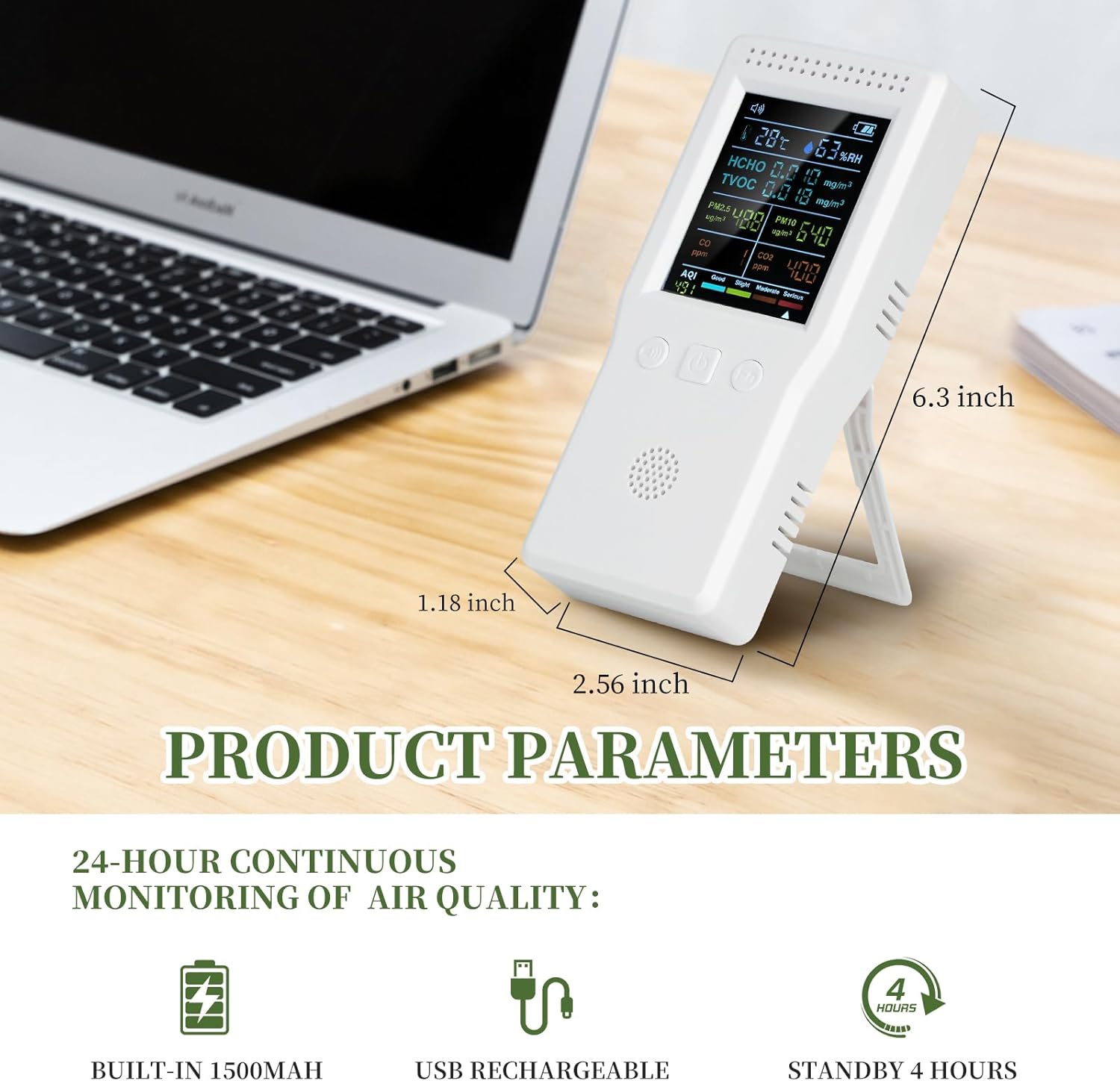
Image: A close-up of the TROMAR Air Quality Monitor's clear digital display, showing various air quality parameters and their readings, emphasizing readability.
Konserwacja
Czyszczenie
- Przetrzyj urządzenie miękką, suchą ściereczką.
- Do not use abrasive cleaners, solvents, or strong chemicals, as these may damage the casing lub komponentów wewnętrznych.
- Ensure the ventilation holes are clear of dust and debris for accurate readings.
Składowanie
- Przechowywać urządzenie w chłodnym i suchym miejscu, z dala od bezpośredniego światła słonecznego i ekstremalnych temperatur.
- Jeśli akumulator będzie przechowywany przez dłuższy okres, należy upewnić się, że jest częściowo naładowany (około 50%), aby wydłużyć jego żywotność.

Image: The TROMAR Air Quality Monitor being splashed with water, demonstrating its solid shell construction. While durable, direct water exposure should be avoided for optimal performance.
Rozwiązywanie problemów
| Problem | Możliwa przyczyna | Rozwiązanie |
|---|---|---|
| Urządzenie nie włącza się. | Niski poziom naładowania baterii; urządzenie nie jest naładowane. | Podłącz urządzenie do źródła zasilania za pomocą kabla USB typu C i ładuj je przez co najmniej 30 minut, zanim spróbujesz je ponownie włączyć. |
| Niedokładne odczyty. | Ventilation holes blocked; device not calibrated (if applicable); extreme environmental conditions. | Ensure ventilation holes are clear. Move the device to a stable environment. If issues persist, contact customer support. |
| Krótki czas pracy baterii. | Akumulator nie jest w pełni naładowany; akumulator się starzeje. | Ensure the device is fully charged before use. Battery performance may degrade over time. |
| Ekran jest pusty lub zamrożony. | Błąd oprogramowania; słaba bateria. | Try restarting the device by holding the power button. If it doesn't respond, connect to charger. If issue persists, contact support. |
Specyfikacje
| Parametr | Wartość |
|---|---|
| Numer modelu | VT-9IN1 |
| Zakres HCHO | 0-9.999 mg/m³ |
| Zakres TVOC | 0-9.999 mg/m³ |
| Zakres temperatur | Temperatura od 0 do 70 stopni Celsjusza |
| Zakres wilgotności | 0-99% wilgotności względnej |
| Zakres CO2 | 400-5000 str./min |
| Zakres CO | 0-5000 str./min |
| PM2.5/PM10 Range | 0-999 ug/m³ |
| AQI Range | 0-999 |
| Pojemność baterii | Polimer litowy 1500 mAh |
| Źródło zasilania | Battery Powered (USB Type-C rechargeable) |
| Wilgotność robocza | Do 99% |
| Typ czujnika | Elektrochemiczny |
| Waga przedmiotu | 9.6 uncji |
| Wymiary opakowania | 6.97 x 3.58 x 1.85 cala |
| UPC | 749671736152 |
Informacje o gwarancji
TROMAR products are manufactured to high-quality standards. This product comes with a standard manufacturer's warranty. Please refer to the warranty card included in your packaging for specific terms and conditions, or visit the official TROMAR webSzczegółowe informacje dotyczące zasad gwarancji można znaleźć na stronie.
Typically, the warranty covers defects in materials and workmanship under normal use. It does not cover damage caused by misuse, accident, unauthorized modification, or improper maintenance.
Obsługa klienta
If you encounter any issues or have questions regarding your TROMAR 9-in-1 Air Quality Monitor, please do not hesitate to contact our customer support team.
- E-mail: Refer to your product packaging or the official TROMAR webstrona z adresem e-mail kontaktowym.
- Webstrona: Visit the official TROMAR webwitryna z odpowiedziami na często zadawane pytania, zasobami pomocy i formularzami kontaktowymi.
- Wsparcie dla sprzedawców internetowych: For purchase-related inquiries, you may also contact the retailer from whom you purchased the product.
Ask a question about this manual
Ask about setup, troubleshooting, compatibility, parts, safety, or missing instructions. Manuals+ will review the question and use this page’s manual context to help answer it.