
1. Wprowadzenie
This manual provides detailed instructions for the setup, operation, and maintenance of your Rettru HD1080P Wireless WiFi IP Camera. Please read this manual thoroughly before using the device to ensure proper functionality and safety.
The Rettru camera is a compact, wireless surveillance device designed for various monitoring needs, including pet monitoring, baby monitoring, and general security. It features HD1080P video recording, night vision, motion detection, and cloud storage capabilities.
2. Zawartość opakowania
Sprawdź, czy w przesyłce znajdują się wszystkie wymienione poniżej elementy:
- Rettru HD1080P Wireless WiFi IP Camera
- Kabel zasilający USB
- Obrotowy wspornik
- 32GB Security Memory Card (pre-installed or included separately)
- Instrukcja obsługi

Image: Diagram showing the camera, USB power cable, rotating bracket, 32GB memory card, and user manual included in the package.
3. Koniec produktuview
The Rettru camera is designed for discreet and versatile surveillance. Its compact size allows for placement in various environments.
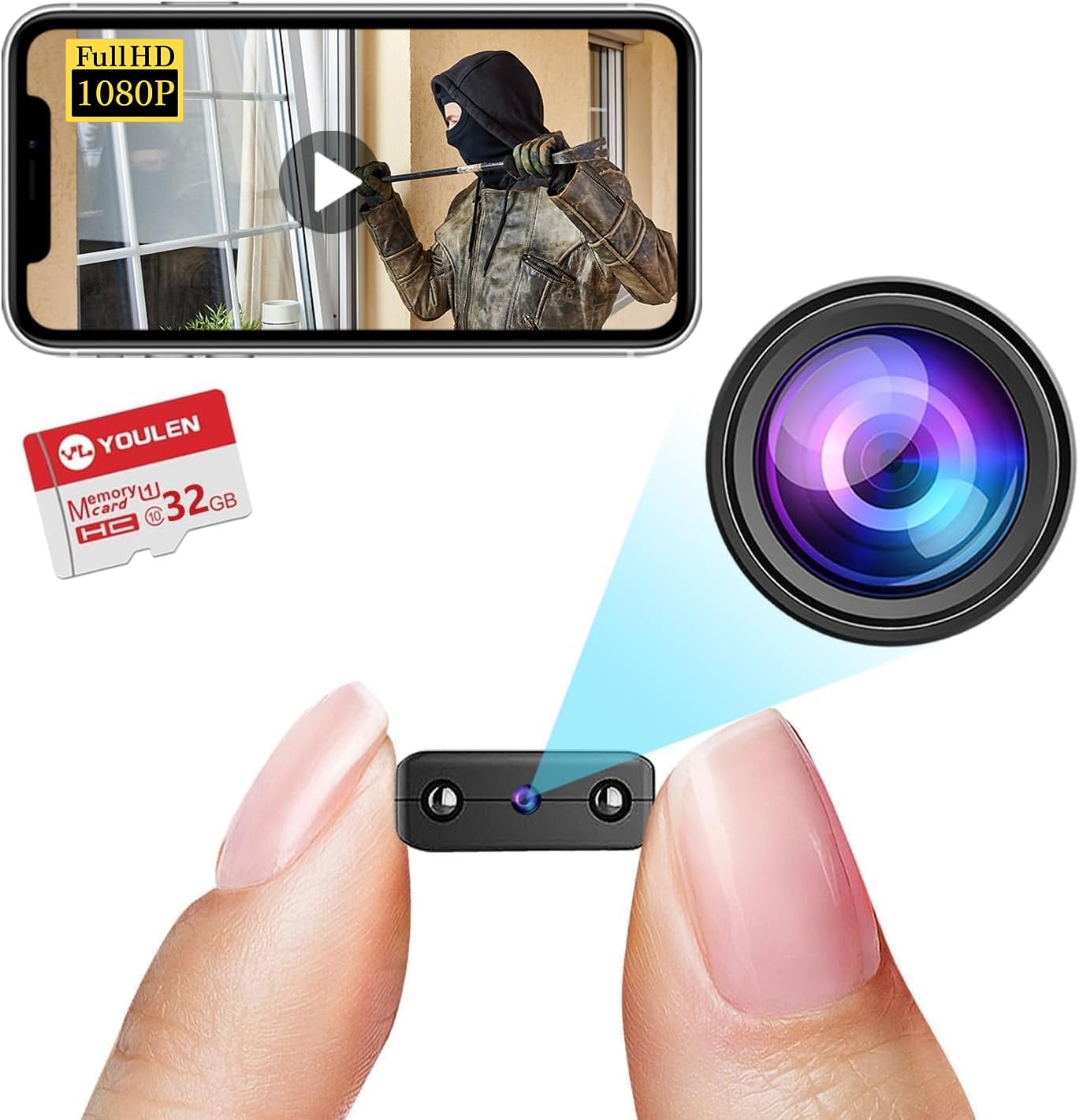
Image: The Rettru camera's compact design, highlighting its small form factor and included 32GB memory card.
Główne cechy:
- HD1080P Video: Records high-definition video for clear monitoring.
- Połączenie bezprzewodowe: Connects via WiFi for remote access.
- Widzenie nocne: Equipped with IR-CUT for clear video in low-light conditions, up to 26 feet.
- Detekcja ruchu: Automatycznie wykrywa ruch i wysyła alerty.
- Przechowywanie w chmurze i przechowywanie lokalne: Supports both cloud storage and local storage via Micro SD card (up to 128GB).
- Przenośna konstrukcja: Small and lightweight for easy placement.
4. Instrukcje konfiguracji
4.1 Ładowanie kamery
Before initial use, fully charge the camera. Connect the provided USB cable to the camera's charging port and to a USB power source (e.g., wall charger, power bank, computer USB port). The charging indicator light will illuminate during charging and turn off when fully charged.

Obraz: Byłyamples of compatible power sources for charging the camera.
4.2 Wkładanie karty Micro SD
If you plan to use local storage, insert the Micro SD card (32GB card included) into the designated slot on the camera. Ensure the camera is powered off before inserting or removing the card. The camera supports Micro SD cards up to 128GB.

Image: Illustration of inserting a Micro SD card into the camera and various storage durations based on card size.
4.3 Instalacja aplikacji i połączenie Wi-Fi
- Pobierz aplikację: Szukaj the recommended surveillance app (refer to the user manual included in the package for the specific app name) on your iOS or Android device's app store.
- Utwórz konto: Otwórz aplikację i postępuj zgodnie z instrukcjami wyświetlanymi na ekranie, aby utworzyć nowe konto użytkownika.
- Dodaj urządzenie: Power on the camera. In the app, select "Add Device" or a similar option.
- Połącz się z Wi-Fi: Follow the app's instructions to connect the camera to your home or office WiFi network. This typically involves scanning a QR code generated by the app or connecting to the camera's temporary WiFi hotspot.
- Umieszczenie: Use the rotating bracket to position the camera in your desired monitoring area. The camera's small size allows for discreet placement on desks, bookshelves, or walls.


Image: Visual representation of the camera's small size, battery power, and Micro SD card support.
5. Instrukcja obsługi
5.1 Na żywo View
Once connected, open the app and select your camera from the device list to view Transmisja na żywo. Możesz monitorować swoją przestrzeń w czasie rzeczywistym z dowolnego miejsca z dostępem do internetu.

Obraz: Byłyample of live monitoring via a smartphone, showing the camera's use for pet or home surveillance.
5.2 Nagrywanie i odtwarzanie
- Nagrywanie ręczne: Tap the record button in the app to start or stop manual video recording.
- Zaplanowane nagrywanie: Configure recording schedules through the app settings.
- Rejestrowanie zdarzeń: Nagrania uruchomione po wykryciu ruchu są automatycznie zapisywane.
- Odtwarzanie nagranego dźwięku: Uzyskaj dostęp do nagranego pliku footage from the app's "Playback" or "History" section. You can filter by date and event type.
5.3 Widzenie nocne
The camera automatically switches to night vision mode in low-light conditions. This feature provides clear black and white video up to 26 feet.

Image: Comparison of day and night vision, demonstrating the camera's IR-CUT capability for clear night monitoring.
5.4 Detekcja ruchu i alerty
Enable motion detection in the app settings. When motion is detected, the camera will record an event and send a notification to your connected device.

Image: Illustration of AI human detection, showing an alert on a smartphone when motion is detected.
6. Konserwacja
- Czyszczenie: Do czyszczenia obiektywu i korpusu aparatu używaj miękkiej, suchej ściereczki. Unikaj stosowania płynnych środków czyszczących i materiałów ściernych.
- Aktualizacje oprogramowania układowego: Periodically check the app for available firmware updates to ensure optimal performance and security.
- Pielęgnacja baterii: Aby przedłużyć żywotność baterii, należy unikać ekstremalnych temperatur i w pełni naładować kamerę przed dłuższymi okresami bezczynności.
- Zarządzanie pamięcią masową: Regularnie ponownieview i usuń stare footage from your Micro SD card or cloud storage to free up space.
7. Rozwiązywanie Problemów
| Problem | Możliwe rozwiązanie |
|---|---|
| Kamera nie łączy się z siecią Wi-Fi |
|
| No video feed in the app |
|
| Wykrywanie ruchu nie działa |
|
| Słaba jakość widzenia w nocy |
|
8. Specyfikacje
| Funkcja | Szczegół |
|---|---|
| Numer modelu | USA-Heima-Free32GPRO New-JIAN-00015 |
| Rozdzielczość wideo | HD1080P |
| Łączność | Bezprzewodowe (WiFi) |
| Zakres noktowizora | Do 26 stóp |
| Wykrywanie ruchu | Utrzymany |
| Opcje przechowywania | Karta Micro SD (do 128 GB), przechowywanie w chmurze |
| Bateria | 1 bateria litowo-jonowa (w zestawie) |
| Wymiary produktu | 1.6 x 1.2 x 0.5 cala |
| Waga przedmiotu | 3.13 uncji |
| Zastosowanie wewnątrz/na zewnątrz | Wewnątrz, Na zewnątrz |
| Międzynarodowa Ocena Ochrony | IP65 |
9. Informacje o gwarancji
Rettru products are covered by a limited warranty against defects in materials and workmanship. Please refer to the warranty card included in your package or contact customer support for specific warranty terms and conditions. Keep your purchase receipt as proof of purchase.
10. Obsługa klienta
If you encounter any issues or have questions regarding your Rettru HD1080P Wireless WiFi IP Camera, please contact our customer support team. Contact information can typically be found on the product packaging, the included user manual, or the official Rettru webstrona.
Aby uzyskać najnowsze zasoby pomocy technicznej, odwiedź stronę Rettru brand page on Amazon.