
1. Wprowadzenie
This manual provides detailed instructions for the installation, operation, and maintenance of your Vtopek W19S 4K Dual Car Dashcam. Please read this manual thoroughly before using the product to ensure proper functionality and safety. This dashcam is designed to record high-quality video footage of your journeys, offering features such as 4K resolution, front and rear camera recording, WiFi connectivity, GPS tracking, night vision, and parking monitoring.

2. Funkcje produktu
- Ultra-HD 4K Recording: Records in 4K (front) and 1080P (rear) resolutions, capturing clear details like license plates and road signs.
- Dual Wide-Angle Lenses: Front camera with 170° wide angle and rear camera with 140° wide angle to minimize blind spots.
- Super noktowizor: Equipped with F1.6 large aperture, 6-layer optical lens, and HDR/WDR technology for enhanced clarity in low-light conditions.
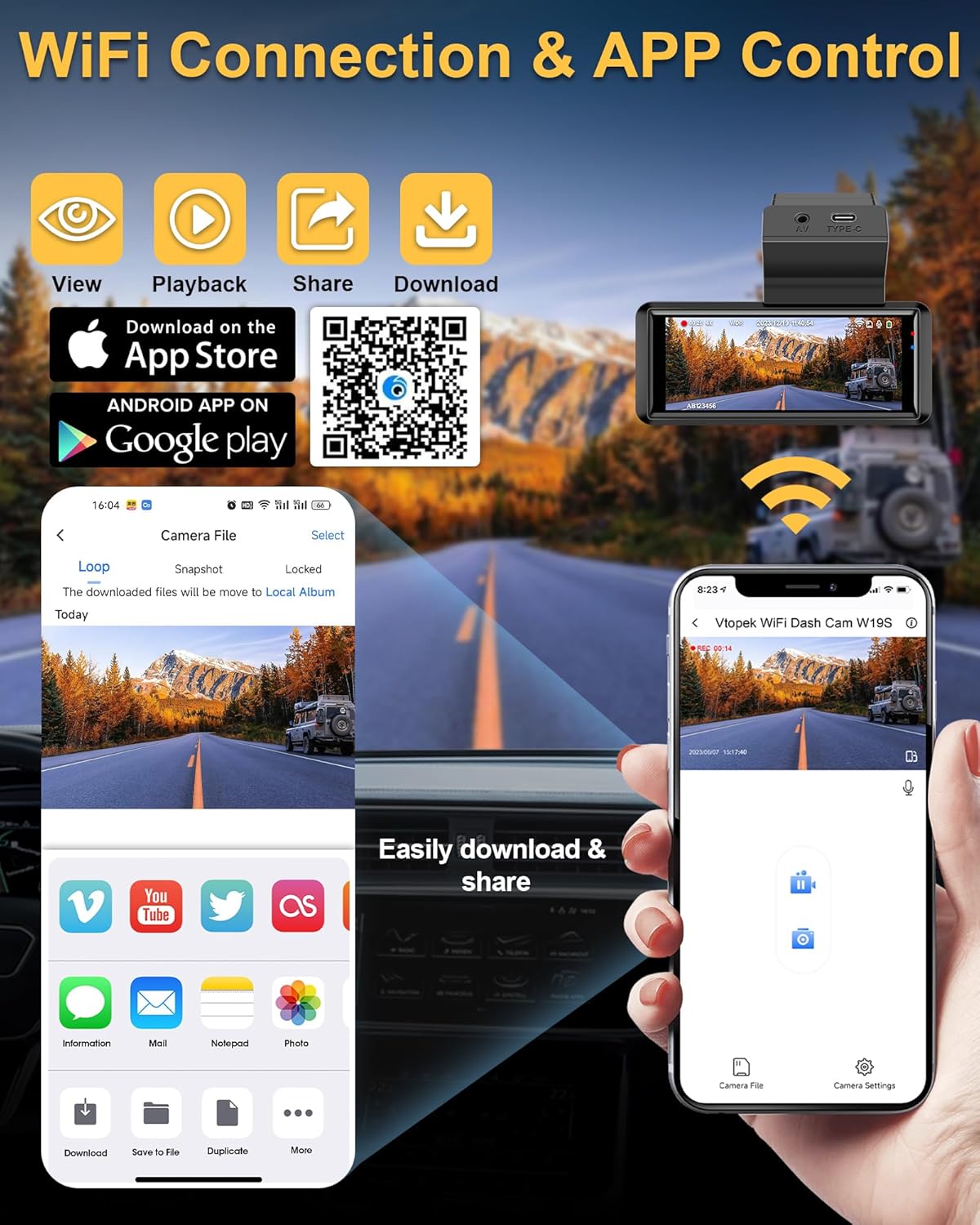
- Wbudowane Wi-Fi: Connects to a mobile application for viewing, playback, downloading, and sharing videos.
- Zintegrowany GPS: Records real-time driving speed, date, time, and location, viewable via the mobile app or PC player.
- 3.16-Inch IPS Touch Screen: Provides a clear interface for settings and video playback.
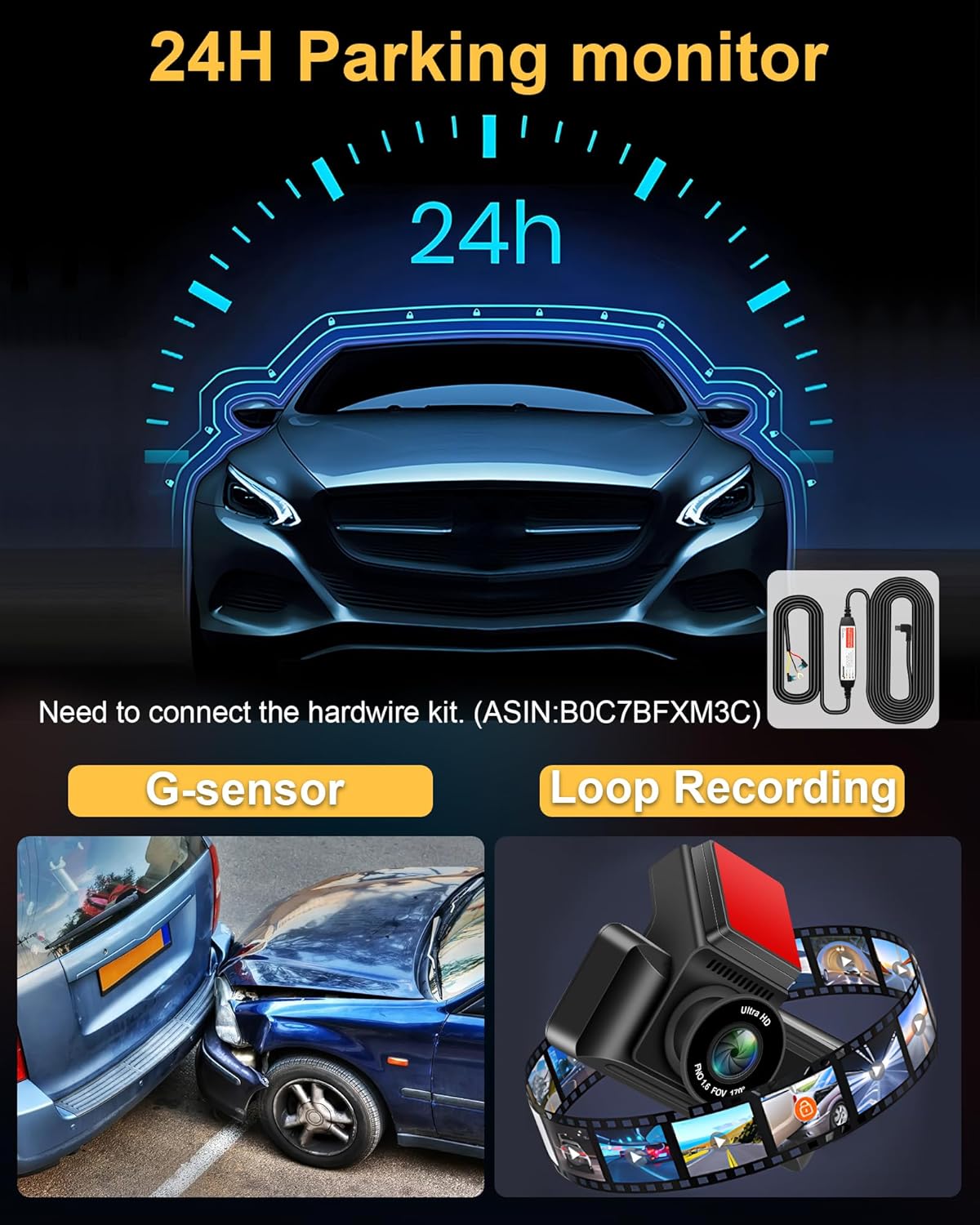
- Monitor parkingowy 24h: Automatically records when motion is detected around the vehicle (requires optional hardwire kit, ASIN: B0C7BFXM3C).
- Czujnik G: Automatycznie blokuje i zapisuje wideo footagw przypadku nagłego uderzenia lub kolizji.
- Nagrywanie w pętli: Ciągłe zapisywanie poprzez nadpisywanie najstarszych odblokowanych files gdy karta pamięci jest pełna.
- Interfejs typu C: Enhanced port for faster data transmission and improved reliability compared to Mini USB.
- Wodoodporna kamera tylna IP69: Durable and resistant to water and fog, suitable for external installation.


3. Zawartość opakowania
Sprawdź przesyłkę, aby upewnić się, że znajdują się w niej wszystkie elementy:
- W19 Dash Camera x1
- Tylna kamera x1
- 64GB Micro-SD card x1
- Pudełko do pakowania x1
- Rear Camera Cable (10m/36ft) x1
- Uchwyt kamery x1
- USB Car Charger with GPS x1
- Śrubokręt x1
- Strong Double Sided Tape x1
- Śruba mocująca x9
- Zestaw do czyszczenia x1
- Instrukcja obsługi x1

4. Konfiguracja i instalacja
4.1. Montaż przedniej kamery
- Wyczyść obszar na przedniej szybie, w którym zamierzasz zamontować kamerę samochodową. Upewnij się, że nie zasłania ona widoku. view.
- Attach the camera bracket to the dashcam.
- Remove the protective red film from the double-sided tape on the bracket.
- Firmly press the dashcam with the bracket onto the cleaned windshield area. Hold for a few seconds to ensure a secure attachment.
- Adjust the front camera lens angle as needed. The lens can be adjusted up and down.
4.2. Instalacja tylnej kamery
The IP69 waterproof rear camera can be installed inside or outside the vehicle. The adjustable 180° bracket allows for flexible mounting without drilling.
- Wybierz odpowiednie miejsce dla tylnej kamery, zazwyczaj nad tablicą rejestracyjną lub wewnątrz tylnej szyby.
- Secure the rear camera using the provided screws or double-sided tape.
- Route the rear camera cable to the front dashcam unit. Ensure the cable is neatly tucked away and does not interfere with vehicle operations.
- Connect the rear camera cable to the AV port on the main dashcam unit.
4.3. Power Connection and SD Card Insertion
- Insert the provided 64GB Micro-SD card into the dashcam's SD card slot. Ensure it is inserted correctly until it clicks into place.
- Connect the USB Car Charger (with GPS module) to your vehicle's cigarette lighter socket.
- Connect the Type-C end of the power cable to the Type-C port on the dashcam.
- Route the power cable neatly along the edges of your windshield and dashboard to avoid obstruction.

5. Instrukcja obsługi
5.1. Podstawowa obsługa
- Włączanie/wyłączanie: The dashcam will automatically power on and begin recording when your vehicle starts. It will power off automatically when the vehicle is turned off.
- Wyświetlacz ekranowy: The 3.16-inch IPS touch screen displays live footage from the front and rear cameras. You can switch views or access settings via the touch interface.
5.2. Kontrola przez Wi-Fi i aplikację
The dashcam features built-in WiFi for seamless connection to your smartphone via a dedicated app.
- Pobierz aplikację: Scan the QR code provided in the manual or on the dashcam screen, or visit https://www.6zhentan.com/app/d0001/index.html to download the Vtopek dashcam app.
- Połącz się z Wi-Fi: On your dashcam, enable WiFi. On your smartphone, go to WiFi settings and connect to the dashcam's WiFi network (SSID and password usually displayed on the dashcam screen).
- Funkcje aplikacji: Po nawiązaniu połączenia użyj aplikacji, aby:
- View transmisja wideo na żywo.
- Odtwórz nagrane filmy.
- Pobierz wideo filedo telefonu.
- Share recordings.
- Adjust dashcam settings.
5.3. Funkcjonalność GPS
The integrated GPS module records important driving data.
- Rejestracja danych: The GPS records your vehicle's speed, date, time, and geographical location in real-time.
- ViewDane: Ta informacja może być viewed when playing back videos through the mobile app or a compatible PC player, which will display your route on a map alongside the video.

5.4. Parking Monitor (24H)
For continuous surveillance when your vehicle is parked, the 24-hour parking monitor feature can be activated.
- Aktywacja: Do tej funkcji wymagany jest oddzielny zestaw okablowania (ASIN: B0C7BFXM3C) to provide continuous power to the dashcam when the vehicle is off.
- Funkcjonalność: Once activated, the dashcam will automatically start recording if it detects motion or impact while parked.
5.5. G-czujnik
The built-in G-sensor detects sudden movements or impacts.
- Automatyczne blokowanie: In the event of a collision or sudden braking, the G-sensor will automatically lock the current video segment, preventing it from being overwritten by loop recording.
- Wrażliwość: The G-sensor sensitivity can usually be adjusted in the dashcam settings (e.g., Low, Medium, High). A 'Low' setting is often recommended to avoid unnecessary locking of files due to minor bumps.
5.6. Nagrywanie w pętli
The dashcam records continuously in short segments.
- Ciągłe nagrywanie: When the memory card is full, the dashcam will automatically overwrite the oldest unlocked video files aby kontynuować nagrywanie.
- Długość segmentu: Loop recording segments are typically 1, 3, or 5 minutes long, configurable in the settings. A 3-minute segment is often recommended.
6. Specyfikacje
| Funkcja | Specyfikacja |
|---|---|
| Marka | Vtopek |
| Nazwa modelu | W19S |
| Rozmiar ekranu | 3.16 Inches (IPS Touch Screen) |
| Technologia łączności | Type-C, Wi-Fi |
| Cechy specjalne | App Control, Integrated GPS, Parking Monitor, Night Vision, Integrated Wi-Fi |
| Kompatybilne urządzenia | Smartfon |
| Skład baterii | Polimer litowy |
| Rozdzielczość nagrywania wideo | Przód: 2160p (4K), tył: 1080p |
| Pole View | Przód: 170°, Tył: 140° |
| Zawarte komponenty | 64GB Memory Card, Smartphone App, GPS Module, Suction Cup Mount |
| Typ montażu | Mocowanie do przedniej szyby |
| Metoda kontroli | Aplikacja |
| Wymiary produktu | 2P x 5L x 3H centimeters |
7. Konserwacja
- Czyszczenie: Use a soft, dry cloth to clean the dashcam lens and screen. Avoid using abrasive cleaners.
- Formatowanie karty SD: It is recommended to format the Micro-SD card regularly (e.g., once a month) to ensure optimal performance and prevent data corruption. This can usually be done through the dashcam's settings menu.
- Aktualizacje oprogramowania układowego: Check the Vtopek website or app periodically for any available firmware updates to improve performance and add new features.
- Temperatura: Avoid exposing the dashcam to extreme temperatures for extended periods, as this can affect battery life and device performance.
8. Rozwiązywanie Problemów
- Kamera samochodowa się nie włącza: Ensure the power cable is securely connected to both the dashcam and the car charger, and that the car charger is properly inserted into the cigarette lighter socket. Check if the vehicle's power outlet is functioning.
- Problemy z nagrywaniem (np. zatrzymanie nagrywania, uszkodzenie filee): Format the SD card. Ensure the SD card is a high-speed Class 10 or U3 card. Replace the SD card if issues persist.
- GPS not working/no signal: Ensure the USB car charger with the integrated GPS module is used. Position the dashcam where it has a clear view nieba.
- Problemy z połączeniem WiFi: Ensure WiFi is enabled on the dashcam and your smartphone. Double-check the WiFi password. Try restarting both the dashcam and your phone.
- Zawieszanie się ekranu/brak reakcji: Use a thin object (like a paperclip) to press the reset button (if available) or disconnect and reconnect the power.
- Kamera tylna nie jest wyświetlana: Sprawdź połączenie kabla kamery tylnej z jednostką główną. Upewnij się, że kabel nie jest uszkodzony.
9. Gwarancja i wsparcie
Vtopek offers comprehensive support for your dashcam.
- Gwarancja: Produkt objęty jest 1-letnią gwarancją producenta.
- Wsparcie techniczne: Zapewniamy dożywotnie wsparcie techniczne.
- Kontakt: For any questions or assistance, please contact professional customer service via email at jenny@jansite.cn.
