
1. Wprowadzenie
This manual provides detailed instructions for the installation, operation, maintenance, and troubleshooting of your Level Lock+ (Wi-Fi) Smart Deadbolt, Model C-L18U-S1. Please read this manual thoroughly before installation and use to ensure proper functionality and safety.
The Level Lock+ is designed to integrate seamlessly with your existing door hardware, offering advanced smart lock capabilities while maintaining the aesthetic of your home. It supports Wi-Fi connectivity for remote access and control via compatible smart home platforms.
2. Zawartość opakowania
Przed rozpoczęciem instalacji sprawdź, czy wszystkie komponenty są obecne:
- Level Lock+ (Wi-Fi) Smart Deadbolt (Matte Black)
- Bateria CR2
- Installation Kit (screws, tools)
- Klucze fizyczne
- Szybki przewodnik
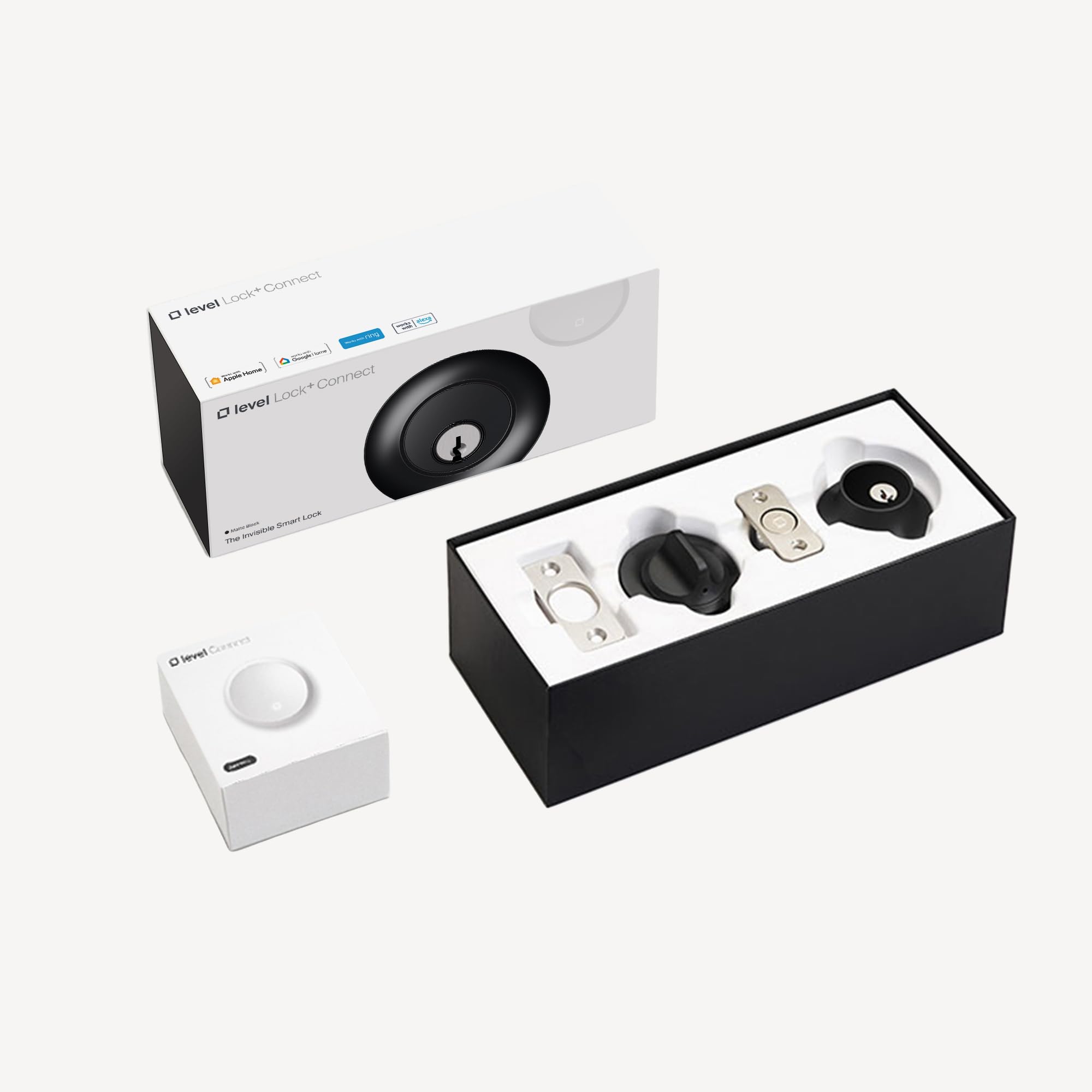
Figure 1: Level Lock+ (Wi-Fi) Smart Deadbolt, Matte Black
3. Konfiguracja i instalacja
The Level Lock+ is designed for easy installation, typically replacing your existing deadbolt's internal mechanism while retaining your current exterior and interior hardware.
3.1 Fizyczna instalacja
- Usuń istniejącą zasuwę: Carefully remove your current deadbolt's interior thumb turn, exterior cylinder, and the deadbolt mechanism from the door edge.
- Install Level Lock+ Mechanism: Insert the Level Lock+ deadbolt mechanism into the door edge. Ensure it is properly aligned and the bolt extends and retracts smoothly.
- Włóż baterię: The CR2 battery is housed within the deadbolt mechanism. Twist the end cap of the deadbolt to access the battery compartment, insert the battery, and re-secure the cap.
- Reinstall Existing Hardware: Reattach your original exterior cylinder and interior thumb turn, ensuring they align with the Level Lock+ mechanism. Secure all screws.

Rysunek 2: Wewnętrzne view of the Level Lock+ mechanism, showing battery compartment.
3.2 Pobieranie i parowanie aplikacji
- Download the Level Home App: Szukaj "Level Home" in your device's app store (iOS or Android) and download the application.
- Utwórz konto: Follow the in-app instructions to create a Level Home account.
- Pair Your Lock: In the app, select "Add a Lock" and follow the on-screen prompts to pair your Level Lock+ via Bluetooth. The app will guide you through the calibration process.
- Enable Wi-Fi Connectivity: For remote access and smart home integration (e.g., Amazon Alexa, Apple HomeKit), ensure your Level Lock+ is connected to your home Wi-Fi network. This may require a Level Connect device (sold separately) or a compatible Apple HomeKit hub (e.g., HomePod, Apple TV) for HomeKit functionality.
4. Operating Your Level Lock+
Your Level Lock+ offers multiple ways to lock and unlock your door, providing convenience and flexibility.
4.1 Obsługa ręczna
- Klucz fizyczny: Use the provided physical key in the exterior cylinder to manually lock or unlock the deadbolt.
- Obrót kciukiem: Use the interior thumb turn to manually lock or unlock the deadbolt from inside your home.
4.2 Kontrola aplikacji
- Zablokuj/Odblokuj: Open the Level Home app, select your lock, and tap the lock/unlock icon.
- Dostęp zdalny: If Wi-Fi connectivity is established, you can lock or unlock your door from anywhere using the app.
- Dostęp dla gości: Grant temporary or permanent access to guests by sending them digital keys via the app.
4.3 Integracja inteligentnego domu
- Sterowanie głosowe: Integrate with Amazon Alexa or Apple HomeKit (Siri) to control your lock using voice commands.
- Automatyzacje: Set up custom automations within the Level Home app or your smart home platform (e.g., lock automatically when you leave, unlock when you arrive).

Figure 3: Level Lock+ exterior view on a door.
5. Konserwacja
Regular maintenance ensures the longevity and optimal performance of your Level Lock+.
5.1 Wymiana baterii
The Level Lock+ uses a single CR2 battery, located inside the deadbolt mechanism. The Level Home app will notify you when the battery level is low. To replace:
- Dostęp do baterii: Twist the end cap of the deadbolt mechanism (the part that extends into the door frame) to reveal the battery compartment.
- Wymień baterię: Wyjmij starą baterię CR2 i włóż nową, zwracając uwagę na prawidłową biegunowość.
- Ponowny montaż: Securely twist the end cap back onto the deadbolt mechanism.
5.2 Czyszczenie
Clean the exterior components of your Level Lock+ with a soft, damp ściereczką. Unikaj stosowania środków czyszczących o działaniu ściernym lub rozpuszczalników, ponieważ mogą one uszkodzić wykończenie.
5.3 aktualizacji oprogramowania sprzętowego
Periodically check the Level Home app for available firmware updates. Updates provide new features, performance improvements, and security enhancements. Follow the in-app instructions to perform updates.
6. Rozwiązywanie Problemów
If you encounter issues with your Level Lock+, refer to the following common solutions:
- Zamek nie odpowiada: Check the battery level in the Level Home app. If low, replace the CR2 battery. Ensure your phone's Bluetooth is enabled and you are within range, or verify Wi-Fi connectivity if attempting remote access.
- Problemy z łącznością: If the lock is not connecting to Wi-Fi or Bluetooth, try restarting your home router and ensuring the Level Connect device (if used) is plugged in and functioning. For HomeKit, ensure your HomeKit hub is online and nearby.
- Zacinanie się mechanizmu blokującego: Ensure the deadbolt mechanism is properly installed and aligned. Check for any obstructions in the door frame or strike plate. Recalibrate the lock via the Level Home app.
- Problemy z aplikacją: If the Level Home app is not functioning correctly, try force-closing and reopening the app, or reinstalling it. Ensure your phone's operating system is up to date.
- Błąd aktualizacji oprogramowania sprzętowego: If a firmware update fails, ensure the lock has sufficient battery power and a stable connection. Try the update again. If issues persist, contact Level Support.
7. Specyfikacje
| Marka | Poziom |
| Numer modelu | C-L18U-S1 |
| Typ zamka | Zasuwa |
| Tworzywo | Stal nierdzewna |
| Kolor | Matte Black (Previous Model) |
| Pozycja Wymiary (dł. x szer. x wys.) | 4.5 x 2.75 x 2.75 cala |
| Waga przedmiotu | 1.62 kilograma |
| Protokół łączności | Wi-Fi |
| Metoda kontroli | Głos |
| Typ kontrolera | Amazon Alexa, Android, Apple HomeKit, Siri, iOS |
| UPC | 850009337849 |
8. Informacje o gwarancji
Level products are covered by a manufacturer's warranty. For specific details regarding your Level Lock+ (Wi-Fi) Smart Deadbolt warranty, including coverage period and terms, please refer to the warranty card included with your product or visit the official Level webmiejsce na www.level.co/support.
9. Wsparcie
For further assistance, technical support, or to access additional resources, please contact Level customer support:
- Wsparcie online: Odwiedzać www.level.co/support Aby uzyskać odpowiedzi na często zadawane pytania, wskazówki dotyczące rozwiązywania problemów i informacje o możliwościach kontaktu.
- Wsparcie w aplikacji: Access support directly through the Level Home app.