
Gemini GSP-L2200PK
Instrukcja obsługi systemu głośników DJ Gemini Sound GSP-L2200PK
Model: GSP-L2200PK
Wstęp
This manual provides essential information for the safe and effective operation of your Gemini Sound GSP-L2200PK Powered DJ Speaker System. This bundle includes a 2200W 15-inch powered Bluetooth PA speaker with sound-reactive LED lighting, a speaker stand, a Polsen M-85 microphone with cable, two Auray MS-5230F tripod microphone stands, and an XLR-XLR cable. Please read this manual thoroughly before use and retain it for future reference.
Ważne instrukcje bezpieczeństwa
- Przeczytaj te instrukcje.
- Zachowaj tę instrukcję.
- Przestrzegaj wszystkich ostrzeżeń.
- Postępuj zgodnie ze wszystkimi instrukcjami.
- Nie należy używać tego urządzenia w pobliżu wody.
- Czyścić wyłącznie suchą szmatką.
- Nie zasłaniaj żadnych otworów wentylacyjnych. Montaż należy wykonać zgodnie z instrukcją producenta.
- Nie należy instalować w pobliżu źródeł ciepła, takich jak grzejniki, kratki wentylacyjne, piece lub inne urządzenia (w tym amp(lifiers) wytwarzające ciepło.
- Nie lekceważ celu bezpieczeństwa wtyczki spolaryzowanej lub uziemiającej. Wtyczka spolaryzowana ma dwa bolce, z których jeden jest szerszy od drugiego. Wtyczka uziemiająca ma dwa bolce i trzeci bolec uziemiający. Szeroki bolec lub trzeci bolec są dostarczane dla Twojego bezpieczeństwa. Jeśli dostarczona wtyczka nie pasuje do Twojego gniazdka, skonsultuj się z elektrykiem w celu wymiany przestarzałego gniazdka.
- Chroń przewód zasilający przed deptaniem i przytrzaśnięciem, zwłaszcza w pobliżu wtyczek, gniazdek i miejsc, w których wychodzi z urządzenia.
- Stosować wyłącznie dodatki/akcesoria wskazane przez producenta.
- Używaj wyłącznie z wózkiem, stojakiem, statywem, uchwytem lub stołem określonym przez producenta lub sprzedawanym z urządzeniem. Gdy używany jest wózek, zachowaj ostrożność podczas przenoszenia kombinacji wózek/urządzenie, aby uniknąć obrażeń spowodowanych przewróceniem.
- Odłączaj urządzenie od zasilania podczas burzy z piorunami lub jeśli nie używasz go przez dłuższy czas.
- Wszelkie prace serwisowe należy zlecać wykwalifikowanemu personelowi serwisowemu. Serwisowanie jest wymagane, gdy urządzenie zostało w jakikolwiek sposób uszkodzone, np. przewód zasilający lub wtyczka są uszkodzone, płyn został wylany lub przedmioty wpadły do urządzenia, urządzenie zostało wystawione na działanie deszczu lub wilgoci, nie działa normalnie lub zostało upuszczone.
Zawartość opakowania
Sprawdź, czy w przesyłce znajdują się wszystkie elementy wymienione poniżej:
- 1x Gemini 2200W 15" Powered Bluetooth PA Speaker with Lights
- 1x stojak na głośniki
- 1x Polsen M-85 Professional Dynamic Handheld Microphone
- 1x Microphone Cable (XLR to 1/4")
- Przewód zasilający 1x
- 1x XLR-XLR Cable (20")
- 2x Auray MS-5230F Tripod Microphone Stand with Fixed Boom
- 2x Cable-Guide Clip (for mic stands)
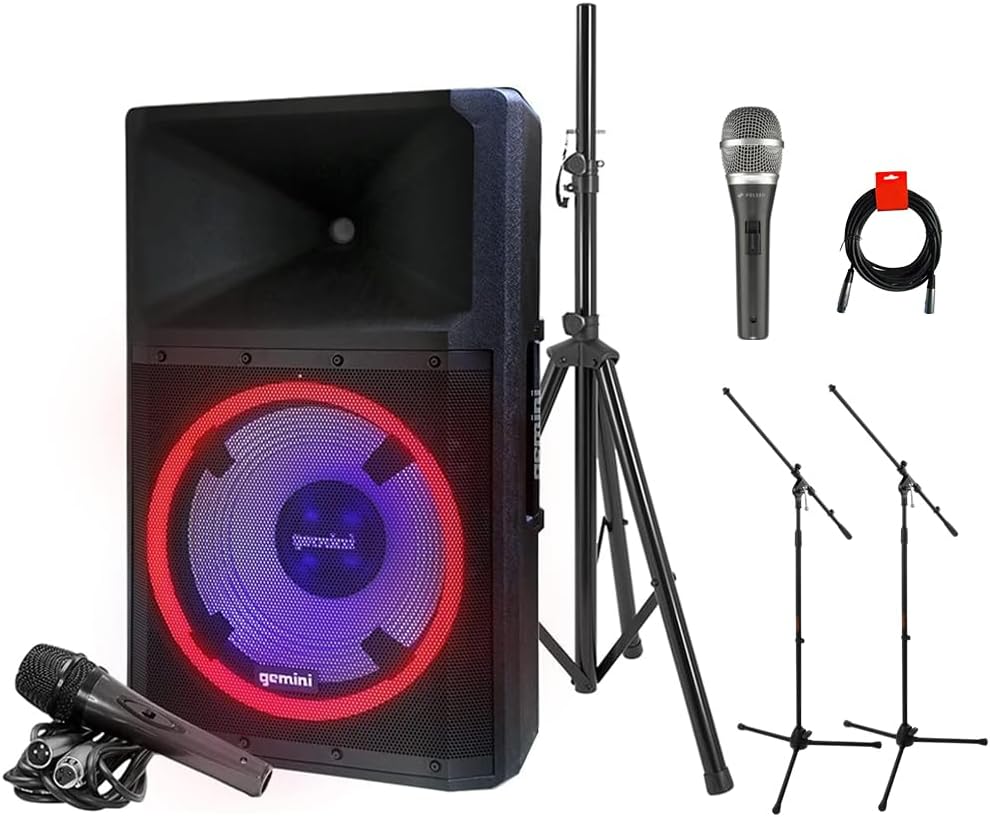
Image: The complete GSP-L2200PK bundle, showing the main speaker, a speaker stand, a Polsen M-85 microphone, two tripod microphone stands, and an XLR cable.
Produkt ponadview
Gemini GSP-L2200PK Powered Speaker
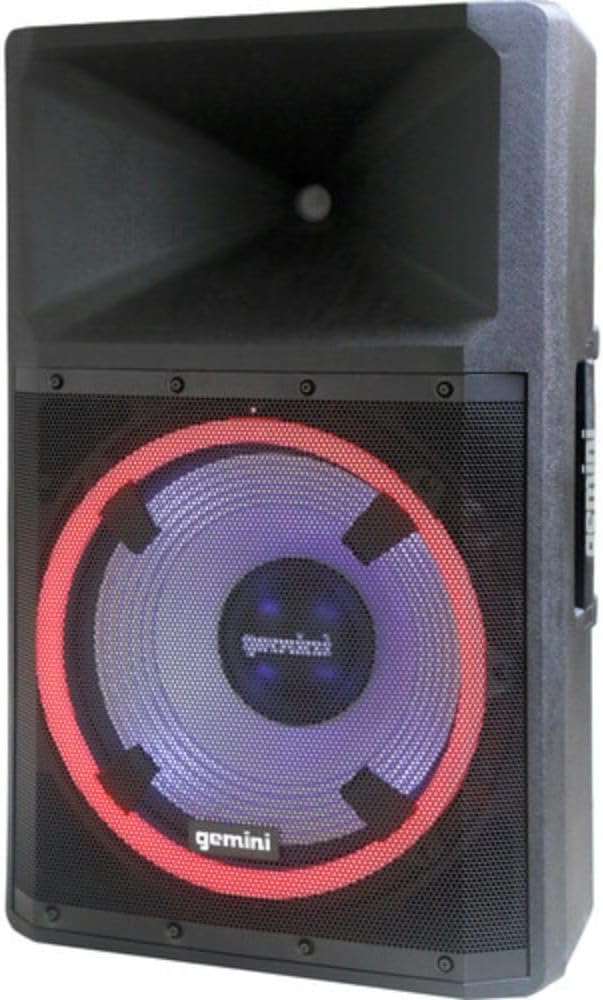
Obraz: Przód view of the Gemini GSP-L2200PK speaker, highlighting the 15-inch woofer with its illuminated LED ring and the horn tweeter.

Image: Rear panel of the Gemini GSP-L2200PK speaker, displaying the various input and output connections, volume controls, and the built-in media player interface.
The GSP-L2200PK is a powerful 15-inch bi-amped PA speaker featuring a 2200W peak output. It includes a 15" low-frequency woofer, a 3" voice coil, and a 1.35" tweeter for clear audio reproduction. The speaker is equipped with a three-channel mixer, individual gain controls, and a built-in media player that supports Bluetooth, SD cards, and USB drives. It also features adjustable full-color LED party lighting and a telescopic handle with wheels for portability.
Polsen M-85 Professional Dynamic Handheld Microphone

Image: The Polsen M-85 Professional Dynamic Handheld Microphone, a cardioid microphone with durable all-metal construction and an on/off switch.
The Polsen M-85 is a cardioid dynamic microphone designed for clear vocal reproduction. It features durable all-metal construction and a balanced XLR output connector for reliable performance.
Auray MS-5230F Tripod Microphone Stands
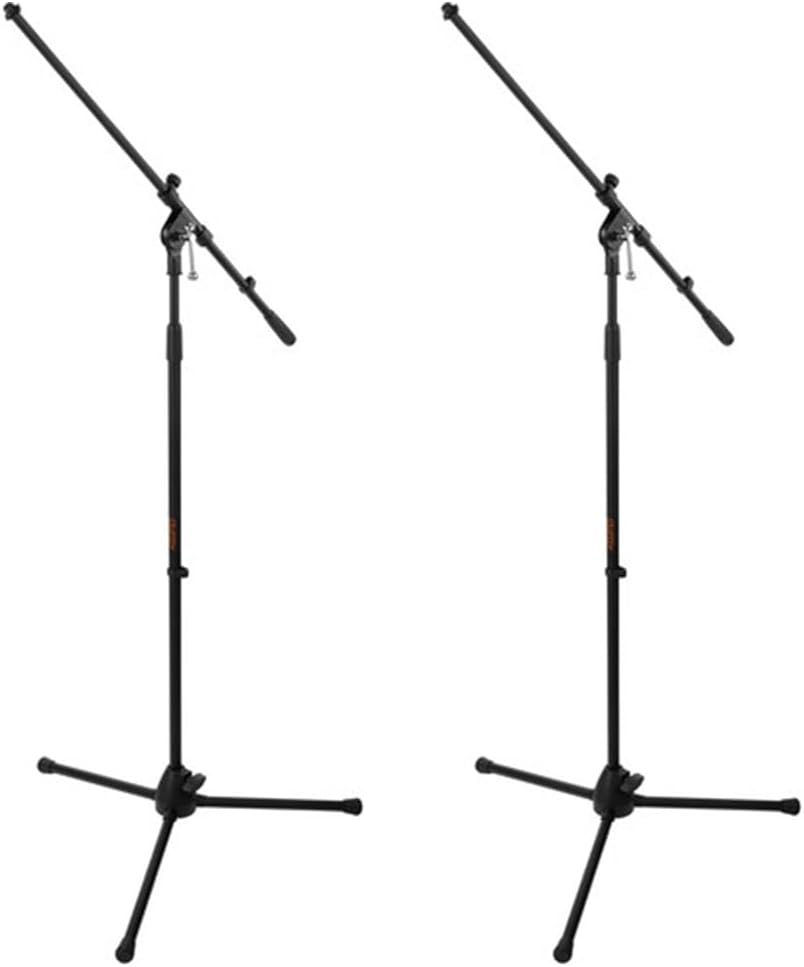
Image: Two Auray MS-5230F Tripod Microphone Stands, featuring a stable tripod base and a fixed boom arm for microphone positioning.
The MS-5230F stands feature durable steel construction with a stable tripod base and a fixed boom arm, ideal for various microphone placements.
Kable

Image: A coiled 20-inch XLR-XLR cable, used for connecting audio equipment.
The bundle includes a power cord for the speaker, an XLR to 1/4" cable for the Polsen M-85 microphone, and a 20-inch XLR-XLR cable for linking speakers or other audio devices.
Przewodnik po konfiguracji
1. Rozmieszczenie głośników
- Unpack the GSP-L2200PK speaker and the speaker stand.
- Extend the legs of the speaker stand to form a stable tripod base. Ensure the locking mechanisms are securely fastened.
- Carefully lift the GSP-L2200PK speaker and place it onto the pole of the speaker stand. Ensure it is seated firmly and securely.
- Position the speaker in a central location, elevated for optimal sound dispersion. Avoid placing it directly against walls or in corners, which can affect bass response.
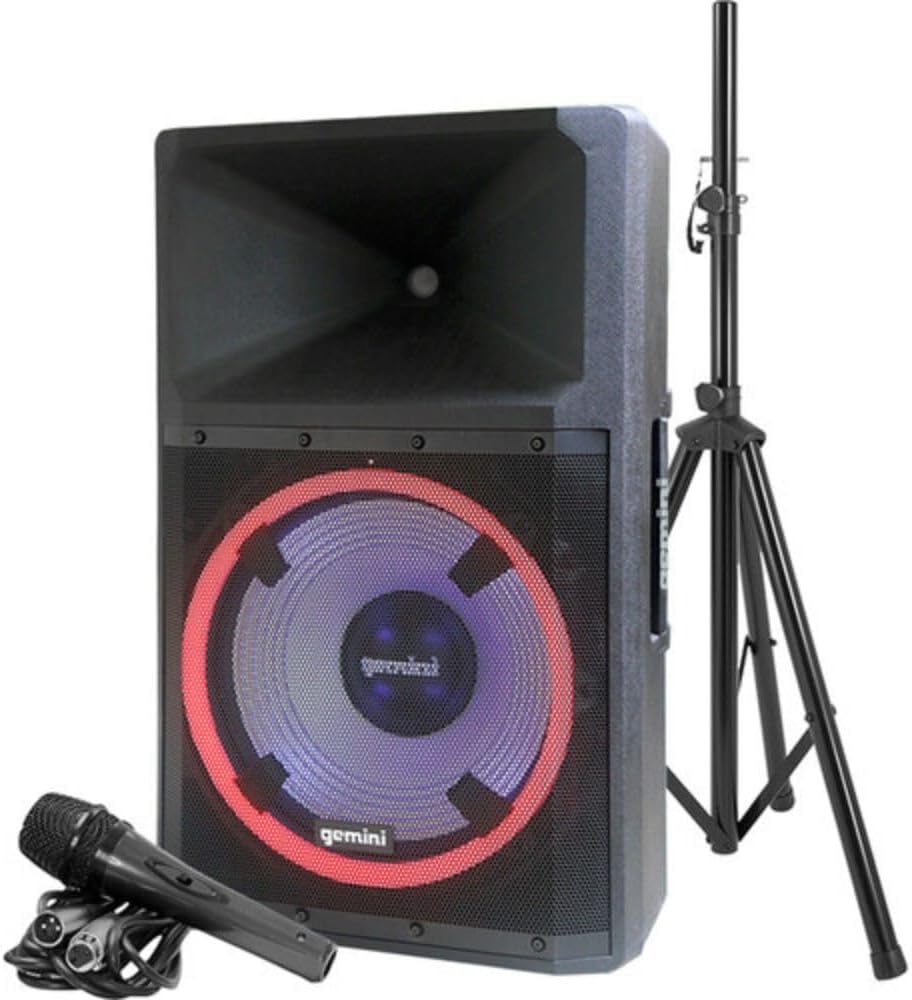
Image: The Gemini GSP-L2200PK speaker correctly mounted on its included stand, with the Polsen M-85 microphone positioned in front.
2. Konfiguracja mikrofonu
- Assemble the Auray MS-5230F tripod microphone stands by extending the legs and attaching the fixed boom arm.
- Attach the microphone clip to the boom arm of the stand.
- Insert the Polsen M-85 microphone into the microphone clip.
- Connect the XLR end of the provided microphone cable (XLR to 1/4") to the Polsen M-85 microphone.
- Connect the 1/4" end of the microphone cable to one of the Microphone Input (XLR/1/4" Combo) jacks on the rear panel of the GSP-L2200PK speaker.
3. Podłączenie zasilania
- Upewnij się, że wyłącznik zasilania głośnika jest w pozycji WYŁĄCZONY.
- Connect the provided power cord to the AC INLET on the rear panel of the speaker.
- Podłącz drugi koniec przewodu zasilającego do odpowiedniego gniazdka elektrycznego.
Instrukcja obsługi
1. Powering On and Initial Volume Settings
- Before powering on, ensure all volume knobs (Master, Mic, Line, Media Player) are set to their minimum (counter-clockwise) position.
- Flip the POWER switch on the rear panel to the ON position. The power indicator light will illuminate.
- Slowly increase the MASTER VOLUME to a low listening level.
2. Parowanie Bluetooth
- On the speaker's media player, select the Bluetooth mode. The Bluetooth indicator will flash, indicating it's ready for pairing.
- Włącz Bluetooth na swoim smartfonie, tablecie lub komputerze i wyszukaj dostępne urządzenia.
- Select "GSP-L2200PK" from the list of devices. Once paired, the Bluetooth indicator on the speaker will become solid.
- You can now stream audio wirelessly to the speaker. Adjust the MEDIA PLAYER VOLUME knob for the desired level.
3. Wired Audio Inputs
- Wejścia mikrofonowe: Connect your Polsen M-85 microphone (or other XLR/1/4" microphones) to the MIC INPUT 1 or MIC INPUT 2 jacks. Adjust the corresponding MIC VOLUME knob.
- Wejścia liniowe: For other audio sources (e.g., mixer, instrument, non-Bluetooth player), use the LINE INPUTS (XLR, RCA, or 3.5mm AUX). Connect your device and adjust the LINE VOLUME knob.
- Wejście gitarowe: The 1/4" input can also be used for guitar connection.
4. Sterowanie oświetleniem LED
The GSP-L2200PK features built-in LED lights with several operational modes. Refer to the controls on the rear panel to cycle through different lighting effects, including sound-reactive modes, or to turn the lights off.
5. TWS Linking (True Wireless Stereo)
For a stereo sound experience, you can wirelessly link two GSP-L2200PK speakers. Consult the speaker's specific TWS linking instructions, usually involving pressing a dedicated TWS button on both units until they pair.
6. Wyjście XLR
The XLR OUTPUT allows you to link additional powered speakers or send the mixed audio signal to another sound system. Use the provided XLR-XLR cable for this connection.
Konserwacja
- Czyszczenie: Always unplug the speaker before cleaning. Use a soft, dry cloth to wipe down the exterior surfaces. Do not use abrasive cleaners, waxes, or solvents.
- Składowanie: When not in use for extended periods, store the speaker and accessories in a cool, dry place, away from direct sunlight and extreme temperatures.
- Kable: Inspect all cables regularly for signs of wear or damage. Replace any damaged cables immediately to ensure safe operation.
- Wentylacja: Ensure that the ventilation openings on the speaker are not blocked to prevent overheating.
Rozwiązywanie problemów
| Problem | Możliwa przyczyna | Rozwiązanie |
|---|---|---|
| Brak zasilania | Power cord not connected; Power outlet not active; Speaker power switch off. | Ensure power cord is securely connected; Test outlet with another device; Turn speaker power switch ON. |
| Brak dźwięku | Volume knobs too low; Incorrect input selected; Source device not playing; Damaged cable. | Increase MASTER, MIC, LINE, or MEDIA PLAYER volume; Ensure correct input is active; Check source device playback; Replace cable if damaged. |
| Bluetooth nie łączy się | Speaker not in pairing mode; Device too far; Incorrect device selected. | Ensure speaker is in Bluetooth pairing mode (flashing indicator); Move device closer to speaker; Select "GSP-L2200PK" from device list. |
| Zniekształcony dźwięk | Volume too high (clipping); Input signal too strong; Damaged speaker component. | Reduce MASTER or input volume; Lower output level from source device; Contact customer support if distortion persists at low volumes. |
| Mikrofon nie działa | Microphone switch off; Cable not connected properly; MIC VOLUME too low. | Ensure microphone switch is ON; Check cable connection at both ends; Increase MIC VOLUME. |
Specyfikacje
| Funkcja | Szczegół |
|---|---|
| Numer modelu | GSP-L2200PK |
| Moc wyjściowatage | 2200 W (szczyt) |
| Rozmiar głośnika niskotonowego | 15 cali |
| Rozmiar głośnika wysokotonowego | 1.35 cali |
| Liczba kanałów | 3 (Mic 1, Mic 2, Line/Media Player) |
| Technologia łączności | Bluetooth, XLR, 1/4" TRS or TS, RCA |
| Wejścia audio | XLR microphones, 1/4'' instrument inputs, RCA, 3.5mm auxiliary inputs |
| Wyjście audio | Wyjście łącza XLR |
| Źródło zasilania | Elektryczny przewodowy |
| Tworzywo | Steel (stands), Durable Enclosure (speaker) |
| Kolor | Czarny |
| Waga przedmiotu | 58 funtów (cały pakiet) |
| Wymiary opakowania | 30.5 x 21 x 16.13 cala |
| Typ montażu | Montaż na słupie |
| Zalecane zastosowania | Events, speaking engagements, fitness programs, DJ parties, karaoke, indoor events |
Gwarancja i wsparcie
For warranty information and technical support, please refer to the warranty card included with your product or visit the official Gemini Sound webZachowaj dowód zakupu na wypadek roszczeń gwarancyjnych.
Gemini Customer Support: For assistance with your GSP-L2200PK system, please contact Gemini customer support. Contact details can typically be found on the manufacturer's webmiejscu lub na opakowaniu produktu.
Ask a question about this manual
Ask about setup, troubleshooting, compatibility, parts, safety, or missing instructions. Manuals+ will review the question and use this page’s manual context to help answer it.