
1. Wprowadzenie
Thank you for choosing the Hayve DM7 Digital Microscope. This device is designed for detailed observation and analysis of various objects, offering up to 1000X magnification and a clear 4.3-inch IPS display. It is suitable for applications such as coin inspection, PCB board examination, insect and plant observation, and jewelry appraisal. This manual provides essential information for the safe and effective use of your microscope.

Figure 1: Hayve DM7 Digital Microscope with 32GB TF Card
2. Informacje dotyczące bezpieczeństwa
Please read all safety instructions carefully before using the Hayve DM7 Digital Microscope to prevent injury or damage to the device.
- Trzymaj urządzenie z dala od wody i wilgoci.
- Do not attempt to disassemble or modify the microscope. Repairs should only be performed by authorized personnel.
- Unikaj wystawiania urządzenia na działanie ekstremalnych temperatur lub bezpośredniego światła słonecznego.
- Należy używać wyłącznie dołączonego kabla ładującego i adaptera.
- Podczas użytkowania mikroskopu należy upewnić się, że jest on umieszczony na stabilnej i równej powierzchni.
- Przechowywać poza zasięgiem małych dzieci, aby zapobiec przypadkowemu połknięciu małych części.
3. Zawartość opakowania
Sprawdź, czy w przesyłce znajdują się wszystkie elementy:
- Hayve DM7 Digital Microscope (with 4.3-inch IPS screen)
- Regulowana podstawka
- Karta TF 32 GB (wstępnie zainstalowana lub dołączona osobno)
- Kabel USB typu C
- Instrukcja obsługi (ten dokument)
4. Koniec produktuview
Familiarize yourself with the main components of your Hayve DM7 Digital Microscope.

Figure 2: Flexible Stand and Screen Adjustments
- 4.3-calowy wyświetlacz IPS: High-resolution screen for live viewwłączanie i odtwarzanie.
- Koło ostrości: Adjusts magnification and focus.
- Oświetlenie LED: 8 adjustable LEDs for optimal lighting of the specimen.
- Soczewka mikroskopu: Captures magnified images.
- Regulowany stojak: Provides stability and allows for height and angle adjustments.
- Base with Scale: Features measurement markings for precise positioning.
- Przyciski sterujące: Power, Menu, Capture/Record, Up/Down navigation.
- Gniazdo karty TF: For storage of captured images and videos.
- Port USB typu C: Do ładowania i łączenia z komputerem.
5. Konfiguracja
Follow these steps to assemble and prepare your microscope for first use:
- Złóż stojak:
- Insert the vertical pole into the base.
- Przymocuj uchwyt do słupa.
- Secure the microscope unit onto the bracket.
- Tighten all knobs to ensure stability.
- Włóż kartę TF: If not pre-installed, gently insert the provided 32GB TF card into the TF card slot on the side of the display unit until it clicks into place.
- Naładuj urządzenie: Connect the Type-C USB cable to the microscope and a suitable USB power adapter (not included) or computer USB port. The charging indicator will illuminate. A full charge provides approximately 5 hours of working time.
- Włączanie: Press and hold the Power button (usually located on the display unit) for a few seconds until the screen illuminates.

Rysunek 3: Etapy montażu

Rysunek 4: Wkładanie karty TF
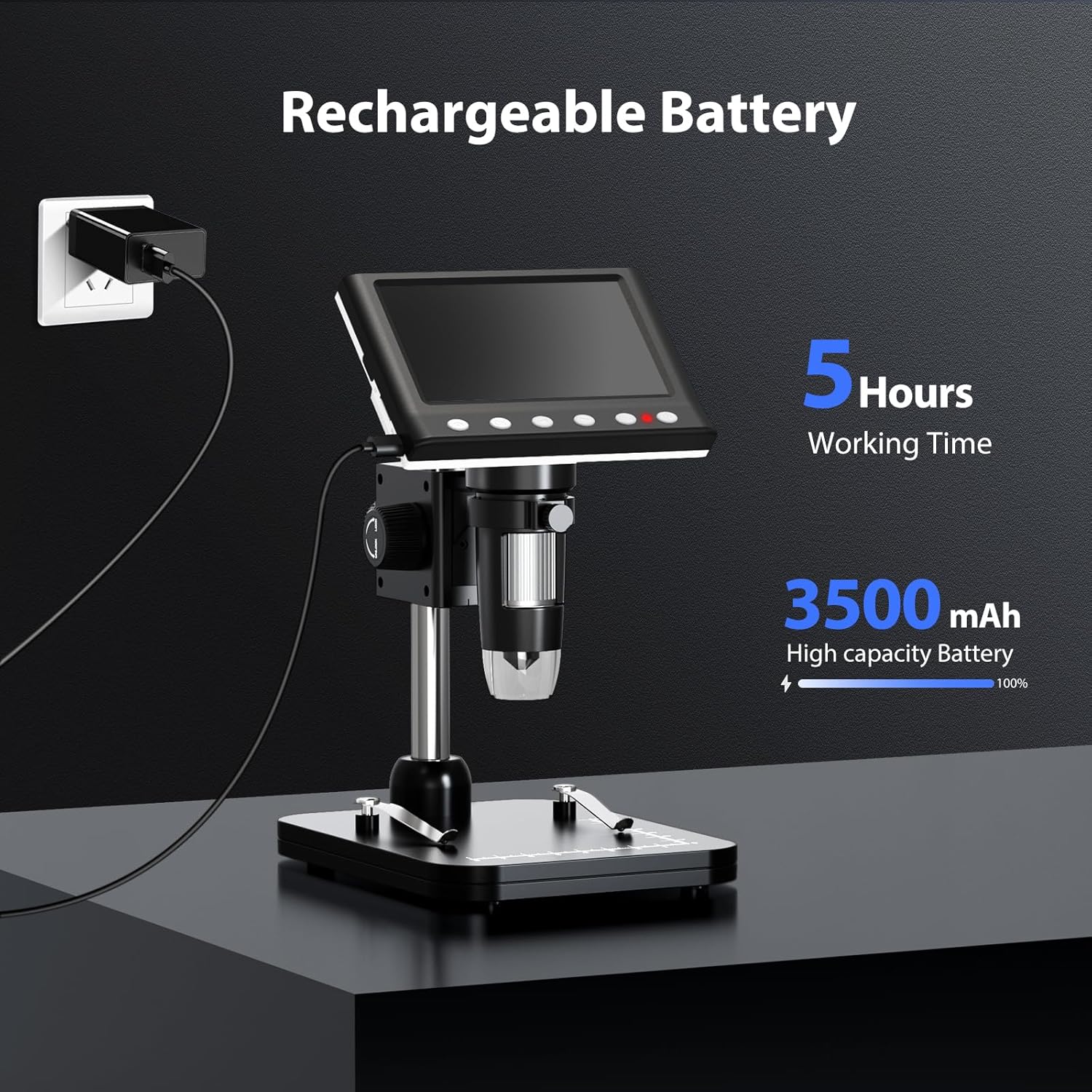
Figure 5: Charging the Microscope
6. Instrukcja obsługi
6.1 Podstawowa obserwacja
- Place the object you wish to observe on the microscope's base.
- Adjust the distance between the microscope lens and the object using the stand's adjustment knobs.
- Rotate the focus wheel to achieve a clear image on the IPS screen.
- Adjust the LED illumination as needed (see Section 6.4).

Rysunek 6: Podstawowe kroki operacyjne
6.2 Regulacja powiększenia i ostrości
The Hayve DM7 offers 50X to 1000X magnification. Magnification is adjusted by changing the distance between the lens and the object, and then fine-tuning with the focus wheel.
- To increase magnification, lower the microscope lens closer to the object.
- To decrease magnification, raise the microscope lens further from the object.
- After adjusting the height, rotate the Koło ostrości (typically on the side of the lens barrel) until the image on the screen is sharp and clear.
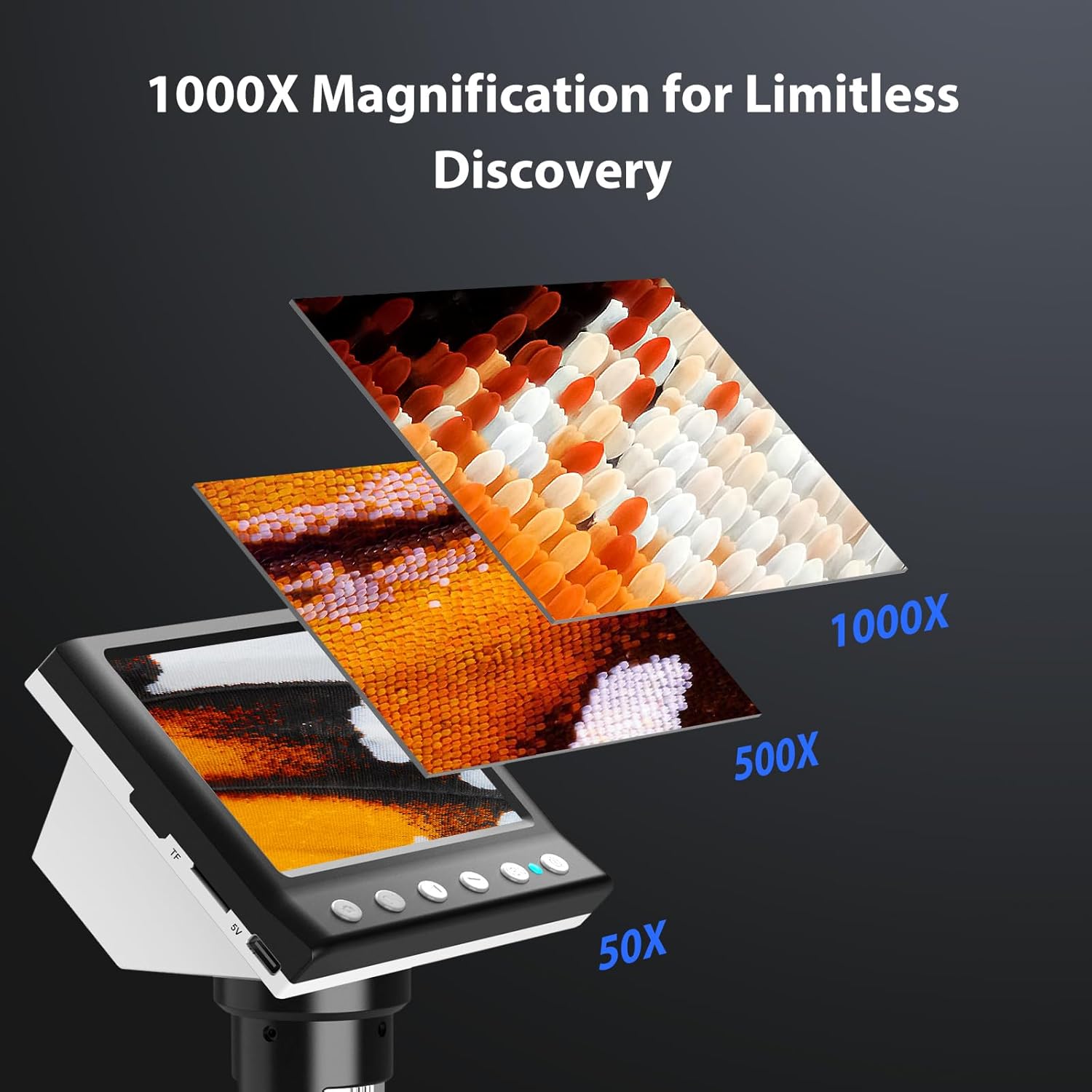
Figure 7: Magnification Levels
6.3 Robienie zdjęć i nagrywanie filmów
The microscope allows you to capture high-quality photos and record videos directly to the installed TF card.
- Aby zrobić zdjęcie: While observing, press the 'Capture' button (often marked with a camera icon). The image will be saved to the TF card.
- Aby nagrać film: Press the 'Record' button (often marked with a video camera icon) once to start recording. Press it again to stop. The video will be saved to the TF card.
- Access saved files through the 'Playback' or 'Gallery' option in the microscope's menu.
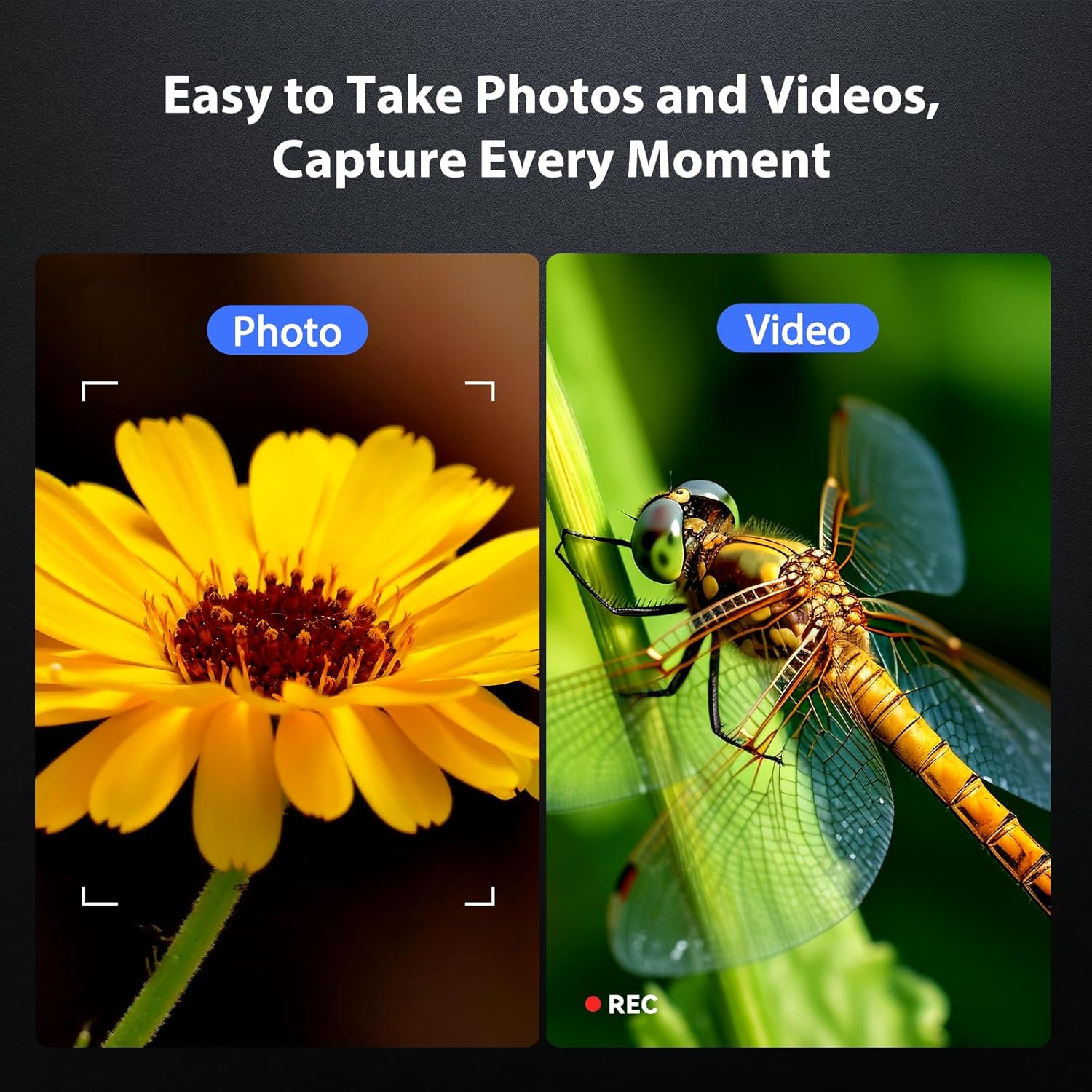
Rysunek 8: Przechwytywanie zdjęć i filmów
6.4 Regulacja oświetlenia LED
The 8 adjustable LED lights provide optimal illumination for various specimens. You can control their brightness from 0% to 100%.
- Locate the LED control button or dial on the microscope unit.
- Rotate the dial or press the button to increase or decrease the brightness.
- Adjust until the object is evenly lit without glare or shadows.

Rysunek 9: Regulacja jasności diody LED
6.5 Connecting to a Computer (PC Mode)
Dla większych viewing, precise measurements, or sharing, you can connect the microscope to a Windows-compatible computer.
- Sprawdź, czy mikroskop jest włączony.
- Connect the microscope to your computer using the provided Type-C USB cable.
- The microscope screen may display "PC Cam" or prompt you to select a mode. Choose "PC Camera" or "UVC" mode.
- On your computer, open a camera application (e.g., Windows Camera app) or a dedicated microscope software (if provided or downloaded) to view kanał na żywo.
- Some software may allow for measurement functions.

Figure 10: PC Connection for Measurement
7. Konserwacja
Właściwa konserwacja gwarantuje długowieczność i optymalną pracę mikroskopu.
- Czyszczenie obiektywu: Użyj miękkiej, niepozostawiającej włókien ściereczki przeznaczonej specjalnie do soczewek optycznych. W przypadku uporczywych zabrudzeń, niewielką ilość płynu do czyszczenia soczewek można nanieść na ściereczkę (nie bezpośrednio na soczewkę).
- Cleaning the Screen and Body: Wipe the screen and body with a soft, dry cloth. Avoid abrasive cleaners or solvents.
- Składowanie: When not in use, store the microscope in a clean, dry, dust-free environment. Consider using a protective cover.
- Pielęgnacja baterii: W przypadku długotrwałego przechowywania ładuj akumulator do około 50% co kilka miesięcy, aby zachować jego sprawność.
8. Rozwiązywanie Problemów
Rozwiązania typowych problemów znajdziesz w tej sekcji.
| Problem | Możliwa przyczyna | Rozwiązanie |
|---|---|---|
| Mikroskop nie włącza się. | Niski poziom naładowania baterii; przycisk zasilania nie został wciśnięty prawidłowo. | Charge the microscope fully. Press and hold the power button for 3-5 seconds. |
| Obraz jest rozmazany. | Incorrect focus; Object too far/close to lens. | Adjust the focus wheel. Adjust the height of the microscope unit on the stand. |
| Ekran jest zbyt ciemny/jasny. | LED illumination not adjusted. | Adjust the LED brightness using the control dial/button. |
| Nie można zapisać zdjęć/filmów. | TF card full or not inserted correctly; TF card error. | Check TF card insertion. Delete old files or replace TF card. Format TF card (backup data first). |
| Połączenie z komputerem nie działa. | Incorrect mode selected; Driver issue; Cable fault. | Ensure "PC Camera" mode is selected on the microscope. Try a different USB port or cable. Check computer's device manager for driver issues. |
9. Specyfikacje
Technical specifications for the Hayve DM7 Digital Microscope:
| Funkcja | Szczegół |
|---|---|
| Model | DM7 |
| Ekran wyświetlacza | 4.3-calowy IPS |
| Powiększenie | 50X do 1000X |
| Źródło światła | 8 regulowanych diod LED |
| Składowanie | Karta TF 32 GB (w zestawie) |
| Bateria | 1 bateria litowo-jonowa (w zestawie) |
| Czas pracy | Około 5 godzin |
| Łączność | Type-C USB (for charging and PC connection) |
| Kompatybilny system operacyjny | Windows (PC connection) |
| Tworzywo | Plastikowy |
| Kolor | Czarny |
| Waga przedmiotu | 1.3 funtów (0.59 kg) |
| Wymiary opakowania | 7.91 x 7.44 x 3.78 cala |
10. Gwarancja i wsparcie
Hayve provides customer support for its products. If you encounter any issues or have questions regarding your DM7 Digital Microscope, please contact our customer service team.
- Obsługa klienta: Hayve offers 24-hour professional and kind after-sales service.
- Informacje kontaktowe: Refer to the product packaging or the official Hayve webna naszej stronie znajdziesz najnowsze dane kontaktowe.
- Gwarancja: Specific warranty terms and conditions may apply. Please retain your proof of purchase for warranty claims.
11. Filmy produktowe
No official product videos were provided in the input data for embedding in this manual.