
BSP-Y02
Y02 Wireless Arcade Stick User Manual
Model: BSP-Y02
Wstęp
Thank you for choosing the Y02 Wireless Arcade Stick. This manual provides detailed instructions on how to set up, operate, and maintain your device. Designed for a wide range of gaming platforms, the Y02 offers a classic arcade experience with modern features like multi-platform compatibility, TURBO function, and macro programming. Please read this manual thoroughly before use to ensure optimal performance and longevity of your arcade stick.
Produkt ponadview
The Y02 Wireless Arcade Stick is a versatile gaming controller featuring a classic arcade layout with a joystick and multiple action buttons. It supports various connection methods and is compatible with numerous gaming platforms.
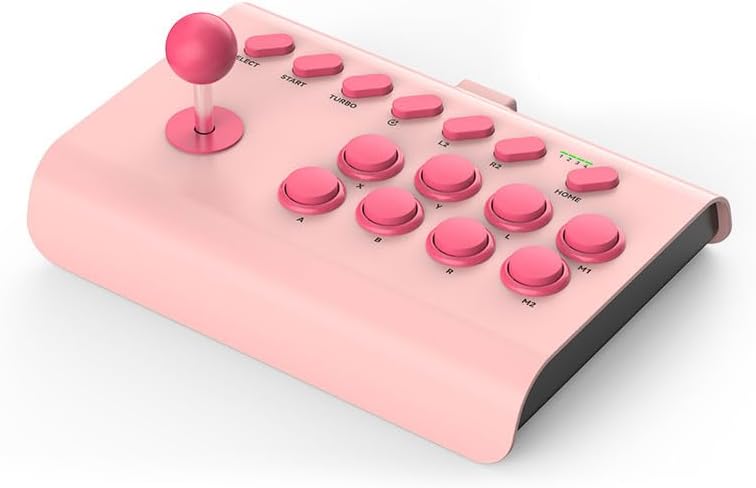
Image: The Y02 Wireless Arcade Stick in a pink color, showcasing its joystick and button layout.
Główne cechy:
- Zgodność z wieloma platformami: Supports PS4, Nintendo Switch, PC, Android phones, iOS phones, and TV set-top boxes.
- Trzy tryby połączenia: Offers wired (USB-C), Bluetooth wireless, and 2.4G wireless connectivity for flexible gaming.
- Funkcja TURBO: Enables one-key automatic continuous shooting and continuous attack with adjustable burst speeds (Low, Mid, High).
- Programowanie makr: Allows for custom one-key combo configurations for advanced gameplay.
- Wbudowana bateria: Equipped with a 600 mAh high-capacity battery for extended play sessions.
- Ergonomiczna konstrukcja: Features a conventional arcade design with standardized, sensitive, and precise professional combat buttons.
- Zintegrowany uchwyt na telefon: Includes an extensible stand that supports phones with a width of 48-91 mm.

Image: Visual representation of the Y02 Arcade Stick's multi-platform compatibility, including icons for PS4/PS3, Switch, Computer, Set-top box, Android, and iOS MFI.

Image: Diagram illustrating the three available connection modes: Wired (USB icon), Bluetooth Wireless (Bluetooth icon), and 2.4G Wireless (Wi-Fi icon).
Organizować coś
Zawartość opakowania:
- 1 x Y02 Wireless Arcade Stick
- 1 x Uchwyt telefonu
- Kabel ładujący 1 x USB-C
- 1 x Instrukcja obsługi
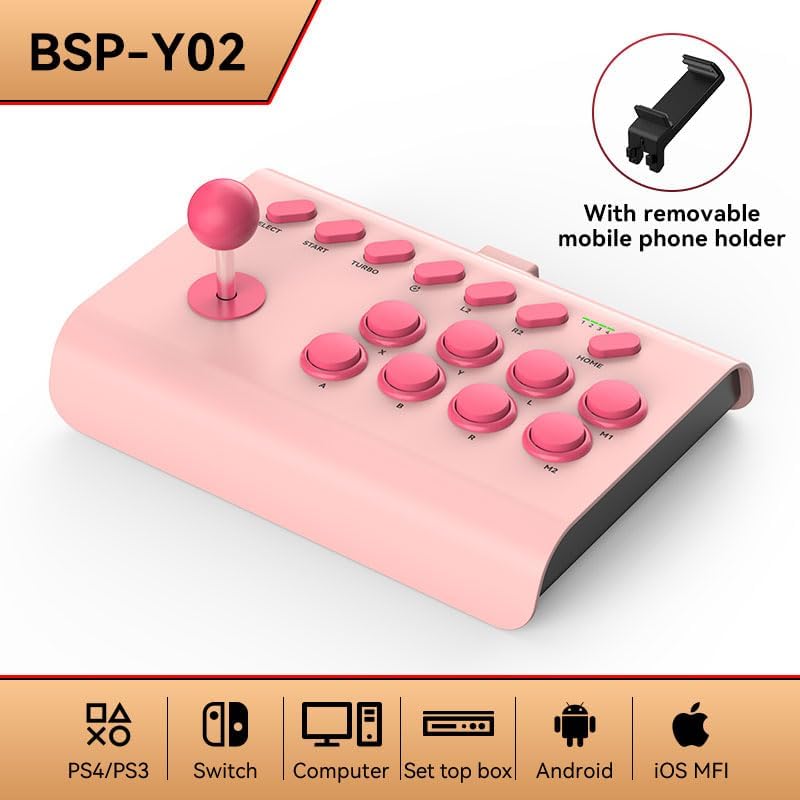
Image: The Y02 Wireless Arcade Stick shown with its included removable mobile phone holder, highlighting the accessory.
Ładowanie urządzenia:
Before first use, fully charge the arcade stick. Connect the included USB-C charging cable to the TYPE-C port on the device and the other end to a USB power source (e.g., computer, wall adapter). The charging indicator will show the charging status. A full charge takes approximately 2 hours.
Connecting to Platforms:
The Y02 Arcade Stick supports three connection methods:
- Połączenie przewodowe:
Connect the USB-C cable from the arcade stick directly to your PC, PS4, Switch dock, or set-top box. The device should be recognized automatically.
- Połączenie bezprzewodowe Bluetooth:
- Ensure the arcade stick is powered on.
- On your device (e.g., Android phone, iOS phone, PC with Bluetooth), go to Bluetooth settings and search for new devices.
- Select "Y02 Arcade Stick" or similar from the list of available devices to pair.
- Once paired, the connection indicator on the arcade stick will stabilize.
- Połączenie bezprzewodowe 2.4G:
(Note: A 2.4G USB dongle is typically required for this mode, usually included with the product if supported. Please check your package contents.)
- Plug the 2.4G USB dongle into an available USB port on your PC, PS4, Switch dock, or set-top box.
- Power on the arcade stick. It should automatically connect to the dongle.
Instrukcja obsługi
Podstawowe sterowanie:
The Y02 Arcade Stick features a standard arcade layout:
- Drążek sterowy: Do ruchu kierunkowego.
- Action Buttons (A, B, X, Y, L, R, L2, R2, M1, M2): Do działań w grze.
- Przyciski WYBIERZ/START: For game menus and pausing.
- Przycisk DOMOWY: For system-level functions (e.g., returning to console home screen).
Funkcja TURBO:
The TURBO function allows for rapid, continuous input of a button press.
- Activate TURBO: Press and hold the desired action button, then press the TURBINA button. The button will now continuously register presses as long as it's held down.
- Dostosuj prędkość TURBO: Podczas trzymania TURBINA button, move the joystick UP or W DÓŁ to cycle through burst speeds:
- Low Gear: 8 times per second
- Mid Range: 15 times per second
- High Gear: 25 times per second
- Deactivate TURBO: Press and hold the TURBO-enabled action button, then press the TURBINA naciśnij przycisk ponownie.
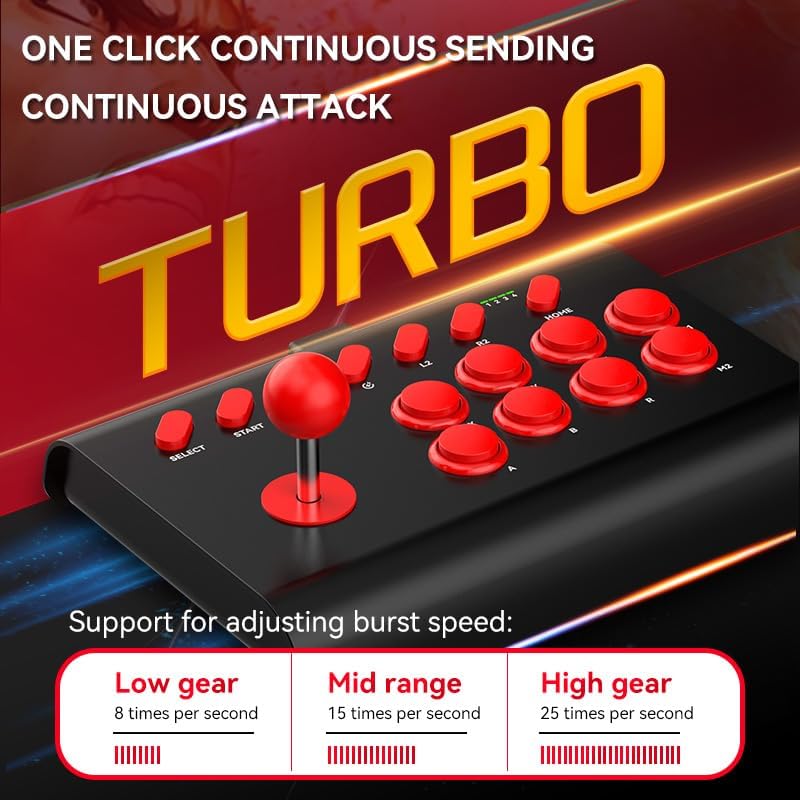
Image: The Y02 Arcade Stick highlighting the TURBO function and its adjustable burst speeds: Low (8/sec), Mid (15/sec), and High (25/sec).
Programowanie makr:
The Y02 supports macro configurations for one-key combos. Specific instructions for macro programming are typically detailed in the included user manual. Generally, this involves entering a programming mode, inputting a sequence of button presses, and then assigning that sequence to a specific macro button (M1 or M2).
Korzystanie z uchwytu telefonu:
Attach the provided phone holder to the designated slot on the arcade stick. Extend the holder to securely grip your smartphone (48-91mm width) for mobile gaming.
Konserwacja
- Czyszczenie: Use a soft, dry cloth to wipe the surface of the arcade stick. Do not use harsh chemicals or abrasive cleaners.
- Składowanie: Przechowywać urządzenie w chłodnym i suchym miejscu, z dala od bezpośredniego światła słonecznego i ekstremalnych temperatur.
- Pielęgnacja baterii: Aby przedłużyć żywotność baterii, unikaj częstego całkowitego rozładowywania baterii. Regularnie ładuj urządzenie, nawet jeśli nie jest używane przez dłuższy czas.
- Unikaj uderzenia: Do not drop or subject the arcade stick to strong impacts, as this may damage internal components.
Rozwiązywanie problemów
| Problem | Możliwa przyczyna / rozwiązanie |
|---|---|
| Urządzenie nie włącza się. | Battery is low or depleted. Charge the device for at least 30 minutes. |
| Nie można nawiązać połączenia przez Bluetooth. |
|
| Buttons or joystick are unresponsive. |
|
| Funkcja TURBO nie działa. | Ensure you are pressing the correct button combination to activate/deactivate TURBO. Refer to the "Operating Instructions" section. |
Specyfikacje
| Nazwa modelu | Y02 Wireless Arcade Stick with Stand |
| Numer modelu | BSP-Y02 |
| Tworzywo | ABS |
| Typ interfejsu | TYP-C |
| Wymiary (dł. x szer. x wys.) | Wymiary: 283 x 198 x 116 mm |
| Metody połączenia | Wired, Bluetooth Wireless, 2.4G Wireless |
| Wibracja | Bez wibracji |
| Pojemność baterii | 600 mAh (wbudowany) |
| Czas ładowania | Około 2 godzin |
| Żywotność baterii | Około 15 godzin |
| Kompatybilne platformy | PC, iOS, Android, PS3/PS4, Nintendo Switch, Set-top Boxes |
| Szerokość uchwytu telefonu | 48-91 mm |
Gwarancja i wsparcie
This product comes with a standard manufacturer's warranty. Please refer to the warranty card included in your package for specific terms and conditions. For technical support, troubleshooting assistance, or warranty claims, please contact the retailer or manufacturer directly using the contact information provided with your purchase.
For the latest information and support, please visit the official product website (if available) or contact customer service.
Ask a question about this manual
Ask about setup, troubleshooting, compatibility, parts, safety, or missing instructions. Manuals+ will review the question and use this page’s manual context to help answer it.