Jectse Y113 V5.0 Wireless Bluetooth Earbuds User Manual
Model: Y113
Wstęp
Thank you for choosing the Jectse Y113 V5.0 Wireless Bluetooth Earbuds. These earbuds are designed to provide a high-quality audio experience with convenience and durability. Featuring Bluetooth 5.0 for stable connectivity, automatic pairing, and a comfortable, sweat-resistant design, they are suitable for various activities, including sports.
Co jest w pudełku
2 x bezprzewodowe słuchawki douszne
1 x etui ładujące
1 x kabel danych
1 x Instrukcja obsługi (w języku chińskim i angielskim)
Image: Contents of the Jectse Y113 package, including the charging case, two earbuds, and a USB charging cable.
Produkt ponadview
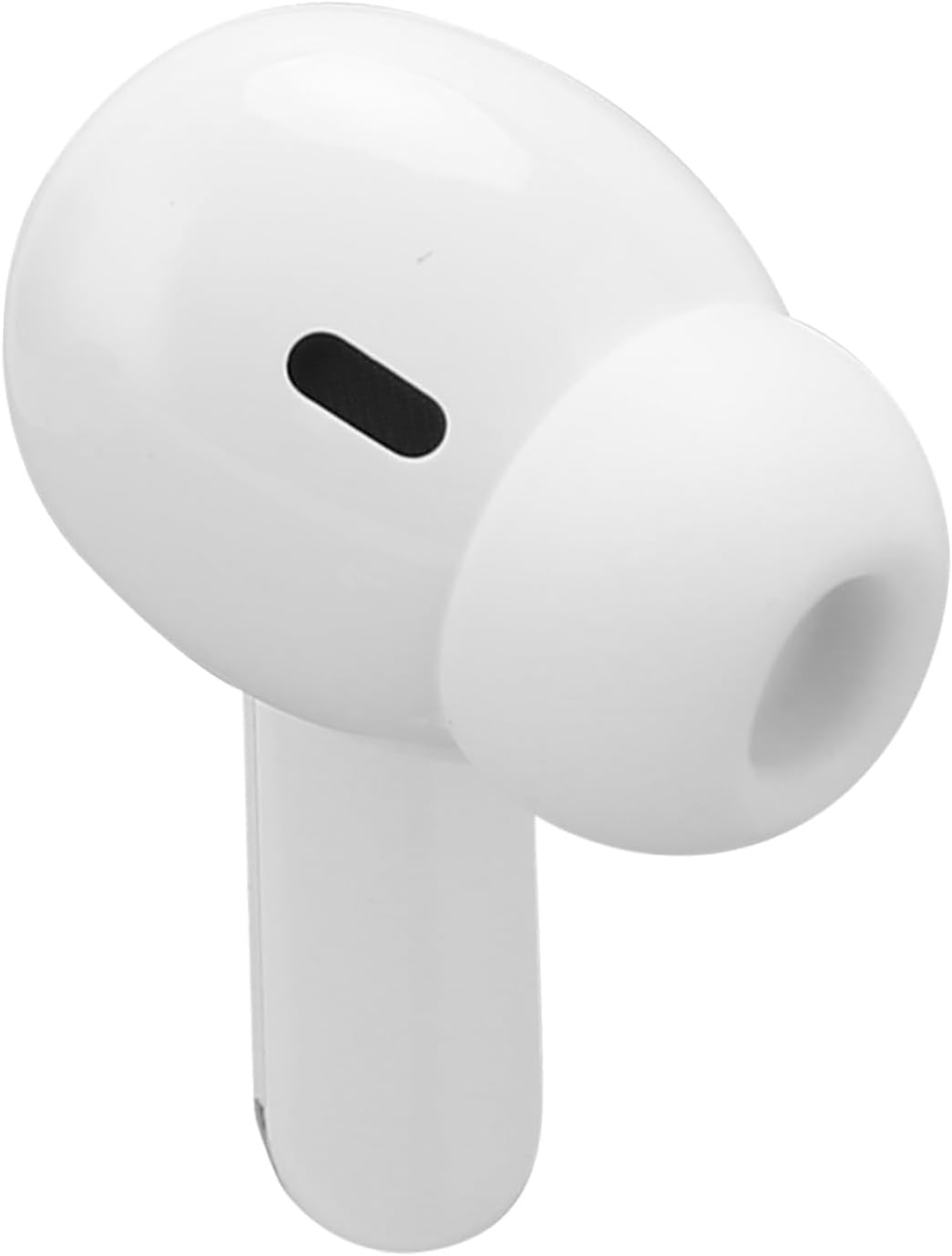
The Jectse Y113 earbuds feature an ergonomic in-ear design for a secure and comfortable fit. The compact charging case provides portable power for extended listening.
Słuchawki douszne
Współczynnik kształtu: Intra-Auricular (In-ear)
Metoda sterowania: Dotykać
Wodoodporność: Impermeable (Waterproof and Sweatproof)
Image: A pair of Jectse Y113 wireless earbuds, highlighting their sleek, white design and in-ear form factor.
Etui ładujące
Houses and charges the earbuds.
Features an LED digital display (not explicitly detailed in provided data, but mentioned in product title).
Image: The Jectse Y113 charging case with its lid open, revealing the two earbuds nestled inside.
Organizować coś
1. Ładowanie słuchawek i etui
Before first use, fully charge the earbuds and the charging case. Place the earbuds into the charging case. Connect the provided data cable to the charging case and a suitable USB power source. The earbuds will charge automatically when placed in the case.
Czas ładowania słuchawek: Pełne ładowanie trwa około 3 godzin.
Czas odtwarzania słuchawek: Up to 2.5 to 3 hours on a full charge.
Image: The Jectse Y113 charging case next to its USB charging cable, illustrating the charging components.
2. Automatyczne parowanie
The earbuds feature quick automatic pairing. Once removed from the charging case, the earbuds will automatically power on and enter pairing mode. They will then automatically connect to the last paired device. For first-time pairing:
Wyjmij obie słuchawki z etui ładującego. Włączą się automatycznie i spróbują się ze sobą sparować.
On your device (phone, tablet, etc.), open the Bluetooth settings.
Szukaj available devices and select "Y113" (or similar name) from the list.
Once connected, you will hear a confirmation sound, and the earbuds are ready for use.
Operacyjny
Sterowanie dotykowe
The Jectse Y113 earbuds utilize touch controls for various functions. Specific touch gestures (e.g., single tap, double tap, long press) will control playback, calls, and voice assistant activation. Refer to the included printed manual for detailed touch control instructions, as these can vary.
Noszenie słuchawek dousznych
The earbuds are designed for comfortable and secure wear, even during intense physical activity. Insert each earbud gently into your ear canal and rotate slightly until it feels snug and stable. The ergonomic design ensures they stay in place.
Image: Two individuals engaged in running, both wearing Jectse Y113 wireless earbuds, demonstrating their suitability for sports.
Odporność na wodę i pot
The earbuds are waterproof and sweat-resistant, making them ideal for workouts and outdoor activities. They are designed to withstand sweat and splashes of water. However, they are not intended for swimming or prolonged submersion in water.
Konserwacja
To ensure the longevity and optimal performance of your Jectse Y113 earbuds, follow these maintenance guidelines:
Czyszczenie: Regularnie przecieraj słuchawki douszne i etui ładujące miękką, suchą i niepozostawiającą włókien ściereczką. Nie używaj środków czyszczących ani rozpuszczalników o działaniu ściernym.
Składowanie: Gdy nie używasz słuchawek, przechowuj je w etui ładującym, aby je chronić i utrzymać naładowanie.
Unikaj ekstremalnych warunków: Do not expose the earbuds or charging case to extreme temperatures, humidity, or direct sunlight for extended periods.
Ładowanie: Należy używać wyłącznie dołączonego kabla ładującego lub certyfikowanego odpowiednika.
Rozwiązywanie problemów
If you encounter issues with your Jectse Y113 earbuds, try the following steps:
Brak dźwięku/problemy z połączeniem:
Upewnij się, że słuchawki douszne są naładowane.
Upewnij się, że Bluetooth jest włączony w Twoim urządzeniu.
Spróbuj rozłączyć i ponownie sparować słuchawki z urządzeniem.
Upewnij się, że słuchawki znajdują się w zasięgu Bluetooth Twojego urządzenia.
Jedna słuchawka douszna nie działa:
Place both earbuds back into the charging case, close the lid, wait a few seconds, then remove them to allow them to re-sync.
Sprawdź, czy obie słuchawki są naładowane.
Problemy z ładowaniem:
Upewnij się, że kabel ładujący jest pewnie podłączony do obudowy i źródła zasilania.
Sprawdź, czy port ładowania w obudowie jest czysty i wolny od zanieczyszczeń.
Spróbuj użyć innego zasilacza USB lub portu.
If problems persist, consult the full user manual included in the package or contact customer support.
Specyfikacje
Marka
Wyciek
Nazwa modelu
Y113 (Jectse865vfh3cru)
Kolor
Biały
Tworzywo
Akrylonitryl-butadien-styren (ABS)
Technologia łączności
Bezprzewodowy
Technologia komunikacji bezprzewodowej
Bluetooth
Wersja Bluetooth
5.0
Umieszczenie ucha
Extra-Auricular
Współczynnik kształtu
Intra-Auricular (In-ear)
Metoda kontroli
Dotykać
Typ sterownika audio
Dynamiczny
Poziom wodoodporności
Waterproof (Imperméable)
Pojemność baterii słuchawek
35 mAh (Polymer Battery)
Pojemność akumulatora etui ładującego
200 mAh (Polymer Battery)
Czas ładowania
Około 3 godzin
Average Battery Life (Playtime)
2.5 - 3 godzin
Kompatybilne urządzenia
Phone, Tablet, Car Audio System
Konkretne zastosowania produktu
Sport
Gwarancja i wsparcie
Jectse products are designed for reliability and performance. For warranty information and customer support, please refer to the documentation included with your product or visit the official Jectse webZachowaj paragon jako dowód zakupu na wypadek ewentualnych roszczeń gwarancyjnych.
Ask a question about this manual
Ask about setup, troubleshooting, compatibility, parts, safety, or missing instructions. Manuals+ will review the question and use this page’s manual context to help answer it.