
1. Wprowadzenie
This manual provides essential instructions for the safe and effective operation of your Andoer H8 Compact Digital Camera. Please read this manual thoroughly before using the camera and retain it for future reference.
2. Informacje dotyczące bezpieczeństwa
Aby zapewnić bezpieczną pracę, należy przestrzegać następujących środków ostrożności:
- Nie narażaj aparatu na działanie wody lub wilgoci.
- Unikaj upuszczania aparatu i narażania go na silne uderzenia.
- Trzymaj aparat z dala od ekstremalnych temperatur.
- Nie próbuj samodzielnie demontować ani naprawiać aparatu. Skontaktuj się z wykwalifikowanym serwisantem.
- Use only the specified charging cable and battery.

Opis obrazu: A red triangular warning symbol with an exclamation mark, accompanied by text in multiple languages warning to keep plastic bags away from babies and children to prevent suffocation.
3. Zawartość opakowania
Sprawdź, czy w opakowaniu znajdują się wszystkie elementy:
- Andoer H8 Digital Camera
- Kabel typu C
- Falrep
- Instrukcja obsługi

Opis obrazu: A pink Andoer H8 compact digital camera, displayed with its front and back sides visible, highlighting its compact design and screen.
4. Koniec kameryview
Zapoznaj się z elementami aparatu:
- Obiektyw: Przechwytuje obrazy i filmy.
- Błysk: Zapewnia oświetlenie w warunkach słabego oświetlenia.
- 2.8-calowy wyświetlacz IPS: Dla viewing menus, photos, and videos.
- Przycisk zasilania: Włącza/wyłącza kamerę.
- Spust migawki: Robi zdjęcia.
- Sterowanie powiększeniem: Adjusts 8x digital zoom.
- Przyciski nawigacyjne: Do nawigacji po menu i dokonywania wyborów.
- Przycisk trybu: Switches between photo, video, game, and music modes.
- Port USB-C: Do ładowania i przesyłania danych.
- Gniazdo karty TF: Do wkładania karty pamięci.

Opis obrazu: An illustration showing the Andoer H8 camera in four different colors (Purple, Blue, Black, Pink) and icons representing its main functions: Photo, Video, Game, Music, and Flash lamp.
5. Konfiguracja
5.1. Ładowanie akumulatora
- Connect the supplied Type-C cable to the camera's USB-C port.
- Podłącz drugi koniec kabla do zasilacza USB (nie ma go w zestawie) lub do portu USB komputera.
- The charging indicator will illuminate. Charging typically takes 2-4 hours.
- Po pełnym naładowaniu kontrolka może się zmienić lub zgasnąć.
5.2. Wkładanie karty pamięci (karty TF)
The camera supports TF cards up to 32GB (not included).
- Znajdź gniazdo karty TF w aparacie.
- Insert the TF card with the metal contacts facing down until it clicks into place.
- Aby wyjąć kartę, delikatnie naciśnij ją, aż wyskoczy.
6. Instrukcja obsługi
6.1. Włączanie/wyłączanie zasilania
- Aby włączyć urządzenie, naciśnij i przytrzymaj przycisk zasilania.
- Aby wyłączyć urządzenie, naciśnij i przytrzymaj przycisk zasilania ponownie.
6.2. Robienie zdjęć
- Turn on the camera and ensure it is in Photo mode (indicated by an icon on the screen).
- Skadruj ujęcie korzystając z 2.8-calowego wyświetlacza IPS.
- Use the zoom controls to adjust the 8x digital zoom.
- Naciśnij przycisk migawki, aby uchwycić obraz.

Opis obrazu: A pink Andoer H8 camera showing a high-definition image on its screen, with text indicating "4800W shot in HD" and "8000x6000 HD resolution," demonstrating its photo capabilities.
6.3. Nagrywanie filmów
- Switch the camera to Video mode.
- Press the Shutter button to start recording. A recording indicator will appear on the screen.
- Naciśnij ponownie przycisk migawki, aby zatrzymać nagrywanie.

Opis obrazu: A pink Andoer H8 camera displaying a live video recording on its screen, with "1080P Video recording" and "Recording the good times" text, illustrating its video capture function.
6.4. Odtwarzanie
- In Photo or Video mode, press the Playback button (usually indicated by a triangle icon) to enter playback mode.
- Przeglądaj zdjęcia i filmy za pomocą przycisków nawigacyjnych.
- Naciśnij przycisk OK/Enter, aby view zdjęcie lub odtwórz film.
6.5. Special Features: Stickers, Frames, and Filters
Enhance your photos with built-in creative options:
- Access these features through the camera's menu settings, typically found in Photo mode.
- Select from 40 kinds of head stickers, 26 photo frames, and 6 filters to customize your images before or after capture (depending on camera firmware).

Opis obrazu: A collage demonstrating various creative options available on the camera, including 40 types of cute head stickers, 26 adorable photo frames, and 6 filters, applied to different child portraits.
6.6. Odtwarzanie muzyki
The camera supports MP3 music playback.
- Przenieś MP3 files do karty TF.
- Switch the camera to Music mode.
- Use the navigation buttons to select and play music.
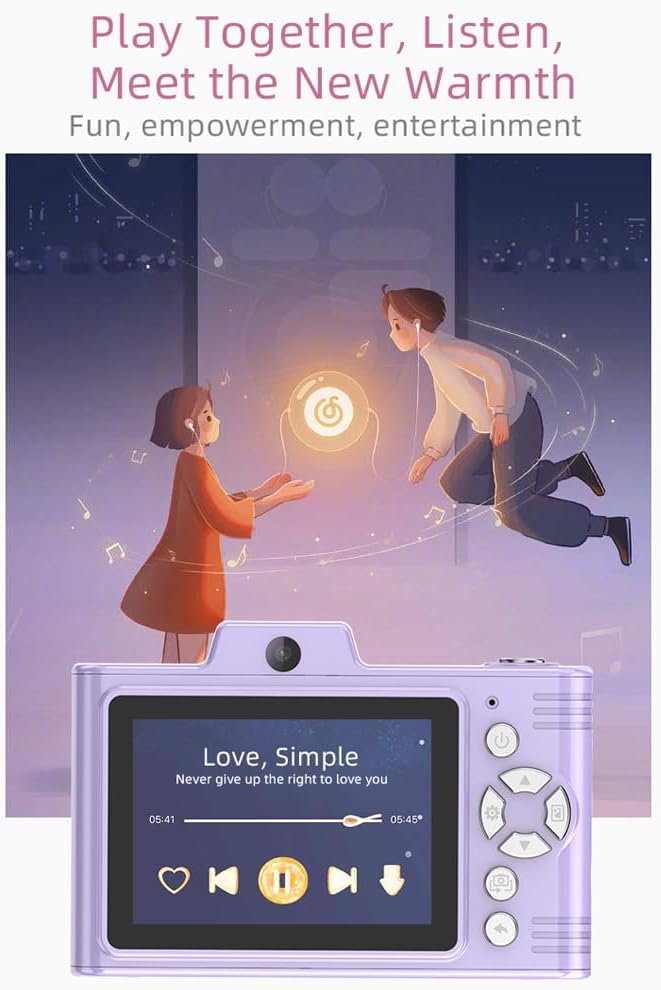
Opis obrazu: A purple Andoer H8 camera showing a music player interface on its screen, with song title "Love, Simple" and playback controls, indicating its music playback capability.
6.7. Connecting to a Computer / Transferring Files
You can transfer photos and videos to a computer or phone.
- Connect the camera to your computer using the Type-C cable.
- The camera should appear as a removable disk.
- Przeciągnij i upuść files do twojego komputera.
- For phone transfer, use an OTG adapter (not included) if your phone supports OTG functionality.
7. Konserwacja
- Czyszczenie: Do czyszczenia korpusu aparatu używaj miękkiej, suchej ściereczki. Do czyszczenia obiektywu użyj specjalnej ściereczki.
- Składowanie: Store the camera in a cool, dry place away from direct sunlight and dust. Remove the battery if storing for extended periods.
8. Rozwiązywanie Problemów
| Problem | Możliwe rozwiązanie |
|---|---|
| Kamera się nie włącza. | Upewnij się, że bateria jest naładowana. Włóż baterię ponownie. |
| Nie można robić zdjęć/kręcić filmów. | Check if a TF card is inserted and has sufficient space. Ensure camera is in the correct mode. |
| Obrazy są niewyraźne. | Clean the lens. Ensure adequate lighting. Hold the camera steady. |
| Kamera zawiesza się. | Wyjmij baterię i włóż ją ponownie, aby zresetować kamerę. |
9. Specyfikacje
| Funkcja | Szczegół |
|---|---|
| Model produktu | H8 |
| Ekran wyświetlacza | 2.8 cale IPS |
| Piksel zdjęcia | Do 48 MP |
| Rozdzielczość wideo | Rozdzielczość 1080P HD |
| Zoom cyfrowy | 8x |
| File Format | JPG/AVI/MP3 |
| Czas ładowania | Około 2-4 godzin |
| Pojemność baterii | 700mAh, 3.7V |
| Waga produktu | 110g |
| Rozmiar produktu | 105.5x72x46mm |
| Objętość ładowaniatage | Prąd stały 5 V 1 A |
| Obsługa pamięci | TF card (max 32GB) |
| Cechy specjalne | 40 Head Stickers, 26 Photo Frames, 6 Filters |
| Łączność | USB (typ C) |
| Stabilizacja obrazu | Cyfrowy |
| Typ czujnika | CMOS |
| Poziom umiejętności | Nowicjusz |
10. Gwarancja i wsparcie
For warranty information and technical support, please refer to the documentation provided with your purchase or contact Andoer customer service directly. Keep your proof of purchase for warranty claims.